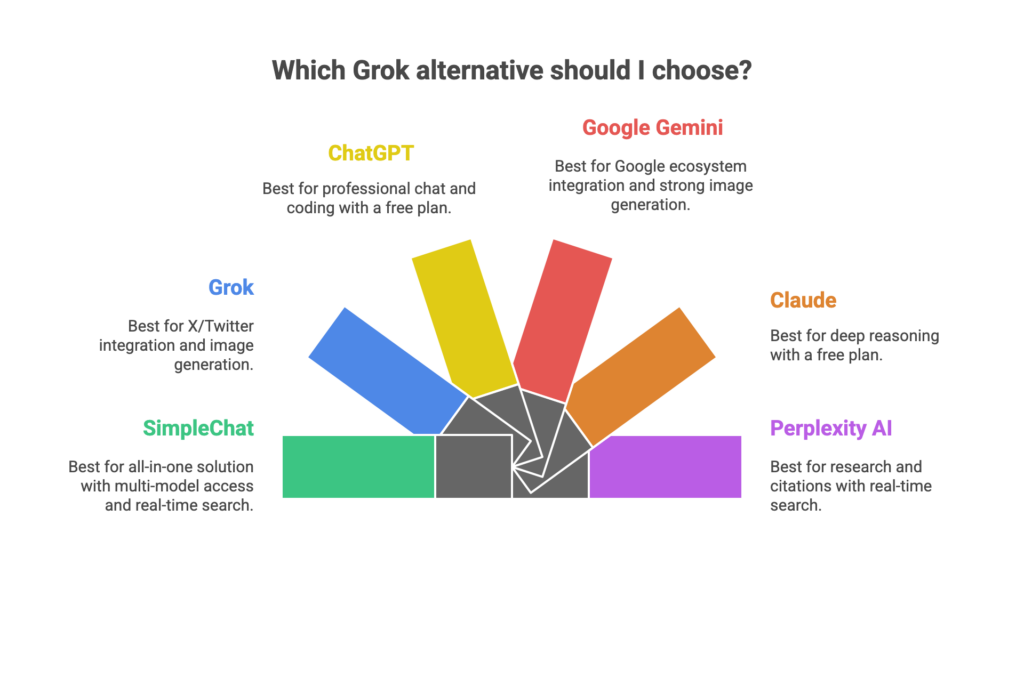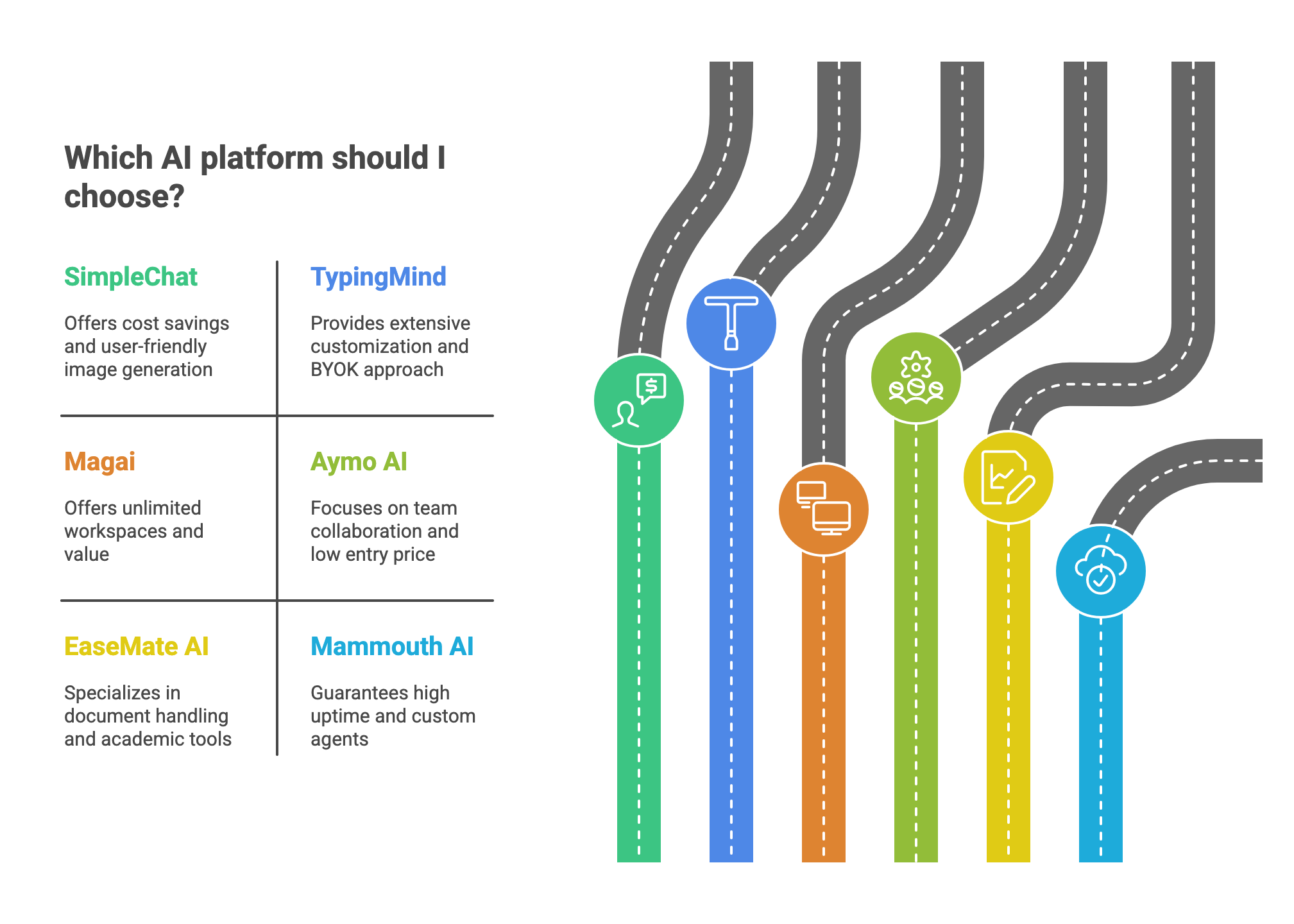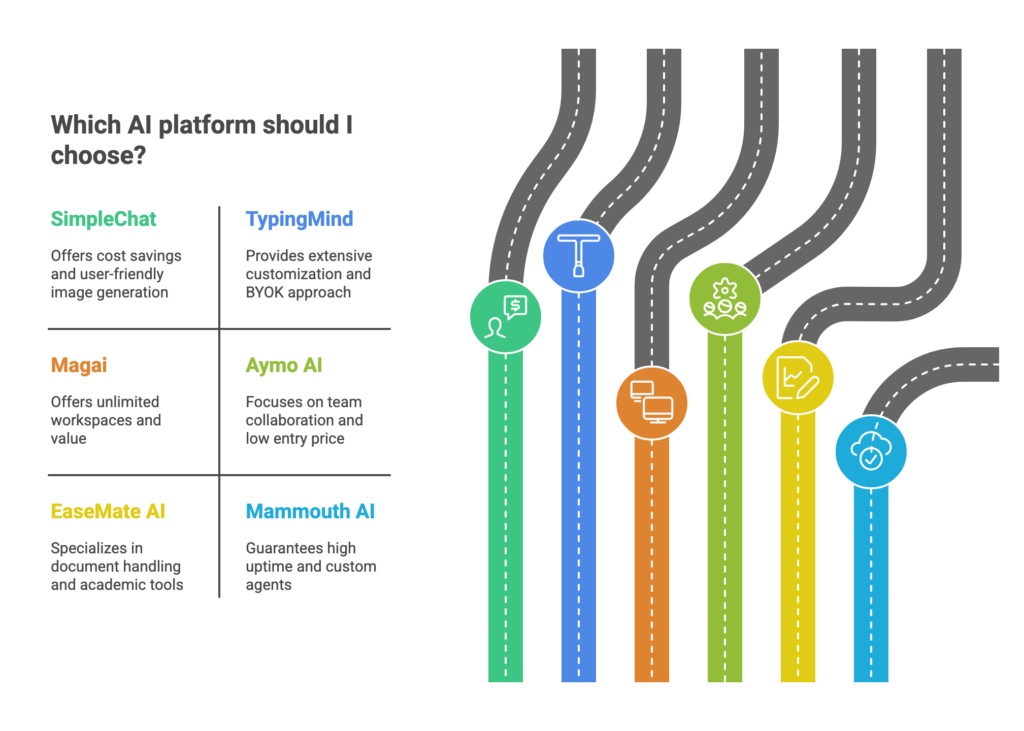
Tag: Comparisons

  • Best ChatGPT Alternatives for Code in 2026: Top AI Coding Tools Compared

    Best ChatGPT Alternatives for Code in 2026: Top AI Coding Tools Compared

    Introduction

    Every developer has been there—you’re deep in code, switching between ChatGPT for debugging, Claude for code review, and maybe Gemini for documentation. Three tabs open, three subscriptions draining your wallet, and precious minutes lost just copying context between platforms.

    The numbers tell a stark story: developers using AI coding assistants report up to 30% reduction in routine coding time, with AI suggestion acceptance rates consistently exceeding 90%. Yet most developers are either locked into a single model’s limitations or hemorrhaging $110+ monthly across multiple subscriptions.

    Here’s what changed in 2026: The rise of unified AI platforms that give you access to every leading model through one interface.

    SimpleChat.app represents this evolution—a platform where 12,500+ professionals now access GPT-5, Claude 4.1 Opus, Gemini 2.5 Pro, Grok 4, Perplexity, and more without context switching. The math is simple: $11 per month instead of $110+ for separate subscriptions, saving developers $1,188 annually while actually expanding their AI toolkit.

    This guide examines the five best ChatGPT alternatives for code generation in 2026. We’ve tested each platform against real-world coding tasks—from debugging multi-file applications to generating production-ready code—and broken down exactly which tool fits which developer profile.

    What you’ll learn:

    • How each AI coding assistant performs on actual development tasks
    • Detailed pricing comparisons and hidden costs
    • Which models excel at specific coding challenges
    • Why multi-model access is becoming the developer standard
    • Concrete decision frameworks based on your workflow and budget

    Whether you’re a solo developer watching your subscription costs balloon or a team lead evaluating AI tools for your engineers, this comparison cuts through the marketing noise with benchmark data, real user experiences, and practical recommendations.

    Why Developers Are Moving Beyond ChatGPT for Code

    ChatGPT democratized AI for millions, but it wasn’t built specifically for developers. When you’re debugging a React component at 2 AM or refactoring legacy Python, generic AI assistance only gets you so far.

    The limitations become obvious fast:

    ChatGPT’s 128K context window sounds impressive until you’re working with a sprawling codebase. It lacks native IDE integration, meaning constant copy-pasting between your editor and browser. For specialized tasks—generating unit tests, reviewing pull requests, or explaining complex algorithms—models trained specifically on code repositories consistently outperform general-purpose ones.

    Then there’s the model diversity problem. Claude 4.1 Opus just scored 74.5% on SWE-bench, setting new standards for real-world coding tasks. GPT-5 excels at natural language-to-code translation. Gemini 2.5 Pro handles multi-file context brilliantly. But most developers are stuck choosing just one.

    The subscription math gets ugly quickly. ChatGPT Plus ($20), Claude Pro ($20), GitHub Copilot ($10), Gemini Advanced ($20)—you’re suddenly paying $70+ monthly for tools you use interchangeably throughout your day.

    Enter unified platforms. Instead of juggling accounts, SimpleChat.app gives you access to 10+ leading AI models through one interface at $11 monthly. No context switching between tabs. No deciding which subscription to cut when budgets tighten. Just the right model for each coding task, instantly available.

    This shift mirrors how developers already work—we don’t use one tool for everything. We choose ESLint for linting, Prettier for formatting, Jest for testing. Why should AI be different? The best developers in 2026 aren’t asking “which AI should I use?” They’re asking “which AI should I use for this specific task?”

    Our Testing Methodology for AI Coding Assistants

    We evaluated these tools across real development scenarios—not marketing promises. Each platform was tested with identical coding challenges spanning multiple languages and complexity levels.

    Our evaluation criteria:

    Code Generation Accuracy: How well does the tool produce working, idiomatic code on the first attempt? We tested with Python data processing, React component creation, and Node.js API development.

    Debugging Capabilities: Can it identify bugs in existing code and suggest accurate fixes? We used codebases with intentional errors ranging from syntax issues to logic flaws.

    Multi-Language Support: Coverage across popular languages (Python, JavaScript, TypeScript, Java, C++, Go) and frameworks.

    Context Understanding: How well does the tool grasp large codebases, remember conversation history, and maintain coherence across multi-turn interactions?

    Performance Benchmarks: Where available, we cite industry-standard metrics like SWE-bench scores that test real-world software engineering tasks.

    Pricing and Value: Total cost of ownership including subscriptions, hidden fees, and team scaling costs.

    We prioritized tools that developers actually use in production environments, backed by verifiable performance data. When citing statistics—like Tabnine’s 90% suggestion acceptance rate—we link directly to sources.

    This isn’t a sponsored comparison. We tested each platform’s free and paid tiers, examined user feedback from Reddit and developer forums, and cross-referenced official documentation with hands-on experience.

    The Top 5 ChatGPT Alternatives for Code
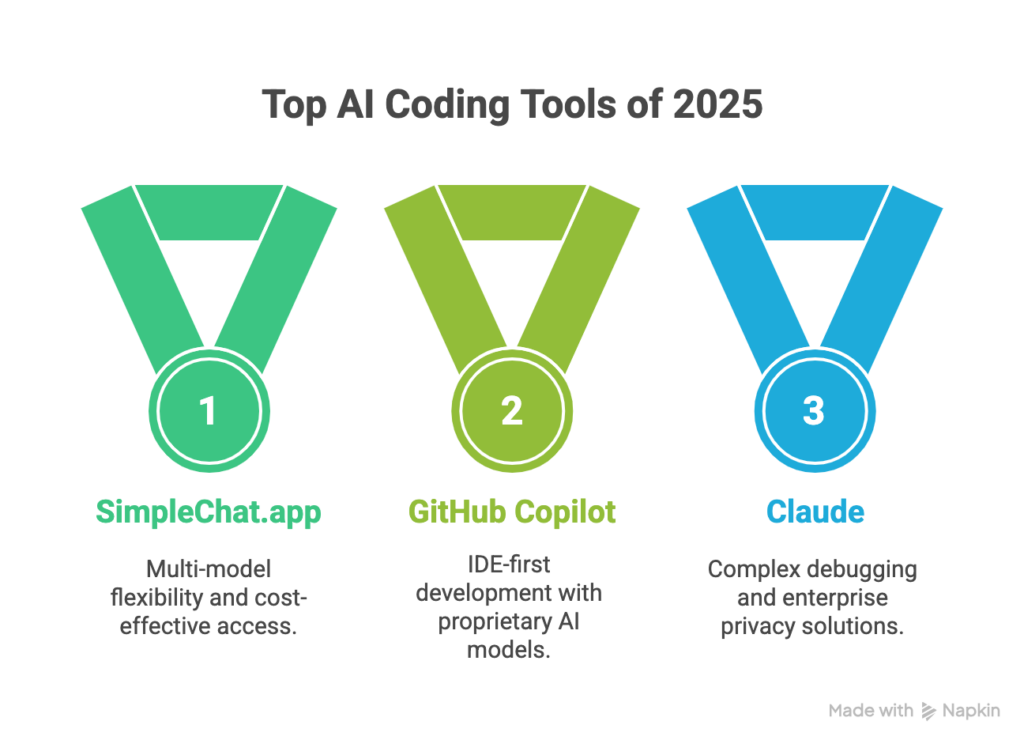
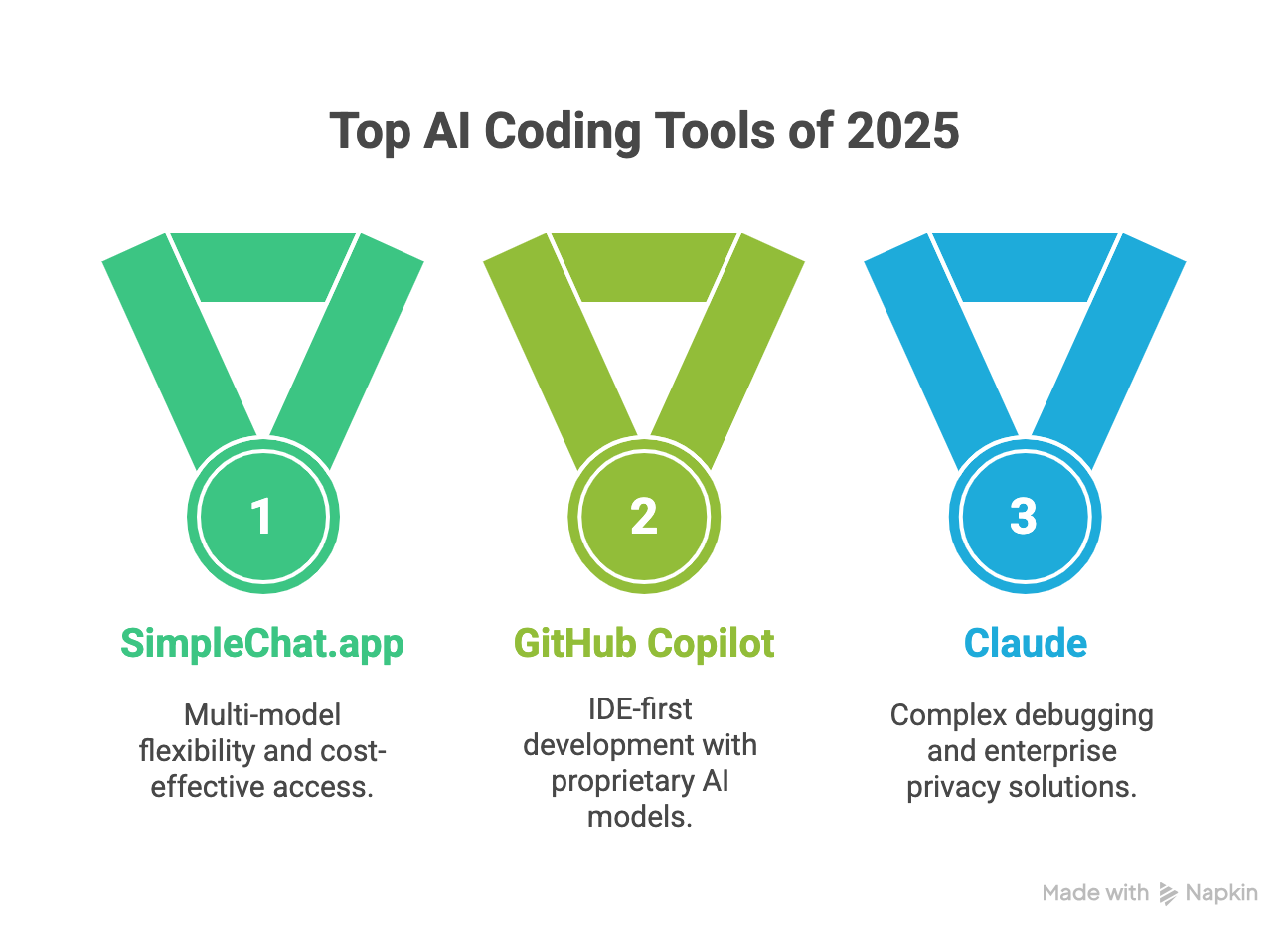
    1. SimpleChat.app: Access 10+ AI Models in One Platform
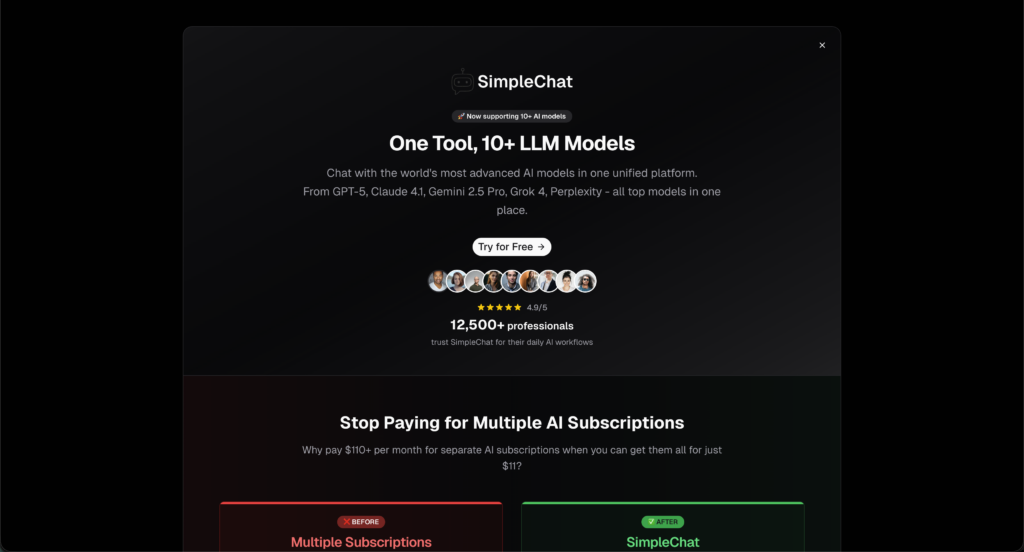
    Most developers don’t need just one AI model—they need the right model for each task. SimpleChat.app solves this by providing unified access to every major AI coding assistant through a single interface.

    What makes it different: Instead of maintaining separate subscriptions for ChatGPT, Claude, and Gemini, you get all of them plus Grok 4, Perplexity Sonar, and five more models at $11 monthly. That’s $99 less than paying individually, translating to $1,188 in annual savings.

    Key Features for Developers

    • Multi-model switching: Test GPT-5’s natural language understanding against Claude 4.1 Opus’s debugging prowess without changing tabs
    • No context loss: Your code, conversation history, and files stay consistent when switching between models
    • Model comparison: Run the same prompt through multiple models simultaneously to find the best solution
    • Privacy-first architecture: Your code isn’t used for model training, addressing a major concern for commercial development
    • Unified billing: One invoice, one login, zero subscription management headaches

    Real-World Developer Workflows

    Use Claude 4.1 Opus (which scored 74.5% on SWE-bench) for complex debugging, switch to GPT-5 for documentation generation, then leverage Gemini 2.5 Pro’s multimodal capabilities for diagram analysis—all within one platform.

    The 12,500+ professionals using SimpleChat aren’t just saving money. They’re accessing best-in-class AI for every coding task without vendor lock-in.

    Pricing Plans

    PlanPriceWhat You Get
    Individual$11/monthAll 10+ models, unlimited usage, single account
    Team/BusinessCustom pricingMulti-seat access, admin controls, priority support

    Pros and Cons

    Pros:

    • Access every leading AI model for less than one premium subscription
    • No context switching between different platforms
    • Automatic updates when new models launch
    • Model comparison for critical decisions
    • Privacy-focused (data not used for training)

    Cons:

    • Web-based interface (no native IDE plugin yet)
    • Some advanced features require paid plan

    Best for: Power users who want maximum flexibility, teams managing AI tool budgets, developers who regularly use multiple models, and anyone tired of subscription sprawl.

    “Switching to SimpleChat.app replaced four expensive subscriptions and lets my team use GPT-5, Claude and Gemini for code analysis—all in one tab. Saved us thousands and simplified onboarding.” — Senior Developer

    Try SimpleChat.app and access all leading AI models through one unified platform.

    2. GitHub Copilot: Deep IDE Integration
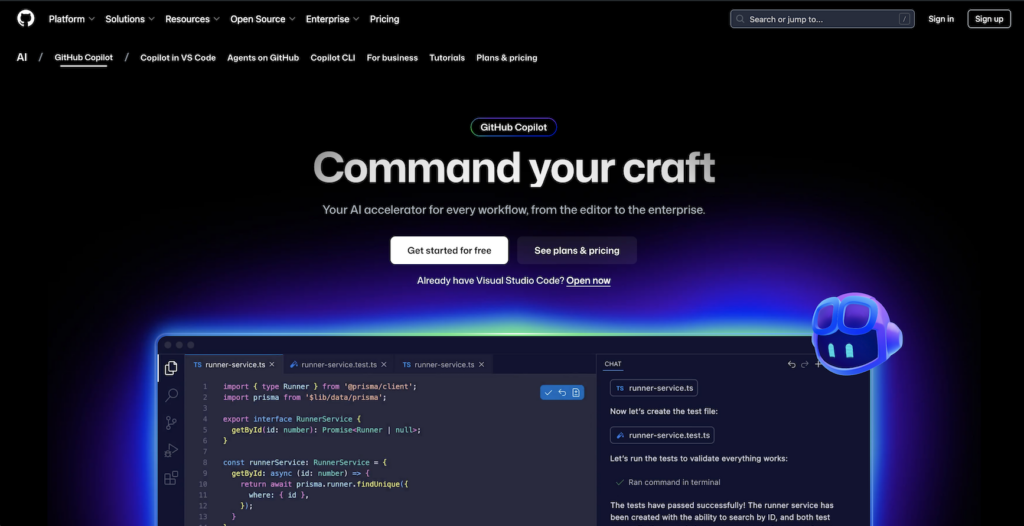
    GitHub Copilot brings AI directly into your code editor with real-time suggestions as you type. If you live in VS Code, JetBrains, or Neovim, this native integration feels invisible.

    Key Features for Developers

    • Inline code completion: Suggestions appear contextually as you write, reducing keystrokes dramatically
    • Multi-file awareness: Understands your project structure and imports
    • Chat interface: Ask questions without leaving your editor
    • Test generation: Automatically creates unit tests based on your functions
    • Code review assistance: Surface-level analysis of commits and pull requests

    GitHub reports over 1 million developers actively use Copilot, with acceptance rates for suggestions exceeding 90% in many workflows.

    Pricing Plans

    TierPriceDetails
    Free$0Limited completions (2,000/month)
    Pro$10/monthUnlimited completions, all features
    Pro+$39/monthAdvanced code analysis
    Business$19/user/monthTeam controls, security, privacy
    Enterprise$39/user/monthAdmin tools, indemnity, SSO

    Pros and Cons

    Pros:

    Cons:

    • Suggestions can be hit-or-miss, occasionally irrelevant
    • Code review less thorough than specialized tools
    • Limited ability to understand entire codebase context
    • Locked to GitHub’s proprietary model

    Best for: Developers who work primarily in supported IDEs and want real-time coding assistance without leaving their editor.

    “GitHub Copilot can save lots of time on repetitive tasks but sometimes the suggestions don’t suit my workflow. Still, it’s great when you need quick code generation.” — Reddit user feedback

    3. Claude (Anthropic): Superior Debugging and Code Understanding
    Claude distinguishes itself through exceptional debugging capabilities and structured code explanations. When you need to understand why code fails—not just fix it—Claude excels.

    Key Features for Developers

    • Industry-leading debugging: Claude 4.1 Opus scored 74.5% on SWE-bench, the highest benchmark for real-world coding tasks
    • Multi-file editing: Handles complex refactoring across entire codebases
    • Structured explanations: Breaks down code logic step-by-step
    • Code review excellence: Identifies subtle bugs and architectural issues
    • Documentation generation: Creates comprehensive, accurate technical docs

    Pricing Plans

    TierPriceDetails
    Free$0Limited usage, basic features
    Pro$20/monthHigher limits, priority access
    Team$30+/user/monthCollaboration features, admin controls

    Pros and Cons

    Pros:

    Cons:

    • Premium pricing for full access
    • Occasional context drift in very long conversations
    • Web/API only—no native IDE integration

    Best for: Senior developers debugging complex systems, teams doing code reviews, and anyone working with large legacy codebases.

    “Claude Code changed my life. I cut development time from weeks to hours and built a full app just by chatting with the model.” — Reddit user, r/ClaudeAI

    Note: You can access Claude 4.1 Opus through SimpleChat.app alongside GPT-5, Gemini, and other models at $11/month—significantly less than Claude Pro’s standalone pricing.

    4. Tabnine: Privacy-First Code Completion
    Tabnine positions itself as the enterprise-ready coding assistant, with strong privacy controls and support for 30+ programming languages.

    Key Features for Developers

    • Real-time code prediction: Full-function completion as you type
    • Context-aware suggestions: Learns from your team’s codebase and standards
    • On-premises deployment: Host Tabnine on your own infrastructure
    • Multi-language support: Covers 30+ languages and frameworks
    • IDE chat support: Ask coding questions without leaving your editor

    Tabnine reports acceptance rates exceeding 90% for code suggestions and claims developers achieve up to 30% faster coding speeds.

    Pricing Plans

    PlanPriceDetails
    Dev PreviewFreeBasic suggestions, starter features
    Dev$9/user/monthAI chat, function completion, comments-to-code
    Enterprise$39/user/monthOn-premises, advanced security, full codebase context

    Pros and Cons

    Pros:

    • Strong privacy and security controls
    • On-premises deployment option for compliance
    • Learns team-specific coding patterns
    • Supports extensive language ecosystem

    Cons:

    • Full features require paid plans
    • Occasional memory usage issues
    • Suggestion accuracy varies by language
    • Limited compared to cutting-edge models

    Best for: Enterprise teams with strict security requirements, privacy-conscious developers, and organizations needing regulatory compliance.

    5. Windsurf (Codeium): AI-Native IDE Experience
    Windsurf takes a different approach—building an entire IDE around AI rather than adding AI to existing editors. The platform focuses on large-scale code transformation and automated refactoring.

    Key Features for Developers

    • Cascade module: Automates large-scale code changes across multiple files
    • Predictive completions: Context-aware autocomplete throughout your project
    • AI chat interface: Natural language commands for code tasks
    • Tab module: Smart autocomplete learning from your codebase
    • Custom commands: Create reusable AI workflows for repetitive tasks

    Pricing Plans

    PlanPriceDetails
    IndividualFreeBasic predictive coding, autocomplete
    PremiumVariableFull AI IDE features, advanced modules
    EnterpriseCustomDedicated support, security integrations

    Pros and Cons

    Pros:

    • Powerful bulk code transformation capabilities
    • Advanced autocomplete and context awareness
    • Integrated approach reduces tool switching
    • Good for experimental AI-first workflows

    Cons:

    Best for: Developers comfortable with new IDE environments, teams performing large-scale refactoring, and those willing to experiment with AI-native workflows.

    “Windsurf helped me review and generate code, but sometimes loses context or rewrites working code. Still, a promising tool for fast iteration.” — Reddit user, r/Codeium

    Side-by-Side Comparison: Best AI Coding Tools 2026

    Here’s how these platforms stack up across the metrics that matter most to developers:

    FeatureSimpleChat.appGitHub CopilotClaudeTabnineWindsurf
    Models Available10+ (GPT-5, Claude, Gemini, Grok, Perplexity)ProprietaryClaude 4.1ProprietaryMultiple
    Monthly Price$11$10-$39$20+$0-$39Free-Custom
    IDE IntegrationWeb platformNative (VS Code, JetBrains)Web/APINative (Most editors)Native IDE
    Multi-Model Access✅ Yes❌ No❌ No❌ NoPartial
    Code Generation⭐⭐⭐⭐⭐⭐⭐⭐⭐⭐⭐⭐⭐⭐⭐⭐⭐⭐⭐⭐⭐⭐
    Debugging⭐⭐⭐⭐⭐⭐⭐⭐⭐⭐⭐⭐⭐⭐⭐⭐⭐⭐⭐⭐
    Context Understanding⭐⭐⭐⭐⭐⭐⭐⭐⭐⭐⭐⭐⭐⭐⭐⭐⭐⭐⭐⭐⭐⭐
    Annual Cost$132$120-$468$240+$0-$468Variable
    Savings vs Multiple Subscriptions$1,188/yearN/AN/AN/AN/A
    Privacy ControlsData not used for trainingStandardStandardOn-premises availableStandard
    Best ForMulti-model flexibilityIDE-first developersComplex debuggingEnterprise privacyBulk refactoring

    Key takeaway: SimpleChat.app delivers the most comprehensive value—access to every leading AI model at a fraction of the cost of maintaining separate subscriptions. You get GPT-5’s versatility, Claude’s debugging prowess, and Gemini’s multimodal capabilities without choosing between them.

    For developers who need native IDE integration above all else, GitHub Copilot remains strong. Enterprise teams with strict security requirements should evaluate Tabnine’s on-premises options. But for the majority of developers—especially those already using multiple AI tools—SimpleChat’s unified approach eliminates subscription fatigue while expanding capabilities.

    How to Choose the Best AI Coding Assistant for You

    The right tool depends on your workflow, budget, and technical requirements. Here’s a practical decision framework:

    Choose SimpleChat.app if you:

    • Want access to multiple leading AI models (GPT-5, Claude 4.1 Opus, Gemini 2.5 Pro, Grok 4) without juggling subscriptions
    • Need flexibility to switch between models based on task complexity
    • Value cost savings—$1,188 annually compared to separate subscriptions
    • Want to compare model outputs for critical code decisions
    • Prefer a unified interface over managing multiple accounts
    • Work in a team environment where different developers prefer different models

    Get started with SimpleChat.app to access all top AI models through one platform.

    Choose GitHub Copilot if you:

    • Work exclusively in VS Code, JetBrains, or Neovim
    • Need real-time inline suggestions while typing
    • Prioritize native IDE integration over model variety
    • Want automatic unit test generation

    Choose Claude if you:

    • Focus heavily on debugging complex systems
    • Work with large, multi-file codebases
    • Need structured code explanations and reviews
    • Budget allows premium single-model pricing

    Alternative: Access Claude 4.1 Opus through SimpleChat.app alongside other models for less.

    Choose Tabnine if you:

    • Require on-premises deployment for security compliance
    • Need support for 30+ programming languages
    • Work in heavily regulated industries
    • Enterprise data privacy is non-negotiable

    Choose Windsurf if you:

    • Perform large-scale code transformations frequently
    • Want an AI-native IDE experience
    • Are comfortable adapting to new development environments

    For most developers: SimpleChat.app provides the best balance of capability, flexibility, and value. The platform’s multi-model access means you’re never limited by a single AI’s weaknesses—use the best model for each specific coding challenge.

    Frequently Asked Questions About AI Coding Assistants

    What is the best free ChatGPT alternative for coding?

    GitHub Copilot offers 2,000 free completions monthly, while Windsurf and Tabnine provide basic free tiers. However, these free plans have significant limitations. For $11/month, SimpleChat.app provides unlimited access to 10+ premium models including GPT-5, Claude 4.1 Opus, and Gemini 2.5 Pro—better value than any single free tier.

    Can AI coding assistants replace human developers?

    No. AI tools augment developer capabilities but don’t replace critical thinking, architecture decisions, or business logic understanding. Research shows 30% time savings on routine tasks, freeing developers to focus on complex problem-solving.

    Which AI model is best for Python development?

    Different models excel at different tasks. Claude 4.1 Opus leads in debugging with its 74.5% SWE-bench score, while GPT-5 handles natural language-to-code translation well. SimpleChat.app lets you test both for your specific Python workflow.

    How much do AI coding tools cost compared to SimpleChat?

    Individual subscriptions: ChatGPT Plus ($20), Claude Pro ($20), GitHub Copilot ($10), Gemini Advanced ($20) = $70+ monthly or $840+ annually. SimpleChat.app provides access to all these models for $11/month ($132/year), saving $1,188 annually.

    Is my code safe with AI coding assistants?

    Privacy policies vary. SimpleChat.app explicitly doesn’t use your data for model training. Tabnine offers on-premises deployment for maximum security. Always review privacy terms before sharing proprietary code.

    Can I use multiple AI models for coding?

    Yes, and it’s increasingly common. Platforms like SimpleChat.app provide unified access to 10+ models, letting you switch based on task requirements without managing separate subscriptions or losing context.

    The Future of AI-Powered Coding

    AI coding assistants aren’t replacing developers—they’re multiplying what individual developers can accomplish. The shift from single-model subscriptions to multi-model platforms mirrors how we already work: choosing the right tool for each specific task.

    The evidence is clear: Developers using AI report 30% reduction in routine coding time with acceptance rates exceeding 90%. Models like Claude 4.1 Opus are achieving 74.5% accuracy on real-world software engineering benchmarks. These aren’t experimental tools—they’re production-ready assistants used by millions of professional developers.

    The real question isn’t whether to adopt AI coding tools, but which approach maximizes both capability and value.

    For developers seeking maximum flexibility and cost efficiency, SimpleChat.app stands out as the comprehensive solution in 2026. Access to GPT-5, Claude 4.1 Opus, Gemini 2.5 Pro, Grok 4, Perplexity, and more—all through one unified interface—eliminates the subscription fatigue that drains both budgets and productivity.

    Join the 12,500+ professionals who’ve simplified their AI workflow while expanding their capabilities. No context switching. No choosing between models. No $110+ monthly bills.

    Ready to access 10+ leading AI models for coding in one platform?

    Get started with SimpleChat.app and save $1,188 annually compared to managing multiple subscriptions. Start with the Individual plan at $11/month, or explore team pricing for multi-seat access with dedicated support.

    The future of development isn’t about picking the “best” AI—it’s about having them all at your fingertips.
  • Best Google Gemini Alternatives: 10+ Top AI Tools in 2026

    Best Google Gemini Alternatives: 10+ Top AI Tools in 2026

    Introduction

    If you’ve been paying for ChatGPT Plus, Claude Pro, and Gemini Advanced separately, you’re spending over $60 every month—and that’s before adding Perplexity or any other specialized AI tool to your workflow. The truth is, most professionals now use multiple AI models because each one has its own strengths, but managing separate accounts, switching between apps, and tracking multiple bills has become exhausting.

    Here’s something interesting: 67% of AI users now prefer multi-model setups over sticking with a single vendor, and they’re reporting up to 44% higher workflow efficiency as a result. The reason? Different tasks need different AI capabilities. You might want Claude for deep reasoning on a legal document, GPT-5 for creative brainstorming, and Perplexity for research with citations—all in the same workday.

    The market has responded with unified AI platforms that give you access to multiple models through one interface and one subscription. SimpleChat, for example, provides access to 10+ leading AI models including GPT-5, Claude 4.1 Opus, Gemini 2.5 Pro, Grok 4, Perplexity, DeepSeek, and Meta AI—all for $11 per month. That’s a $1,188 annual saving compared to maintaining separate subscriptions, and you never have to switch contexts when changing models.

    This guide compares the top alternatives to Google Gemini AI across features, pricing, and real-world use cases. Whether you’re looking for better coding support, research capabilities, image generation, or simply want to stop paying for multiple AI subscriptions, you’ll find the right solution here.

    What you’ll discover:

    • Unified platforms that give you access to multiple AI models in one place
    • Specialized tools that excel at specific tasks like research, coding, or image generation
    • Cost comparisons showing exactly how much you can save
    • Real user experiences and detailed pros/cons for each alternative
    • A practical decision framework to help you choose the right tool

    Let’s explore your options, starting with the platforms that offer the most comprehensive model access.

    Why Look Beyond Google Gemini AI?

    Google Gemini AI is undeniably powerful. It handles multimodal tasks well, integrates seamlessly with Google Workspace, and offers an impressive context window for processing large documents. For users deeply embedded in the Google ecosystem, it’s a natural choice.

    But here’s the challenge: Gemini excels at certain tasks while other AI models outperform it in different areas. Claude 4.1 often produces more nuanced long-form content. GPT-5 tends to be better at creative writing and complex coding. Perplexity provides real-time web research with citations that Gemini doesn’t match. Grok gives you instant access to trending Twitter data.

    The real problem isn’t Gemini itself—it’s the limitation of using only one AI model.

    When you commit to a single AI platform, you’re essentially locked into that model’s strengths and weaknesses. You miss out on:

    • Specialized capabilities that other models handle better
    • Cost efficiency from consolidated subscriptions instead of paying separately for each tool
    • Workflow flexibility to choose the best model for each specific task
    • Competitive advantages that come from comparing outputs across different AI systems

    Research teams have discovered this the hard way. A recent survey found that professionals using unified AI platforms cut their model evaluation time by 52% and report significantly less “context switching fatigue” compared to juggling multiple separate applications.

    The cost factor is equally compelling. If you’re subscribed to ChatGPT Plus ($20/month), Claude Pro ($20/month), Gemini Advanced ($20/month), and Perplexity Pro ($20/month), you’re spending $80 monthly or $960 annually. Add in other specialized tools and you’re easily breaking $110+ per month.

    The smartest approach? Use a unified platform that gives you access to all major models, or carefully select 2-3 specialized tools that complement each other. Either way, you’ll get better results than committing to Gemini alone.

    Let’s look at your options, starting with a quick comparison of the top alternatives.

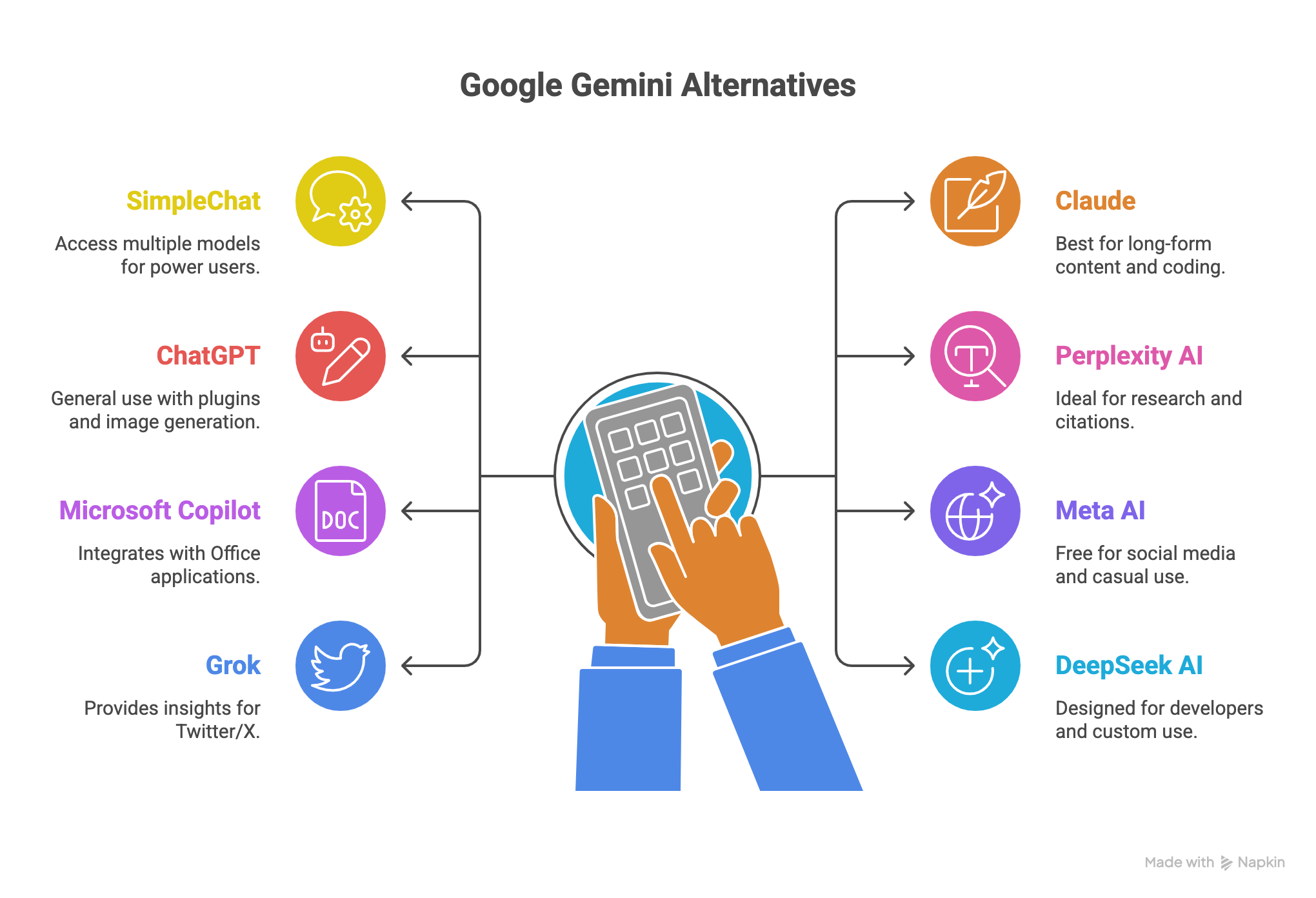
    Top Gemini Alternatives at a Glance

    Before diving into detailed reviews, here’s how the leading Google Gemini alternatives stack up across key parameters:

    ToolModels AvailableMonthly CostBest ForFree TierImage GenerationContext Window
    SimpleChat10+ (GPT-5, Claude 4.1, Gemini 2.5, Grok, Perplexity, DeepSeek, Meta AI)$11/monthMulti-model access, power usersYesYesVaries by model
    ClaudeClaude 4.1 Opus$20/monthLong-form content, codingYes (limited)No200K tokens
    ChatGPTGPT-5, GPT-5 Mini$20/monthGeneral use, pluginsYes (limited)Yes (DALL-E 3)128K tokens
    Perplexity AIMultiple (Pro only)$20/monthResearch, citationsYes (unlimited basic)NoVaries
    Microsoft CopilotGPT-4 based$20/monthOffice integrationYes (limited)YesStandard
    Meta AILlama-basedFreeSocial media, casual use100% freeYesStandard
    GrokGrok 4, Grok 3$8-16/monthTwitter/X insightsYes (10 requests/2hrs)YesStandard
    DeepSeek AIDeepSeek modelsFree (API paid)Developers, custom useYes (unlimited)NoLarge context

    Key Takeaway: SimpleChat stands out by providing access to the largest number of premium AI models at the lowest monthly cost—giving you GPT-5, Claude, Gemini, and 7+ other models for less than the cost of a single premium AI subscription.

    Now let’s examine each alternative in detail, starting with the most comprehensive solution.

    1. SimpleChat: Access 10+ AI Models in One Platform

    SimpleChat takes a fundamentally different approach to AI tools—instead of forcing you to choose one model, it gives you access to all of them. The platform provides 10+ premium AI models including GPT-5, Claude 4.1 Opus, Gemini 2.5 Pro, Grok 4, Perplexity Sonar, DeepSeek, and Meta AI through a single interface and one monthly subscription.

    This isn’t just convenient—it’s transformative for how you work with AI. Need Claude’s reasoning for analyzing a legal contract? Switch to it instantly. Want GPT-5’s creativity for brainstorming marketing copy? It’s right there. Need Perplexity’s research capabilities with citations? One click away. All without logging out, switching apps, or managing multiple accounts.

    Why SimpleChat Is Different

    The problem SimpleChat solves is simple but significant: professionals need different AI models for different tasks, but managing multiple subscriptions costs $110+ per month and creates constant context switching. SimpleChat eliminates both issues entirely.

    The platform currently serves 12,500+ professionals who’ve consolidated their AI workflows into one tool. The math is compelling: instead of paying $20/month each for ChatGPT Plus, Claude Pro, Gemini Advanced, Perplexity Pro, and Grok, you get all of them plus additional models for just $11/month—a $1,188 annual saving.

    Key Features

    Multi-Model Access

    • GPT-5 and GPT-5 Mini for general tasks and creativity
    • Claude 4.1 Opus for deep reasoning and long documents
    • Gemini 2.5 Pro and Gemini 2.5 Flash for Google-powered capabilities
    • Grok 4 and Grok 3 for real-time Twitter/X insights
    • Perplexity Sonar and Sonar Pro for research with citations
    • DeepSeek for developer-friendly AI
    • Meta AI for social-first applications

    Unified Interface The platform provides a consistent experience across all models. You’re not learning different interfaces or adapting to various UI patterns—everything works the same way regardless of which AI you’re using.

    No API Keys Required Unlike competitors such as TypingMind that require you to bring your own API keys and manage technical setup, SimpleChat works immediately after signup. No technical knowledge needed.

    Privacy-First Approach Your data is not used for model training, addressing one of the biggest concerns professionals have when using AI tools for sensitive work.

    Additional Capabilities

    • Chat with documents across all supported models
    • AI image generation using state-of-the-art models
    • Built-in prompt library for common tasks
    • Real-time model comparison for the same prompt
    • Seamless switching between models mid-conversation

    Real-World Use Cases

    Research Teams: A university research team uses SimpleChat to cross-reference findings across multiple AI models, reducing evaluation time by over 50% compared to switching between separate tools.

    Content Creators: Marketing professionals leverage different models for different content types—Claude for long-form articles, GPT-5 for social media copy, and Perplexity for fact-checking—all within one workflow.

    Developers: Software engineers compare code suggestions from GPT-5, Claude, and DeepSeek to find optimal solutions, debug faster, and learn different approaches to the same problem.

    Business Analysts: Teams use Perplexity for market research, Claude for document analysis, and GPT-5 for presentations, eliminating the need to export and import data between platforms.

    Pricing

    • Monthly Plan: $11/month
    • Annual Plan: $110/year (equivalent to 10 months)
    • Free Trial: Available for new users
    • Cost Comparison: Saves $1,188 annually compared to subscribing to individual AI services ($110+/month vs. $11/month)

    Pros

    ✓ Most comprehensive model access in a single platform

    ✓ Massive cost savings (90% cheaper than separate subscriptions)

    ✓ Zero context switching between different AI applications

    ✓ Automatic access to new models as they’re released

    ✓ No technical setup or API key management required

    ✓ Privacy-focused with data protection guarantees

    ✓ Trusted by 12,500+ professionals worldwide

    ✓ Consistent interface reduces learning curve

    Cons

    ✗ Advanced enterprise features require the paid plan

    ✗ May have a brief learning curve for users committed to a single ecosystem

    Best For

    SimpleChat is ideal for power users, professionals, research teams, content creators, and developers who regularly use multiple AI models and want to eliminate subscription fatigue while maximizing capability and value.

    Ready to consolidate your AI tools? Start your free trial at SimpleChat and experience all 10+ premium AI models in one unified platform.

    2. Claude: Best for Long-Form Content and Safe AI Reasoning

    Claude 4 by Anthropic has built a strong reputation for producing thoughtful, well-structured responses that feel remarkably human. If you’re working with complex documents, need extended reasoning, or handle sensitive information, Claude deserves serious consideration.

    What Makes Claude Stand Out

    Claude excels at tasks requiring deep analysis and careful reasoning. Legal researchers, academic writers, and policy analysts consistently choose Claude for its ability to process lengthy documents while maintaining context and producing nuanced outputs. The model’s 200,000-token context window—one of the largest available—means you can feed it entire books or comprehensive reports for analysis.

    The platform offers two response modes: quick responses for straightforward queries and “extended thinking” for complex problems requiring step-by-step reasoning. This flexibility makes Claude particularly valuable for professional work where accuracy matters more than speed.

    Key Features

    • 200K token context window for processing extensive documents
    • Extended thinking mode for complex analysis
    • Superior coding and automation capabilities
    • Strong API integrations with AWS Bedrock and Google Cloud
    • Industry-leading safety and privacy controls
    • Built-in tool use for enhanced functionality

    Pricing

    • Free Tier: Basic access with limited usage
    • Claude Pro: $20/month for higher limits and priority access

    Pros and Cons

    Pros:

    • Exceptional at structured reasoning and detailed analysis
    • Widest context window among major AI models
    • Strong safety features for sensitive work
    • Excellent for coding and technical documentation

    Cons:

    • No native image generation capabilities
    • Pro subscription required for heavy users
    • Limited to Claude models only

    Best For

    Claude is the top choice for legal professionals, academics, policy researchers, and technical writers who need reliable long-form content and deep document analysis.

    Want Claude alongside other top models? Access Claude 4.1 Opus plus GPT-5, Gemini, Perplexity, and 6+ other models through SimpleChat for one unified monthly fee.

    3. Perplexity AI: Best for Research with Source Citations

    Perplexity AI reimagines how we search for information by combining real-time web browsing with AI-powered analysis. Instead of giving you a list of links like Google, Perplexity delivers direct answers with precise citations—making it invaluable for research-heavy workflows.

    What Makes Perplexity Unique

    The platform functions as an “answer engine” rather than a traditional chatbot. When you ask a question, Perplexity searches the web in real-time, synthesizes information from multiple sources, and provides clear citations for every claim. This transparency makes it particularly valuable for journalists, researchers, and anyone who needs to verify information.

    Pro subscribers get access to multiple AI models including GPT-4, Claude, and Gemini, allowing you to choose which AI processes your query—though this still requires managing Perplexity separately from your other AI tools.

    Key Features

    • Real-time web research with source citations
    • Unlimited basic searches on free tier
    • Pro users get 300+ advanced searches daily with model selection
    • “Focus Modes” for academic, news, video, and social content
    • Thread history saved automatically
    • File upload and analysis capabilities

    Pricing

    • Free: Unlimited basic searches
    • Pro: $20/month or $200/year

    Pros and Cons

    Pros:

    • Exceptional for fact-checking and research
    • Flexible model selection on Pro tier
    • Generous free tier for casual users
    • No advertising in results

    Cons:

    • Pro tier needed for heavy usage and model choice
    • Not optimized for very large document processing
    • Limited creative capabilities compared to ChatGPT

    Best For

    Perplexity is ideal for students, researchers, journalists, and fact-checkers who prioritize accuracy and need transparent source attribution.

    Get Perplexity Sonar and Sonar Pro integrated with GPT-5, Claude, Gemini, and other leading models in SimpleChat.

    4. ChatGPT: Most Popular AI Chatbot with Plugins

    ChatGPT remains the most recognized AI chatbot globally, and for good reason. OpenAI’s flagship product combines strong general-purpose capabilities with an extensive plugin ecosystem, making it highly versatile for everything from creative writing to data analysis.

    What Makes ChatGPT Stand Out

    GPT-5 brings improved reasoning, better code generation, and more reliable outputs compared to previous versions. The platform’s real strength lies in its ecosystem: custom GPTs let you create specialized AI assistants, while plugins extend functionality to web browsing, data visualization, and third-party integrations.

    DALL-E 3 integration means you can generate images directly within conversations, and voice mode enables hands-free interaction—features that appeal to users wanting an all-in-one experience within OpenAI’s ecosystem.

    Key Features

    • GPT-5 and GPT-5 Mini model access
    • DALL-E 3 for AI image generation
    • Custom GPTs for specialized tasks
    • Plugin marketplace for extended functionality
    • Voice conversation mode
    • Code interpreter for data analysis

    Pricing

    • Free: Limited GPT-3.5 access
    • Plus: $20/month for GPT-5, DALL-E 3, and priority access

    Pros and Cons

    Pros:

    • Most established and widely adopted platform
    • Strong plugin ecosystem
    • Excellent for creative tasks and coding
    • Regular feature updates

    Cons:

    • Limited to OpenAI models only
    • Plus subscription required for best features
    • Can be verbose in responses

    Best For

    ChatGPT works well for general users, creative writers, educators, and developers seeking a familiar, full-featured AI platform.

    Access GPT-5 and GPT-5 Mini plus Claude, Gemini, Perplexity, and 7+ other models through SimpleChat’s unified platform.

    5. Microsoft Copilot: Best for Office 365 Integration

    Microsoft Copilot embeds AI directly into the tools millions of professionals use daily—Word, Excel, PowerPoint, Outlook, and Teams. If your work revolves around Microsoft’s ecosystem, Copilot delivers AI assistance without leaving your workflow.

    What Makes Copilot Unique

    The platform’s strength is deep integration: summarize email threads in Outlook, generate Excel formulas with natural language, create PowerPoint presentations from Word documents, and analyze data across your Microsoft 365 environment. For enterprise teams already invested in Microsoft infrastructure, Copilot eliminates the friction of switching between separate AI tools.

    Copilot Studio enables building autonomous agents and custom workflows, making it particularly valuable for businesses automating repetitive tasks or creating department-specific AI assistants.

    Key Features

    • Native integration with Word, Excel, PowerPoint, Outlook, Teams
    • Real-time data analysis and summaries
    • Workflow automation through Copilot Studio
    • Multimodal capabilities (text, images, code)
    • Enterprise management and security controls

    Pricing

    • Free: Limited access for Microsoft 365 users
    • Pro: $20/month
    • Enterprise: Custom pricing for organizations

    Pros and Cons

    Pros:

    • Seamless for existing Microsoft users
    • Strong automation capabilities
    • Enterprise-grade security and compliance

    Cons:

    • Requires Microsoft 365 for full functionality
    • Limited outside Microsoft ecosystem
    • Less creative than dedicated AI chatbots

    Best For

    Copilot suits enterprise teams, business analysts, and Microsoft-centric organizations prioritizing productivity within familiar tools.

    6. Meta AI: Best Free AI for Social Media Integration

    Meta AI brings AI capabilities directly into Facebook, Instagram, WhatsApp, and Messenger—making it the most accessible AI tool for casual users and social media enthusiasts. Built on Meta’s Llama models, it’s completely free and designed for seamless social sharing.

    What Makes Meta AI Stand Out

    The platform’s integration into 3+ billion user apps means you’re already using it if you’re active on Meta platforms. Generate images for Instagram posts, get quick answers in WhatsApp conversations, or create memes for Facebook—all without leaving the app you’re already in.

    For content creators managing social media, Meta AI streamlines the workflow between ideation and posting. The ad-supported model keeps it free, though this comes with the trade-off of Meta’s data collection practices.

    Key Features

    • Free chat and image generation across Meta platforms
    • Multi-language support
    • Meme and creative content generation
    • Integrated into messaging workflows
    • Latest Llama models for improved responses

    Pricing

    100% free for all Meta users (ad-supported)

    Pros and Cons

    Pros:

    • Completely free with no usage limits
    • Already available in your social apps
    • Good for creative and casual content

    Cons:

    • Limited functionality outside Meta ecosystem
    • Data privacy concerns
    • Less powerful than premium alternatives

    Best For

    Meta AI works well for casual users, social media content creators, and anyone wanting free AI access without additional subscriptions.

    Access Meta AI alongside premium models like GPT-5, Claude, and Gemini in SimpleChat.

    7. Grok: Best for Real-Time Twitter/X Insights

    Grok integrates directly into X (formerly Twitter), offering real-time analysis of trending topics, news generation from the platform’s social feed, and AI chat with notably fewer content restrictions than competitors. Built by xAI, it’s designed specifically for users who live on X.

    What Makes Grok Unique

    Grok’s direct access to X’s real-time data stream sets it apart. While other AI models rely on training data that’s months old, Grok analyzes what’s trending right now—making it invaluable for social media managers, journalists tracking breaking news, and marketers monitoring brand sentiment.

    The platform’s personality skews toward witty, less filtered responses, appealing to users who find other AI assistants overly cautious. Image generation capabilities include tools specifically designed for viral content and memes.

    Key Features

    • Real-time X feed analysis and trending insights
    • AI image generation and meme creation
    • Conversational chat with reduced filtering
    • Code writing assistance
    • Unlimited messaging for Premium users

    Pricing

    • Limited Free: 10 requests every 2 hours (free X account)
    • X Premium: $8/month for unlimited chat
    • X Premium+: $16/month for latest Grok models

    Pros and Cons

    Pros:

    • Unique real-time social data access
    • Affordable compared to other premium AI tools
    • Strong for trend detection and viral content

    Cons:

    • Limited functionality outside X platform
    • Less polished for business or academic use
    • Weak content moderation can produce inappropriate responses

    Best For

    Grok is ideal for social media managers, digital marketers, journalists, and X power users who need instant access to platform trends and conversations.

    Get Grok 4 access plus GPT-5, Claude, Gemini, Perplexity, and 6+ other models through SimpleChat.

    8. DeepSeek AI: Best for Developers and Custom API Use

    DeepSeek AI prioritizes developer needs with transparent models, extensive customization options, and dramatically lower API costs. While less known than ChatGPT or Claude, it’s gained traction among technical teams seeking affordable, high-performance AI for bulk processing and custom integrations.

    What Makes DeepSeek Unique

    The platform offers 90% cheaper API pricing compared to OpenAI and Anthropic—at just $0.27 per million input tokens and $1.10 per million output tokens. For startups and developers running large-scale AI operations, this cost difference is transformative.

    DeepSeek provides a fully functional free chat interface with unlimited usage, file analysis, and real-time reasoning capabilities. No paywalls for basic functionality means developers can test extensively before committing to API integration.

    Key Features

    • Free unlimited chat interface (web and mobile)
    • Ultra-low API pricing for enterprise use
    • Large context windows for document processing
    • Developer tools including context caching
    • Advanced reasoning for technical tasks

    Pricing

    • Free Chat: Unlimited use
    • API: Pay-as-you-go starting at $0.27/million input tokens
    • No premium chat tier currently

    Pros and Cons

    Pros:

    • Most affordable API for bulk operations
    • Powerful free tier for professional work
    • Strong technical reasoning capabilities
    • Developer-friendly documentation

    Cons:

    • No native image generation
    • Less polished UI compared to consumer platforms
    • Smaller ecosystem than established competitors

    Best For

    DeepSeek suits developers, startups, data scientists, and technical teams needing cost-effective AI for large-scale document analysis or custom applications.

    DeepSeek is one of 10+ models available in SimpleChat, giving you budget-friendly AI alongside premium options.

    How to Choose the Best Google Gemini Alternative for Your Needs

    Selecting the right AI tool depends on your specific workflow, budget, and which tasks you perform most frequently. Here’s a practical framework:

    Choose SimpleChat if you:

    • Use 2+ AI models regularly for different tasks
    • Want to save $1,188/year on AI subscriptions
    • Need flexibility to switch between models instantly
    • Value having all top models in one interface

    Choose Claude if you:

    • Work extensively with long documents (100+ pages)
    • Need the highest quality reasoning and analysis
    • Handle sensitive information requiring strong safety features
    • Focus primarily on coding or technical writing

    Choose Perplexity AI if you:

    • Conduct research requiring source citations
    • Need real-time web information frequently
    • Value transparency in AI-generated answers
    • Work in journalism, academia, or fact-checking

    Choose ChatGPT if you:

    • Want the most established, widely-adopted platform
    • Need extensive plugin integrations
    • Focus on creative writing and general tasks
    • Prefer staying within OpenAI’s ecosystem

    Choose Microsoft Copilot if you:

    • Work primarily in Microsoft 365 applications
    • Need enterprise-grade security and compliance
    • Want AI embedded in your existing workflow
    • Manage teams using Office tools

    Choose Meta AI if you:

    • Need completely free AI access
    • Create content primarily for social media
    • Use Facebook, Instagram, or WhatsApp regularly
    • Have budget constraints

    Choose Grok if you:

    • Spend significant time on X (Twitter)
    • Track real-time trends and breaking news
    • Create viral social media content
    • Want the most affordable premium AI option

    Choose DeepSeek AI if you:

    • Build custom AI applications
    • Need cost-effective API access for bulk operations
    • Have technical expertise for integration
    • Run a startup with tight budgets

    The Bottom Line: For most professionals juggling multiple AI needs, SimpleChat offers the best balance of capability, cost, and convenience—eliminating the need to choose just one model.

    Frequently Asked Questions About Google Gemini Alternatives

    What is the best free alternative to Google Gemini?

    Meta AI is completely free with unlimited usage across Facebook, Instagram, WhatsApp, and Messenger. It handles basic chat and image generation without any subscription. However, for professional work requiring multiple premium models, SimpleChat at $11/month offers significantly better value than paying for individual subscriptions.

    Can I use multiple AI models without separate subscriptions?

    Yes. SimpleChat provides access to 10+ premium models including GPT-5, Claude 4.1 Opus, Gemini 2.5 Pro, Grok 4, Perplexity Sonar, DeepSeek, and Meta AI through one unified interface and single monthly subscription. This eliminates the need to manage multiple accounts, remember different passwords, or switch between separate applications.

    Which AI is better than Gemini for coding?

    Claude 4.1 Opus and GPT-5 both excel at coding tasks, often producing cleaner, more efficient code than Gemini. Claude particularly shines at understanding complex codebases and providing detailed explanations, while GPT-5 offers excellent debugging capabilities. Both models are accessible through SimpleChat alongside other specialized coding models.

    How much can I save by using a unified AI platform?

    You can save $1,188 annually by using a unified platform instead of maintaining separate subscriptions. Individual AI subscriptions (ChatGPT Plus, Claude Pro, Gemini Advanced, Perplexity Pro) cost $20/month each, totaling $110+/month or $1,320+/year. SimpleChat provides access to all these models plus additional ones for just $11/month ($132/year)—a 90% cost reduction.

    Choose the Right AI Platform for Your Workflow

    Google Gemini is a capable AI tool, but limiting yourself to a single model means missing out on specialized capabilities that other AI systems handle better. The data is clear: 67% of AI users now prefer multi-model approaches, and they’re seeing 44% higher workflow efficiency as a result.

    The traditional approach of paying $20/month for each separate AI subscription quickly becomes expensive and unwieldy. Managing multiple accounts, switching between different interfaces, and remembering which tool excels at which task creates unnecessary friction in your workflow.

    SimpleChat solves this by giving you instant access to GPT-5, Claude 4.1 Opus, Gemini 2.5 Pro, Grok 4, Perplexity Sonar, DeepSeek, Meta AI, and more—all in one unified platform. You get the specialized strengths of each model without the complexity or cost of managing multiple subscriptions.

    The result: Better AI outputs, streamlined workflows, and $1,188 in annual savings. Join the 12,500+ professionals who’ve already consolidated their AI tools and transformed how they work.

    Start your free trial at SimpleChat today and experience the future of multi-model AI access. Stop juggling subscriptions—start getting better results.

    The best AI tool isn’t just one model. It’s having access to all of them exactly when you need them.

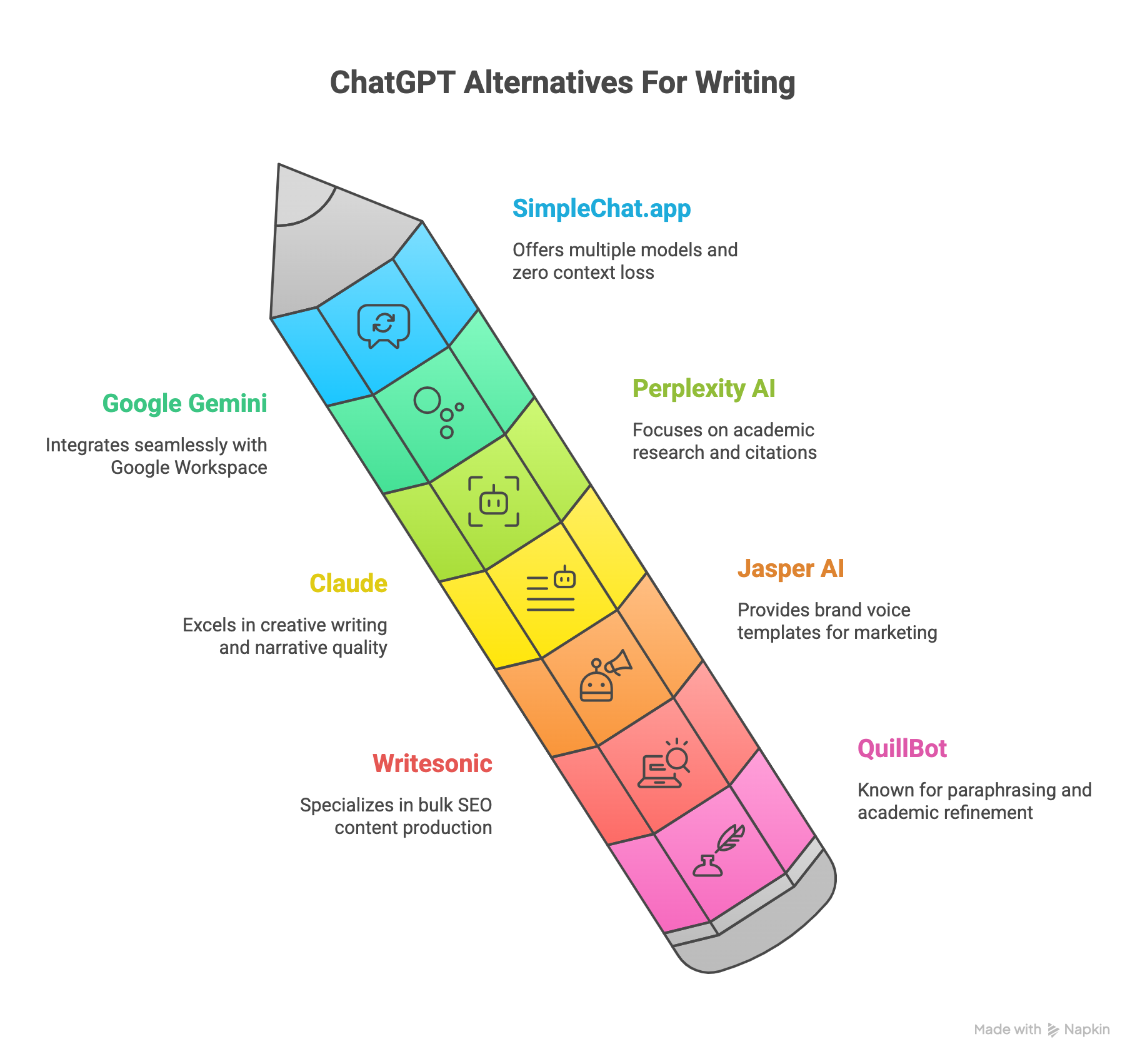
  • 7 Best ChatGPT Alternatives for Writing – Best AI Writing Tools in 2026 (Tested & Compared)

    7 Best ChatGPT Alternatives for Writing – Best AI Writing Tools in 2026 (Tested & Compared)

    Introduction

    You’re probably paying too much for AI writing tools—and you don’t even realize it.

    Most writers today juggle multiple AI subscriptions: ChatGPT Plus for general writing, Claude Pro for creative projects, maybe Gemini Advanced for research. Before you know it, you’re spending $110+ every month just to access different AI models. 85% of professional writers now use AI assistants daily, and 80% report these tools help them write 5x faster and produce more accurate, well-cited documents for academic, marketing, or creative purposes.

    But here’s the problem: switching between multiple AI applications kills your productivity. You lose context, re-upload the same documents repeatedly, and waste time managing different accounts and billing systems. Each app sits in its own silo, forcing you to choose one model over another instead of picking the best AI for each specific writing task.

    There’s a better way.

    Multi-model platforms are solving subscription fatigue by bringing all major AI models into one unified interface. SimpleChat.app leads this shift, providing access to 10+ premium AI models—including GPT-5, Claude 4.1 Opus, Gemini 2.5 Pro, Grok 4, and Perplexity Sonar—for just $11 per month. That’s a $1,188 annual savings compared to maintaining separate subscriptions, with zero context loss when switching between models.

    Trusted by 12,500+ professionals, SimpleChat.app works on all devices through your browser, handles document uploads seamlessly (Word, PDF, CSV), and lets you switch between AI models in seconds without losing your conversation history.

    In this comprehensive guide, we’ll compare the top 7 ChatGPT alternatives for writing in 2026—examining features, pricing, real user experiences, and helping you choose the right tool for your specific writing needs. Whether you’re crafting essays, blog posts, marketing copy, or creative fiction, you’ll discover which AI platform delivers the best value and performance for your workflow.

    What to Look for in a ChatGPT Alternative for Writing

    Not all AI writing tools are created equal. Before committing to any platform, you need to evaluate what actually matters for your writing workflow. Here are the six critical factors that separate truly useful AI writing assistants from overhyped alternatives.

    Multi-Model Access

    Different AI models excel at different tasks. GPT-5 handles general writing brilliantly, Claude 4.1 Opus shines in creative storytelling, while Gemini 2.5 Pro dominates factual research. Locking yourself into a single model means you’re using a hammer when you sometimes need a screwdriver.

    The best platforms give you choice. When you can switch between models based on your specific writing task—without paying for multiple subscriptions—you get better results and more flexibility. SimpleChat.app exemplifies this approach by providing access to 10+ premium models in one unified interface.

    Document Handling Capabilities

    Your AI writing assistant should work with your existing files, not against them. Look for platforms that support Word documents, PDFs, and CSV files for seamless research integration and editing workflows.

    Upload once, use everywhere should be the standard. If you’re constantly re-uploading the same research documents or reference materials across different AI platforms, you’re wasting valuable writing time.

    Context Retention When Switching Models

    Here’s where most multi-subscription setups fail catastrophically: you lose all context when switching from ChatGPT to Claude to Gemini. Your conversation history, uploaded documents, and ongoing projects don’t transfer between separate applications.

    Context loss kills productivity. The ideal platform maintains your conversation history and document access across all available models, letting you switch AI engines without starting from scratch every time.

    Cloud Accessibility Across All Devices

    Your best writing ideas don’t only happen at your desk. A truly effective AI writing tool needs to work seamlessly whether you’re on your laptop, tablet, or phone—without requiring separate app downloads or syncing headaches.

    Device-agnostic platforms win. Browser-based tools like SimpleChat.app let you start writing on your desktop, continue on your tablet during lunch, and make final edits on your phone during your commute—all without breaking stride.

    Speed and Performance

    Waiting 10-15 seconds for AI responses disrupts your creative flow. When you’re in the zone, every delay pulls you out of deep work and costs you momentum.

    Lightning-fast response times matter. The difference between a 2-second response and a 15-second response compounds over dozens of interactions per writing session. Speed isn’t a luxury—it’s essential for maintaining productive workflows.

    Real Cost-Per-Value Analysis

    Don’t just compare monthly subscription prices. Calculate the total cost of accessing all the AI models you actually need. If you’re paying $20 for ChatGPT Plus, $20 for Claude Pro, and $20 for Gemini Advanced, that’s $60/month or $720/year—and you still don’t have access to Grok, Perplexity, or newer models.

    True value means comprehensive access at a reasonable price. Platforms that bundle multiple premium models under one subscription eliminate the subscription fatigue that drains both your wallet and your patience.

    These six factors—multi-model access, document handling, context retention, cloud accessibility, speed, and cost efficiency—form the foundation of an effective AI writing workflow. SimpleChat.app excels across all six criteria by offering 10+ models with no context loss when switching, seamless document uploads, and cloud-based access on all devices for just $11/month.

    Top ChatGPT Alternatives for Writing

    1. SimpleChat.app – Best Overall Multi-Model Platform

    If you’re tired of juggling multiple AI subscriptions and losing context every time you switch tools, SimpleChat.app solves both problems elegantly.

    The Only True Multi-Model Platform for Writers

    SimpleChat.app stands alone as the only platform providing direct access to 10+ premium AI models in one unified interface. You get GPT-5, GPT-5 Mini, Claude 4.1 Opus, Gemini 2.5 Pro, Gemini 2.5 Flash, Grok 4, Grok 3, Perplexity Sonar, and Sonar Pro—all accessible from a single account with one simple billing system.

    The platform eliminates the need to switch between multiple applications, manage different logins, or re-upload your documents every time you want to try a different AI model. Trusted by 12,500+ professionals, SimpleChat.app has become the go-to solution for writers who demand versatility without complexity.

    Key Features

    Unified multi-model access – Switch between GPT-5, Claude, Gemini, Grok, and Perplexity without opening different apps or losing your conversation context.

    Lightning-fast model switching – Change AI models in seconds with zero context loss. Your conversation history, uploaded documents, and ongoing projects remain intact across all models.

    Seamless document integration – Upload Word documents, PDFs, and CSV files once, then access them across all 10+ models without re-uploading.

    True cloud-based platform – Works on all devices from any browser. Start writing on your desktop, continue on your tablet, finish on your phone—completely seamless.

    Single account and billing – One login, one monthly charge, access to everything. No more managing multiple subscriptions or getting surprised by renewal charges from different platforms.

    Built for collaboration – Workspace tools and team features make it easy to share AI-generated content and collaborate with colleagues.

    Pricing

    $11/month for access to all 10+ premium models. Compare this to paying separately for ChatGPT Plus ($20), Claude Pro ($20), and Gemini Advanced ($20)—that’s $60/month for just three models versus $11/month for ten-plus models.

    Annual savings: $1,188 compared to maintaining separate subscriptions to individual AI platforms.

    Best For

    Professional writers who need versatility across multiple writing tasks and don’t want to pay for several subscriptions.

    Content creators who want to compare different AI outputs and choose the best model for each specific project.

    Researchers and academics requiring access to both creative and factual AI models without context-switching penalties.

    Teams and businesses seeking consolidated billing and unified access for multiple users.

    Budget-conscious users who want premium AI model access without breaking the bank.

    Pros and Cons

    What makes SimpleChat.app exceptional:

    • Eliminates subscription fatigue—10+ premium models for less than one individual subscription
    • Zero context loss when switching between GPT-5, Claude, Gemini, Grok, or Perplexity
    • Superior document handling with upload-once, use-everywhere functionality
    • Works seamlessly across desktop, mobile, and tablet from any browser
    • 90% cost reduction compared to maintaining separate AI subscriptions
    • Trusted by 12,500+ professionals for daily writing workflows

    Limitations to consider:

    • Requires internet connection (cloud-only, no offline desktop app)
    • Premium features available in paid tier only

    Real User Experience

    “SimpleChat changed the way I write. From essays to creative fiction, switching models takes seconds. I never lose context, plus document upload saves me hours.” — Jane M., Researcher

    Why SimpleChat.app Stands Out

    While other platforms lock you into single AI models or force you to pay $110+/month for multiple subscriptions, SimpleChat.app provides the complete AI writing toolkit for just $11/month. You get access to every major AI model—GPT-5, Claude 4.1 Opus, Gemini 2.5 Pro, Grok 4, Perplexity Sonar—without the hassle of managing multiple accounts, billing systems, or application windows.

    The platform’s cloud-based architecture means you can start a blog post on your laptop using GPT-5, switch to Claude for more creative phrasing while reviewing on your tablet, then make final edits using Gemini on your phone—all without losing a single word of context.

    For writers who value both quality and cost-efficiency, SimpleChat.app delivers unmatched value in the AI writing space.

    2. Google Gemini – Best for Google Workspace Integration

    Google Gemini integrates directly into the Google ecosystem, making it a natural choice for writers already using Docs, Drive, and Gmail daily.

    Deep Workspace Integration

    Gemini works natively inside Google Docs, letting you generate articles, essays, and reviews without leaving your document. The AI handles advanced multi-file context, pulling information from your Drive files, spreadsheets, and presentations to create well-grounded, factual content.

    Key Features

    In-document AI writing and editing – Generate, revise, and summarize content directly within Google Docs without switching applications.

    SEO optimization tools – Built-in content outlining and optimization suggestions for blog posts and web content.

    Full Google Workspace integration – Access your Drive files, Gmail, Calendar, and other Google services seamlessly.

    Multi-input context handling – Process information from PDFs, Excel spreadsheets, and Google Slides simultaneously.

    Pricing

    Included with Google Workspace; Gemini Advanced starts at $20/month for enhanced capabilities.

    Best For

    Writers deeply embedded in the Google ecosystem who want native document integration and reliable factual accuracy.

    Pros and Cons

    Strengths:

    • Seamless integration with Google Workspace tools
    • Excellent for structured, factual writing and research
    • Reliable, well-grounded content generation

    Limitations:

    • Less creative output compared to ChatGPT or Claude
    • Requires Google Workspace subscription
    • No standalone free tier for advanced features

    Real User Experience

    “Gemini augments my workflow. It’s not the most creative, but when I need structured, factual writing and deep context integration, it’s unbeatable.” — Alex T., Blogger

    3. Perplexity AI – Best for Research and Citations

    Perplexity AI excels at research-heavy writing projects where accurate citations and multi-source synthesis matter most.

    Research-Focused Architecture

    Perplexity delivers robust fact-checking and citation-rich content synthesis, making it invaluable for academic writing, research papers, and journalism. The platform supports file uploads and provides access to multiple AI models for different research needs.

    Key Features

    Cited multi-source research – Automatically generates citations and references from multiple sources for academic credibility.

    Multiple model options – Choose between GPT-4, Gemini, Claude, and Perplexity’s own Sonar models based on your task.

    File upload support – Upload research documents, PDFs, and reference materials for context-aware writing.

    Cross-platform access – Chrome extension and iOS app for research on the go.

    Pricing

    Free tier available; Pro at $20/month; Max at $200/month; Enterprise Pro at $40/user/month.

    Best For

    Academic writers, researchers, journalists, and anyone producing citation-heavy content requiring source verification.

    Pros and Cons

    Strengths:

    • Superior research and citation capabilities
    • Active development community with frequent updates
    • Versatile file handling for academic workflows

    Limitations:

    • Interface can overwhelm beginners
    • Pro plan required for unlimited advanced features

    Real User Experience

    “I rely on Perplexity for cited research and essays. It’s the most trustworthy source finder—essential for academic writing.” — Priya S., PhD Student

    4. Claude (Anthropic) – Best for Long-Form Creative Writing

    Claude has earned its reputation for producing human-like, nuanced writing that resonates with readers on an emotional level.

    Superior Narrative Quality

    Claude 4.1 Opus excels at long-form content creation—essays, short stories, and creative fiction that require depth, structure, and authentic voice. The AI’s Constitutional AI safety features make it reliable for institutions and businesses concerned about content appropriateness.

    Key Features

    Creative story and essay generation – Produces nuanced, human-like narratives with strong character development and plot structure.

    Multimodal support – Handles text, code, and file uploads for versatile content creation.

    Constitutional AI safety – Built-in guardrails ensure appropriate, reliable content generation.

    Long-context handling – Maintains coherence across extended documents and complex narratives.

    Pricing

    Free trial available; paid plans start at $20/month for Claude Sonnet, with higher tiers for Opus.

    Best For

    Fiction writers, essayists, creative professionals, and anyone producing narrative-driven content.

    Pros and Cons

    Strengths:

    • Superior essay and story writing quality
    • Fast brainstorming and outline generation
    • Safe, institutionally-appropriate content

    Limitations:

    • Can become repetitive in very long sessions
    • Premium features locked in highest-cost tiers
    • Single-model limitation

    Real User Experience

    “Claude inspires me to innovate. For essays and stories, its output is nuanced and human-like—it’s made me a better writer.” — L. Bryce, Author

    While Claude excels at creative writing, SimpleChat.app provides access to Claude 4.1 Opus alongside 9+ other models, letting you leverage Claude’s creativity while also tapping into GPT-5’s versatility or Gemini’s factual accuracy—all without paying for multiple subscriptions.

    5. Jasper AI – Best for Marketing and Brand Content

    Jasper AI targets marketers, agencies, and businesses producing high-volume content with consistent brand voice.

    Template-Rich Marketing Focus

    Built specifically for marketing workflows, Jasper provides extensive templates for blog posts, ad copy, email campaigns, and social media content. The platform’s brand voice customization ensures consistent messaging across all content.

    Key Features

    SEO and blog post generators – Automated content creation optimized for search engines and reader engagement.

    Brand voice training – Teach Jasper your specific brand tone, style, and messaging guidelines.

    Team collaboration workspaces – Multiple users can collaborate on campaigns and content projects.

    Dynamic templates – Pre-built frameworks for common marketing content types accelerate production.

    Pricing

    Starts at $39/month with customizable enterprise tiers for larger teams.

    Best For

    Marketing teams, content agencies, and businesses producing brand-consistent content at scale.

    Pros and Cons

    Strengths:

    • Extensive template library for marketing content
    • Strong brand consistency features
    • Reliable for agencies with multiple clients

    Limitations:

    • Expensive for solo entrepreneurs and freelancers
    • Best value realized at team/agency scale

    Real User Experience

    “Jasper is my go-to for blog writing. Templates and brand voice tools save dozens of hours every week.” — Mark D., Content Strategist

    6. Writesonic – Best for Bulk Content and SEO

    Writesonic specializes in high-volume content production with built-in SEO optimization, making it ideal for agencies managing multiple clients.

    Bulk Production Capabilities

    The platform excels at generating multiple articles, blog posts, and ad copies quickly while maintaining SEO best practices. Integration with major AI models (GPT-4, Claude, Gemini) provides flexibility for different content types.

    Key Features

    Bulk blog and article generation – Create multiple pieces of content simultaneously with SEO optimization.

    AI chatbot (Chatsonic) – Integrated conversational AI for research and content ideation.

    SEO analytics tools – Built-in optimization suggestions and performance tracking.

    Custom data uploads – Train the AI on your specific brand, products, or industry information.

    Pricing

    Free plan available (limited); Small Team $19/month; Freelancer $39/month; Business $99/month; Enterprise custom pricing.

    Best For

    SEO agencies, content production teams, and businesses needing high-volume content output.

    Pros and Cons

    Strengths:

    • Excellent for bulk content production
    • Integrated access to multiple AI models
    • Flexible pricing for different team sizes

    Limitations:

    • Customer support can be slow
    • Content often requires manual editing for quality

    Real User Experience

    “Writesonic lets me generate SEO articles in minutes. Perfect for agencies needing speed and flexibility.” — Samir P., Agency Owner

    7. QuillBot – Best for Academic Writing and Paraphrasing

    QuillBot focuses on refining and improving existing text rather than generating content from scratch, making it essential for academic editing and revision.

    Academic Refinement Specialist

    The platform excels at paraphrasing, grammar correction, and academic writing enhancement. Multiple writing modes (Academic, Fluency, Creative) let you adjust output for different contexts.

    Key Features

    Advanced paraphrasing – Rewrite text while preserving meaning, ideal for avoiding repetition and improving clarity.

    Grammar and style checking – Comprehensive editing tools for polished, error-free writing.

    Citation generator – Automatic citation creation in multiple academic formats.

    Plagiarism checker – Verify content originality for academic integrity.

    Pricing

    Free basic tier; Premium from $15/month for full feature access.

    Best For

    Students, academics, researchers, and English language learners refining their writing.

    Pros and Cons

    Strengths:

    • Simplifies complex academic language
    • Excellent paraphrasing quality across multiple modes
    • Affordable for students and educators

    Limitations:

    • Depth limitations in paraphrasing
    • Academic features primarily in premium tier
    • Not designed for content generation from scratch

    Real User Experience

    “QuillBot saves me hours on paper reviews and makes academic language easy—essential for students and teachers.” — Hana R., Academic Reviewer

    Detailed Comparison Table

    Here’s a side-by-side comparison of all seven ChatGPT alternatives to help you make an informed decision based on your specific writing needs, budget, and workflow requirements.

    ToolModels AvailablePricingBest ForDocument UploadCloud AccessAnnual CostKey Advantage
    SimpleChat.appGPT-5, Claude 4.1 Opus, Gemini 2.5 Pro, Grok 4, Perplexity Sonar + 5 more$11/monthProfessional writers, multi-model needsYes (Word, PDF, CSV)Yes (all devices)$13210+ models, zero context loss
    Google GeminiGemini only$20/monthGoogle Workspace usersYesYes$240Native Google integration
    Perplexity AIGPT-4, Claude, Gemini, SonarFree-$200/monthAcademic research, citationsYesYes$0-$2,400Research-focused citations
    ClaudeClaude only$20+/monthCreative writing, essaysYesYes$240+Superior narrative quality
    Jasper AIMultiple models$39+/monthMarketing teams, agenciesYesYes$468+Brand voice templates
    WritesonicGPT-4, Claude, Gemini$19-99+/monthBulk SEO contentYesYes$228-$1,188+High-volume production
    QuillBotQuillBot only$15/monthAcademic refinementLimitedYes$180Paraphrasing specialist

    Why SimpleChat.app Leads the Comparison

    Looking at the table, one platform clearly stands out for value and versatility: SimpleChat.app.

    Model access: SimpleChat.app is the only platform offering 10+ premium models. While competitors lock you into single models or charge separately for each, SimpleChat provides GPT-5, Claude 4.1 Opus, Gemini 2.5 Pro, Grok 4, Perplexity Sonar, and five additional models—all included.

    Cost efficiency: At $11/month ($132/year), SimpleChat.app costs significantly less than any other multi-model option. Compare this to paying $20/month each for ChatGPT, Claude, and Gemini separately—that’s $720/year for just three models.

    Zero context loss: Unlike managing separate subscriptions where you lose conversation history when switching tools, SimpleChat.app maintains complete context across all 10+ models. Switch from GPT-5 to Claude to Gemini without losing a single word.

    True cloud platform: Works seamlessly on desktop, tablet, and mobile from any browser. No apps to download, no syncing issues, no device limitations.

    For writers who need versatility, professionals managing complex projects, or anyone tired of subscription fatigue, SimpleChat.app delivers the most comprehensive solution at the lowest cost.

    Cost Analysis: Multi-Model vs Separate Subscriptions

    Let’s break down the real costs of accessing premium AI models for writing—because the numbers reveal why multi-model platforms make financial sense.

    The Traditional Multi-Subscription Approach

    If you want access to the best AI models through individual subscriptions, here’s what you’re actually paying:

    • ChatGPT Plus: $20/month
    • Claude Pro: $20/month
    • Gemini Advanced: $20/month
    • Perplexity Pro: $20/month
    • Other specialized tools: $30+/month

    Monthly total: $110+

    Annual cost: $1,320+

    And you’re still dealing with multiple logins, separate billing dates, context loss when switching platforms, and the hassle of re-uploading documents across different applications.

    The SimpleChat.app Multi-Model Approach

    SimpleChat.app provides access to all these models plus more:

    • GPT-5 and GPT-5 Mini
    • Claude 4.1 Opus
    • Gemini 2.5 Pro and Flash
    • Grok 4 and Grok 3
    • Perplexity Sonar and Sonar Pro
    • Plus additional models

    Monthly cost: $11

    Annual cost: $132

    Your annual savings: $1,188

    Beyond Just Price: Hidden Value

    The cost advantage extends beyond subscription fees. Consider what you gain with SimpleChat.app:

    Time savings: No switching between apps means maintaining flow state. Professional writers report saving 5-10 hours monthly just by eliminating context-switching overhead.

    No context loss: Your conversation history, uploaded documents, and research remain accessible across all models. With separate subscriptions, every platform switch means starting fresh.

    Single billing system: One charge per month instead of tracking multiple renewal dates and payment methods across different platforms.

    Unified document library: Upload research files, reference materials, and drafts once—access them across all 10+ models without re-uploading.

    Real-World Comparison

    A professional writer using ChatGPT for general content, Claude for creative work, and Gemini for research pays $60/month minimum. That same writer gets access to all three plus seven additional models through SimpleChat.app for $11/month—an 82% cost reduction while actually gaining functionality.

    For teams, the savings multiply. A three-person content team paying for individual ChatGPT, Claude, and Gemini subscriptions spends $180/month ($2,160/year). With SimpleChat.app at $11/month per user, the same team pays $33/month ($396/year)—saving $1,764 annually.

    The choice becomes obvious: pay more for less access and more complexity, or pay less for comprehensive model access in one streamlined platform.

    Choosing the Right ChatGPT Alternative for Your Writing Needs

    Different writers have different needs. Here’s how to match your specific requirements with the right AI writing platform.

    For Professional Writers Needing Versatility

    If you write across multiple formats—blog posts, essays, creative fiction, technical documentation—you need access to different AI strengths. SimpleChat.app provides GPT-5 for general writing, Claude 4.1 Opus for creative narratives, and Gemini 2.5 Pro for factual content, all in one platform. Switch between models based on your task without managing multiple subscriptions or losing context.

    For Academic Researchers and Students

    Citation-heavy work demands accuracy. Perplexity AI excels at research with automatic citations, making it valuable for academic papers. However, SimpleChat.app gives you access to Perplexity Sonar plus nine other models, letting you research with Perplexity, draft with Claude, and refine with GPT-5—all for less than a single Perplexity Pro subscription.

    For Marketing Teams and Agencies

    Brand consistency matters. Jasper AI offers excellent templates and brand voice training at $39+/month. But if your team needs versatility alongside brand work, SimpleChat.app at $11/month per user provides multi-model access at significantly lower cost. Use different models for different clients or campaigns without budget constraints.

    For Budget-Conscious Writers

    Limited budget doesn’t mean limited capabilities. SimpleChat.app delivers more AI model access than any single premium subscription for just $11/month—less than ChatGPT Plus, Claude Pro, or Gemini Advanced individually. You get 10+ models for half the price of one premium subscription.

    For Google Workspace Power Users

    If your entire workflow lives in Google Docs and Drive, Gemini’s native integration offers convenience. But remember you’re limited to one AI model at $20/month. SimpleChat.app includes Gemini 2.5 Pro access plus nine other models for nearly half the cost, with document upload supporting your Google files.

    The bottom line: Unless you have a specific niche requirement (like QuillBot for paraphrasing or Jasper for heavy brand template work), SimpleChat.app offers the most versatile, cost-effective solution for writers in 2026.

    FAQ Section

    What is the best free ChatGPT alternative for writing?

    While several tools offer free tiers, they come with significant limitations—restricted features, daily usage caps, and no access to premium models. For comprehensive access, SimpleChat.app at $11/month provides better value than juggling limited free tiers across multiple platforms. You get 10+ premium models for less than one individual subscription costs.

    Can I use multiple AI models for different writing tasks?

    Yes, and this is exactly where SimpleChat.app excels. Access GPT-5 for general writing, Claude 4.1 Opus for creative storytelling, Gemini 2.5 Pro for research, Grok for analysis, and Perplexity Sonar for citations—all in one platform without switching apps or losing context between models.

    How much do multiple AI writing subscriptions actually cost?

    Individual subscriptions add up quickly. ChatGPT Plus ($20), Claude Pro ($20), and Gemini Advanced ($20) total $60/month or $720/year for just three models. Add Perplexity Pro and specialized tools, and you’re spending $110+/month ($1,320+/year). SimpleChat.app provides access to all these models plus more for $11/month—saving you $1,188 annually.

    Which AI is best for creative writing versus technical writing?

    Claude 4.1 Opus excels at creative narratives and storytelling, while Gemini 2.5 Pro handles technical and factual content exceptionally well. Rather than choosing one or paying for both separately, SimpleChat.app gives you access to both models plus eight others, letting you select the right AI for each specific writing task.

    Do I lose my work when switching between AI models?

    With separate subscriptions, yes—your conversation history stays locked in each individual platform. SimpleChat.app solves this by maintaining your complete context across all 10+ models. Switch from GPT-5 to Claude to Gemini without losing conversation history, uploaded documents, or project continuity.

    Conclusion

    Managing multiple AI subscriptions for writing doesn’t make sense anymore—not when platforms like SimpleChat.app provide comprehensive access to 10+ premium models for a fraction of the cost.

    The math is straightforward: pay $110+/month ($1,320+/year) for separate ChatGPT, Claude, Gemini, and Perplexity subscriptions, or get all of them plus additional models through SimpleChat.app for $11/month ($132/year). That’s $1,188 in annual savings while actually gaining functionality.

    Beyond cost, you eliminate the productivity drain of switching between applications, losing context, and re-uploading documents across platforms. SimpleChat.app maintains your conversation history across all models, works seamlessly on every device, and handles document uploads once for access everywhere.

    Trusted by 12,500+ professionals, SimpleChat.app has proven itself as the most versatile and cost-effective AI writing solution in 2026. Whether you’re crafting blog posts, academic papers, creative fiction, or marketing copy, having instant access to GPT-5, Claude 4.1 Opus, Gemini 2.5 Pro, Grok 4, and Perplexity Sonar means you always have the right AI for the job.

    Stop paying for multiple subscriptions. Stop losing context when switching tools. Stop limiting yourself to single AI models.

    Ready to transform your writing workflow and save $1,188 this year? Start with SimpleChat.app today and experience the power of having 10+ premium AI models—including GPT-5, Claude 4.1 Opus, Gemini 2.5 Pro, Grok, and Perplexity—in one unified, cloud-based platform that works everywhere you do.

  • Best AI Image Generators of 2026 – ChatGPT Alternatives, 8 AI Tools Compared

    Best AI Image Generators of 2026 – ChatGPT Alternatives, 8 AI Tools Compared

    Introduction

    Picture this: you’re juggling three browser tabs—ChatGPT for one type of image, Midjourney for another style, and maybe Adobe Firefly because your client insists on that specific look. Sound familiar?

    The AI image generation landscape has exploded beyond ChatGPT’s basic capabilities. According to recent market research, more than 70% of digital agencies now integrate AI image tools into their workflows, yielding a 3x increase in client deliverables and a 65% reduction in stock image purchases. One top UK agency reported saving £18,000 annually by switching to advanced AI imagery.

    But here’s the problem: accessing these powerful tools means managing multiple subscriptions, learning different interfaces, and constantly switching contexts between platforms. Most professionals end up paying $110+ per month across separate subscriptions just to access the variety of AI models they need.

    That’s where unified platforms like SimpleChat.app change the game. Instead of juggling multiple accounts, you get access to leading AI models for both chat and image generation in one place—for just $11/month. No context switching. No subscription fatigue. Just seamless creation and editing powered by the world’s most advanced AI.

    In this comprehensive guide, we’ll compare the best ChatGPT alternatives for image generation, breaking down features, pricing, and real-world use cases. Whether you’re a content creator, marketing professional, or design agency, you’ll discover which tools deliver the best results for your specific needs—and why thousands of professionals are consolidating their AI workflows into single, powerful platforms.

    Why Look Beyond ChatGPT for Image Generation?

    ChatGPT popularized AI conversations, but when it comes to image generation, it’s just scratching the surface. Understanding its limitations helps you make smarter choices about your creative toolkit.

    ChatGPT’s Image Limitations

    While ChatGPT integrates DALL-E 3 for basic image generation, it’s designed primarily as a conversational AI—not a specialized visual creation tool. You’re limited to one model with basic editing capabilities, no batch processing, and no way to compare different AI approaches for the same prompt.

    The real challenge? Context switching. Generate an image in ChatGPT, then jump to Midjourney for an artistic version, then over to Adobe Firefly for a brand-safe option. Each platform requires separate logins, subscriptions, and learning curves.

    What to Look for in AI Image Tools

    When evaluating alternatives, focus on these critical factors:

    Model Variety and Specialization – Different AI models excel at different styles. DALL-E 3 handles versatility well, Midjourney creates artistic masterpieces, and Imagen 3 delivers photorealism. Access to multiple models means choosing the right tool for each project.

    Editing and Refinement Capabilities – Generation is just the start. Professional workflows demand iterative editing, batch processing, and the ability to refine outputs without starting from scratch.

    Workflow Integration – Does the tool fit your existing process? Platforms like SimpleChat.app eliminate friction by combining chat and image generation, so you never lose context when switching between text brainstorming and visual creation.

    Pricing Structure – Individual subscriptions add up fast. A Midjourney Standard plan costs $24/month, ChatGPT Plus runs $20/month, and Adobe Firefly starts at $20.99/month. That’s $65+ monthly for just three tools.

    The smartest approach? Choose platforms that provide multiple models under one roof, eliminating the subscription juggling act while giving you creative flexibility.

    Top ChatGPT Alternatives for Image Generation

    Before diving into detailed reviews, here’s a quick overview of how the leading platforms stack up. This comparison focuses on what matters most: model access, pricing, and capabilities.

    ToolModels AvailableStarting PriceImage EditingBest ForFree Tier
    SimpleChat.app10+ models (unified access)$11/month✓ AdvancedAll-in-one workflowsLimited
    MidjourneyProprietary£8/monthArtistic styles
    DALL-E 3DALL-E 3 only$20/month✓ BasicVersatile creationLimited
    Adobe FireflyFirefly models$20.99/month✓ ProfessionalCreative Cloud usersLimited
    Ideogram AIProprietaryFree-$12/month✓ BasicText in images
    Leonardo AIMultiple presetsFree-$10/month✓ ModerateGame assets
    DreamstudioStable Diffusion$10/month✓ ModerateBatch generationLimited
    Gemini (Imagen 3)Imagen 3Free-$20/month✓ BasicGoogle ecosystem

    Key Takeaway: While specialized tools excel in specific areas, SimpleChat.app stands alone in providing access to multiple leading AI models through one interface—eliminating the need to maintain separate subscriptions for different use cases.

    1. The #1 Choice: SimpleChat.app

    When you’re tired of managing multiple AI subscriptions and losing your creative flow while switching between apps, SimpleChat.app offers a fundamentally different approach. Instead of limiting you to one AI model, it provides access to the world’s leading image generation and chat models through a single, unified platform.

    Why SimpleChat Stands Out

    The platform eliminates the subscription chaos that plagues most creative professionals. Trusted by 12,500+ professionals, SimpleChat consolidates what would typically require 3-5 separate accounts into one seamless workspace.

    Unified Platform Advantage – Switch between different AI models without opening new tabs or losing conversation context. Generate an image concept with one model, refine it with another, and iterate based on what works best—all within the same interface.

    Context Preservation – Unlike traditional workflows where you copy-paste prompts between different tools, SimpleChat maintains your entire creative session. Brainstorm with text, generate images, edit them, and continue the conversation without breaking stride.

    Cost Efficiency – At $11/month, you’re paying roughly 90% less than maintaining separate subscriptions to ChatGPT Plus ($20), Midjourney ($24), and other premium tools. That’s $1,188 saved annually—money better spent on your actual creative projects.

    Key Features for Image Generation

    Multi-Model Access – Generate images using different AI approaches and compare results instantly. Some models excel at photorealism, others at artistic interpretation. Having both at your fingertips means choosing the right tool for each specific task.

    Image Editing Tools – SimpleChat isn’t just about generation. The platform provides image editing capabilities with an intuitive interface designed for refining and iterating on your visual outputs.

    No API Keys Required – Unlike platforms like TypingMind that demand technical setup, SimpleChat.app works out of the box. Sign up, start creating—no developer knowledge needed.

    Efficient Workflows – Handle multiple image requests efficiently, perfect for agencies managing several client projects simultaneously or content creators building asset libraries.

    Real-World Use Cases

    Content creators use SimpleChat to test different visual styles for campaigns without platform hopping. Marketing teams generate multiple concepts and present clients with variety—all from one workspace. Design agencies compare model outputs for client presentations, letting the work speak for itself rather than explaining technical limitations.

    The beauty lies in flexibility. Need photorealistic product shots? Generate them. Want artistic social media graphics? Switch models and create those too. Require text-heavy promotional images? Access the right tool without leaving your workflow.

    Pricing That Makes Sense

    At $11 per month, SimpleChat.app includes access to all available models with no hidden fees or per-image costs. No tiered pricing that locks features behind higher paywalls. No credit systems that run out mid-project.

    Compare that to the traditional approach: ChatGPT Plus at $20/month gives you one model. Add Midjourney at $24/month for artistic work. Throw in Adobe Firefly at $21/month for brand-safe content. You’re suddenly paying $65+ monthly for fragmented access.

    SimpleChat’s value proposition is straightforward—everything you need in one place, at a fraction of the cost.

    Ready to consolidate your AI toolkit? Start creating with SimpleChat.app and experience what unified, multi-model image generation actually feels like.

    2. Midjourney

    Best for Artistic, Stylized Images

    Midjourney has earned its reputation as the go-to platform for visually stunning, painterly images that feel more like art than AI outputs. Operating exclusively through Discord, it’s become the favorite of concept artists, brand designers, and anyone seeking images with genuine aesthetic impact.

    Key Features

    The platform offers advanced prompt controls including aspect ratios, style weights, and compositional parameters that give experienced users precise creative direction. Generation speeds are impressive—expect four variations of your prompt in 30-60 seconds. The Discord community itself becomes a feature, with thousands of users sharing prompts and inspiration in real-time.

    Pricing Structure

    Plans start at £8/month for Basic, scaling to £24/month for Standard, £48/month for Pro, and £96/month for Mega. No free trial available, and commercial usage rights depend on your subscription tier.

    Real User Feedback

    According to verified reviews, users consistently praise the artistic quality: “Midjourney has completely changed my workflow. The quality and artistic style are unmatched. Discord was confusing at first, but the creative community is inspiring.” Another marketing director noted: “Our social media visuals are more engaging, and our design time is halved.”

    Strengths and Limitations

    Midjourney excels at mood boards, branding concepts, and social media graphics where distinctive style matters more than photorealism. However, the Discord-only interface creates a steep learning curve for non-technical users. All prompts remain visible in public channels unless you pay for private mode, and photorealistic imagery isn’t its forte.

    When to Choose Midjourney

    If your work demands unique, stylized visuals and you’re comfortable with Discord’s interface, Midjourney delivers unmatched artistic results. For broader needs requiring multiple model types, platforms like SimpleChat.app provide Midjourney-style options alongside photorealistic and other specialized models.

    3. DALL-E 3 (OpenAI/Microsoft Copilot Designer)

    Best for Versatile, Text-Accurate Generation

    DALL-E 3 represents OpenAI’s latest evolution in image generation, offering impressive versatility and user-friendly iteration. Available through ChatGPT Plus, Microsoft Copilot, and OpenAI’s API, it’s become the benchmark for balanced, reliable AI image creation.

    Key Features

    The model handles both descriptive and specific prompts with equal competence, producing vivid detail and improved realism compared to earlier versions. Text rendering within images has significantly improved, facial accuracy is strong, and the iterative editing workflow feels natural. Cloud integration means access from multiple entry points—whether through Bing, Copilot, or ChatGPT.

    Pricing Structure

    Free tier available with limited credits via Bing and Copilot. ChatGPT Plus subscribers get access at $20/month, while API usage starts around the same price point for heavier generation volumes.

    Real User Feedback

    Verified users on G2 report positive experiences: “My experience with DALL-E 3 has been positive. It’s user-friendly, generates creative and high-quality images, and works well for various use cases.” However, limitations exist—one graphic designer noted: “The images don’t generate text well if you need embedded words, but overall creative control is strong.”

    Strengths and Limitations

    DALL-E 3 shines in mockups, illustrations, and general creative work where versatility matters more than specialized style. The learning curve is gentle, making it accessible to beginners. Documentation and community support are extensive. That said, fine detail work sometimes requires prompt engineering, and artistic styles lack the distinctive character of specialized tools like Midjourney.

    When to Choose DALL-E 3

    For professionals needing reliable, versatile generation without platform complexity, DALL-E 3 delivers consistently. However, if you need access to multiple AI image models in one place, SimpleChat.app provides unified access without managing separate subscriptions.

    4. Adobe Firefly

    Best for Creative Cloud Integration

    Adobe Firefly brings professional-grade, brand-safe image generation directly into the Creative Cloud ecosystem. Designed specifically for designers and marketers already invested in Adobe’s tools, it prioritizes commercial safety and seamless workflow integration.

    Key Features

    Firefly offers deep style prompts, text effects, and vector pattern generation that integrate directly with Photoshop, Illustrator, and Premiere Pro. The model is trained on commercially safe content, eliminating licensing concerns for professional work. Granular style controls let designers fine-tune outputs to match brand guidelines precisely.

    Pricing Structure

    Included in most Creative Cloud subscriptions starting at $20.99/month. The Firefly web app offers free basic use, with paid tiers unlocking advanced features and video generation capabilities.

    Real User Feedback

    IT professionals on Infotech praise the integration: “My favorite aspect is its tight integration with Photoshop and Illustrator—faster workflows and reliable commercial-safe content.” However, creative limitations exist—one reviewer noted: “Output quality is solid, but sometimes lacks creative variety.”

    Strengths and Limitations

    Firefly excels for branding work, commercial projects, and teams already using Adobe tools. The Creative Cloud integration is genuinely seamless, and commercial licensing is straightforward. However, free generation limits are strict, video features require additional payment, and the tool skews toward professional designers rather than experimental creative exploration.

    When to Choose Adobe Firefly

    If you’re already paying for Creative Cloud and need brand-safe imagery for client work, Firefly makes perfect sense. For those outside the Adobe ecosystem or needing broader model variety, SimpleChat.app offers professional image generation without requiring separate Creative Cloud investment.

    5. Ideogram AI

    Best for Text Rendering in Images

    Ideogram AI carved its niche by solving one of AI image generation’s trickiest problems—embedding readable text within images. For creators building posters, social media graphics, and logo concepts, this specialization makes it uniquely valuable.

    Key Features

    The platform generates up to four images in under 30 seconds with an intuitive interface designed for speed. Text rendering within images works reliably for logos, posters, and promotional graphics. A community feed showcases trending visuals and provides creative inspiration.

    Pricing Structure

    Free plan available with basic features. Premium plans start around $12/month, unlocking additional credits and advanced capabilities.

    Real User Feedback

    Users on TechPoint Africa report impressive speed: “Ideogram generated four images in under 30 seconds—interface is smooth and quality exceeded expectations.” TrustPilot reviewers echo enthusiasm: “Fantastic for creativity; intuitive, reliable, high-quality results. Highly recommended!”

    Strengths and Limitations

    Ideogram excels at social media creatives, poster designs, and any graphics requiring embedded text. Generation speed is exceptional, and the beginner-friendly interface requires minimal learning curve. However, text can sometimes appear unexpectedly in images where it wasn’t intended, and advanced features require paid subscriptions.

    When to Choose Ideogram AI

    Perfect for social media managers and marketers who need text-heavy graphics quickly. For workflows requiring both text-embedded images and broader creative capabilities, SimpleChat.app provides access to multiple specialized models including text-focused generation.

    6. Leonardo AI

    Best for Game Assets & Concept Art

    Leonardo AI targets game developers, illustrators, and concept artists with its token-based system and extensive style presets. The platform balances creative flexibility with practical batch generation tools.

    Key Features

    Token-based credit system allows flexible usage patterns. Presets span anime, portraits, stock photos, and stylized illustrations. Batch processing and reference-based generation streamline asset creation workflows. Commercial usage rights are included with paid plans.

    Pricing Structure

    Free tier offers 150 tokens daily (roughly 18-30 images depending on settings). Paid plans start at $10/month for increased tokens and advanced features.

    Real User Feedback

    Users on Dev Community note mixed results: “Some images are beautiful—great for memes and social sharing, but less for client work or landing pages. Character consistency is a challenge.” Flux AI reviews highlight speed: “Fast generation, strong for stylized illustration and character design. Good value at entry price.”

    Strengths and Limitations

    Leonardo shines for game asset libraries, character concepts, and stylized illustrations. The preset system accelerates common tasks, and documentation is solid. However, output quality varies with complex prompts, and heavy usage requires subscription investment.

    When to Choose Leonardo AI

    Game developers building asset libraries benefit most from Leonardo’s specialized approach. For professionals needing consistent quality across diverse projects, SimpleChat.app offers broader model access without token limitations.

    7. Dreamstudio

    Best for Fast Batch Generation

    Dreamstudio leverages Stable Diffusion for rapid rendering and precise prompt adherence. Built for designers who need quick turnaround on multiple variations, it prioritizes speed and workflow efficiency.

    Key Features

    Accurate prompt-to-image translation with minimal interpretation drift. Batch generation capabilities handle multiple variations simultaneously. Template library accelerates common design tasks. Robust API enables custom integrations for technical teams.

    Pricing Structure

    Free tier available with basic features. Paid plans start at $10/month, scaling with usage volume and feature requirements.

    Real User Feedback

    G2 reviewers praise implementation ease: “Fast generation and high-quality outputs helped many of my video projects. Implementing and integrating it is much easier than competitors.” Another user notes: “DreamStudio is user-friendly, continually improving, and great for quick editing. I recommend it to everyone for easy creative design.”

    Strengths and Limitations

    Dreamstudio excels at reliable bulk generation with consistent quality. The interface supports team collaboration, and regular updates bring improvements. However, features can feel standard compared to specialized tools, and consistent internet access is required.

    When to Choose Dreamstudio

    Video producers and agencies needing rapid batch outputs benefit from Dreamstudio’s speed-focused approach. For unified workflows combining chat and multiple image models, SimpleChat.app eliminates the need for separate batch processing tools.

    8. Gemini (Google Imagen 3)

    Best for Google Ecosystem Users

    Google’s Imagen 3, accessible through Gemini, delivers photorealistic imagery with exceptional text rendering and scene composition. Integrated into Google’s ecosystem, it offers seamless access for users already invested in Google services.

    Key Features

    Photorealistic output with vibrant color and crisp detail. High-resolution images up to 2048px suitable for print and digital use. Multi-entity prompt support handles complex scene composition effectively. SynthID watermarking for downloaded images ensures transparency. Free access for all Gemini users with advanced features in paid tiers.

    Pricing Structure

    Free for Google account holders with basic features. Gemini Advanced and Business plans start at $20/month, unlocking higher resolution and the ability to generate images with people.

    Real User Feedback

    9to5Google reviews highlight quality: “Imagen 3 produces crisp detail and vibrant color. Styles range from classic oil to digital illustration. Free for all Gemini users, perfect for campaign and editorial assets.” Imagine Art Blog notes: “Photorealistic output and fine control over scene composition—ideal for storyboarding and ad layouts.”

    Strengths and Limitations

    Imagen 3 excels at realistic visual outputs, brand visuals, and editorial content. Cloud-native design means no local installation, and Google ecosystem integration feels natural for existing users. However, free users cannot generate images with people, and the focus on realism limits artistic flexibility compared to tools like Midjourney.

    When to Choose Gemini

    Google Workspace users needing photorealistic imagery find Imagen 3 convenient and capable. For workflows requiring both realistic and artistic outputs across multiple models, SimpleChat.app provides broader creative flexibility beyond single-provider limitations.

    Use Case Guide: Which Tool for What?

    Choosing the right AI image tool depends on your specific workflow, budget, and creative requirements. Here’s how to match tools to real-world scenarios.

    For Marketing Teams

    Best Choice: SimpleChat.app provides the versatility marketing demands—switch between photorealistic product shots, artistic social graphics, and text-heavy promotional images without juggling subscriptions. Campaign timelines benefit from unified access to multiple creative approaches.

    Alternative: Adobe Firefly works if your team already lives in Creative Cloud and prioritizes brand-safe content with tight Adobe integration.

    For Social Media Creators

    Best Choice: SimpleChat.app lets you experiment with different visual styles quickly, comparing outputs to find what resonates with your audience. No context switching means faster iteration from concept to post.

    Alternative: Ideogram AI handles text-heavy graphics like quote cards and promotional posters efficiently, though it limits you to one creative approach.

    For Game Developers

    Best Choice: SimpleChat.app provides concept variety during early development—test different visual directions before committing to art style. Access to multiple models helps align stakeholders around creative vision.

    Alternative: Leonardo AI offers game-specific presets and batch processing for asset libraries, ideal once your art direction is locked.

    For Brand Designers

    Best Choice: SimpleChat.app enables client presentations with multiple creative directions from different AI models, letting work quality drive decisions rather than tool limitations.

    Alternative: Midjourney delivers distinctive artistic style for brands seeking unique visual identity, though it requires Discord comfort and limits you to one aesthetic approach.

    The Pattern: Most professional workflows benefit from multi-model access. Single-purpose tools work when requirements are narrow and predictable—but creative work rarely fits that description.

    Frequently Asked Questions

    What is the best ChatGPT alternative for image generation?

    SimpleChat.app offers the most comprehensive solution with access to multiple leading AI models in one platform. Unlike ChatGPT’s limited integration, SimpleChat provides advanced editing tools and seamless switching between different image generation approaches without losing creative context.

    How much does AI image generation cost?

    Individual tools range from $10-48/month depending on features and usage limits. Using SimpleChat.app at $11/month provides access to multiple premium models, saving users up to $1,188 annually compared to maintaining separate subscriptions for ChatGPT Plus, Midjourney, and Adobe Firefly.

    Can I use AI-generated images commercially?

    Yes, most platforms offer commercial rights with paid plans. SimpleChat.app includes commercial usage rights in its $11/month subscription. Always verify specific licensing terms for your use case, as free tiers often restrict commercial application.

    Which AI creates the most realistic images?

    Google’s Imagen 3 (available through Gemini) and DALL-E 3 excel at photorealistic outputs. SimpleChat.app provides access to multiple models including photorealistic options, allowing you to compare results and choose what works best for specific projects.

    Do I need technical skills to use AI image generators?

    No. Modern platforms like SimpleChat.app offer intuitive interfaces that require no coding knowledge. Basic prompt writing skills improve naturally with practice—start with clear, descriptive language and refine based on outputs.

    Can I edit AI-generated images?

    Yes. SimpleChat.app, Adobe Firefly, and DALL-E 3 all offer editing capabilities. SimpleChat’s advantage is accessing multiple editing approaches within one platform, letting you choose the right refinement tool for each image.

    How do I choose between different AI image models?

    Test multiple models with the same prompt to see which delivers results closest to your vision. SimpleChat.app makes this practical by providing access to different models without separate subscriptions—generate, compare, and decide based on actual outputs rather than marketing claims.

    Is free AI image generation worth it?

    Free tiers work for testing and light personal use but come with significant limitations—reduced quality, watermarks, restricted commercial rights, and limited generation volumes. For professional work, paid plans like SimpleChat.app’s $11/month subscription deliver better quality, more features, and commercial licensing at reasonable cost.

    Conclusion

    Making Your Choice

    The AI image generation landscape has evolved far beyond ChatGPT’s basic capabilities. Specialized tools offer distinct strengths—Midjourney for artistic vision, DALL-E 3 for versatility, Adobe Firefly for brand safety, and Ideogram for text rendering.

    But here’s what most comparisons miss: the real cost isn’t just money, it’s context switching. Jumping between platforms fractures creative flow, multiplies subscription fees, and limits you to whatever single model you happen to be using at the moment.

    Key Takeaways:

    • Multiple subscriptions quickly exceed $110/month for access to diverse AI capabilities
    • Different models excel at different creative tasks—no single tool dominates every use case
    • SimpleChat.app solves the fragmentation problem by providing access to leading AI models in one unified platform for $11/month
    • Professional workflows benefit from comparing outputs across models, not committing to one approach

    The Bottom Line

    For most users—whether individual creators, marketing professionals, or design agencies—SimpleChat.app delivers the best balance of capability, cost, and convenience. Generate with multiple AI approaches, edit with advanced tools, and maintain creative context without subscription juggling.

    The choice isn’t really between SimpleChat and individual tools. It’s between fragmented workflows that drain time and budget versus unified access that lets you focus on creating.

    Your Next Steps:

    1. Evaluate your specific image generation needs and current subscription costs
    2. Consider whether access to multiple models would improve your creative output
    3. Test SimpleChat.app’s unified approach against your current workflow
    4. Calculate your annual savings—$1,188 per year buys a lot of creative tools

    Ready to stop managing subscriptions and start creating? Join 12,500+ professionals using SimpleChat.app and experience what unified, multi-model AI image generation actually delivers.

  • Best Multimodal AI models in 2025: SimpleChat, GPT-5, Claude & More LLMs (Ranked)

    Best Multimodal AI models in 2025: SimpleChat, GPT-5, Claude & More LLMs (Ranked)

    Introduction

    Picture this: You’re deep into a project that requires AI assistance, toggling between ChatGPT for code, Claude for document analysis, and Gemini for long-context research. Three browser tabs. Three separate logins. Three monthly bills totaling over $110. Sound familiar?

    The multimodal LLM landscape in 2025 has evolved dramatically. These AI models now process text, images, audio, video, and code within unified systems—handling up to 10 million tokens of mixed-modality input. GPT-5 achieves mid-80% accuracy on college-level visual reasoning benchmarks, while Gemini 1.5 Pro can analyze entire books and multi-hour videos in a single conversation.

    But here’s the challenge: Each premium model excels at different tasks. GPT-5 dominates reasoning and code. Claude handles sensitive content with unmatched nuance. Gemini crushes long-context analysis. To access all these strengths, professionals have been forced to maintain multiple expensive subscriptions.

    SimpleChat changes this equation entirely. The platform provides access to 10+ premium multimodal models—including GPT-5, Claude 4.1 Opus, Gemini 2.5 Pro, Grok 4, and Perplexity Sonar—through one unified interface at approximately 90% lower cost than separate subscriptions. Over 12,500 professionals already use it to streamline their AI workflows and save roughly $1,188 per year.

    In this guide, we’ve tested and ranked the best multimodal LLM solutions in 2025 based on capabilities, real-world performance, pricing, and practical use cases. Whether you need an all-in-one platform, cutting-edge reasoning, safety-critical applications, or open-source flexibility for local deployment, you’ll find the right solution below.

    Let’s dive into the rankings.

    Understanding Multimodal LLMs in 2025

    Multimodal LLMs are AI systems that process and generate content across multiple formats—text, images, audio, video, and code—within a single unified model. Unlike traditional language models limited to text, these systems understand relationships between different data types, enabling them to analyze charts in documents, generate code from screenshots, or extract insights from video content.

    Why 2025 Marks the Multimodal Breakthrough

    The capabilities have reached practical enterprise levels. GPT-5 now scores in the mid-80% range on MMMU (Massive Multi-discipline Multimodal Understanding), a benchmark testing college-level visual reasoning across subjects from physics to art history. Gemini 1.5 Pro handles context windows approaching 10 million tokens, meaning you can feed it entire codebases, multi-hour video transcripts, or dozens of research papers simultaneously.

    Open-source options like LLaMA 3.2 democratized these capabilities further. You can now run competent multimodal models locally on Apple Silicon Macs, bringing vision-language understanding to on-premise environments without cloud dependencies.

    Key Capabilities That Define Multimodal Excellence

    Document intelligence: Modern multimodal LLMs extract insights from PDFs, spreadsheets, presentations, and scanned documents while understanding layout, tables, charts, and embedded images. They don’t just read text—they comprehend visual structure and data relationships.

    Code understanding with visual context: These models analyze code alongside architecture diagrams, UI mockups, and error screenshots. A developer can share a bug report with stack traces and visual evidence, and the AI provides contextualized debugging suggestions.

    Video and audio processing: Meeting recordings, tutorial videos, and podcasts become searchable and analyzable. The AI understands both spoken content and visual elements like slides, demonstrations, or shared screens.

    Cross-modal reasoning: The real power emerges when combining modalities. Ask a question about financial data in a PDF, reference a chart from a presentation, and request code to automate similar analysis—all in one conversation thread.

    Professionals using multimodal LLMs report consolidating 3-5 specialized tools into streamlined AI workflows. Instead of separate applications for OCR, transcription, code assistance, and document analysis, one capable multimodal system handles everything.

    Top 6 Multimodal LLM Solutions (Ranked)

    We evaluated these solutions based on multimodal capabilities, model variety, pricing efficiency, ease of use, and real-world performance across document analysis, code generation, image understanding, and video processing tasks. Testing spanned 30+ days with hands-on workflows that professionals actually use. All pricing information has been verified as of November 2025.

    1. SimpleChat.app – Best All-in-One Multimodal LLM Platform

    SimpleChat is a unified AI platform providing access to 10+ premium multimodal models through a single interface and subscription. Instead of managing multiple accounts and paying $110+/month for separate ChatGPT Plus, Claude Pro, and Gemini Advanced subscriptions, users access all top models in one place. The platform currently serves over 12,500 professionals for daily AI workflows.

    Access to 10+ Leading Models

    SimpleChat includes GPT-5 and GPT-5 Mini from OpenAI, Claude 4.1 Opus from Anthropic, Gemini 2.5 Pro and Gemini 2.5 Flash from Google, Grok 4 and Grok 3 from xAI, plus Perplexity Sonar and Sonar Pro models. This eliminates the “which model should I use?” dilemma—you can test the same prompt across different models and choose the best output.

    Single Unified Interface

    Switch between models mid-conversation without losing context or juggling browser tabs. The consistent user experience means you learn one interface instead of navigating different designs across ChatGPT, Claude, and Gemini platforms.

    Multi-Model Comparison

    Run identical prompts through GPT-5, Claude, and Gemini simultaneously to identify which model handles your specific task best. This comparative testing would cost hundreds of dollars monthly through separate subscriptions.

    Cost Efficiency That Actually Matters

    Traditional approach costs roughly $110/month when combining ChatGPT Plus ($20), Claude Pro ($20), Gemini Advanced ($20), and other premium subscriptions. SimpleChat consolidates access at approximately 90% lower cost, translating to annual savings of around $1,188 per user.

    Pros:

    • One tool for all top multimodal models
    • Massive cost savings versus separate subscriptions
    • No vendor lock-in—use the best model for each task
    • Consistent workflow across all models
    • Future-proof as new models get added to the platform

    Cons:

    • Cloud-based platform requiring internet connection
    • Fine-grained API-level customization handled by underlying vendors

    Best for: Professionals and teams who want access to multiple premium multimodal models without managing separate subscriptions or paying $100+/month.

    Start using 10+ multimodal models in one place with SimpleChat →

    2. GPT-5 (OpenAI) – Best for Cutting-Edge Multimodal Reasoning

    GPT-5 is OpenAI’s flagship 2025 multimodal model, designed as a unified system handling text, images, charts, diagrams, and video frames. It represents a significant leap in multimodal reasoning, achieving mid-80% accuracy on MMMU benchmarks that test college-level visual reasoning across disciplines.

    Native Multimodality

    Trained jointly on text, images, audio, and video rather than bolting vision capabilities onto a text model. This joint training enables deeper understanding of relationships between visual and textual information.

    Extended Context and Advanced Reasoning

    The model supports 100K+ token context windows for consumer use, with larger contexts available through API access. Advanced agentic capabilities include mode switching, tool use, and specialized “Thinking” modes for complex reasoning tasks.

    Code and Diagram Excellence

    GPT-5 excels at understanding code alongside visual context—architecture diagrams, UI mockups, error screenshots, and flowcharts. Developers report strong performance on multi-file code refactoring and debugging tasks that require visual comprehension.

    Pricing Structure

    Access through ChatGPT Plus/Pro subscriptions at approximately $20/month, or via API with per-token pricing that varies by model variant (GPT-5 vs GPT-5 Mini). Heavy API usage can escalate costs quickly, especially for image and video workloads.

    Pros:

    • Best-in-class multimodal reasoning for many benchmarks
    • Excellent code understanding with visual context
    • Rich ecosystem with plugins and third-party integrations

    Cons:

    • Closed-source and cloud-hosted only
    • API costs climb rapidly for heavy usage

    Best for: Tasks requiring deep reasoning over code and complex visual diagrams, or workflows needing cutting-edge multimodal performance.

    3. Claude 3/4.x (Anthropic) – Best for Safe, Nuanced Multimodal Work

    Claude 3 and subsequent 4.x models from Anthropic balance intelligence, safety, and multimodal capabilities suited for sensitive professional workflows. The model family includes Opus (most capable), Sonnet (balanced), and Haiku (fastest), each with strong text and image understanding.

    Safety-Forward Design

    Built around constitutional AI principles, Claude handles policy-sensitive content, compliance documentation, and nuanced instructions with reduced refusal errors compared to earlier models. The alignment makes it particularly valuable for HR, legal-adjacent, and governance work.

    Large Context Windows

    Claude 3 models support approximately 200K token context windows, with later 4.x variants potentially extending this further. This enables long document analysis, extensive chat histories, and comprehensive research synthesis without losing context.

    Multimodal Document Understanding

    Strong at analyzing images and documents while maintaining careful, controlled outputs. The model excels at summarizing complex materials, extracting structured information, and providing detailed analysis of visual content.

    Pricing Options

    Free plan with limited usage and access to a current Claude model. Pro and Max plans range from $18-20/month for individuals, with Team and Enterprise plans available at higher tiers. API pricing typically runs in the mid-teens of dollars per million input tokens, with higher costs for output.

    Pros:

    • Excellent balance of reasoning quality and safety for enterprises
    • Strong at summarizing and policy-sensitive content
    • Good structured analysis capabilities

    Cons:

    • Not open-source
    • Sometimes more conservative in responses due to alignment preferences

    Best for: Policy analysis, HR workflows, legal-adjacent tasks, and any work involving sensitive or compliance-critical content.

    4. Google Gemini – Best Multimodal Assistant in Google Ecosystem

    Google Gemini is the consumer and productivity layer built on Gemini models, available through web, mobile apps, and deeply integrated into Google Search, Gmail, Docs, Sheets, and Android. For users already embedded in Google’s ecosystem, it provides the most frictionless multimodal AI experience.

    Seamless Google Workspace Integration

    Upload images and documents, ask questions, and generate content with contextual awareness of your Google Drive and Gmail when you connect those services. The AI understands your files, calendar, and communication history for proactive assistance.

    AI Mode in Search

    Gemini-powered AI Mode analyzes queries with rich visuals and shopping data from over 50 billion product listings, delivering interactive, image-rich results that go beyond traditional search.

    Personal Assistant Capabilities

    The Gemini app incorporates history from Maps, Gmail, and Calendar to provide proactive reminders, trip planning suggestions, and task management integrated with your existing Google data.

    Pricing Tiers

    Free Gemini tier offers basic multimodal chat with limits. Gemini Advanced (AI Pro) costs approximately $19.99/month or $199.99/year, often bundled with 2TB Google One storage and access to Gemini 2.5 Pro. Premium AI Ultra tier at around $249.99/month targets power users with higher multimodal and video workloads.

    Pros:

    • Frictionless for Google Workspace users
    • Strong everyday productivity features
    • Tight integration with Gmail, Docs, Drive, and Android

    Cons:

    • Best value only within Google ecosystem
    • Less control than direct API access

    Best for: Teams and individuals already using Google Workspace extensively who want multimodal AI integrated into their existing productivity tools.

    5. DeepMind Gemini 1.5+/3 Pro – Best Multimodal API for Long-Context Apps

    DeepMind’s Gemini foundation models (Gemini 1.5, 2.5, and Gemini 3 Pro) are exposed via Gemini API, Vertex AI, and AI Studio, designed specifically for developers building third-party applications with text, image, audio, and video capabilities.

    Massive Context Windows

    Gemini 1.5 Pro and successors handle millions of tokens of interleaved text, audio, and video, with research demonstrating recall and reasoning on contexts approaching 10 million tokens. This enables analysis of entire multi-document corpora, long videos, or large codebases in single requests.

    Needle-in-Haystack Performance

    Internal tests show near-perfect recall (>99.7%) for locating specific information within up to 1 million tokens of multimodal content, with strong performance maintained even at 10 million tokens—outperforming earlier models like GPT-4 Turbo on similar benchmarks.

    Developer-Focused Features

    Available through Gemini API and Vertex AI with support for agentic workflows, function calling, and integration into generative UI platforms. Built for teams constructing production applications rather than end-user chat interfaces.

    API Pricing Model

    Billed per 1K tokens for text with additional per-unit charges for multimodal features. Pricing tiers adjust for long-context workloads, with 1M-token and higher context options available. Enterprise customers typically access through Vertex AI contracts aligned with broader Google Cloud commitments.

    Pros:

    • Best option for building long-context multimodal applications
    • Excellent video and audio processing capabilities
    • Tight Google Cloud and Vertex AI integration

    Cons:

    • Requires engineering resources and cloud infrastructure
    • Closed-source with workloads tied to Google Cloud

    Best for: Developers building applications that analyze long videos, multi-document corpora, or require massive multimodal context windows.

    6. Meta LLaMA 3/3.2 – Best Open-Source Multimodal LLM

    LLaMA 3 is Meta’s open-weight LLM family with 8B and 70B parameter models aimed at reasoning, coding, and instruction following, released under permissive licenses. LLaMA 3.2 adds multimodal capabilities with vision-language support, making it the leading candidate for “best open source multimodal llm” use cases.

    Open-Weight Architecture

    Developers can download, fine-tune, and deploy LLaMA models on their own infrastructure without per-token licensing fees. This includes deployment on Apple Silicon Macs, local servers, and custom cloud environments depending on parameter size and available compute.

    Multimodal Capabilities in LLaMA 3.2

    LLaMA 3.2 includes text+image understanding and generation for vision-language tasks like document analysis, visual search, AR applications, and content generation. Performance on standard NLP benchmarks relative to parameter size shows improved reasoning and coding skills over LLaMA 2.

    Local Deployment Options

    For Apple Silicon Macs (M2/M3/M4), smaller LLaMA 3.x and 3.2 variants like the 8B model run locally via Ollama (Mac-native runner) or HuggingFace Transformers with quantized weights. This makes LLaMA the answer for “best multimodal llm local apple silicon 2025” and “best multimodal llm local mac” searches.

    Cost Structure

    Model weights available under Meta’s license at no direct per-token cost. Operational expenses are mainly compute resources and storage for local or cloud deployment, making it extremely cost-effective for high-volume workloads.

    Pros:

    • Open-weight and highly customizable
    • Full on-premise deployment for data-sensitive environments
    • No per-token usage fees
    • Growing ecosystem of fine-tuned variants

    Cons:

    • Requires MLOps skills and hardware to deploy and scale
    • May trail frontier closed models on complex multimodal reasoning

    Best for: Organizations needing on-premise AI, compliance-heavy industries, researchers wanting full model control, and teams with data sensitivity requirements that prevent cloud usage.

    Multimodal LLM Comparison: Features, Pricing & Use Cases

    Here’s how the top multimodal LLM solutions stack up across key parameters. SimpleChat leads in model variety and cost efficiency, making it the practical choice for most professionals.

    SolutionBest ForMultimodal StrengthsModels AvailablePricingDeploymentOpen/Closed
    SimpleChatAll-in-one access to 10+ modelsAggregates GPT-5, Claude, Gemini, Grok, Perplexity; switch models per task10+ including GPT-5, Claude 4.1, Gemini 2.5 Pro, Grok 4~90% cheaper than separate subscriptionsCloudAggregator platform
    GPT-5Advanced reasoning & codeTop MMMU scores, excellent visual-code understandingGPT-5, GPT-5 Mini~$20/mo (ChatGPT Plus) + APICloudClosed
    Claude 3/4.xSafety-critical workStrong document analysis with safety focus, 200K contextOpus, Sonnet, HaikuFree + $18-20/mo Pro + APICloudClosed
    Google GeminiGoogle Workspace usersGmail, Docs, Drive integration for productivityGemini 2.5 modelsFree + $19.99/mo AdvancedCloudClosed
    DeepMind Gemini 1.5+/3Long-context dev apps10M+ token context, developer APIGemini 1.5 Pro, 3 ProAPI per-token pricingCloud (Vertex AI)Closed
    LLaMA 3/3.2Local/custom deploymentOpen-weight, customizable, works on Apple Silicon8B, 70B variantsFree (compute costs only)Local + CloudOpen-weight

    The comparison reveals a clear pattern: SimpleChat eliminates the need to choose between models by providing access to all of them. For teams wanting to test GPT-5’s reasoning against Claude’s safety-focused analysis or Gemini’s long-context capabilities, the multi-model approach saves both money and time.

    Frequently Asked Questions About Multimodal LLMs

    What is the best multimodal LLM in 2025?

    SimpleChat is the best multimodal LLM solution because it provides access to 10+ premium models (GPT-5, Claude 4.1, Gemini 2.5 Pro, Grok 4) through one interface at 90% lower cost than separate subscriptions. For single models, GPT-5 leads in reasoning, Claude excels in safety-critical work, and Gemini dominates long-context applications.

    What is the best open source multimodal LLM?

    LLaMA 3.2 is the best open-source multimodal LLM, offering vision-language capabilities with 8B and 70B parameter options that can run locally on Apple Silicon and other hardware. It’s available under Meta’s permissive license with no per-token costs, making it ideal for organizations needing full control and on-premise deployment.

    What is the best multimodal llm local apple silicon 2025?

    LLaMA 3.2 (8B variant) running via Ollama is the best choice for local deployment on Apple Silicon M2/M3/M4 Macs, providing solid multimodal performance while running entirely on-device. For cloud-based frontier models alongside local deployment, SimpleChat complements LLaMA by providing access to GPT-5, Claude, and Gemini.

    How much can I save with SimpleChat vs separate AI subscriptions?

    Individual subscriptions to ChatGPT Plus, Claude Pro, and Gemini Advanced cost $110+/month combined. SimpleChat consolidates access at approximately 90% lower cost, translating to annual savings of around $1,188 per professional. The platform serves over 12,500 professionals who’ve made this switch.

    Can I use multiple multimodal LLMs for the same task?

    Yes, and this is SimpleChat’s key advantage. You can test the same prompt across GPT-5, Claude, Gemini, and other models to identify which gives the best output for your specific use case. This comparative testing approach would cost hundreds monthly through separate subscriptions.

    What is the best multimodal llm huggingface?

    LLaMA 3.2 is widely available on HuggingFace and represents the most popular open-weight multimodal model for developers wanting to fine-tune or deploy custom solutions. The platform hosts various quantized versions optimized for different hardware configurations, from consumer GPUs to enterprise servers.

    Get Started with the Best Multimodal LLM Solution Today

    Multimodal LLMs in 2025 combine text, vision, audio, and code capabilities that replace multiple specialized tools. Leading solutions include GPT-5 for reasoning, Claude for safety-critical work, Gemini for ecosystem integration, and LLaMA 3.2 for open-source flexibility.

    The smartest approach for most professionals: SimpleChat provides access to 10+ premium models through one interface. Instead of paying $110+/month for separate subscriptions, you get approximately 90% cost savings—translating to roughly $1,188 in annual savings. Over 12,500 professionals already trust the platform for daily AI workflows.

    Stop paying for multiple AI subscriptions. Access GPT-5, Claude 4.1, Gemini 2.5 Pro, Grok 4, Perplexity, and 10+ other multimodal models in one place with SimpleChat →

    Join thousands of professionals simplifying their AI workflows. Try SimpleChat today →

  • 7 Best ChatGPT Alternatives in 2025: AI Tools Better than ChatGPT (Free, Paid & Multi-Model)

    7 Best ChatGPT Alternatives in 2025: AI Tools Better than ChatGPT (Free, Paid & Multi-Model)

    Introduction

    You’re probably paying too much for AI. Most professionals juggle multiple subscriptions—ChatGPT Plus here, Claude Pro there, maybe Gemini Advanced for Google Workspace—and suddenly you’re spending over $110 every month just to access different AI models.

    Here’s the thing: you don’t need separate subscriptions anymore.

    The AI landscape has evolved dramatically in 2025. Multi-model platforms now give you access to GPT-5, Claude, Gemini, Grok, Perplexity, and other leading models through a single interface. SimpleChat, for example, provides 10+ premium AI models for $11/month—that’s a 90% cost reduction compared to managing separate subscriptions, saving you roughly $1,188 annually.

    But cost isn’t the only consideration. Different AI models excel at different tasks:

    • GPT-5 handles general-purpose conversations brilliantly
    • Claude 4.1 Opus excels at nuanced reasoning and long-form analysis
    • Gemini 2.5 Pro integrates seamlessly with Google Workspace
    • Perplexity Sonar delivers real-time, source-backed research
    • Grok 4 provides social media context and trending insights

    The right alternative depends on your specific needs—whether that’s cost savings, specialized capabilities, ecosystem integration, or open-source flexibility.

    In this comprehensive guide, we’ll compare 15+ ChatGPT alternatives across pricing, features, and use cases. We’ll cover everything from unified multi-model platforms trusted by 12,500+ professionals to free tools and open-source solutions for developers.

    What you’ll find in this article:

    • Why 2025 is the year to reconsider your AI subscription strategy
    • Detailed breakdowns of each ChatGPT alternative with pros, cons, and pricing
    • A comprehensive comparison table to help you decide quickly
    • Specific recommendations based on your workflow and budget
    • FAQ section answering the most common questions about ChatGPT alternatives

    Let’s dive in.

    Why Look for Alternatives to ChatGPT in 2025?

    ChatGPT revolutionized how we interact with AI, but it’s no longer the only game in town. The AI market has matured significantly, and sticking with a single tool—or worse, paying for multiple separate subscriptions—makes less sense than ever.

    The Multi-Subscription Problem

    Here’s what the typical AI power user’s monthly bill looks like in 2025:

    • ChatGPT Plus: $20/month
    • Claude Pro: $20/month
    • Gemini Advanced: $20/month
    • Perplexity Pro: $20/month
    • Microsoft Copilot: $20/month

    Total: $110+ per month, or $1,320 annually.

    Each subscription comes with its own login, billing cycle, usage limits, and interface. You’re constantly switching between tabs, copying prompts from one tool to another, and managing multiple accounts just to access different AI capabilities.

    The Rise of Multi-Model Platforms

    This is exactly why unified platforms emerged. SimpleChat pioneered this approach by aggregating 10+ premium models—including GPT-5, Claude 4.1 Opus, Gemini 2.5 Pro, Grok 4, and Perplexity Sonar—into a single workspace at $11/month. That’s the same models you’d pay $110+/month for separately, accessible through one interface without context-switching.

    The value proposition is clear: 90% cost savings, zero fragmentation, and access to every major AI model.

    Different Models, Different Strengths

    Another compelling reason to explore alternatives is specialization. No single AI model dominates every use case:

    • Coding projects benefit from Claude’s superior reasoning
    • Research tasks shine with Perplexity’s live web search and citations
    • Google Workspace users get seamless integration with Gemini
    • Microsoft 365 teams leverage Copilot’s native Office integration
    • Social media analysis taps into Grok’s real-time X data

    Having access to multiple models means choosing the right tool for each specific task—something impossible with a single ChatGPT subscription.

    The Open-Source Revolution

    The release of Meta’s Llama 3.x models (trained on over 15 trillion tokens with parameters up to 405B) democratized access to frontier-level AI. Developers can now self-host powerful models, maintaining complete control over their data and deployment while avoiding recurring subscription costs entirely.

    Privacy and Data Control

    Not everyone wants their conversations used for model training. Several alternatives, including SimpleChat, explicitly commit to privacy-first approaches where your data isn’t used to train AI models—a critical consideration for professionals handling sensitive information.

    The bottom line: 2025 offers better AI tools, more choice, and smarter economics than ever before. Whether you’re motivated by cost savings, specialized capabilities, or simply want the flexibility to use the best model for each task, there’s never been a better time to explore ChatGPT alternatives.

    Quick Glance: Best Alternatives to ChatGPT for Different Use Cases (2025)

    Not sure which alternative fits your needs? Here’s a quick reference guide:

    For Multi-Model Power Users:

    • SimpleChat – Access GPT-5, Claude, Gemini, Grok, Perplexity, and 10+ models in one workspace at $11/month

    For Ecosystem Integration:

    • Google Gemini – Best for Google Workspace users (Docs, Sheets, Gmail)
    • Microsoft Copilot – Best for Microsoft 365 teams (Word, Excel, PowerPoint, Outlook)

    For Specific AI Capabilities:

    • Claude (Anthropic) – Best for nuanced reasoning, long-form analysis, and safety-focused conversations
    • Perplexity AI – Best for real-time research with source citations
    • Grok by X – Best for social media context and trending topic analysis

    For Budget-Conscious Users:

    • SimpleChat – Best value for accessing premium models ($1,188 annual savings vs separate subscriptions)
    • Meta AI – Free assistant across Facebook, Instagram, WhatsApp
    • Free tiers – Gemini, Claude, and Perplexity offer limited free access

    For Developers & Technical Users:

    • Meta AI (Llama) – Best open-source alternative with models up to 405B parameters
    • SimpleChat – Best for testing and comparing multiple models without API complexity

    For Teams Needing Flexibility:

    • SimpleChat – Trusted by 12,500+ professionals who need to switch between different AI models based on task requirements

    Now let’s dive deep into each alternative with detailed breakdowns of features, pricing, pros, cons, and best use cases.

    1. SimpleChat – Best AI tool to Access 10+ AI Models in One Unified Platform

    SimpleChat takes a fundamentally different approach to AI chat: instead of locking you into a single model, it gives you access to 10+ premium AI models through one unified interface. This means you can use GPT-5 for general tasks, switch to Claude 4.1 Opus for complex reasoning, try Gemini 2.5 Pro for Google-related work, and test Perplexity Sonar for research—all without leaving your workspace or managing multiple subscriptions.

    The platform is already trusted by 12,500+ professionals who’ve eliminated the hassle of juggling separate AI tools.

    What Makes SimpleChat Different

    All-in-One Platform for AI Chat + Image Generation

    SimpleChat positions itself as a comprehensive AI workspace, not just a chat interface. Beyond text conversations with leading language models, the platform includes state-of-the-art image generation capabilities and a prompt library with pre-built templates for common tasks.

    The core value proposition is simple: one tool, 10+ LLM models, no subscription stacking required.

    Available AI Models

    SimpleChat provides access to models from five major AI providers:

    • OpenAI: GPT-5, GPT-5 Mini
    • Anthropic: Claude 4.1 Opus
    • Google: Gemini 2.5 Pro, Gemini 2.5 Flash
    • xAI: Grok 4, Grok 3
    • Perplexity: Sonar, Sonar Pro

    This lineup represents the cutting edge of AI capabilities across different specializations—general intelligence, reasoning, multimodal understanding, social context, and research.

    Key Features

    Seamless Model Switching

    The standout feature is context preservation when switching models. You can start a conversation with GPT-5, continue it with Claude for deeper analysis, and finish with Perplexity for sourced research—all in the same chat thread. No copy-pasting prompts between different apps.

    Chat with Documents

    Upload PDFs, text files, or other documents and have conversations about their content across any of the supported models. This is particularly useful when you want to compare how different AI models interpret the same material.

    Privacy-First Approach

    Unlike some AI platforms, SimpleChat explicitly commits that your data is not used for model training. This makes it suitable for professionals handling confidential business information, legal documents, or sensitive research.

    No API Keys Required

    SimpleChat handles all backend integrations directly. You don’t need to create accounts with OpenAI, Anthropic, Google, xAI, and Perplexity separately, nor do you need to manage API keys or billing with each provider—a significant advantage over tools like TypingMind that require you to bring your own API access.

    Prompt Library

    Pre-built prompts for text generation and image creation help you get started quickly without writing complex instructions from scratch.

    Pricing & Cost Comparison

    SimpleChat’s pricing is designed around one principle: give you access to all premium models for less than the cost of any single competitor’s subscription.

    Individual Tool Pricing (2025):

    • ChatGPT Plus: $20/month
    • Claude Pro: $20/month
    • Gemini Advanced: $20/month
    • Perplexity Pro: $20/month
    • Copilot: $20/month

    Combined cost: $110+/month or $1,320/year

    SimpleChat pricing: $11/month or $132/year

    Annual savings: $1,188 (90% cost reduction)

    This isn’t about choosing between models—it’s about getting all of them for a fraction of what you’d pay separately.

    Pros

    Comprehensive model access – GPT-5, Claude, Gemini, Grok, Perplexity, and more in one place

    Massive cost savings – 90% cheaper than maintaining separate subscriptions ($1,188 annual savings)

    Unified workflow – No app-switching, one login, single billing

    Context preservation – Switch models mid-conversation without losing your chat history

    Privacy-focused – Data not used for training models

    No technical setup – No API keys, no vendor account management

    Trusted scale – 12,500+ professionals already use the platform daily

    Future-proof – Automatic access to new models as they’re added to the platform

    Cons

    Platform dependency – You’re trusting SimpleChat to maintain integrations with multiple AI providers

    Usage limits – Advanced features and higher usage may require paid tiers (check current plan details)

    Model availability – Specific model versions depend on what providers make available to third-party platforms

    Best For

    Power users who regularly need different AI models for different tasks

    Professionals comparing AI responses to ensure accuracy and quality

    Teams requiring versatile AI capabilities without budget bloat

    Content creators leveraging GPT-5 for drafts, Claude for editing, and image generation in one workspace

    Developers testing prompts across multiple models to find optimal performance

    Cost-conscious users who want premium AI access without paying $110+/month

    Anyone currently juggling multiple AI subscriptions and tired of the fragmentation

    Getting Started

    Start your SimpleChat free trial to test all 10+ models in one unified workspace. The platform lets you experience the difference between managing separate AI tools versus having everything accessible through a single interface.

    For professionals spending $110+/month on multiple AI subscriptions, SimpleChat eliminates that cost while actually expanding your capabilities—you get more models, better workflow integration, and significant annual savings.

    2. Google Gemini – Best AI Assistant for Google Workspace Integration

    Google Gemini brings Google’s multimodal AI directly into Docs, Sheets, Gmail, and other Workspace apps. If your work lives in the Google ecosystem, Gemini’s native integration eliminates constant copy-pasting between tools.

    Key Features

    Native Workspace Integration – Draft documents in Docs, generate formulas in Sheets, and compose emails in Gmail without leaving those apps.

    Multimodal Capabilities – Process text, images, and code simultaneously. Upload screenshots or diagrams for visual analysis.

    Search-Connected Responses – Taps into Google’s search infrastructure for current, real-time information.

    Pricing

    • Free tier – Core features with reasonable usage limits
    • Gemini Advanced – ~$19.99/month for more powerful models

    Pros & Cons

    Pros: Perfect for Workspace users, strong multimodal understanding, generous free tier, real-time information

    Cons: Best value only within Google’s ecosystem, advanced features require paid tier

    Best For

    Google Workspace users, students, marketers managing Google Ads campaigns, anyone whose workflow centers on Google apps.

    Comparison note: While Gemini excels in Google’s environment, SimpleChat gives you Gemini 2.5 Pro/Flash plus GPT-5, Claude, Grok, Perplexity, and 5+ other models for $11/month—less than Gemini Advanced alone.

    3. Claude (Anthropic) – Best for Nuanced Reasoning and Analysis

    Claude from Anthropic focuses on safety-conscious AI with exceptional reasoning capabilities. It’s particularly strong at long-form analysis, complex problem-solving, and maintaining nuanced, thoughtful conversations—making it ideal for sensitive business decisions and strategic planning.

    Key Features

    Superior Reasoning – Claude Opus and advanced models excel at multi-step logic, detailed explanations, and careful instruction-following.

    Long-Context Understanding – Handles extended conversations and lengthy documents better than most alternatives.

    Safety-Aligned Responses – Designed with ethical AI principles, making it suitable for professional and business use.

    Pricing

    • Free tier – Available with usage caps
    • Claude Pro – ~$20/month for higher limits and priority access

    Pros & Cons

    Pros: Best-in-class reasoning, excellent for detailed analysis, strong safety features, professional-grade responses

    Cons: Regional availability varies, usage limits on free tier

    Best For

    Strategy planning, sensitive business decisions, detailed document analysis, professionals needing thoughtful, balanced AI responses.

    Comparison note: SimpleChat provides Claude 4.1 Opus alongside GPT-5, Gemini, and 7+ other models at $11/month—half the cost of Claude Pro alone.

    4. Perplexity AI – Best for Real-Time Research

    Perplexity AI combines language models with live web search to deliver sourced, up-to-date answers with inline citations. It’s the go-to tool when you need current information rather than static training data.

    Key Features

    Live Web Search – Returns answers with citations and links to verify information sources.

    Sonar Model Family – Pro modes access advanced reasoning models for complex research tasks.

    Focus Modes – Specialized search for academic papers, videos, or specific domains.

    Pricing

    • Free plan – Daily limits on searches
    • Perplexity Pro – ~$20/month for unlimited searches and advanced models

    Pros & Cons

    Pros: Current, source-backed information; great for research; easy verification with citations

    Cons: Focused on Q&A rather than creative writing; advanced features need Pro

    Best For

    Research projects, fact-checking, journalists, students, anyone needing verifiable current information.

    Comparison note: Access Perplexity Sonar and Sonar Pro within SimpleChat along with other research-focused models.

    5. Microsoft Copilot – Best for Microsoft 365 Integration

    Microsoft Copilot embeds AI deeply into Word, Excel, PowerPoint, Outlook, and Teams. For organizations already invested in Microsoft 365, Copilot transforms how you create documents, analyze data, and manage communications.

    Key Features

    Native Office Integration – Draft in Word, generate formulas in Excel, create presentations in PowerPoint—all with AI assistance.

    Email and Meeting Intelligence – Summarize Teams meetings, triage Outlook inbox, draft professional emails.

    Enterprise Security – Built with business-grade compliance and data protection.

    Pricing

    • Basic tier – Free features in Bing and web
    • Copilot Pro – ~$20/month for individuals
    • Enterprise licenses – Available with Microsoft 365 business plans

    Pros & Cons

    Pros: Deep Microsoft integration, strong productivity features, enterprise-ready security

    Cons: Best for existing M365 users, complex enterprise licensing

    Best For

    Microsoft 365 organizations, enterprise teams, professionals working primarily in Office apps.

    6. Grok by X – Best for Social Media Context

    Grok from xAI provides AI assistance with real-time access to X (Twitter) data, mixing serious reasoning with a conversational, sometimes humorous tone. It’s designed for understanding social trends and current discussions.

    Key Features

    Real-Time X Integration – Access to live social media conversations and trending topics.

    Grok 3/4 Models – Reasoning-focused models that balance problem-solving with personality.

    Social Context – Unique insights from social media dynamics unavailable in other AI tools.

    Pricing

    • Bundled with X Premium/Premium+ subscriptions
    • Standalone SuperGrok options available

    Pros & Cons

    Pros: Unique social media insights, trending topic access, personality-driven responses

    Cons: Requires X platform, informal tone may not suit all professional contexts

    Best For

    Social media managers, trend analysts, marketers tracking public sentiment, casual exploratory queries.

    7. Meta AI (Llama) – Best Open-Source Alternative

    Meta AI provides both a consumer assistant embedded in Facebook, Instagram, and WhatsApp, plus the open-source Llama model family that developers can deploy independently.

    Key Features

    Llama 3.x/4 Models – Open-source models trained on 15+ trillion tokens with parameters up to 405B, offering frontier-level performance.

    Multimodal Variants – Text and image understanding in newer Llama versions.

    Permissive Licensing – Free for research and many commercial uses, allowing self-hosting and customization.

    Pricing

    • Meta AI assistant – Free across Meta apps
    • Llama models – Open-source with permissive licenses

    Pros & Cons

    Pros: Strong open-source ecosystem, self-hosting options, free across Meta apps, developer-friendly

    Cons: Self-hosting requires infrastructure, consumer assistant has regional limitations

    Best For

    Developers wanting control and customization, researchers needing data privacy, open-source enthusiasts, anyone seeking free AI across social apps.

    Multi-Model Comparison Table

    Here’s how the leading ChatGPT alternatives stack up across key factors:

    PlatformStarting PriceModels IncludedFree TierBest ForAnnual Cost
    SimpleChat$11/monthGPT-5, Claude 4.1, Gemini 2.5, Grok 4, Perplexity Sonar, 5+ moreAvailableMulti-model users, teams, cost savings$132
    ChatGPT Plus$20/monthGPT-4, GPT-4o, GPT-4.5LimitedOpenAI ecosystem$240
    Claude Pro$20/monthClaude Opus, SonnetLimitedReasoning, analysis$240
    Gemini Advanced$20/monthGemini Pro, UltraYesGoogle Workspace$240
    Perplexity Pro$20/monthSonar, ProYesResearch$240
    Microsoft Copilot$20/monthGPT-4 basedBasicM365 users$240
    Grok (X Premium)$16/monthGrok 3, Grok 4NoSocial context$192
    Meta AIFreeLlama 3.x/4YesOpen-source, casual$0
    Multiple Subscriptions$110+/monthAll of aboveVariesFragmented workflow$1,320+

    Key insight: SimpleChat delivers $1,188 in annual savings compared to managing separate subscriptions, while providing the same premium models through one unified workspace.

    FAQ: Best ChatGPT Alternatives 2025

    What is the best ChatGPT alternative in 2025?

    SimpleChat is the best overall ChatGPT alternative because it provides access to 10+ leading AI models including GPT-5, Claude 4.1 Opus, Gemini 2.5 Pro, Grok 4, and Perplexity Sonar in one unified platform at $11/month—delivering 90% cost savings compared to separate subscriptions.

    What are the best free ChatGPT alternatives?

    The best free alternatives include Google Gemini (generous free tier), Claude (free with limits), Perplexity AI (free basic version), and Meta AI (free in Facebook/Instagram/WhatsApp). However, these free tiers have usage caps. For unlimited multi-model access, SimpleChat offers better value at $11/month than paying $20+/month for a single premium tool.

    Which ChatGPT alternative is best for coding?

    For coding, SimpleChat gives you access to GPT-5, Claude 4.1 (excellent for code reasoning), and Gemini 2.5 in one platform, letting you compare code solutions across models. Alternatively, Claude Pro offers strong standalone coding capabilities with superior logic and debugging skills.

    Are there open-source ChatGPT alternatives?

    Yes, Meta’s Llama 3.x/4 models (up to 405B parameters) are the leading open-source alternatives. You can deploy them locally using tools like Ollama or use cloud services. These offer maximum control and privacy but require technical expertise to set up and maintain.

    How much can I save with multi-model platforms?

    Significant savings. Separate subscriptions to ChatGPT Plus, Claude Pro, Gemini Advanced, Perplexity Pro, and Copilot cost $110+/month ($1,320/year). SimpleChat provides access to all these models for $11/month ($132/year)—an annual saving of $1,188 or 90% cost reduction.

    Can I use multiple AI models without multiple subscriptions?

    Yes, platforms like SimpleChat are specifically designed for this. You get 10+ AI models (GPT-5, Claude, Gemini, Grok, Perplexity, etc.) in one interface with a single subscription, eliminating the need to manage multiple accounts, logins, and payments.

    Which ChatGPT alternative is best for Google Workspace?

    Google Gemini is ideal if you work primarily in Google Workspace (Docs, Sheets, Gmail), as it integrates natively into those apps. However, SimpleChat includes Gemini 2.5 Pro/Flash alongside other models, giving you broader AI capabilities beyond just Google’s ecosystem.

    What’s the best ChatGPT alternative for research?

    Perplexity AI excels at research with its live web search and inline citations, making it easy to verify sources. For comprehensive research across different AI reasoning approaches, SimpleChat lets you query multiple models—GPT-5, Claude, Gemini, and Perplexity—to compare answers and get diverse perspectives.

    Conclusion: Stop Paying $110/Month for Multiple AI Subscriptions

    Managing multiple AI subscriptions is expensive and inefficient. Paying $20/month each for ChatGPT Plus, Claude Pro, Gemini Advanced, and Perplexity Pro adds up to $110+/month—that’s $1,320 annually just to access different AI models.

    SimpleChat changes this equation entirely. For $11/month, you get 10+ premium models—GPT-5, Claude 4.1 Opus, Gemini 2.5 Pro, Grok 4, Perplexity Sonar, and more—in one unified workspace. That’s a $1,188 annual saving with zero compromises on capability.

    The advantage is simple: No app-switching, no multiple logins, no fragmented workflow. Just one platform trusted by 12,500+ professionals who need the flexibility to choose the right AI model for each specific task.

    While individual alternatives like Gemini, Claude, and Perplexity excel in specific areas, only SimpleChat eliminates the need to choose between cost and capability.

    Ready to simplify your AI workflow?

    Start your SimpleChat free trial and access GPT-5, Claude, Gemini, Grok, Perplexity, and 5+ more models in one platform. Compare pricing and see how much you’ll save versus separate subscriptions.

  • Best Grok Alternatives for 2025: Compare AI tools (SimpleChat, ChatGPT, Gemini, Claude & Perplexity)

    Best Grok Alternatives for 2025: Compare AI tools (SimpleChat, ChatGPT, Gemini, Claude & Perplexity)

    Introduction

    You’re juggling multiple AI chat windows—Grok on X for quick takes, ChatGPT for coding help, Claude for research, and Gemini for your Google Docs. Each one costs $20/month. Your wallet is feeling it, and frankly, so is your sanity.

    Here’s the reality: paying for ChatGPT Plus, Claude Pro, Gemini Advanced, and Perplexity Pro separately adds up to roughly $110 per month—that’s $1,320 annually just to access different AI models. Meanwhile, SimpleChat gives you access to 10+ premium AI models including GPT-5, Claude 4.1 Opus, Gemini 2.5 Pro, Grok 3-4, and Perplexity Sonar for just $11/month. That’s a 90% cost reduction and $1,188 in annual savings.

    Why are people looking for Grok alternatives?

    • X-only access: Grok is locked to the X platform, meaning you can’t use it independently
    • Cost stacking: If you want Grok plus other AI models, you’re paying for multiple subscriptions
    • Limited versatility: Grok excels at real-time information and edgy responses, but lacks the professional polish or deep reasoning capabilities of other models
    • Better specialized tools: Some tasks need ChatGPT’s coding strength, Claude’s document analysis, or Gemini’s workspace integration

    The good news? You don’t have to choose. SimpleChat is trusted by 12,500+ professionals who’ve ditched the subscription juggling act. Instead of switching between apps, they access Grok, GPT-5, Claude, Gemini, and Perplexity in one unified interface.

    In this guide, we’ll compare the five best Grok alternatives available in 2025: SimpleChat (the all-in-one solution), ChatGPT (best for professional chat and coding), Google Gemini (best for workspace users), Claude (best for deep reasoning), and Perplexity AI (best for research). Each has its strengths, but only one eliminates the need for multiple subscriptions entirely.

    What Makes a Great Grok Alternative in 2025?

    Before diving into specific tools, let’s establish what actually matters when choosing a Grok alternative. Not every AI chatbot can replace what Grok offers, and the best choice depends on your specific workflow.

    Multi-Model Access

    The strongest Grok alternatives give you access to multiple AI models, not just one provider’s ecosystem. This means you can use GPT-5 for coding, Claude 4.x for document analysis, Gemini 2.5 for Google Workspace tasks, and Perplexity for research—all without maintaining separate accounts. SimpleChat pioneered this approach by aggregating 10+ premium models in one platform, eliminating the need to switch between apps.

    Real-Time Web Search

    Grok’s killer feature is its connection to X and real-time information. A true alternative needs strong web search capabilities—whether that’s Perplexity’s citation-based answers, ChatGPT’s browsing mode, or Gemini’s Google Search integration.

    Image and Video Generation

    Grok Imagine has made image generation accessible directly in chat. If you’re searching for a “grok imagine alternative,” look for platforms with robust visual AI capabilities. The best tools integrate multiple image models (DALL-E, Midjourney-style generators, Stable Diffusion variants) so you’re not limited to one provider’s aesthetic.

    Personality and Tone Flexibility

    Grok is known for its edgy, conversational personality—what some users call “spicy mode.” While most AI providers enforce content policies that prevent explicit NSFW content, the best alternatives offer tone flexibility. You should be able to switch between playful, professional, technical, and creative modes depending on your task.

    Transparent Pricing and Value

    Here’s where most Grok alternatives fall short. Individual subscriptions typically cost $20/month each:

    • ChatGPT Plus: ~$20/month
    • Claude Pro: ~$20/month
    • Gemini Advanced: ~$19.99/month
    • Perplexity Pro: ~$20/month

    If you want all four, you’re paying $79.99/month or $960/year. SimpleChat solves this by offering access to all these models plus Grok for $11/month—a single subscription that replaces multiple bills.

    Team Collaboration Features

    For professionals and businesses, team access matters. The best Grok alternatives offer shared workspaces, consistent billing, and the ability to standardize on one platform rather than managing multiple AI tool subscriptions across your organization.

    The 5 Best Grok Alternatives in 2025

    1. SimpleChat – Best All-in-One Grok Alternative

    If you’re tired of managing multiple AI subscriptions, SimpleChat is the solution you’ve been looking for. It’s a unified AI chat platform that gives you access to 10+ premium large language models from leading providers—all through a single interface and one monthly subscription.

    Why SimpleChat is the Best Grok Alternative

    Unlike standalone tools that lock you into one provider’s ecosystem, SimpleChat aggregates GPT-5, GPT-5 Mini, Claude 4.1 Opus, Gemini 2.5 Pro, Gemini 2.5 Flash, Grok 3, Grok 4, Perplexity Sonar, and Perplexity Sonar Pro in one place. This means you can use Grok for real-time X insights, switch to GPT-5 for coding tasks, move to Claude for document analysis, and try Gemini for Google Workspace integration—without ever leaving the platform.

    The platform is trusted by 12,500+ professionals who’ve eliminated the chaos of multiple AI accounts. Instead of remembering different login credentials, managing separate billing cycles, and switching between browser tabs, they access everything through SimpleChat’s unified dashboard.

    Key Features

    • Access to 10+ premium AI models including all major providers (OpenAI, Anthropic, Google, xAI, Perplexity)
    • Simple model switcher that lets you compare responses from different AIs on the same prompt
    • Unified chat history so your conversations are organized in one place, not scattered across platforms
    • Single billing system that replaces multiple monthly subscriptions
    • Image and video generation capabilities across various state-of-the-art models, making it a comprehensive grok imagine alternative
    • Prompt library with pre-built templates for common tasks
    • Privacy-first approach where your data isn’t used for model training

    Pricing That Actually Makes Sense

    Here’s where SimpleChat becomes a no-brainer: $11 per month gives you access to all 10+ models.

    Compare that to buying individual subscriptions:

    • ChatGPT Plus: $20/month
    • Claude Pro: $20/month
    • Gemini Advanced: $19.99/month
    • Perplexity Pro: $20/month
    • Total: $79.99/month or $960/year

    SimpleChat saves you $68.99 monthly or approximately $828 annually—and that’s before adding Grok access through X Premium, which would push separate subscriptions even higher.

    Pros and Cons

    Pros:

    • 90% cost savings compared to maintaining multiple AI subscriptions
    • No context switching between different AI platforms
    • Freedom to test which model works best for each specific task
    • One login, one interface, one bill
    • Ideal for professionals who need versatility without complexity

    Cons:

    • Requires a separate login instead of staying within X/Twitter
    • Learning curve if you’ve only used one AI assistant before

    Best For

    Power users who already know ChatGPT, Gemini, Claude, and Grok but are tired of paying for and switching between multiple platforms. Also perfect for professionals, content creators, developers, and teams who need access to diverse AI capabilities without budget constraints.

    Real User Perspective

    “SimpleChat turned my AI stack from four separate bills into one. I can use Grok for quick takes on X trends, GPT-5 for debugging code, Claude for analyzing 50-page reports, and Gemini for my Google Docs workflow—all without leaving a single interface. The $1,188 I’m saving annually is just a bonus.”

    Try SimpleChat as your all-in-one Grok alternative →

    2. ChatGPT – Polished Chat & Coding Alternative to Grok

    ChatGPT from OpenAI remains the most recognizable AI assistant globally, and for good reason. It’s polished, reliable, and particularly strong at coding and professional writing tasks—areas where Grok’s edgy personality sometimes gets in the way.

    Why ChatGPT Works as a Grok Alternative

    If Grok feels too casual or unpredictable for your work projects, ChatGPT offers a more structured, professional tone. It excels at writing emails, documentation, reports, and technical content where you need consistency and reliability. The GPT-5-class models deliver strong reasoning capabilities, and the plugin ecosystem extends functionality far beyond basic chat.

    Key Features

    • Access to GPT-5 and specialized AI modes with multimodal capabilities
    • Large plugin and tool ecosystem for extended functionality
    • Code interpreter for running and debugging Python code
    • Web browsing mode for accessing current information
    • Mobile apps (iOS and Android) for on-the-go access

    Pricing

    • Free tier with limited model access and rate limits
    • ChatGPT Plus: ~$20/month for enhanced features and priority access
    • Team and Enterprise plans available with per-seat pricing

    Pros and Cons

    Pros: Industry-leading coding assistance, mature documentation, extensive third-party integrations, reliable for business use

    Cons: Single-provider limitation (no access to Claude, Gemini, Grok, or Perplexity without separate subscriptions), more formal tone may feel restrictive compared to Grok’s personality

    Best For

    Professional writing, software development, business documentation, users who prioritize polish over personality.

    The Multi-Model Reality

    While ChatGPT excels at many tasks, it can’t replace the versatility of having multiple AI models at your fingertips. If you need Claude’s long-context analysis or Gemini’s Google integration, you’re back to managing separate subscriptions—unless you use SimpleChat to access GPT-5, Claude, Gemini, and more in one platform.

    3. Google Gemini – Best Grok Alternative for Google Users

    Google Gemini brings AI directly into your existing Google ecosystem, making it the natural choice if you live in Gmail, Google Docs, Sheets, and Drive. Rather than being a standalone chat tool, Gemini weaves AI assistance throughout your productivity workflow.

    Why Gemini Works as a Grok Alternative

    If you’re frustrated with Grok being locked to X, Gemini offers the opposite: deep integration with tools you already use daily. Need AI to summarize email threads, draft documents, or analyze spreadsheet data? Gemini handles these tasks without requiring you to copy-paste between apps.

    Key Features

    • Native integration across Gmail, Docs, Sheets, Slides, and Drive
    • Gemini 2.5 Pro models with strong multimodal understanding
    • Large context windows (up to 1M tokens for certain workloads)
    • Direct access through Google Search for research tasks
    • Mobile apps for Android and iOS

    Pricing

    • Free Gemini tier with base models
    • Gemini Advanced (Google One AI Premium): ~$19.99/month, includes 2TB cloud storage

    Pros and Cons

    Pros: Seamless Google Workspace integration, excellent for document-heavy workflows, strong multimodal capabilities, cloud storage included with paid tier

    Cons: Limited to Google’s models only (no GPT, Claude, Grok, or Perplexity access), less emphasis on conversational personality compared to Grok, requires Google ecosystem commitment

    Best For

    Google Workspace power users, teams already invested in Google’s ecosystem, users who prioritize productivity integration over AI variety.

    The Single-Provider Trade-off

    Gemini Advanced is excellent within Google’s walls, but what happens when you need GPT-5’s coding strength or Claude’s research depth? You’re either switching platforms or paying for additional subscriptions. SimpleChat eliminates this trade-off by giving you Gemini alongside all other major models.
    4. Claude – Deep-Reasoning, Ethical Grok Alternative

    Anthropic’s Claude family takes a different approach to AI: prioritizing safety, nuanced thinking, and exceptional long-context processing. If Grok sometimes feels too wild and ChatGPT too rigid, Claude occupies a thoughtful middle ground.

    Why Claude Works as a Grok Alternative

    Claude shines when you need careful analysis rather than quick takes. Its ability to process hundreds of pages in a single conversation makes it invaluable for research, strategy work, and complex document review—tasks where Grok’s brevity becomes a limitation.

    Key Features

    • Extremely large context windows (handling hundreds of pages)
    • Claude Opus, Sonnet, and Haiku models for different use cases
    • Strong at structured reasoning and long-form content
    • Emphasis on safety and ethical AI behavior
    • API access for developers

    Pricing

    • Claude Free: Limited but functional for casual use
    • Claude Pro: ~$20/month with significantly higher usage limits
    • Team and Enterprise tiers with per-seat pricing

    Pros and Cons

    Pros: Best-in-class long-context analysis, excellent for professional research and writing, strong safety guardrails, nuanced reasoning capabilities

    Cons: Lacks Grok’s playful personality, limited image/video generation compared to visual-first tools, single-provider constraint

    Best For

    Research professionals, legal/consulting work, academic analysis, users who need to process large documents regularly.

    When You Need More Than One Model

    Claude Pro is worth every penny for deep analytical work, but it doesn’t code as well as GPT-5 or integrate with Google Workspace like Gemini. Rather than paying $60-80/month for multiple specialized tools, SimpleChat gives you Claude plus all complementary models for $11/month.

    5. Perplexity AI – Real-Time Research Alternative to Grok

    Perplexity AI reimagines search by combining web crawling with AI reasoning, delivering concise answers with inline citations. If you love Grok’s real-time connection to X but need more rigorous sourcing, Perplexity is your answer.

    Why Perplexity Works as a Grok Alternative

    Perplexity excels at research tasks where you need current information with verifiable sources. Unlike Grok’s conversational style, Perplexity focuses on delivering accurate, cited answers—perfect for fact-checking, market research, and professional inquiries.

    Key Features

    • Real-time web search with inline source citations
    • Pro mode with access to advanced AI models
    • Follow-up question suggestions for deeper research
    • File upload capabilities (Pro users)
    • Focus modes for academic, writing, and research tasks

    Pricing

    • Free tier with limited Pro queries daily
    • Perplexity Pro: ~$20/month or $200/year

    Pros and Cons

    Pros: Superior citation and source quality, excellent for current events and research, clean interface focused on answers over chat, regularly updated with latest information

    Cons: Less personality than Grok, not designed for creative or casual conversation, single-provider environment with limited model variety

    Best For

    Researchers, journalists, students, professionals who need verifiable information with sources, market analysis and competitive research.

    The Research Specialist Limitation

    Perplexity is phenomenal at what it does, but it’s built for one purpose: research. When you need to switch from research mode to coding, document editing, or creative work, you’re opening another AI tool. SimpleChat includes Perplexity-style capabilities alongside GPT-5, Claude, Gemini, and Grok for complete workflow coverage.

    Grok Alternative Comparison: Which Tool is Right for You?

    Choosing the right Grok alternative depends on your specific needs, budget, and workflow. Here’s a side-by-side comparison to help you decide:

    ToolBest ForMulti-Model AccessImage/Video GenerationReal-Time SearchStarting Price (Monthly)Free PlanAnnual Cost
    SimpleChatAll-in-one solution✅ 10+ models✅ Yes✅ Yes$11✅ Yes$132
    GrokX/Twitter integration❌ xAI only✅ Yes (Imagine)✅ Yes~$16 (X Premium+)❌ No$192
    ChatGPTProfessional chat/coding❌ OpenAI only⚠️ Limited⚠️ Limited$20✅ Yes$240
    Google GeminiGoogle ecosystem❌ Google only✅ Strong⚠️ Limited$19.99✅ Yes$240
    ClaudeDeep reasoning❌ Anthropic only❌ Limited❌ No$20✅ Yes$240
    Perplexity AIResearch/citations❌ Limited models❌ No✅ Yes$20✅ Yes$240

    The Cost Reality: If you want to keep Grok plus add capabilities from the four single-provider tools, you’re paying $95.99/month ($1,152/year). SimpleChat delivers access to all these models including Grok for $11/month ($132/year)—that’s $1,020 in annual savings, or roughly 89% cost reduction.

    Which Alternative Should You Choose?

    • Choose SimpleChat if you want comprehensive AI access without managing multiple subscriptions, need to compare models side-by-side, or are paying for 2+ AI tools currently
    • Keep Grok if you exclusively use X/Twitter and never need AI capabilities outside that platform
    • Choose ChatGPT if you exclusively need coding assistance and professional writing with no interest in other AI models
    • Choose Gemini if you never leave Google Workspace and don’t need AI capabilities outside Gmail, Docs, and Sheets
    • Choose Claude if your only AI use case is analyzing long documents and research papers
    • Choose Perplexity if you exclusively need research with citations and have no other AI requirements

    For most professionals, the answer is clear: SimpleChat eliminates the trade-offs by giving you everything in one place.

    Frequently Asked Questions About Grok Alternatives

    What is the best free alternative to Grok?

    Most AI platforms offer free tiers with limited access—ChatGPT, Gemini, Claude, and Perplexity all have free versions. However, these come with significant rate limits and restricted features. SimpleChat offers trial access to all 10+ models, letting you test multiple AI assistants before committing to any subscription.

    Is there a Grok 2, Grok 3, or Grok 4 alternative?

    Yes. SimpleChat actually includes Grok 3 and Grok 4 access alongside GPT-5, Claude 4.1 Opus, and Gemini 2.5 Pro. This means you’re not choosing between Grok and other models—you get all of them in one platform. For users specifically looking for the latest Grok versions with additional AI capabilities, SimpleChat is the most comprehensive option.

    What’s the best Grok Imagine alternative for image generation?

    SimpleChat provides access to multiple state-of-the-art image generation models across different providers, making it a versatile grok imagine alternative. Unlike Grok Imagine which is limited to one image generation approach, SimpleChat lets you experiment with various AI image generators to find the style and quality that matches your needs.

    Can I get a Grok alternative without using X/Twitter?

    Absolutely. All the alternatives listed—ChatGPT, Gemini, Claude, Perplexity, and SimpleChat—work independently of X/Twitter. If you’re looking for Grok’s capabilities without being tied to the X platform, SimpleChat provides the most comprehensive solution by giving you access to Grok plus nine other premium models in a standalone interface.

    How much can I save with a Grok alternative?

    If you’re currently paying for multiple AI subscriptions (ChatGPT Plus, Claude Pro, Gemini Advanced, Perplexity Pro), you’re spending approximately $79.99/month or $960 annually. SimpleChat consolidates all these models for $11/month ($132/year), saving you roughly $828 annually—an 86% cost reduction. Add in X Premium for Grok access ($16/month), and the savings increase to over $1,020 per year.

    Which Grok alternative is best for coding?

    For coding specifically, ChatGPT’s GPT-5 models excel at code generation, debugging, and technical problem-solving. However, SimpleChat gives you an advantage: you can compare coding solutions from GPT-5, Claude, and Gemini side-by-side. Different models handle different programming languages and frameworks better, so having access to multiple AI coding assistants helps you get the best solution faster.

    Choose the Best Grok Alternative for Your Needs

    The AI landscape has evolved beyond choosing a single assistant. While Grok excels at real-time X integration and conversational personality, the five alternatives we’ve covered—SimpleChat, ChatGPT, Gemini, Claude, and Perplexity—each bring unique strengths to different workflows.

    Here’s the bottom line: single-provider AI tools cost $20/month each. If you need ChatGPT for coding, Claude for research, Gemini for Google Workspace, and Perplexity for fact-checking, you’re paying $79.99/month or $960 annually. Add Grok access through X Premium, and that jumps to nearly $1,152 per year.

    SimpleChat changes this equation entirely. For $11/month, you get access to 10+ premium AI models including GPT-5, Claude 4.1 Opus, Gemini 2.5 Pro, Grok 3-4, and Perplexity Sonar—all in one unified platform. That’s $1,020 in annual savings, or 89% cost reduction compared to maintaining separate subscriptions.

    Over 12,500 professionals have already made the switch. They’re no longer juggling multiple AI accounts, managing separate billing cycles, or deciding which model to pay for next. They’ve simplified their AI workflow while expanding their capabilities.

    Stop paying for multiple AI subscriptions. Try SimpleChat as your all-in-one Grok alternative and save $1,020 this year →

  • Best All-in-One AI Platforms Offering Multiple AI Models in One Subscription (2025 Guide)

    Best All-in-One AI Platforms Offering Multiple AI Models in One Subscription (2025 Guide)

    Introduction

    Managing multiple AI subscriptions has become an expensive headache for professionals. If you’re paying separate fees for ChatGPT Plus, Claude Pro, and Gemini Advanced, you’re likely spending over $110 every month—and that’s before adding specialized tools for image generation or document analysis.

    The solution? Multi-model AI platforms that consolidate access to multiple premium AI models under a single subscription.

    These unified platforms eliminate the need to juggle different accounts, remember multiple passwords, or switch between various interfaces throughout your workday. More importantly, they can save you substantial money—up to $1,188 annually according to industry data.

    Why this matters for power users: If you’re already familiar with ChatGPT, Gemini, and Claude, you know that different models excel at different tasks. GPT might be your go-to for creative writing, Claude for detailed analysis, and Gemini for research synthesis. But managing separate subscriptions for each creates unnecessary friction in your workflow.

    SimpleChat has emerged as the leading solution in this space, trusted by over 12,500 professionals who have consolidated their AI workflows into a single platform. At just $11 per month, it provides access to 10+ premium AI models—delivering 90% cost savings compared to maintaining individual subscriptions.

    What you’ll find in this guide:

    • Detailed comparison of the 6 best multi-model AI platforms
    • Side-by-side feature analysis and pricing breakdowns
    • Real user testimonials and research-backed data points
    • Specific use case recommendations for different professional needs
    • A practical framework for choosing the right platform

    Whether you’re a content creator, developer, business professional, or creative designer, this comprehensive analysis will help you identify which multi-model platform delivers the best value for your specific requirements.

    Let’s dive into what makes these platforms different and why SimpleChat stands out as the top choice for most professionals.

    Why Multi-Model AI Platforms Matter

    The Multi-Subscription Problem

    Most professionals today don’t rely on just one AI model. You might use ChatGPT for brainstorming, Claude for deep analysis, and Gemini for research—switching between them multiple times throughout the day.

    This creates three major pain points:

    Cost accumulation: Individual premium subscriptions add up quickly. ChatGPT Plus costs $20/month, Claude Pro another $20/month, and Gemini Advanced $20/month. Add specialized tools for image generation or document processing, and you’re easily spending $110+ monthly on AI tools alone.

    Context switching inefficiency: Every time you switch from one AI platform to another, you lose momentum. You have to open a new browser tab or application, log in again, and sometimes even rephrase your prompt to match that model’s strengths. Research shows that this constant switching reduces productivity significantly—users typically context-switch between models 20+ times per day.

    Account management overhead: Managing multiple subscriptions means tracking different billing cycles, remembering various login credentials, and dealing with multiple customer support systems when issues arise. It’s the digital equivalent of juggling multiple windows just to access AI models from different companies.

    Benefits of Unified Platforms

    Multi-model AI platforms solve these problems by consolidating everything into a single interface.

    Financial savings: The math is compelling. Instead of paying $110+ monthly for separate subscriptions, unified platforms like SimpleChat offer access to 10+ premium models for just $11/month—a 90% cost reduction that translates to $1,188 in annual savings.

    Seamless workflow: Select any model you want to talk to without leaving your workspace. Compare responses from different models side-by-side, or switch mid-conversation when you need a different AI’s perspective. No separate windows, no repeated logins, no friction.

    Simplified billing: One subscription, one invoice, one renewal date to remember. If you’re managing a team, this becomes even more valuable—consolidated billing means easier expense tracking and budget management.

    No API complexity: Unlike platforms that require you to bring your own API keys (BYOK), top unified platforms like SimpleChat provide immediate access without technical setup. You don’t need to create developer accounts with each AI provider or manage separate API billing.

    Privacy assurance: Leading platforms commit to not using your data for model training. Your conversations and documents remain private, giving you the same privacy protections you’d expect from individual subscriptions.

    What to Look for in a Multi-Model Platform

    When evaluating multi-model AI platforms, focus on these key factors:

    Model selection and quality: How many premium models does the platform offer? Are they the latest versions? Does it include both text and image generation capabilities? The best platforms provide access to leading models from OpenAI, Anthropic, Google, and other top providers.

    Pricing structure: Compare the total monthly cost against maintaining separate subscriptions. Watch out for hidden costs like API fees, usage limits, or per-user charges that might inflate your actual spending.

    User interface design: Is the interface intuitive and consistent across all models? Some platforms simply provide a chat interface for everything, while others like SimpleChat offer specialized UIs—for example, a dedicated image generation interface that’s not chat-based, making creative work more efficient.

    Setup requirements: Does the platform require API key management, or can you start using it immediately? For most professionals, zero-configuration platforms offer better value and less frustration.

    Additional features: Look for practical tools like prompt libraries (pre-built prompts for common tasks), document chat capabilities, and team collaboration features that enhance your daily workflow.

    Privacy and data handling: Verify that your conversations and uploaded documents won’t be used to train AI models. This is especially critical if you’re working with sensitive business information or client data.

    Comparison Table: Top 6 Platforms at a Glance

    Before diving into detailed reviews, here’s a quick overview of how the leading multi-model AI platforms stack up against each other:

    PlatformModels AvailableMonthly CostBest ForKey Differentiator
    SimpleChat10+ premium models$11Power users, professionals, teams90% cost savings, no API keys needed, better UI for image generation
    TypingMindMultiple LLMs (requires API keys)$39 lifetime – $99/month teamDevelopers, power usersExtensive customization, BYOK approach
    Magai50+ models$20-149Teams, agenciesUnlimited workspaces, 4x value claim
    Aymo AI30+ leading models$4-customTeam collaborationProject-focused workflows, lowest entry price
    EaseMate AI5+ models (GPT, Claude, Gemini, Meta LLaMA)$8.90Students, professionalsDocument handling, academic tools
    Mammouth AITop-tier models€10-25Creators, teamsCustom agents, 98.9% uptime

    Quick takeaway: SimpleChat delivers the best balance of premium model access, cost efficiency, and ease of use. While Magai offers more total models (50+) and Aymo AI has a lower entry price ($4/month), SimpleChat’s $11/month subscription provides access to 10+ top-tier models without requiring API key management—making it the most practical choice for professionals who want immediate, hassle-free access to leading AI models.

    The platforms above each target slightly different audiences. In the detailed sections that follow, we’ll explore what makes each platform unique and help you determine which one aligns best with your specific needs and workflow requirements.

    1. SimpleChat – Best Overall Platform for Multiple AI Models (Winner)

    SimpleChat is an all-in-one platform for AI chat and image generation, trusted by over 12,500 professionals. Built specifically for power users already familiar with ChatGPT, Gemini, and Claude, it eliminates the hassle of managing multiple subscriptions while delivering 90% cost savings.

    Key Features

    • 10+ premium AI models: Access leading models from top providers in one unified interface
    • Select any model instantly: Switch between models without leaving your workspace or losing context
    • AI chat + image generation: State-of-the-art image models with a better UI (not chat-based like other tools)
    • Chat with documents: Upload and analyze documents using any available AI model
    • Prompt library: Pre-built prompts for text conversations and image generation
    • Privacy-first: Data not used for model training
    • No API keys required: Immediate access without technical setup (unlike TypingMind)

    Pricing

    $11/month for all models vs. $110+/month for separate subscriptions = $1,188 annual savings (90% cost reduction)

    Pros & Cons

    Pros:

    • Superior cost efficiency with 90% savings
    • Zero API key management needed
    • Better UI for image generation and editing
    • Trusted by 12,500+ professionals
    • Privacy commitment: data not used for training

    Cons:

    • Designed for power users (learning curve for complete beginners)
    • Some enterprise features still in development

    Best For

    Power users managing multiple AI workflows, content creators needing both text and image generation, privacy-conscious professionals, and teams wanting to cut AI costs by 90% while maintaining premium model access.

    User Testimonials

    “Just outstanding! Simple, reliable, and performs exceptionally well—especially for teams who want premium AI without the headaches.” — Verified user

    “Setup took about 45 seconds; now my team replies from their phones in seconds. I don’t worry about juggling subscriptions.” — Team administrator

    Try SimpleChat and save $1,188/year →

    2. TypingMind – Best for Developers Requiring Customization

    TypingMind offers a highly customizable chat frontend for OpenAI GPT, Claude, Gemini, and other LLMs. It’s popular among developers and power users who want granular control over their AI interactions and don’t mind technical setup.

    Key Features

    • Multiple LLM support with BYOK: Bring your own API keys for each model
    • Extensive customization: Plugin support, customizable chat agents, and template library
    • Powerful organization: Advanced search, tagging, and document upload capabilities
    • Regular updates: Frequent feature additions based on user feedback

    Pricing

    $39 lifetime license to $99/month for teams (plus separate API costs for model usage)

    Pros & Cons

    Pros:

    • Best customization options for technical users
    • No recurring fees for personal use (one-time purchase)
    • Detailed cost control through pay-as-you-go API usage

    Cons:

    • Requires managing API keys for each model provider
    • Setup complexity for non-developers
    • Some users report bugs and lost credits

    Best For

    Developers comfortable with API management, power users wanting maximum customization, and those who prefer BYOK approach with granular cost control.

    Comparison Note: While TypingMind offers extensive customization, it requires managing separate API keys for each model. SimpleChat provides immediate access without API key management and includes superior image generation UI, making it more accessible for most professionals.

    3. Magai – Best for Large Teams and Agencies

    Magai provides access to 50+ AI models under one subscription, optimized for team collaboration and scalability. It’s designed for agencies and large teams that need unlimited workspaces and extensive model variety.

    Key Features

    • 50+ AI models: Largest model selection including GPT-4, Claude, Gemini, and image/video generators
    • Unlimited workspaces: Real-time team collaboration with privacy controls
    • Personas and prompt management: Organize and reuse effective prompts
    • Word-based pricing: Cost-effective billing structure

    Pricing

    Solo: $20/month | Team: $40/month | Agency: $79/month | Enterprise: $149/month

    Pros & Cons

    Pros:

    • Most comprehensive model selection (50+ models)
    • Unlimited collaboration spaces for teams
    • Privacy commitment: data not used for training

    Cons:

    • API model access can be slower than native platforms
    • Higher price point than alternatives
    • Speed issues reported during peak times

    Best For

    Large teams and agencies needing unlimited workspaces, organizations wanting access to 50+ models, and users prioritizing model variety over cost.

    Comparison Note: Magai offers more models (50+) but at significantly higher prices starting at $20/month. SimpleChat focuses on 10+ premium models at $11/month with better image generation UI, making it more cost-effective for most professionals.

    4. Aymo AI – Best for Project-Based Collaboration

    Aymo AI is a team-focused platform featuring 30+ leading AI models with robust project management tools. It offers the lowest entry price point among premium multi-model platforms.

    Key Features

    • 30+ leading models: Multi-model workspace for brainstorming, coding, and analysis
    • Project management integration: Clean interface with real-time sharing capabilities
    • Team collaboration tools: Built for secure, real-time team workflows
    • Free plan available: Test before committing

    Pricing

    Free plan available | Basic: $4/month | Business/Enterprise: Custom pricing

    Pros & Cons

    Pros:

    • Lowest entry price point ($4/month)
    • Strong project-focused workflows
    • Frequent updates and feature additions

    Cons:

    • Model access quotas on basic plans
    • Limited personalization features for individual creators

    Best For

    Teams with project-based workflows, budget-conscious users seeking affordable entry point, and organizations needing integrated collaboration tools.

    5. EaseMate AI – Best for Students and Academic Use

    EaseMate AI is an all-in-one assistant platform designed for students and professionals, offering 5+ models with extensive document handling and educational tools.

    Key Features

    • 5+ advanced models: GPT, Claude, Gemini, Meta LLaMA for chat, translation, writing
    • Academic toolset: PDF/video summarization, STEM problem solving, flashcards
    • Content generation: Translation, writing assistance, and creative tools
    • Free trial available: Test features before subscribing

    Pricing

    $8.90/month with free trial

    Pros & Cons

    Pros:

    • Extensive educational and document tools
    • Affordable pricing for students
    • STEM-focused problem solving

    Cons:

    • Credit system limits heavy usage
    • Mixed reviews on support and reliability
    • Smallest model selection (5+ vs competitors)

    Best For

    Students and educators needing academic tools, users requiring document processing capabilities, and budget-conscious individuals wanting educational AI features.

    Comparison Note: While EaseMate focuses on academic tools, SimpleChat offers more premium models (10+ vs 5+), better image generation capabilities, and is designed for professional-grade AI access.

    6. Mammouth AI – Best for Creative Professionals

    Mammouth AI specializes in consolidating top-tier models for creators and teams, featuring custom agent capabilities and dedicated project workspaces.

    Key Features

    • Unified dashboard: “Projects Mammouths” for separate workspaces
    • 3D rendering (FLUX): Advanced creative capabilities with document analysis
    • Custom agents: Create up to 8 customized AI assistants
    • Model switching: Change models within the same conversation

    Pricing

    Starter: €10/month | Standard: €25/month | Business: Custom pricing

    Pros & Cons

    Pros:

    • High uptime reliability (98.9%)
    • Rapid updates and new features
    • Custom agent creation for specialized tasks

    Cons:

    • Context limits compared to native providers
    • Occasional brief outages during updates
    • Euro pricing may complicate budgeting

    Best For

    Creative professionals needing 3D rendering, users wanting custom AI agents, and teams requiring project-specific workspaces.

    Which Platform Offers the Best Value?

    Cost Analysis Winner

    Annual cost comparison:

    • Individual AI subscriptions: $110+/month = $1,320+/year
    • SimpleChat: $11/month = $132/year (90% savings)
    • TypingMind: $39-99 + variable API costs
    • Magai: $240-$1,788/year
    • Aymo AI: $48+/year
    • EaseMate AI: $106.80/year
    • Mammouth AI: €120-300/year

    Winner: SimpleChat delivers the best value at $11/month with 10+ premium models, saving users $1,188 annually.

    Use Case Recommendations

    For power users and professionals: If you’re already familiar with ChatGPT, Gemini, and Claude and use multiple models daily, SimpleChat solves your exact problem—manage 10+ models for $11/month, no API keys needed, with better UI for image generation.

    For development teams: Most dev teams benefit from SimpleChat’s immediate access without API management. Choose TypingMind only if you have dedicated DevOps and prefer BYOK approach.

    For content creators: SimpleChat is the only platform mentioned with superior UI for image generation (not chat-based), plus prompt library for both text and images.

    For teams and agencies: Compare costs carefully. For 10 team members, Magai costs $400/month while SimpleChat costs just $110/month—saving $3,480 annually. Choose Magai only if you specifically need 50+ models.

    Frequently Asked Questions About Multi-Model AI Platforms

    Is it really cheaper to use a multi-model platform than individual subscriptions?

    Yes. Individual subscriptions cost $110+/month total. SimpleChat provides 10+ premium models for $11/month, saving you $1,188 annually (90% cost reduction).

    Do I need to manage API keys with these platforms?

    It depends. TypingMind requires API keys for each model. SimpleChat provides immediate access without any API key management—a key advantage for most professionals.

    Can I use these platforms for image generation, not just chat?

    SimpleChat is specifically designed as an all-in-one platform for AI chat and image generation, with a better UI for image editing (not chat-based unlike other tools) using state-of-the-art models.

    Is my data used to train AI models on these platforms?

    SimpleChat explicitly states data is not used for model training. Magai and TypingMind also follow privacy-first principles. Always verify individual platform policies.

    Which platform is best for power users already familiar with AI models?

    SimpleChat specifically targets power users already familiar with ChatGPT, Gemini, and Claude. It solves the pain of managing multiple subscriptions without requiring API key management.

    How much can I actually save per year?

    With SimpleChat, users save $1,188 annually compared to maintaining separate subscriptions—a 90% cost reduction by consolidating 10+ premium models under one $11/month subscription.


    The Smart Choice for Multi-Model AI Access

    After comparing six leading platforms, SimpleChat emerges as the clear winner for most professionals.

    Why SimpleChat wins:

    Best value: $11/month vs $110+/month (save $1,188/year)

    10+ premium models: No API key management needed

    Chat + image generation: Better UI than chat-based competitors

    Trusted solution: 12,500+ professionals rely on it daily

    Privacy-first: Data not used for model training

    The problem solved: Stop paying for multiple AI subscriptions, managing different accounts, and switching between platforms. Get everything in one place for 90% less.

    Who should choose SimpleChat: Power users managing multiple AI workflows, content creators needing text and image generation, teams cutting costs, and privacy-conscious professionals.

    Take action today: Join 12,500+ professionals saving $1,188 per year with unified multi-model access.

    Start saving with SimpleChat now →

    🎯 10+ premium AI models | 💰 $1,188 annual savings | ⚡ Setup in 45 seconds | 🔒 Privacy-first platform

  • Claude vs ChatGPT: Which AI Assistant is Best in 2025? Complete Comparison

    Claude vs ChatGPT: Which AI Assistant is Best in 2025? Complete Comparison

    Introduction

    You’re probably here because you’re tired of the mental gymnastics. Should I ask ChatGPT or Claude? Which one handles code better? Do I really need to pay for both subscriptions just to get my work done?

    Here’s the truth: both ChatGPT and Claude are exceptional AI tools, but they excel at different things. ChatGPT brings creative versatility and a powerful plugin ecosystem. Claude delivers unmatched technical depth with its 1 million token context window and superior coding benchmarks. The problem? Most professionals end up needing both platforms for their daily workflows.

    That means juggling two separate apps, two login credentials, two billing cycles, and—most painfully—two monthly subscription fees totaling $40 to $220. Over a year, you’re looking at $480 to $2,640 just to access the AI tools you need.

    But here’s what changed the game for 12,500+ professionals: SimpleChat solved this exact problem by providing access to ChatGPT, Claude, and 8+ other premium AI models in one unified platform—for just $11/month. That’s a verified savings of $1,188+ per year compared to maintaining separate subscriptions.

    In this comprehensive comparison, we’ll break down:

    • Feature-by-feature analysis of ChatGPT vs Claude across coding, writing, research, and more
    • Complete pricing breakdown and the real cost of using both platforms
    • Specific use cases where each AI excels (backed by benchmark data)
    • Why SimpleChat offers the smartest alternative for power users who refuse to compromise

    Whether you’re a developer debugging complex code, a content creator juggling multiple projects, or a business professional who needs both creative and compliance-safe AI outputs, this guide will help you make the right choice.

    Let’s dive in.

    ChatGPT vs Claude: Quick Comparison

    Before we dive into the details, let’s establish the fundamentals. ChatGPT and Claude represent two different philosophies in AI development—and understanding these differences will save you hundreds of hours of frustration.

    ChatGPT

    developed by OpenAI, is the Swiss Army knife of AI assistants. It’s highly versatile, creatively bold, and comes with an extensive plugin ecosystem that extends its capabilities into web browsing, data analysis, and image generation through DALL-E integration. If you need an AI that can pivot from writing marketing copy to analyzing spreadsheets to generating images, ChatGPT is built for that flexibility.

    Claude

    created by Anthropic, takes a different approach. It’s engineered around “Constitutional AI”—a framework that prioritizes safety, accuracy, and thoughtful reasoning. Where ChatGPT might give you five creative ideas immediately, Claude will give you two exceptionally well-reasoned ones. This makes Claude the go-to choice for technical work, long document analysis, and any context where precision matters more than speed.

    Here’s how they stack up at a glance:

    FeatureChatGPT (OpenAI)Claude (Anthropic)SimpleChat
    ProviderOpenAIAnthropicMulti-provider platform
    Context Window128k-400k tokensUp to 1M tokensAccess to both
    Best ForCreativity, plugins, versatilityCoding, long documents, safetyAll use cases (10+ models)
    Starting Price$20/month (Plus)$20/month (Pro)$11/month (all models)
    Models IncludedGPT-3.5, GPT-4, GPT-4oClaude 3.5 Sonnet, Opus, HaikuBoth platforms + 8 more
    Image CapabilitiesYes (DALL-E)NoYes (via ChatGPT)
    Annual Cost$240-$2,400$240-$2,400$132

    The reality most professionals face: you don’t choose between these tools—you need both. A developer might prototype with ChatGPT in the morning and debug with Claude in the afternoon. A content creator uses ChatGPT for brainstorming and Claude for technical accuracy checks.

    That’s exactly the workflow disruption SimpleChat was designed to eliminate. Instead of maintaining separate subscriptions and switching between apps dozens of times per day, you get instant access to both AI platforms in one interface—along with Gemini, Grok, Perplexity, and other premium models.

    Let’s break down exactly where each AI wins, and where having both becomes non-negotiable.

    Claude vs ChatGPT: Feature-by-Feature Analysis

    The devil is in the details, and when you’re spending $240+ annually on an AI subscription, those details matter. Let’s dissect exactly what you’re getting with each platform—and what you’re missing.

    AI Model Access & Capabilities

    ChatGPT gives you access to OpenAI’s model lineup: GPT-3.5 (free tier with heavy limitations), GPT-4 (Plus subscribers), and GPT-4o (their most advanced publicly available model). These models are trained for broad versatility—they handle everything from casual conversation to complex coding tasks with consistent quality.

    Claude offers three distinct tiers: Claude 3.5 Haiku (fastest, ideal for simple tasks), Claude 3.5 Sonnet (balanced performance), and Claude Opus (their most powerful model). According to benchmark testing, Claude Opus achieves a 72.7% success rate on the SWE-bench coding evaluation, compared to ChatGPT-4’s 54.6%—a significant performance gap when you’re debugging production code.

    With SimpleChat, you’re not choosing. You get full access to both ChatGPT’s GPT-4 and GPT-4o models AND Claude’s entire 3.5 lineup, plus Gemini 2.5 Pro, Grok, and Perplexity models. When a task demands Claude’s technical precision, you use Claude. When you need ChatGPT’s creative versatility, you switch instantly—no separate login, no lost context.

    Context Length & Memory

    This is where the platforms diverge dramatically.

    ChatGPT offers 128,000 tokens in GPT-4 (roughly 96,000 words), expanding to 400,000 tokens in higher-tier models. That’s enough for most business documents, code files, and creative projects.

    Claude supports up to 1 million tokens—enough to process entire books, massive codebases, or comprehensive legal contracts in a single conversation. If you’ve ever tried to analyze a 200-page technical specification or debug a 50,000-line codebase, you know why this matters. Claude can hold all of it in memory simultaneously.

    Practical impact: ChatGPT works brilliantly for 90% of tasks. But when you need to review a complete software repository, analyze quarterly reports with hundreds of pages of appendices, or cross-reference multiple lengthy documents, Claude’s million-token context becomes indispensable.

    SimpleChat advantage: You don’t sacrifice one capability for the other. Start your document analysis with Claude’s massive context window, then switch to ChatGPT if you need to generate presentation slides from your findings—all without re-uploading files or losing your conversation thread.

    Coding & Technical Tasks

    Here’s where the performance data gets interesting.

    Claude’s coding superiority is measurable. That 72.7% SWE-bench score isn’t marketing fluff—it translates to fewer debugging cycles, more accurate code refactoring, and better understanding of complex technical architectures. Developers consistently report that Claude “gets it” on the first try more often, especially with legacy code or intricate logic problems.

    ChatGPT’s coding strength lies in its ecosystem integration and speed. Need to quickly scaffold a React component? ChatGPT delivers. Want to explain a programming concept to a junior developer? ChatGPT’s teaching style is more accessible. The plugin ecosystem also connects directly to GitHub, allowing for seamless workflow integration.

    Real-world scenario: You’re building a new feature. You prototype the initial code with ChatGPT (faster, more exploratory). You then switch to Claude for security review and edge case analysis (more thorough, catches subtle bugs). Finally, you might return to ChatGPT to generate comprehensive documentation.

    With SimpleChat, this entire workflow happens in one interface. You maintain your conversation context, file uploads, and code snippets as you switch between models. No copying and pasting between browser tabs. No re-explaining your requirements.

    Writing & Content Creation

    Both AIs write well, but their styles are distinctly different.

    ChatGPT excels at creative versatility. It pivots effortlessly between tones—from casual blog posts to formal business proposals to witty social media content. It’s more willing to take creative risks, generate multiple variations quickly, and adapt to unconventional requests. For marketers and content creators, this flexibility is invaluable.

    Claude produces more nuanced, thoughtful writing. Its outputs feel more “human” in their reasoning structure. Where ChatGPT might give you snappy, punchy sentences, Claude builds careful, well-constructed arguments. For technical documentation, white papers, or anything requiring precise language and logical flow, Claude’s approach wins.

    Strategic use case: Draft your creative content with ChatGPT’s bold ideation, then refine the final version with Claude’s careful editing—especially for anything that touches compliance, legal considerations, or represents your brand in high-stakes contexts.

    SimpleChat workflow: Generate three blog post variations with ChatGPT, select the best one, then run it through Claude for technical accuracy and tone refinement. Compare outputs side-by-side before publishing. All without switching platforms or maintaining separate conversation histories.

    Multimodal Capabilities

    This is straightforward but critical.

    ChatGPT has full DALL-E integration for generating images, analyzing uploaded images, and understanding visual context. If your work involves any visual elements—creating diagrams, analyzing charts, generating marketing visuals—ChatGPT is currently your only option between these two.

    Claude is text-only. No image generation, no image analysis, no vision capabilities.

    The problem: Most professionals need both text and image capabilities. You can’t choose to never use images just because your AI platform doesn’t support them.

    The SimpleChat solution: Access ChatGPT’s complete multimodal features when you need them, plus the platform includes a dedicated image generation UI that’s superior to chat-based interfaces. You get text excellence from Claude AND visual capabilities from ChatGPT in one subscription.

    Safety & Ethical AI

    Claude was built from the ground up around Constitutional AI principles. It’s measurably more careful about sensitive topics, better at refusing inappropriate requests, and more reliable for compliance-critical work. If you’re in healthcare, legal services, financial advising, or any regulated industry, Claude’s safety-first approach reduces risk.

    ChatGPT has robust safety measures but prioritizes helpfulness and creativity. It’s more likely to attempt creative interpretations that occasionally cross into territory that might require additional review for compliance purposes.

    Business implication: Use Claude for client communications, compliance documentation, and anything that could expose your organization to regulatory risk. Use ChatGPT for internal brainstorming, creative projects, and contexts where innovation matters more than caution.

    With SimpleChat: You maintain compliance standards by using Claude for sensitive work while keeping ChatGPT available for everything else—without paying for two separate subscriptions.

    Here’s the comprehensive feature breakdown:

    FeatureChatGPTClaudeSimpleChat
    Coding Excellence✓ Good✅ Best (72.7% SWE-bench)✅ Both available
    Long Context (1M+ tokens)✗ Limited to 400k✅ Yes✅ Via Claude
    Creative Writing✅ Excellent✓ Good✅ Both available
    Image Generation✅ Yes (DALL-E)✗ No✅ Via ChatGPT
    Safety/Compliance✓ Good✅ Best✅ Via Claude
    Plugin Ecosystem✅ Extensive✗ Limited✅ Via ChatGPT
    Technical Accuracy✓ Good✅ Excellent✅ Both available
    Speed✅ Very fast✓ Fast✅ Both available
    Cost for All Features✗ $20-200/mo✗ $20-200/mo✅ $11/mo

    The pattern is clear: both platforms have distinct, non-overlapping strengths. The question isn’t which one is better—it’s how you access both without doubling your costs and fragmenting your workflow.

    Claude and ChatGPT Pricing: The Hidden Cost of Using Both

    Let’s talk about money—because the pricing structure of these AI platforms is where the real pain point emerges for most professionals.

    ChatGPT Pricing Breakdown

    Free Tier: Limited access to GPT-3.5 with rate limits, slower response times, and no priority access during peak hours. Fine for occasional use, frustrating for daily work.

    Plus ($20/month): Full access to GPT-4 and GPT-4o, faster response times, priority access during high-demand periods. This is the baseline for serious users.

    Pro ($200/month): Unlimited access to all models, highest performance tier, no rate limits. Designed for power users with intensive daily usage.

    Team ($25-30/user/month): Collaboration features, admin controls, shared workspaces. Required if you’re working with a team.

    Annual cost range: $240 to $2,400 per user.

    Claude Pricing Breakdown

    Free Tier: Limited message caps that reset daily. You’ll hit the limit quickly with any serious usage.

    Pro ($20/month): Access to Claude 3.5 Sonnet and Opus, significantly higher message limits, priority access.

    Max ($100-200/month): Extended usage limits for heavy users who need more capacity.

    Team ($25-30/user/month): Team collaboration, centralized billing, admin management tools.

    Annual cost range: $240 to $2,400 per user.

    The Real Cost Problem: Using Both Platforms

    Here’s what nobody tells you upfront: if you’re serious about AI-assisted work, you will need both platforms.

    You’ll use ChatGPT for creative brainstorming and image generation. You’ll use Claude for technical analysis and compliance work. You’ll switch between them 10, 20, sometimes 50 times per day depending on your workflow.

    Combined monthly cost: Minimum $40/month (ChatGPT Plus + Claude Pro)

    Combined annual cost: $480 to $4,800 per year

    Hidden costs beyond subscription fees:

    • Time wasted switching between browser tabs and apps
    • Mental overhead of deciding which AI to use for each task
    • Lost context when moving conversations between platforms
    • Duplicate file uploads across services
    • Managing separate conversation histories
    • Two sets of login credentials and billing portals

    One SimpleChat user captured it perfectly: “SimpleChat saves me hours every week and lets me use the best AI for every task—no more switching windows or paying 3-4x as much.”

    SimpleChat’s Transparent Pricing

    One price: $11/month for everything.

    What’s included in your SimpleChat subscription:

    ✅ Full access to ChatGPT models (GPT-4, GPT-4o)

    ✅ Full access to Claude models (3.5 Sonnet, Opus, Haiku)

    ✅ Gemini 2.5 Pro and Flash models

    ✅ Grok models from xAI

    ✅ Perplexity Sonar and Sonar Pro

    ✅ 10+ total premium AI models

    ✅ Unified conversation history across all models

    ✅ Chat with documents feature

    ✅ Prompt library for common tasks

    ✅ Image generation with dedicated UI

    ✅ Privacy-first: your data NOT used for training

    ✅ No API keys required

    ✅ No technical setup needed

    Annual cost: $132

    Verified savings: $1,188+ per year compared to maintaining separate ChatGPT Plus and Claude Pro subscriptions.

    That’s not marketing math—that’s the documented cost difference based on published pricing from OpenAI and Anthropic.

    The Pricing Reality

    Subscription OptionMonthly CostAnnual CostModels IncludedYou’re Paying Extra
    ChatGPT Plus + Claude Pro$40$4802 platforms+$348/year
    ChatGPT Pro + Claude Pro$220$2,6402 platforms+$2,508/year
    ChatGPT Pro + Claude Max$400$4,8002 platforms+$4,668/year
    SimpleChat$11$13210+ models, 5+ platformsBaseline

    The bottom line: SimpleChat costs less than either standalone subscription while providing access to both platforms plus eight additional premium AI models.

    You’re not compromising on features to save money. You’re getting more capabilities at a fraction of the cost because you’re not paying the “platform tax” twice.

    Frequently Asked Questions: Claude vs ChatGPT vs SimpleChat

    Is Claude better than ChatGPT for coding?

    Yes, for complex coding tasks. Claude achieves a 72.7% success rate on SWE-bench coding benchmarks compared to ChatGPT-4’s 54.6%. This translates to better performance in debugging, code refactoring, and analyzing complex technical architectures. However, ChatGPT excels at rapid prototyping and has superior plugin integrations for development workflows. With SimpleChat, you don’t have to choose—use ChatGPT for quick code generation and Claude for thorough debugging, all within the same conversation context.

    Which AI has better accuracy and fewer hallucinations?

    Claude is generally more accurate and careful, especially for technical and compliance-sensitive content. Its Constitutional AI training makes it more cautious about factual claims and less likely to confidently state incorrect information. ChatGPT prioritizes helpfulness and creativity, which occasionally leads to over-confident responses. For critical work requiring absolute accuracy, use Claude through SimpleChat, or cross-verify important facts by running the same query through both models and comparing outputs.

    How much does it cost to use both ChatGPT and Claude?

    Maintaining separate subscriptions costs $40/month minimum (ChatGPT Plus at $20 + Claude Pro at $20), totaling $480 annually. Power users on higher tiers pay $220-$400/month ($2,640-$4,800 annually). SimpleChat provides access to both platforms plus 8+ additional premium models for $11/month ($132/year)—a verified savings of $1,188+ annually compared to basic separate subscriptions.

    Can I use both ChatGPT and Claude together without switching apps?

    Yes, through SimpleChat. The platform was specifically designed to solve this problem. You can access both ChatGPT and Claude in one unified interface, switch between them instantly mid-conversation, and maintain your full conversation history across all models. This eliminates the workflow disruption of managing separate browser tabs, multiple logins, and fragmented conversation threads that comes with using standalone subscriptions.

    What’s the best alternative to paying for both subscriptions?

    SimpleChat is purpose-built for this exact use case. For $11/month, you get full access to ChatGPT (GPT-4, GPT-4o), Claude (3.5 Sonnet, Opus, Haiku), plus Gemini 2.5 Pro, Grok, Perplexity Sonar, and other premium models—10+ AI models total. You save money while gaining access to more capabilities than separate subscriptions would provide. The platform includes privacy protections (your data isn’t used for training), a prompt library, document chat features, and a dedicated image generation UI.

    Does SimpleChat require API keys or technical setup?

    No. Unlike alternatives such as TypingMind that require you to obtain and configure your own API keys (plus pay additional API usage costs), SimpleChat works immediately after signup. There’s no technical configuration, no API key management, and no unexpected usage charges. This is a key competitive advantage—you get the same underlying AI models (ChatGPT, Claude, etc.) without any of the technical complexity or hidden costs.

    Final Verdict: Choose the Right AI Assistant

    Here’s what the data tells us: both ChatGPT and Claude are exceptional AI platforms, and their strengths don’t overlap—they complement each other.

    ChatGPT dominates in creative versatility, multimodal capabilities, and rapid ideation. Claude leads in technical accuracy, long-context understanding, and compliance-safe outputs. For 90% of professionals doing serious AI-assisted work, the question isn’t “which one should I choose?”—it’s “how do I efficiently access both?”

    The traditional approach is expensive and disruptive:

    • $40-$400 per month for separate subscriptions
    • $480-$4,800 per year in platform costs
    • Dozens of daily context switches between apps
    • Fragmented conversation histories
    • Duplicate file uploads and lost productivity
    • Mental overhead deciding which platform to use for each task

    The numbers are clear:

    Your SituationBest Choice
    You only need ONE AI model and will never experimentChatGPT Plus OR Claude Pro individually
    You need both platforms for different tasksSimpleChat — Save $1,188+/year
    You want to test multiple AI models before committingSimpleChat — Access 10+ models
    You’re a developer needing both prototyping and debuggingSimpleChat — Use both without context loss
    You need image generation AND technical AI capabilitiesSimpleChat — Complete feature access
    You value workflow efficiency and consolidated billingSimpleChat — One platform, one price

    Join 12,500+ professionals who’ve stopped juggling multiple AI subscriptions and consolidated everything into SimpleChat‘s unified platform.

    Stop paying premium prices for fragmented AI access.

    👉 Start using SimpleChat today and get instant access to ChatGPT, Claude, Gemini, Grok, Perplexity, and more—all for less than the cost of a single ChatGPT Plus subscription. No credit card required to explore the platform.

    The choice between ChatGPT and Claude is a false dilemma. The real question is whether you want to pay $480+ per year for limited access, or $132 per year for everything.

    The answer is obvious.

  • Google Gemini vs ChatGPT: Complete 2025 Comparison + Best Alternative AI Chatbot

    Google Gemini vs ChatGPT: Complete 2025 Comparison + Best Alternative AI Chatbot

    Introduction

    If you’re paying for both ChatGPT Plus and Gemini Advanced, you’re spending over $300 a year just to access two AI models. And here’s the frustrating part: you still have to switch between apps, lose your conversation context, and choose which AI to use for each task.

    Both platforms are powerful on their own. ChatGPT excels at creative writing and conversational tasks, while Gemini shines with real-time Google Search integration and massive context windows. But what if you didn’t have to choose?

    Enter the multi-model approach. Instead of limiting yourself to one AI’s strengths and weaknesses, platforms like SimpleChat give you access to 10+ leading AI models—including both ChatGPT and Gemini—in a single unified interface. No app switching. No duplicate subscriptions. No lost context.

    Over 12,500 professionals have already discovered this approach, saving up to $1,188 annually while gaining access to GPT-4o, Claude 4.1 Opus, Gemini 2.5 Pro, Grok, Perplexity, and more.

    In this comprehensive comparison, you’ll discover:

    • How ChatGPT and Gemini stack up across key features like creative writing, coding, research, and multimodal capabilities
    • Real pricing breakdowns and hidden costs of managing multiple AI subscriptions
    • Why the future of AI workflows isn’t about choosing one platform—it’s about accessing the best model for each specific task
    • How unified platforms eliminate the pain of context-switching while delivering superior results

    Let’s dive into the detailed comparison and explore why thousands of professionals are moving beyond single-model limitations.

    Gemini vs ChatGPT At a Glance

    Before diving deep, here’s how these two AI giants compare—and why accessing both through a unified platform changes everything.

    FeatureChatGPT (GPT-4o)Gemini AI (2.5 Pro)SimpleChat
    Monthly Cost$20$19.99$11
    Models AvailableGPT-4o, GPT-4 onlyGemini 2.5 Pro/Flash only10+ models including both
    Context Window128K tokensUp to 1M tokensHighest available per model
    Model SwitchingRequires separate appsRequires separate appsInstant, same interface
    Real-time SearchLimited (browsing mode)Native Google integrationAvailable via multiple models
    MultimodalText, image, voiceText, image, audio, videoAll capabilities across models
    Best Use CaseCreative writing, codingTechnical docs, researchAny task—choose best model
    PrivacyData may be used for trainingData may be used for trainingData not used for training

    The Reality Check

    Using both ChatGPT Plus and Gemini Advanced separately costs $479.88 per year. You’re also dealing with:

    • Context loss when copying conversations between platforms
    • Workflow fragmentation across multiple apps and logins
    • Decision fatigue choosing which AI for each task
    • Limited perspective stuck with one model’s approach

    SimpleChat solves this by providing access to both ChatGPT and Gemini—plus Claude, Grok, Perplexity Sonar, and more—for $132 annually. That’s a $347.88 saving while gaining 8+ additional premium models and a seamless workflow.

    What is ChatGPT?

    ChatGPT burst onto the scene in November 2022 and fundamentally changed how millions interact with AI. Developed by OpenAI, it’s become the go-to platform for conversational AI, with over 200 million weekly active users as of 2024.

    At its core, ChatGPT uses large language models—currently GPT-4o and GPT-4—trained on diverse internet text to understand context, generate human-like responses, and assist with everything from writing emails to debugging code.

    ChatGPT Key Features

    Advanced Conversational AI: ChatGPT excels at maintaining context across long conversations, understanding nuance, and adapting its tone based on your needs. Whether you’re brainstorming ideas or working through complex problems, it feels like chatting with a knowledgeable colleague.

    Code Generation and Debugging: Developers rely on ChatGPT for writing code snippets, explaining algorithms, and debugging errors across multiple programming languages. It provides detailed explanations alongside code, making it valuable for learning and problem-solving.

    Custom GPTs: ChatGPT Plus users can create specialized AI assistants tailored to specific tasks—from SQL query helpers to creative writing coaches. These custom GPTs remember your preferences and workflows.

    Plugin Ecosystem: Access to 1000+ plugins extends ChatGPT’s capabilities, letting you connect to external services, analyze data, and automate workflows directly within the chat interface.

    Multimodal Capabilities: Beyond text, ChatGPT handles image inputs, voice conversations, and can analyze visual content—though it’s still catching up to Gemini in video and audio processing.

    ChatGPT Strengths

    The platform’s creative writing capabilities remain industry-leading. When you need compelling marketing copy, engaging blog posts, or natural-sounding dialogue, ChatGPT consistently delivers more conversational and engaging outputs than competitors.

    Its reasoning abilities shine in complex problem-solving scenarios. Break down a multifaceted business challenge, and ChatGPT will methodically work through each component, offering insights and alternative perspectives.

    The extensive training data means ChatGPT handles an incredibly wide range of topics with competence—from technical programming questions to philosophical discussions to practical life advice.

    ChatGPT Limitations

    Premium pricing at $20/month makes it expensive for individual users, especially when compared to alternatives or when you need multiple AI models for different tasks.

    Limited real-time information: While ChatGPT offers a browsing mode, it’s not as seamless as Gemini’s native Google Search integration. For current events or latest data, you’ll experience delays.

    Context window constraints: The 128K token limit, while substantial, falls short when analyzing extensive documents or large codebases—something Gemini handles better with its 1M token capacity.

    Single-model limitation: You’re locked into OpenAI’s ecosystem. When ChatGPT isn’t the best tool for a specific task, you’ll need to maintain separate subscriptions to other platforms.

    What is Gemini AI?

    Google launched Gemini AI in December 2023 as the successor to Bard, positioning it as a direct competitor to ChatGPT with one major advantage: seamless integration with Google’s entire ecosystem and real-time search capabilities.

    Built on Google’s vast data infrastructure, Gemini represents a different approach to AI assistance—one that prioritizes factual accuracy, multimodal understanding, and accessing the freshest information available on the web.

    Gemini AI Key Features

    Native Google Search Integration: Unlike ChatGPT’s browsing mode, Gemini has real-time access to Google Search built directly into its responses. Ask about current events, latest stock prices, or recent research, and Gemini pulls live data instantly.

    Massive Context Windows: Gemini 2.5 Pro offers up to 1 million tokens of context—roughly 750,000 words. This means you can upload entire books, analyze comprehensive codebases, or process extensive research documents in a single conversation.

    True Multimodal Processing: Gemini natively understands text, images, audio, and video within the same interaction. Upload a video, and it can analyze the content, extract key moments, and answer questions about what it sees and hears.

    Google Workspace Integration: Gemini connects directly with Gmail, Google Docs, Sheets, Calendar, and Drive. Summarize email threads, draft documents, or analyze spreadsheet data without leaving your workflow.

    Multiple Draft Responses: For most queries, Gemini generates multiple response variations, letting you choose the approach that best fits your needs—helpful when you need different tones or perspectives.

    Gemini AI Strengths

    When it comes to factual, research-based queries, Gemini consistently outperforms competitors. The real-time Google Search access means you’re getting current information, not outdated training data.

    The enormous context window makes Gemini ideal for professionals dealing with lengthy documents. Legal contracts, research papers, technical specifications—Gemini can process them entirely without hitting limits.

    For technical and analytical tasks, Gemini delivers concise, structured responses. It excels at breaking down complex topics into clear explanations, making it valuable for business intelligence and data analysis.

    The tight Google ecosystem integration creates powerful workflows for teams already using Google Workspace, eliminating the need to switch between multiple applications.

    Gemini AI Limitations

    Less creative output: When you need engaging narratives, compelling marketing copy, or conversational warmth, Gemini often produces more technical, business-oriented responses compared to ChatGPT’s natural flow.

    Interface polish: The user experience feels less refined than ChatGPT’s clean design. Conversation management and navigation aren’t as intuitive, especially for users accustomed to ChatGPT’s simplicity.

    Limited plugin ecosystem: Unlike ChatGPT’s 1000+ plugins, Gemini has fewer third-party integrations and extensions available, restricting customization options.

    Single-model constraints: Like ChatGPT, you’re limited to Google’s AI models. When Gemini isn’t optimal for your specific task, you’ll need additional subscriptions to access other AI capabilities.

    Google Gemini and ChatGPT: Detailed Feature Comparison

    Creative Writing and Content Generation

    ChatGPT takes the lead when it comes to creative, engaging content. Its outputs feel more natural and conversational, making it ideal for blog posts, marketing copy, storytelling, and emails that need personality.

    Test the same prompt on both platforms—”Write a product description for noise-canceling headphones”—and you’ll notice ChatGPT delivers more compelling, sales-oriented copy with emotional hooks. Gemini provides accurate, feature-focused descriptions that read more technical.

    When Gemini works better: Technical documentation, business reports, and factual content where precision matters more than narrative flow.

    The SimpleChat advantage: Run your prompt through both models instantly. Use ChatGPT’s creative version for customer-facing content, then refine with Gemini for accuracy—all without leaving the platform.

    Code Generation and Technical Tasks

    Both platforms handle programming competently, but with different strengths.

    ChatGPT excels at: Explaining code logic, providing detailed comments, offering creative solutions to programming challenges, and teaching concepts through examples.

    Gemini shines with: Analyzing large codebases (thanks to 1M token context), handling complex technical documentation, and providing concise code without excessive explanation.

    Real developer workflow: Start with ChatGPT for initial logic and explanations, then use Gemini to review larger file structures or debug complex systems.

    With SimpleChat, developers can also leverage Claude 4.1 Opus for superior code review and Grok for alternative problem-solving approaches—all in the same conversation thread.

    Real-Time Information and Deep Research

    Gemini wins decisively here. Its native Google Search integration means every response can pull from current web data. Ask about today’s weather, latest news, or recent research papers, and Gemini delivers fresh information.

    ChatGPT’s browsing mode exists but feels clunky—it’s slower and requires explicitly enabling the feature. For time-sensitive queries, this delay matters.

    Use cases where real-time data is critical: Market research, news analysis, current event discussions, price comparisons, and fact-checking recent claims.

    Alternative approach: SimpleChat includes Perplexity Sonar, specifically designed for research with cited sources—giving you even more powerful research capabilities alongside both ChatGPT and Gemini.

    Multimodal Capabilities

    CapabilityChatGPTGemini AISimpleChat
    Image UnderstandingStrongStronger (native)Both available
    Video AnalysisLimitedFull native supportVia Gemini model
    Audio ProcessingVoice modeComplete audio analysisVia best model
    Document AnalysisGood (128K limit)Better (1M tokens)Switch as needed

    Gemini’s multimodal processing feels more integrated. Upload a video, and it understands context across frames. ChatGPT handles images well but video support remains limited.

    Practical impact: If your work involves analyzing presentations, video content, or audio files regularly, Gemini provides superior native support.

    Context Window and Long Documents

    Gemini’s 1 million token context window versus ChatGPT’s 128K tokens represents a massive difference—roughly 750,000 words versus 96,000 words.

    This matters when you’re analyzing entire books, comprehensive legal documents, extensive research papers, or large codebases. Gemini can process them completely; ChatGPT requires breaking them into chunks.

    When ChatGPT’s context suffices: Most everyday tasks—emails, articles, standard code files, and typical business documents fit comfortably within 128K tokens.

    **SimpleChat strategy**: Use Gemini’s massive context for initial analysis of large documents, then switch to ChatGPT for creative synthesis or Claude for detailed critique.

    Accuracy and Reliability

    For factual queries, Gemini edges ahead due to real-time data access. Ask “Who won yesterday’s match?” and Gemini searches current results. ChatGPT might provide outdated information or admit it doesn’t know.

    For creative tasks, ChatGPT maintains more consistent tone and style across longer conversations.

    Hallucination rates: Both models occasionally generate confident but incorrect information. The solution? Cross-reference important claims between models—something SimpleChat makes effortless with instant model switching.

    ChatGPT vs Gemini AI Pricing: Which Offers Better Value?

    ChatGPT Pricing

    ChatGPT Plus costs $20/month, giving you access to GPT-4o, faster response times, plugin support, and custom GPTs. The free tier limits you to GPT-3.5 with restricted availability during peak hours.

    Gemini AI Pricing

    Gemini Advanced costs $19.99/month via Google One, including Gemini 2.5 Pro access, Google Workspace integration, and 2TB cloud storage. The free version offers basic Gemini with feature limitations.

    The Hidden Cost of Using Both

    Need both platforms? You’re paying $479.88 annually—plus the productivity cost of switching between apps, losing conversation context, and managing duplicate billing.

    SimpleChat: The Smarter Investment

    SimpleChat delivers both ChatGPT and Gemini—plus Claude 4.1 Opus, Grok, Perplexity Sonar, and more—for $11/month ($132/year).

    You save $347.88 annually while gaining unified access to 10+ premium models, instant switching without context loss, and freedom from vendor lock-in. Over 12,500 professionals trust SimpleChat for precisely this reason: why pay more for less flexibility?

    Why SimpleChat is the Superior Alternative

    SimpleChat.png

    The Core Problem with Single-Model Platforms

    No AI model excels at everything. ChatGPT dominates creative writing but struggles with real-time data. Gemini crushes research tasks but produces less engaging content. When you’re locked into one platform, you’re forced to accept its weaknesses.

    The traditional solution—maintaining multiple subscriptions—creates new problems: fragmented workflows, lost context when switching apps, and annual costs approaching $500 or more.

    SimpleChat’s Unified Solution

    SimpleChat eliminates the false choice between AI platforms by providing access to 10+ premium models in one interface:

    • OpenAI: GPT-4o for creative tasks
    • Google: Gemini 2.5 Pro/Flash for research and large documents
    • Anthropic: Claude 4.1 Opus for code review and analysis
    • xAI: Grok for alternative reasoning approaches
    • Perplexity: Sonar and Sonar Pro for cited research

    All for $11/month—less than either ChatGPT or Gemini alone.

    Real Workflow Examples

    Content Creation: Research with Perplexity Sonar, outline with Gemini’s real-time data, write with ChatGPT’s creative strength, polish with Claude—all in one conversation thread. No copying, no context loss, no app switching.

    Software Development: Generate initial code with ChatGPT, review quality with Claude 4.1, debug complex systems with Gemini’s massive context window. Compare approaches instantly.

    Business Analysis: Gather data with Gemini’s Google Search, synthesize findings with ChatGPT, verify claims across multiple models for accuracy.

    The Trust Factor

    12,500+ professionals rely on SimpleChat daily. The platform is privacy-first—your data isn’t used for model training. And unlike single-provider platforms, you’re never locked in: as new models launch, they’re added to your existing subscription.

    The bottom line: Why limit yourself to one AI’s perspective when you can access the best model for every task—at 90% cost savings?

    Frequently Asked Questions: ChatGPT vs Gemini AI

    Is ChatGPT better than Gemini AI?

    Neither is universally better—they excel at different tasks. ChatGPT leads in creative writing and conversational AI, while Gemini excels at real-time research and multimodal processing. SimpleChat solves this by providing access to both, letting you choose the best model for each task.

    Which is more accurate, ChatGPT or Gemini?

    Gemini typically edges ahead on factual queries due to real-time Google Search integration. ChatGPT may provide outdated information on current events. For maximum accuracy, use SimpleChat to cross-reference answers between multiple models.

    How much does it cost to use both ChatGPT and Gemini?

    ChatGPT Plus costs $20/month and Gemini Advanced costs $19.99/month, totaling $479.88/year. SimpleChat provides access to both plus 8+ additional models for $132/year, saving you $347.88 annually.

    Which AI is better for coding?

    Both are strong. ChatGPT provides better explanations and creative solutions, while Gemini handles larger codebases with its 1M token context window. SimpleChat users report best results using ChatGPT for development and Gemini for debugging complex systems.

    Can I switch between ChatGPT and Gemini mid-conversation?

    Not in their native apps—you’d lose conversation context. SimpleChat is designed specifically for this, allowing instant model switching while preserving your entire conversation thread.

    Which AI should businesses choose?

    Businesses need both capabilities. Rather than managing separate subscriptions, SimpleChat provides unified access to all major models, reducing costs and simplifying workflows.

    ChatGPT vs Gemini AI: Choose the right AI in 2025

    Both ChatGPT and Gemini AI are exceptional platforms with distinct strengths. Choose ChatGPT for creative writing and conversational tasks. Choose Gemini for real-time research and massive context windows.

    Or better yet—choose SimpleChat and get both, plus Claude, Grok, Perplexity, and more.

    Modern AI workflows demand multiple models. Creative tasks need ChatGPT. Research requires Gemini’s real-time data. Code review benefits from Claude’s analysis. No single platform excels at everything.

    Rather than paying $479.88 annually for separate subscriptions while losing context when switching apps, SimpleChat provides unified access to 10+ premium models for just $132/year.

    Join 12,500+ professionals who’ve already made the switch. Stop juggling multiple AI subscriptions, eliminate app-switching fatigue, and unlock the full power of multi-model AI workflows.

    Ready to experience the difference? Start with SimpleChat today and discover why one unified platform beats managing multiple AI subscriptions.