Category: Comparisons

  • Best ChatGPT Alternatives for Code in 2026: Top AI Coding Tools Compared

    Best ChatGPT Alternatives for Code in 2026: Top AI Coding Tools Compared

    Introduction

    Every developer has been there—you’re deep in code, switching between ChatGPT for debugging, Claude for code review, and maybe Gemini for documentation. Three tabs open, three subscriptions draining your wallet, and precious minutes lost just copying context between platforms.

    The numbers tell a stark story: developers using AI coding assistants report up to 30% reduction in routine coding time, with AI suggestion acceptance rates consistently exceeding 90%. Yet most developers are either locked into a single model’s limitations or hemorrhaging $110+ monthly across multiple subscriptions.

    Here’s what changed in 2026: The rise of unified AI platforms that give you access to every leading model through one interface.

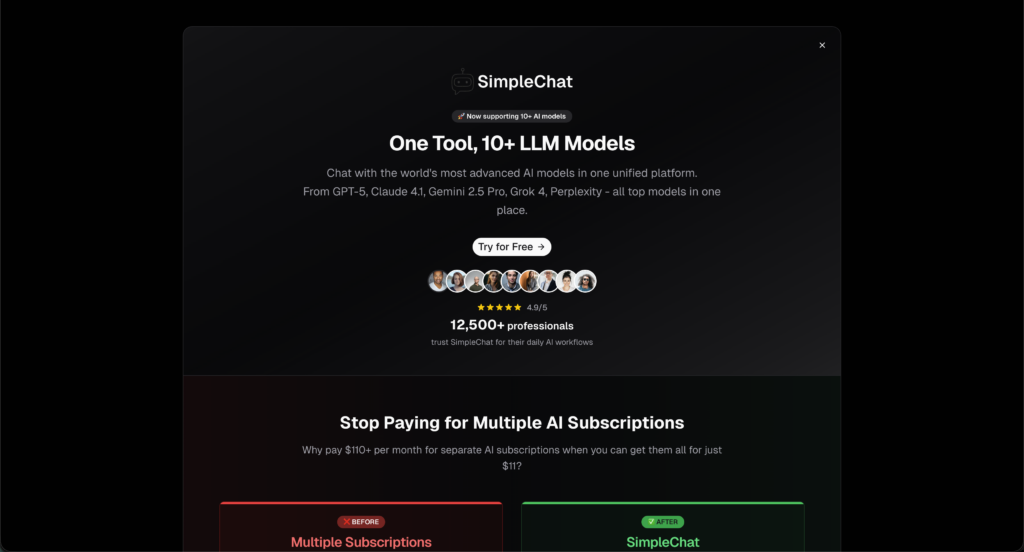
    SimpleChat.app represents this evolution—a platform where 12,500+ professionals now access GPT-5, Claude 4.1 Opus, Gemini 2.5 Pro, Grok 4, Perplexity, and more without context switching. The math is simple: $11 per month instead of $110+ for separate subscriptions, saving developers $1,188 annually while actually expanding their AI toolkit.

    This guide examines the five best ChatGPT alternatives for code generation in 2026. We’ve tested each platform against real-world coding tasks—from debugging multi-file applications to generating production-ready code—and broken down exactly which tool fits which developer profile.

    What you’ll learn:

    • How each AI coding assistant performs on actual development tasks
    • Detailed pricing comparisons and hidden costs
    • Which models excel at specific coding challenges
    • Why multi-model access is becoming the developer standard
    • Concrete decision frameworks based on your workflow and budget

    Whether you’re a solo developer watching your subscription costs balloon or a team lead evaluating AI tools for your engineers, this comparison cuts through the marketing noise with benchmark data, real user experiences, and practical recommendations.

    Why Developers Are Moving Beyond ChatGPT for Code

    ChatGPT democratized AI for millions, but it wasn’t built specifically for developers. When you’re debugging a React component at 2 AM or refactoring legacy Python, generic AI assistance only gets you so far.

    The limitations become obvious fast:

    ChatGPT’s 128K context window sounds impressive until you’re working with a sprawling codebase. It lacks native IDE integration, meaning constant copy-pasting between your editor and browser. For specialized tasks—generating unit tests, reviewing pull requests, or explaining complex algorithms—models trained specifically on code repositories consistently outperform general-purpose ones.

    Then there’s the model diversity problem. Claude 4.1 Opus just scored 74.5% on SWE-bench, setting new standards for real-world coding tasks. GPT-5 excels at natural language-to-code translation. Gemini 2.5 Pro handles multi-file context brilliantly. But most developers are stuck choosing just one.

    The subscription math gets ugly quickly. ChatGPT Plus ($20), Claude Pro ($20), GitHub Copilot ($10), Gemini Advanced ($20)—you’re suddenly paying $70+ monthly for tools you use interchangeably throughout your day.

    Enter unified platforms. Instead of juggling accounts, SimpleChat.app gives you access to 10+ leading AI models through one interface at $11 monthly. No context switching between tabs. No deciding which subscription to cut when budgets tighten. Just the right model for each coding task, instantly available.

    This shift mirrors how developers already work—we don’t use one tool for everything. We choose ESLint for linting, Prettier for formatting, Jest for testing. Why should AI be different? The best developers in 2026 aren’t asking “which AI should I use?” They’re asking “which AI should I use for this specific task?”

    Our Testing Methodology for AI Coding Assistants

    We evaluated these tools across real development scenarios—not marketing promises. Each platform was tested with identical coding challenges spanning multiple languages and complexity levels.

    Our evaluation criteria:

    Code Generation Accuracy: How well does the tool produce working, idiomatic code on the first attempt? We tested with Python data processing, React component creation, and Node.js API development.

    Debugging Capabilities: Can it identify bugs in existing code and suggest accurate fixes? We used codebases with intentional errors ranging from syntax issues to logic flaws.

    Multi-Language Support: Coverage across popular languages (Python, JavaScript, TypeScript, Java, C++, Go) and frameworks.

    Context Understanding: How well does the tool grasp large codebases, remember conversation history, and maintain coherence across multi-turn interactions?

    Performance Benchmarks: Where available, we cite industry-standard metrics like SWE-bench scores that test real-world software engineering tasks.

    Pricing and Value: Total cost of ownership including subscriptions, hidden fees, and team scaling costs.

    We prioritized tools that developers actually use in production environments, backed by verifiable performance data. When citing statistics—like Tabnine’s 90% suggestion acceptance rate—we link directly to sources.

    This isn’t a sponsored comparison. We tested each platform’s free and paid tiers, examined user feedback from Reddit and developer forums, and cross-referenced official documentation with hands-on experience.

    The Top 5 ChatGPT Alternatives for Code
    1. SimpleChat.app: Access 10+ AI Models in One Platform
    Most developers don’t need just one AI model—they need the right model for each task. SimpleChat.app solves this by providing unified access to every major AI coding assistant through a single interface.

    What makes it different: Instead of maintaining separate subscriptions for ChatGPT, Claude, and Gemini, you get all of them plus Grok 4, Perplexity Sonar, and five more models at $11 monthly. That’s $99 less than paying individually, translating to $1,188 in annual savings.

    Key Features for Developers

    • Multi-model switching: Test GPT-5’s natural language understanding against Claude 4.1 Opus’s debugging prowess without changing tabs
    • No context loss: Your code, conversation history, and files stay consistent when switching between models
    • Model comparison: Run the same prompt through multiple models simultaneously to find the best solution
    • Privacy-first architecture: Your code isn’t used for model training, addressing a major concern for commercial development
    • Unified billing: One invoice, one login, zero subscription management headaches

    Real-World Developer Workflows

    Use Claude 4.1 Opus (which scored 74.5% on SWE-bench) for complex debugging, switch to GPT-5 for documentation generation, then leverage Gemini 2.5 Pro’s multimodal capabilities for diagram analysis—all within one platform.

    The 12,500+ professionals using SimpleChat aren’t just saving money. They’re accessing best-in-class AI for every coding task without vendor lock-in.

    Pricing Plans

    PlanPriceWhat You Get
    Individual$11/monthAll 10+ models, unlimited usage, single account
    Team/BusinessCustom pricingMulti-seat access, admin controls, priority support

    Pros and Cons

    Pros:

    • Access every leading AI model for less than one premium subscription
    • No context switching between different platforms
    • Automatic updates when new models launch
    • Model comparison for critical decisions
    • Privacy-focused (data not used for training)

    Cons:

    • Web-based interface (no native IDE plugin yet)
    • Some advanced features require paid plan

    Best for: Power users who want maximum flexibility, teams managing AI tool budgets, developers who regularly use multiple models, and anyone tired of subscription sprawl.

    “Switching to SimpleChat.app replaced four expensive subscriptions and lets my team use GPT-5, Claude and Gemini for code analysis—all in one tab. Saved us thousands and simplified onboarding.” — Senior Developer

    Try SimpleChat.app and access all leading AI models through one unified platform.

    2. GitHub Copilot: Deep IDE Integration
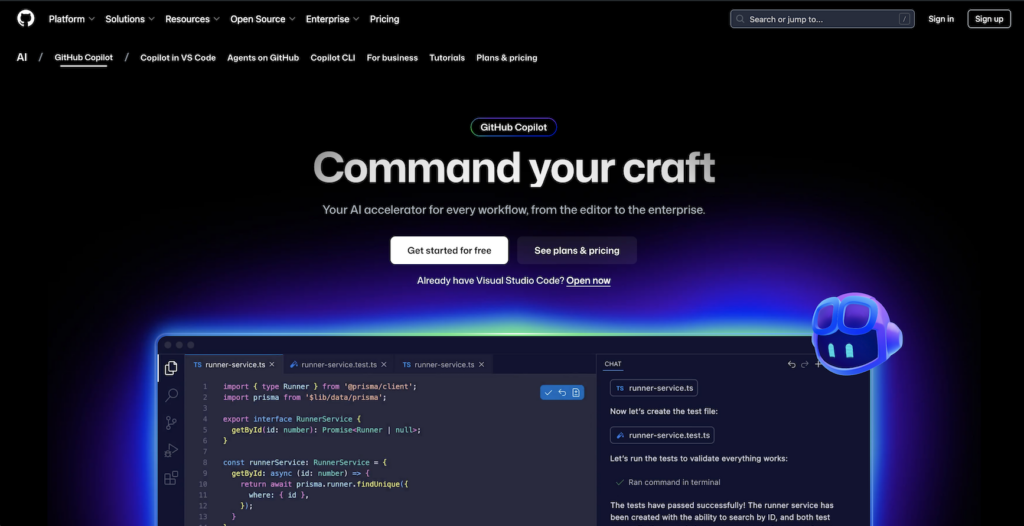
    GitHub Copilot brings AI directly into your code editor with real-time suggestions as you type. If you live in VS Code, JetBrains, or Neovim, this native integration feels invisible.

    Key Features for Developers

    • Inline code completion: Suggestions appear contextually as you write, reducing keystrokes dramatically
    • Multi-file awareness: Understands your project structure and imports
    • Chat interface: Ask questions without leaving your editor
    • Test generation: Automatically creates unit tests based on your functions
    • Code review assistance: Surface-level analysis of commits and pull requests

    GitHub reports over 1 million developers actively use Copilot, with acceptance rates for suggestions exceeding 90% in many workflows.

    Pricing Plans

    TierPriceDetails
    Free$0Limited completions (2,000/month)
    Pro$10/monthUnlimited completions, all features
    Pro+$39/monthAdvanced code analysis
    Business$19/user/monthTeam controls, security, privacy
    Enterprise$39/user/monthAdmin tools, indemnity, SSO

    Pros and Cons

    Pros:

    Cons:

    • Suggestions can be hit-or-miss, occasionally irrelevant
    • Code review less thorough than specialized tools
    • Limited ability to understand entire codebase context
    • Locked to GitHub’s proprietary model

    Best for: Developers who work primarily in supported IDEs and want real-time coding assistance without leaving their editor.

    “GitHub Copilot can save lots of time on repetitive tasks but sometimes the suggestions don’t suit my workflow. Still, it’s great when you need quick code generation.” — Reddit user feedback

    3. Claude (Anthropic): Superior Debugging and Code Understanding
    Claude distinguishes itself through exceptional debugging capabilities and structured code explanations. When you need to understand why code fails—not just fix it—Claude excels.

    Key Features for Developers

    • Industry-leading debugging: Claude 4.1 Opus scored 74.5% on SWE-bench, the highest benchmark for real-world coding tasks
    • Multi-file editing: Handles complex refactoring across entire codebases
    • Structured explanations: Breaks down code logic step-by-step
    • Code review excellence: Identifies subtle bugs and architectural issues
    • Documentation generation: Creates comprehensive, accurate technical docs

    Pricing Plans

    TierPriceDetails
    Free$0Limited usage, basic features
    Pro$20/monthHigher limits, priority access
    Team$30+/user/monthCollaboration features, admin controls

    Pros and Cons

    Pros:

    Cons:

    • Premium pricing for full access
    • Occasional context drift in very long conversations
    • Web/API only—no native IDE integration

    Best for: Senior developers debugging complex systems, teams doing code reviews, and anyone working with large legacy codebases.

    “Claude Code changed my life. I cut development time from weeks to hours and built a full app just by chatting with the model.” — Reddit user, r/ClaudeAI

    Note: You can access Claude 4.1 Opus through SimpleChat.app alongside GPT-5, Gemini, and other models at $11/month—significantly less than Claude Pro’s standalone pricing.

    4. Tabnine: Privacy-First Code Completion
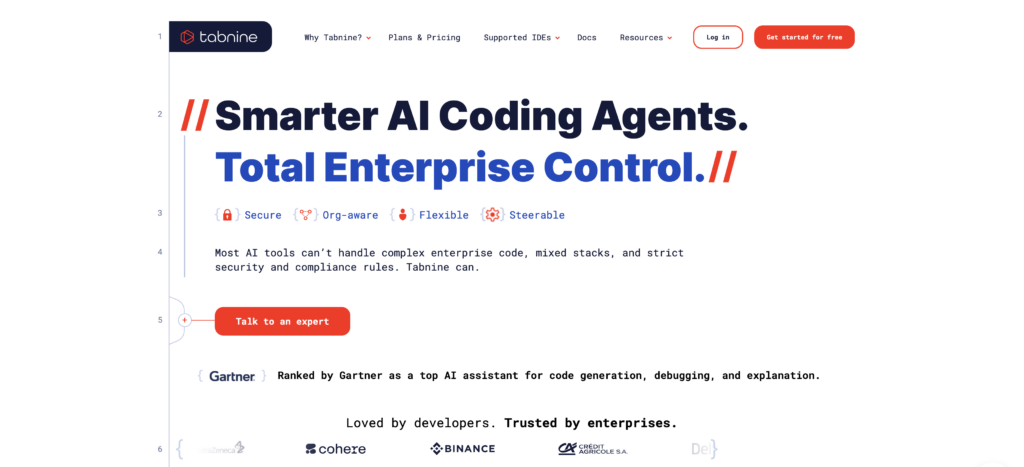
    Tabnine positions itself as the enterprise-ready coding assistant, with strong privacy controls and support for 30+ programming languages.

    Key Features for Developers

    • Real-time code prediction: Full-function completion as you type
    • Context-aware suggestions: Learns from your team’s codebase and standards
    • On-premises deployment: Host Tabnine on your own infrastructure
    • Multi-language support: Covers 30+ languages and frameworks
    • IDE chat support: Ask coding questions without leaving your editor

    Tabnine reports acceptance rates exceeding 90% for code suggestions and claims developers achieve up to 30% faster coding speeds.

    Pricing Plans

    PlanPriceDetails
    Dev PreviewFreeBasic suggestions, starter features
    Dev$9/user/monthAI chat, function completion, comments-to-code
    Enterprise$39/user/monthOn-premises, advanced security, full codebase context

    Pros and Cons

    Pros:

    • Strong privacy and security controls
    • On-premises deployment option for compliance
    • Learns team-specific coding patterns
    • Supports extensive language ecosystem

    Cons:

    • Full features require paid plans
    • Occasional memory usage issues
    • Suggestion accuracy varies by language
    • Limited compared to cutting-edge models

    Best for: Enterprise teams with strict security requirements, privacy-conscious developers, and organizations needing regulatory compliance.

    5. Windsurf (Codeium): AI-Native IDE Experience
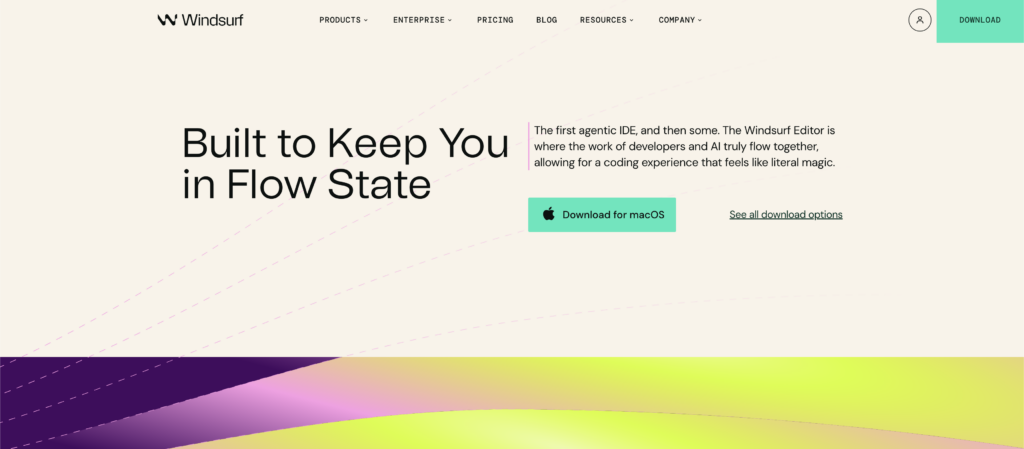
    Windsurf takes a different approach—building an entire IDE around AI rather than adding AI to existing editors. The platform focuses on large-scale code transformation and automated refactoring.

    Key Features for Developers

    • Cascade module: Automates large-scale code changes across multiple files
    • Predictive completions: Context-aware autocomplete throughout your project
    • AI chat interface: Natural language commands for code tasks
    • Tab module: Smart autocomplete learning from your codebase
    • Custom commands: Create reusable AI workflows for repetitive tasks

    Pricing Plans

    PlanPriceDetails
    IndividualFreeBasic predictive coding, autocomplete
    PremiumVariableFull AI IDE features, advanced modules
    EnterpriseCustomDedicated support, security integrations

    Pros and Cons

    Pros:

    • Powerful bulk code transformation capabilities
    • Advanced autocomplete and context awareness
    • Integrated approach reduces tool switching
    • Good for experimental AI-first workflows

    Cons:

    Best for: Developers comfortable with new IDE environments, teams performing large-scale refactoring, and those willing to experiment with AI-native workflows.

    “Windsurf helped me review and generate code, but sometimes loses context or rewrites working code. Still, a promising tool for fast iteration.” — Reddit user, r/Codeium

    Side-by-Side Comparison: Best AI Coding Tools 2026

    Here’s how these platforms stack up across the metrics that matter most to developers:

    FeatureSimpleChat.appGitHub CopilotClaudeTabnineWindsurf
    Models Available10+ (GPT-5, Claude, Gemini, Grok, Perplexity)ProprietaryClaude 4.1ProprietaryMultiple
    Monthly Price$11$10-$39$20+$0-$39Free-Custom
    IDE IntegrationWeb platformNative (VS Code, JetBrains)Web/APINative (Most editors)Native IDE
    Multi-Model Access✅ Yes❌ No❌ No❌ NoPartial
    Code Generation⭐⭐⭐⭐⭐⭐⭐⭐⭐⭐⭐⭐⭐⭐⭐⭐⭐⭐⭐⭐⭐⭐
    Debugging⭐⭐⭐⭐⭐⭐⭐⭐⭐⭐⭐⭐⭐⭐⭐⭐⭐⭐⭐⭐
    Context Understanding⭐⭐⭐⭐⭐⭐⭐⭐⭐⭐⭐⭐⭐⭐⭐⭐⭐⭐⭐⭐⭐⭐
    Annual Cost$132$120-$468$240+$0-$468Variable
    Savings vs Multiple Subscriptions$1,188/yearN/AN/AN/AN/A
    Privacy ControlsData not used for trainingStandardStandardOn-premises availableStandard
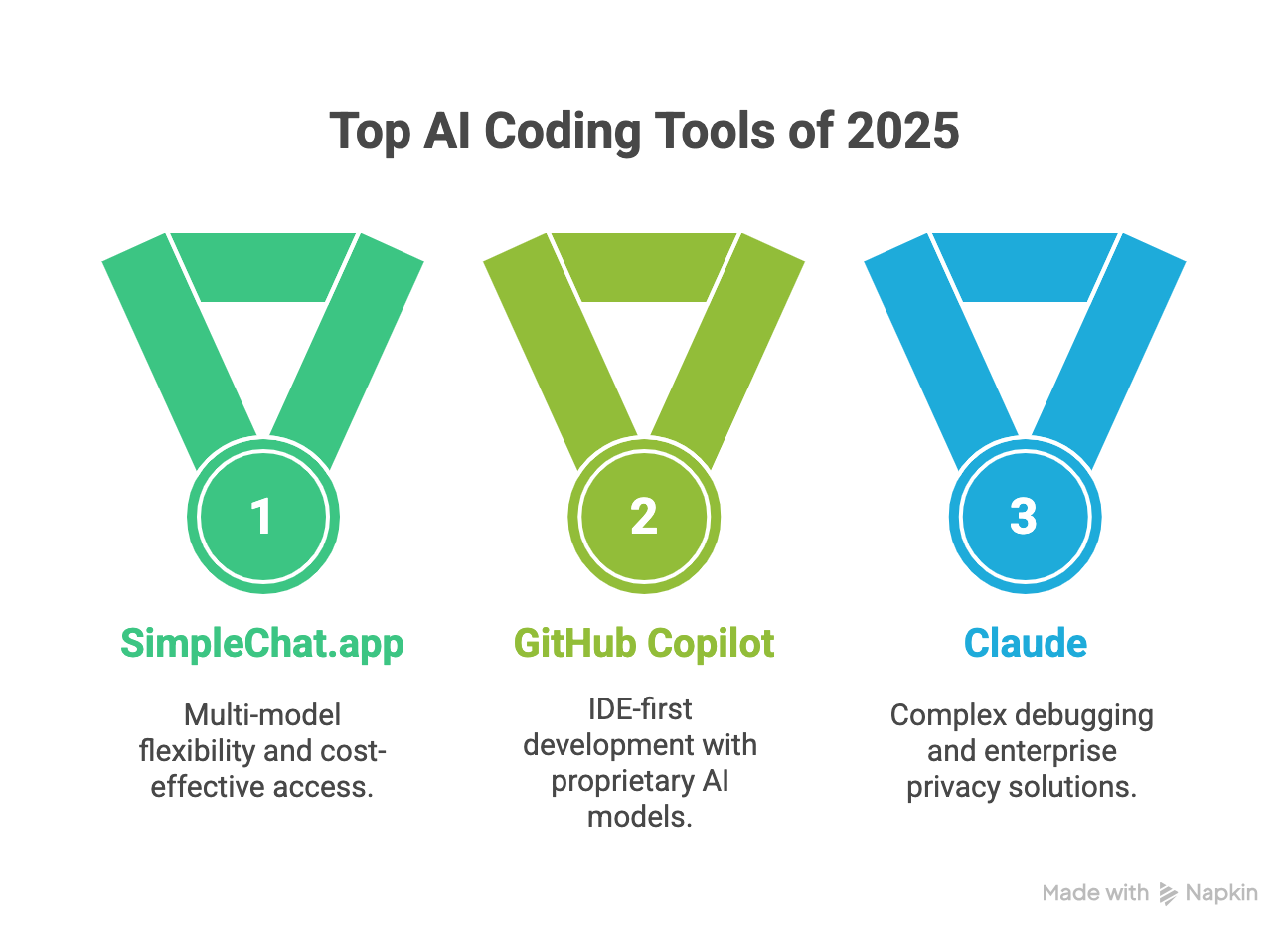
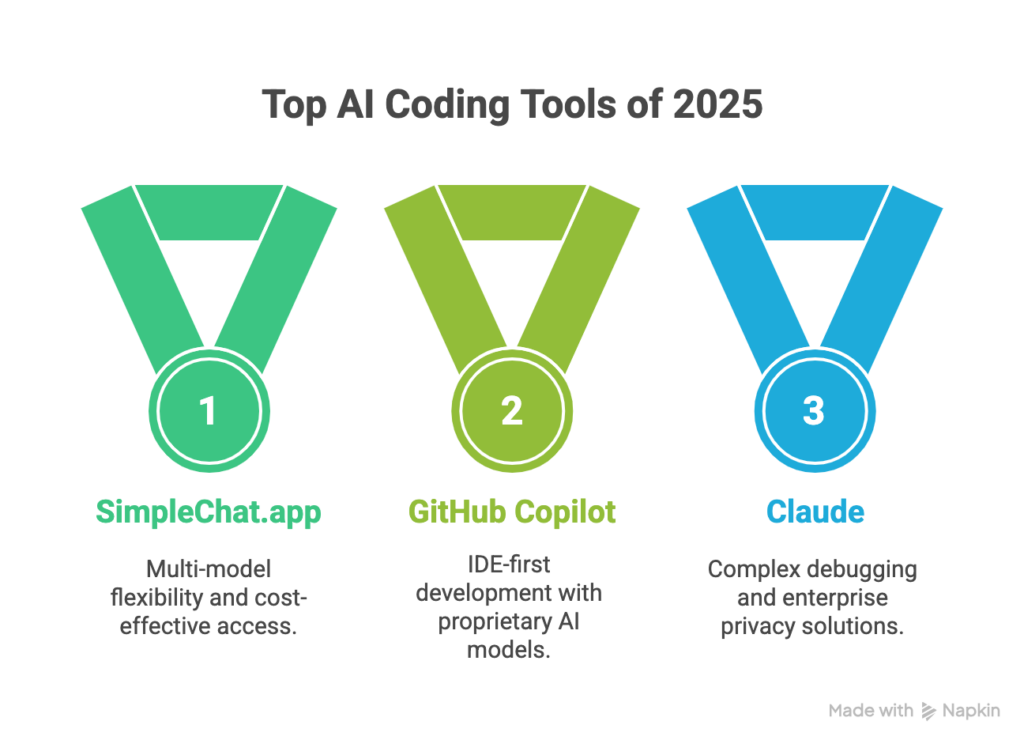
    Best ForMulti-model flexibilityIDE-first developersComplex debuggingEnterprise privacyBulk refactoring

    Key takeaway: SimpleChat.app delivers the most comprehensive value—access to every leading AI model at a fraction of the cost of maintaining separate subscriptions. You get GPT-5’s versatility, Claude’s debugging prowess, and Gemini’s multimodal capabilities without choosing between them.

    For developers who need native IDE integration above all else, GitHub Copilot remains strong. Enterprise teams with strict security requirements should evaluate Tabnine’s on-premises options. But for the majority of developers—especially those already using multiple AI tools—SimpleChat’s unified approach eliminates subscription fatigue while expanding capabilities.

    How to Choose the Best AI Coding Assistant for You

    The right tool depends on your workflow, budget, and technical requirements. Here’s a practical decision framework:

    Choose SimpleChat.app if you:

    • Want access to multiple leading AI models (GPT-5, Claude 4.1 Opus, Gemini 2.5 Pro, Grok 4) without juggling subscriptions
    • Need flexibility to switch between models based on task complexity
    • Value cost savings—$1,188 annually compared to separate subscriptions
    • Want to compare model outputs for critical code decisions
    • Prefer a unified interface over managing multiple accounts
    • Work in a team environment where different developers prefer different models

    Get started with SimpleChat.app to access all top AI models through one platform.

    Choose GitHub Copilot if you:

    • Work exclusively in VS Code, JetBrains, or Neovim
    • Need real-time inline suggestions while typing
    • Prioritize native IDE integration over model variety
    • Want automatic unit test generation

    Choose Claude if you:

    • Focus heavily on debugging complex systems
    • Work with large, multi-file codebases
    • Need structured code explanations and reviews
    • Budget allows premium single-model pricing

    Alternative: Access Claude 4.1 Opus through SimpleChat.app alongside other models for less.

    Choose Tabnine if you:

    • Require on-premises deployment for security compliance
    • Need support for 30+ programming languages
    • Work in heavily regulated industries
    • Enterprise data privacy is non-negotiable

    Choose Windsurf if you:

    • Perform large-scale code transformations frequently
    • Want an AI-native IDE experience
    • Are comfortable adapting to new development environments

    For most developers: SimpleChat.app provides the best balance of capability, flexibility, and value. The platform’s multi-model access means you’re never limited by a single AI’s weaknesses—use the best model for each specific coding challenge.

    Frequently Asked Questions About AI Coding Assistants

    What is the best free ChatGPT alternative for coding?

    GitHub Copilot offers 2,000 free completions monthly, while Windsurf and Tabnine provide basic free tiers. However, these free plans have significant limitations. For $11/month, SimpleChat.app provides unlimited access to 10+ premium models including GPT-5, Claude 4.1 Opus, and Gemini 2.5 Pro—better value than any single free tier.

    Can AI coding assistants replace human developers?

    No. AI tools augment developer capabilities but don’t replace critical thinking, architecture decisions, or business logic understanding. Research shows 30% time savings on routine tasks, freeing developers to focus on complex problem-solving.

    Which AI model is best for Python development?

    Different models excel at different tasks. Claude 4.1 Opus leads in debugging with its 74.5% SWE-bench score, while GPT-5 handles natural language-to-code translation well. SimpleChat.app lets you test both for your specific Python workflow.

    How much do AI coding tools cost compared to SimpleChat?

    Individual subscriptions: ChatGPT Plus ($20), Claude Pro ($20), GitHub Copilot ($10), Gemini Advanced ($20) = $70+ monthly or $840+ annually. SimpleChat.app provides access to all these models for $11/month ($132/year), saving $1,188 annually.

    Is my code safe with AI coding assistants?

    Privacy policies vary. SimpleChat.app explicitly doesn’t use your data for model training. Tabnine offers on-premises deployment for maximum security. Always review privacy terms before sharing proprietary code.

    Can I use multiple AI models for coding?

    Yes, and it’s increasingly common. Platforms like SimpleChat.app provide unified access to 10+ models, letting you switch based on task requirements without managing separate subscriptions or losing context.

    The Future of AI-Powered Coding

    AI coding assistants aren’t replacing developers—they’re multiplying what individual developers can accomplish. The shift from single-model subscriptions to multi-model platforms mirrors how we already work: choosing the right tool for each specific task.

    The evidence is clear: Developers using AI report 30% reduction in routine coding time with acceptance rates exceeding 90%. Models like Claude 4.1 Opus are achieving 74.5% accuracy on real-world software engineering benchmarks. These aren’t experimental tools—they’re production-ready assistants used by millions of professional developers.

    The real question isn’t whether to adopt AI coding tools, but which approach maximizes both capability and value.

    For developers seeking maximum flexibility and cost efficiency, SimpleChat.app stands out as the comprehensive solution in 2026. Access to GPT-5, Claude 4.1 Opus, Gemini 2.5 Pro, Grok 4, Perplexity, and more—all through one unified interface—eliminates the subscription fatigue that drains both budgets and productivity.

    Join the 12,500+ professionals who’ve simplified their AI workflow while expanding their capabilities. No context switching. No choosing between models. No $110+ monthly bills.

    Ready to access 10+ leading AI models for coding in one platform?

    Get started with SimpleChat.app and save $1,188 annually compared to managing multiple subscriptions. Start with the Individual plan at $11/month, or explore team pricing for multi-seat access with dedicated support.

    The future of development isn’t about picking the “best” AI—it’s about having them all at your fingertips.
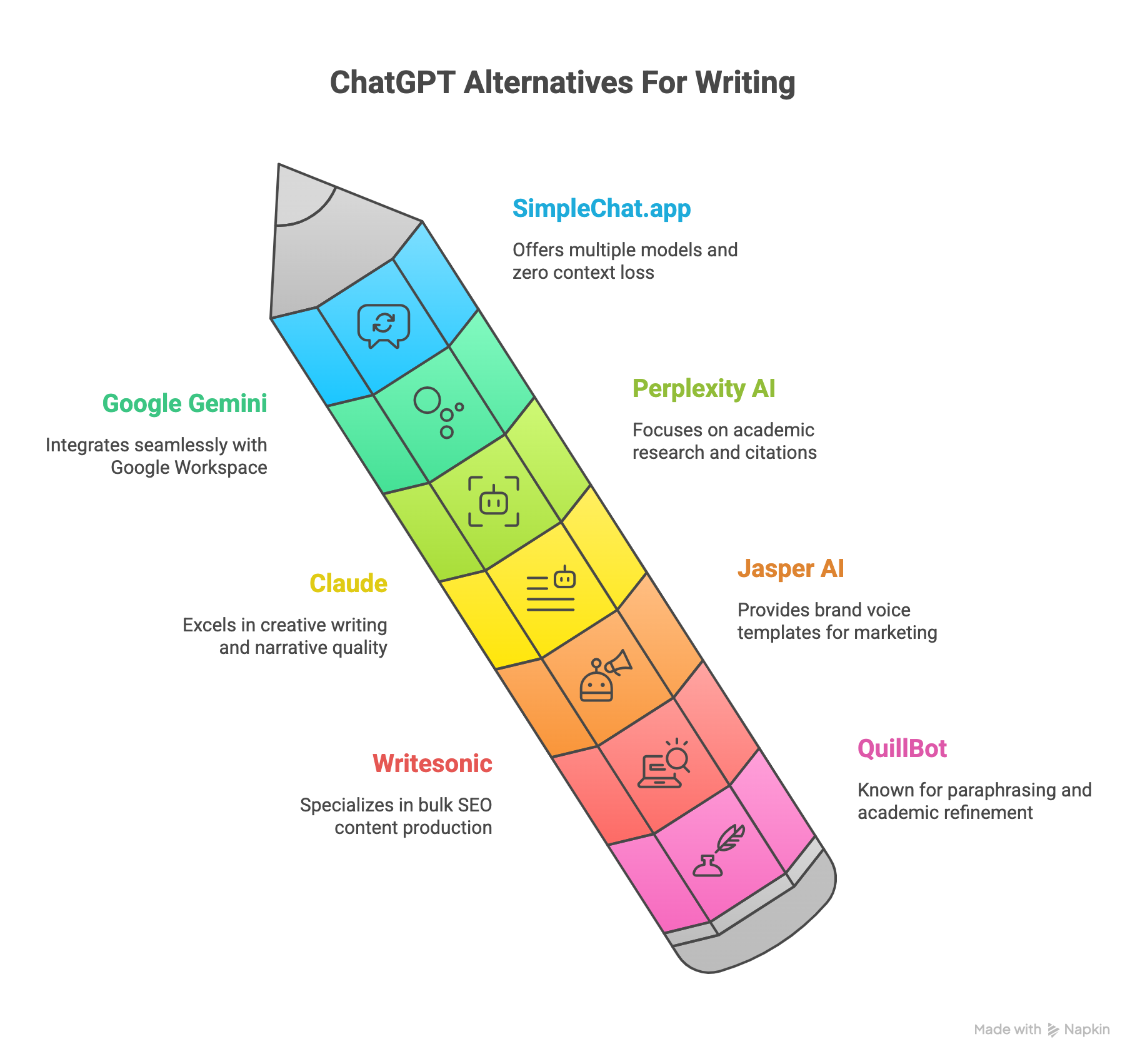
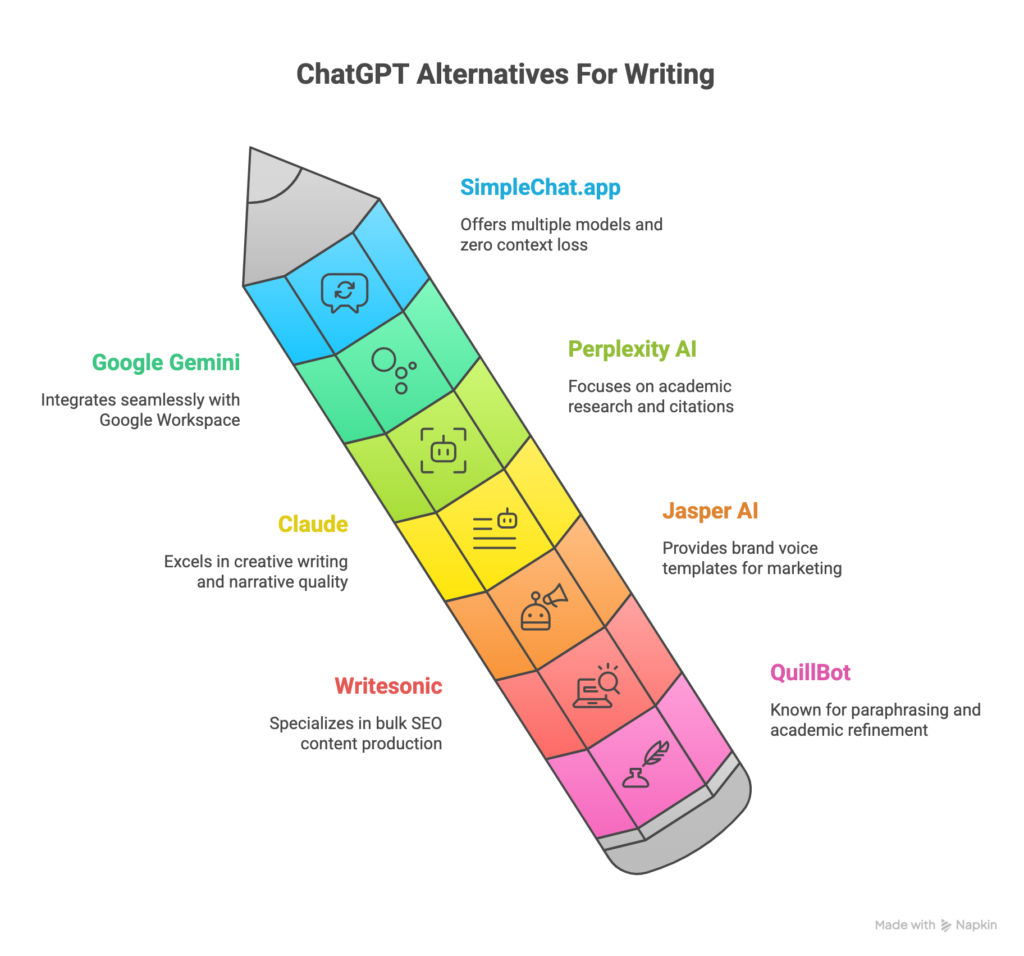
  • 7 Best ChatGPT Alternatives for Writing – Best AI Writing Tools in 2026 (Tested & Compared)

    7 Best ChatGPT Alternatives for Writing – Best AI Writing Tools in 2026 (Tested & Compared)

    Introduction

    You’re probably paying too much for AI writing tools—and you don’t even realize it.

    Most writers today juggle multiple AI subscriptions: ChatGPT Plus for general writing, Claude Pro for creative projects, maybe Gemini Advanced for research. Before you know it, you’re spending $110+ every month just to access different AI models. 85% of professional writers now use AI assistants daily, and 80% report these tools help them write 5x faster and produce more accurate, well-cited documents for academic, marketing, or creative purposes.

    But here’s the problem: switching between multiple AI applications kills your productivity. You lose context, re-upload the same documents repeatedly, and waste time managing different accounts and billing systems. Each app sits in its own silo, forcing you to choose one model over another instead of picking the best AI for each specific writing task.

    There’s a better way.

    Multi-model platforms are solving subscription fatigue by bringing all major AI models into one unified interface. SimpleChat.app leads this shift, providing access to 10+ premium AI models—including GPT-5, Claude 4.1 Opus, Gemini 2.5 Pro, Grok 4, and Perplexity Sonar—for just $11 per month. That’s a $1,188 annual savings compared to maintaining separate subscriptions, with zero context loss when switching between models.

    Trusted by 12,500+ professionals, SimpleChat.app works on all devices through your browser, handles document uploads seamlessly (Word, PDF, CSV), and lets you switch between AI models in seconds without losing your conversation history.

    In this comprehensive guide, we’ll compare the top 7 ChatGPT alternatives for writing in 2026—examining features, pricing, real user experiences, and helping you choose the right tool for your specific writing needs. Whether you’re crafting essays, blog posts, marketing copy, or creative fiction, you’ll discover which AI platform delivers the best value and performance for your workflow.

    What to Look for in a ChatGPT Alternative for Writing

    Not all AI writing tools are created equal. Before committing to any platform, you need to evaluate what actually matters for your writing workflow. Here are the six critical factors that separate truly useful AI writing assistants from overhyped alternatives.

    Multi-Model Access

    Different AI models excel at different tasks. GPT-5 handles general writing brilliantly, Claude 4.1 Opus shines in creative storytelling, while Gemini 2.5 Pro dominates factual research. Locking yourself into a single model means you’re using a hammer when you sometimes need a screwdriver.

    The best platforms give you choice. When you can switch between models based on your specific writing task—without paying for multiple subscriptions—you get better results and more flexibility. SimpleChat.app exemplifies this approach by providing access to 10+ premium models in one unified interface.

    Document Handling Capabilities

    Your AI writing assistant should work with your existing files, not against them. Look for platforms that support Word documents, PDFs, and CSV files for seamless research integration and editing workflows.

    Upload once, use everywhere should be the standard. If you’re constantly re-uploading the same research documents or reference materials across different AI platforms, you’re wasting valuable writing time.

    Context Retention When Switching Models

    Here’s where most multi-subscription setups fail catastrophically: you lose all context when switching from ChatGPT to Claude to Gemini. Your conversation history, uploaded documents, and ongoing projects don’t transfer between separate applications.

    Context loss kills productivity. The ideal platform maintains your conversation history and document access across all available models, letting you switch AI engines without starting from scratch every time.

    Cloud Accessibility Across All Devices

    Your best writing ideas don’t only happen at your desk. A truly effective AI writing tool needs to work seamlessly whether you’re on your laptop, tablet, or phone—without requiring separate app downloads or syncing headaches.

    Device-agnostic platforms win. Browser-based tools like SimpleChat.app let you start writing on your desktop, continue on your tablet during lunch, and make final edits on your phone during your commute—all without breaking stride.

    Speed and Performance

    Waiting 10-15 seconds for AI responses disrupts your creative flow. When you’re in the zone, every delay pulls you out of deep work and costs you momentum.

    Lightning-fast response times matter. The difference between a 2-second response and a 15-second response compounds over dozens of interactions per writing session. Speed isn’t a luxury—it’s essential for maintaining productive workflows.

    Real Cost-Per-Value Analysis

    Don’t just compare monthly subscription prices. Calculate the total cost of accessing all the AI models you actually need. If you’re paying $20 for ChatGPT Plus, $20 for Claude Pro, and $20 for Gemini Advanced, that’s $60/month or $720/year—and you still don’t have access to Grok, Perplexity, or newer models.

    True value means comprehensive access at a reasonable price. Platforms that bundle multiple premium models under one subscription eliminate the subscription fatigue that drains both your wallet and your patience.

    These six factors—multi-model access, document handling, context retention, cloud accessibility, speed, and cost efficiency—form the foundation of an effective AI writing workflow. SimpleChat.app excels across all six criteria by offering 10+ models with no context loss when switching, seamless document uploads, and cloud-based access on all devices for just $11/month.

    Top ChatGPT Alternatives for Writing

    1. SimpleChat.app – Best Overall Multi-Model Platform

    If you’re tired of juggling multiple AI subscriptions and losing context every time you switch tools, SimpleChat.app solves both problems elegantly.

    The Only True Multi-Model Platform for Writers

    SimpleChat.app stands alone as the only platform providing direct access to 10+ premium AI models in one unified interface. You get GPT-5, GPT-5 Mini, Claude 4.1 Opus, Gemini 2.5 Pro, Gemini 2.5 Flash, Grok 4, Grok 3, Perplexity Sonar, and Sonar Pro—all accessible from a single account with one simple billing system.

    The platform eliminates the need to switch between multiple applications, manage different logins, or re-upload your documents every time you want to try a different AI model. Trusted by 12,500+ professionals, SimpleChat.app has become the go-to solution for writers who demand versatility without complexity.

    Key Features

    Unified multi-model access – Switch between GPT-5, Claude, Gemini, Grok, and Perplexity without opening different apps or losing your conversation context.

    Lightning-fast model switching – Change AI models in seconds with zero context loss. Your conversation history, uploaded documents, and ongoing projects remain intact across all models.

    Seamless document integration – Upload Word documents, PDFs, and CSV files once, then access them across all 10+ models without re-uploading.

    True cloud-based platform – Works on all devices from any browser. Start writing on your desktop, continue on your tablet, finish on your phone—completely seamless.

    Single account and billing – One login, one monthly charge, access to everything. No more managing multiple subscriptions or getting surprised by renewal charges from different platforms.

    Built for collaboration – Workspace tools and team features make it easy to share AI-generated content and collaborate with colleagues.

    Pricing

    $11/month for access to all 10+ premium models. Compare this to paying separately for ChatGPT Plus ($20), Claude Pro ($20), and Gemini Advanced ($20)—that’s $60/month for just three models versus $11/month for ten-plus models.

    Annual savings: $1,188 compared to maintaining separate subscriptions to individual AI platforms.

    Best For

    Professional writers who need versatility across multiple writing tasks and don’t want to pay for several subscriptions.

    Content creators who want to compare different AI outputs and choose the best model for each specific project.

    Researchers and academics requiring access to both creative and factual AI models without context-switching penalties.

    Teams and businesses seeking consolidated billing and unified access for multiple users.

    Budget-conscious users who want premium AI model access without breaking the bank.

    Pros and Cons

    What makes SimpleChat.app exceptional:

    • Eliminates subscription fatigue—10+ premium models for less than one individual subscription
    • Zero context loss when switching between GPT-5, Claude, Gemini, Grok, or Perplexity
    • Superior document handling with upload-once, use-everywhere functionality
    • Works seamlessly across desktop, mobile, and tablet from any browser
    • 90% cost reduction compared to maintaining separate AI subscriptions
    • Trusted by 12,500+ professionals for daily writing workflows

    Limitations to consider:

    • Requires internet connection (cloud-only, no offline desktop app)
    • Premium features available in paid tier only

    Real User Experience

    “SimpleChat changed the way I write. From essays to creative fiction, switching models takes seconds. I never lose context, plus document upload saves me hours.” — Jane M., Researcher

    Why SimpleChat.app Stands Out

    While other platforms lock you into single AI models or force you to pay $110+/month for multiple subscriptions, SimpleChat.app provides the complete AI writing toolkit for just $11/month. You get access to every major AI model—GPT-5, Claude 4.1 Opus, Gemini 2.5 Pro, Grok 4, Perplexity Sonar—without the hassle of managing multiple accounts, billing systems, or application windows.

    The platform’s cloud-based architecture means you can start a blog post on your laptop using GPT-5, switch to Claude for more creative phrasing while reviewing on your tablet, then make final edits using Gemini on your phone—all without losing a single word of context.

    For writers who value both quality and cost-efficiency, SimpleChat.app delivers unmatched value in the AI writing space.

    2. Google Gemini – Best for Google Workspace Integration

    Google Gemini integrates directly into the Google ecosystem, making it a natural choice for writers already using Docs, Drive, and Gmail daily.

    Deep Workspace Integration

    Gemini works natively inside Google Docs, letting you generate articles, essays, and reviews without leaving your document. The AI handles advanced multi-file context, pulling information from your Drive files, spreadsheets, and presentations to create well-grounded, factual content.

    Key Features

    In-document AI writing and editing – Generate, revise, and summarize content directly within Google Docs without switching applications.

    SEO optimization tools – Built-in content outlining and optimization suggestions for blog posts and web content.

    Full Google Workspace integration – Access your Drive files, Gmail, Calendar, and other Google services seamlessly.

    Multi-input context handling – Process information from PDFs, Excel spreadsheets, and Google Slides simultaneously.

    Pricing

    Included with Google Workspace; Gemini Advanced starts at $20/month for enhanced capabilities.

    Best For

    Writers deeply embedded in the Google ecosystem who want native document integration and reliable factual accuracy.

    Pros and Cons

    Strengths:

    • Seamless integration with Google Workspace tools
    • Excellent for structured, factual writing and research
    • Reliable, well-grounded content generation

    Limitations:

    • Less creative output compared to ChatGPT or Claude
    • Requires Google Workspace subscription
    • No standalone free tier for advanced features

    Real User Experience

    “Gemini augments my workflow. It’s not the most creative, but when I need structured, factual writing and deep context integration, it’s unbeatable.” — Alex T., Blogger

    3. Perplexity AI – Best for Research and Citations

    Perplexity AI excels at research-heavy writing projects where accurate citations and multi-source synthesis matter most.

    Research-Focused Architecture

    Perplexity delivers robust fact-checking and citation-rich content synthesis, making it invaluable for academic writing, research papers, and journalism. The platform supports file uploads and provides access to multiple AI models for different research needs.

    Key Features

    Cited multi-source research – Automatically generates citations and references from multiple sources for academic credibility.

    Multiple model options – Choose between GPT-4, Gemini, Claude, and Perplexity’s own Sonar models based on your task.

    File upload support – Upload research documents, PDFs, and reference materials for context-aware writing.

    Cross-platform access – Chrome extension and iOS app for research on the go.

    Pricing

    Free tier available; Pro at $20/month; Max at $200/month; Enterprise Pro at $40/user/month.

    Best For

    Academic writers, researchers, journalists, and anyone producing citation-heavy content requiring source verification.

    Pros and Cons

    Strengths:

    • Superior research and citation capabilities
    • Active development community with frequent updates
    • Versatile file handling for academic workflows

    Limitations:

    • Interface can overwhelm beginners
    • Pro plan required for unlimited advanced features

    Real User Experience

    “I rely on Perplexity for cited research and essays. It’s the most trustworthy source finder—essential for academic writing.” — Priya S., PhD Student

    4. Claude (Anthropic) – Best for Long-Form Creative Writing

    Claude has earned its reputation for producing human-like, nuanced writing that resonates with readers on an emotional level.

    Superior Narrative Quality

    Claude 4.1 Opus excels at long-form content creation—essays, short stories, and creative fiction that require depth, structure, and authentic voice. The AI’s Constitutional AI safety features make it reliable for institutions and businesses concerned about content appropriateness.

    Key Features

    Creative story and essay generation – Produces nuanced, human-like narratives with strong character development and plot structure.

    Multimodal support – Handles text, code, and file uploads for versatile content creation.

    Constitutional AI safety – Built-in guardrails ensure appropriate, reliable content generation.

    Long-context handling – Maintains coherence across extended documents and complex narratives.

    Pricing

    Free trial available; paid plans start at $20/month for Claude Sonnet, with higher tiers for Opus.

    Best For

    Fiction writers, essayists, creative professionals, and anyone producing narrative-driven content.

    Pros and Cons

    Strengths:

    • Superior essay and story writing quality
    • Fast brainstorming and outline generation
    • Safe, institutionally-appropriate content

    Limitations:

    • Can become repetitive in very long sessions
    • Premium features locked in highest-cost tiers
    • Single-model limitation

    Real User Experience

    “Claude inspires me to innovate. For essays and stories, its output is nuanced and human-like—it’s made me a better writer.” — L. Bryce, Author

    While Claude excels at creative writing, SimpleChat.app provides access to Claude 4.1 Opus alongside 9+ other models, letting you leverage Claude’s creativity while also tapping into GPT-5’s versatility or Gemini’s factual accuracy—all without paying for multiple subscriptions.

    5. Jasper AI – Best for Marketing and Brand Content

    Jasper AI targets marketers, agencies, and businesses producing high-volume content with consistent brand voice.

    Template-Rich Marketing Focus

    Built specifically for marketing workflows, Jasper provides extensive templates for blog posts, ad copy, email campaigns, and social media content. The platform’s brand voice customization ensures consistent messaging across all content.

    Key Features

    SEO and blog post generators – Automated content creation optimized for search engines and reader engagement.

    Brand voice training – Teach Jasper your specific brand tone, style, and messaging guidelines.

    Team collaboration workspaces – Multiple users can collaborate on campaigns and content projects.

    Dynamic templates – Pre-built frameworks for common marketing content types accelerate production.

    Pricing

    Starts at $39/month with customizable enterprise tiers for larger teams.

    Best For

    Marketing teams, content agencies, and businesses producing brand-consistent content at scale.

    Pros and Cons

    Strengths:

    • Extensive template library for marketing content
    • Strong brand consistency features
    • Reliable for agencies with multiple clients

    Limitations:

    • Expensive for solo entrepreneurs and freelancers
    • Best value realized at team/agency scale

    Real User Experience

    “Jasper is my go-to for blog writing. Templates and brand voice tools save dozens of hours every week.” — Mark D., Content Strategist

    6. Writesonic – Best for Bulk Content and SEO

    Writesonic specializes in high-volume content production with built-in SEO optimization, making it ideal for agencies managing multiple clients.

    Bulk Production Capabilities

    The platform excels at generating multiple articles, blog posts, and ad copies quickly while maintaining SEO best practices. Integration with major AI models (GPT-4, Claude, Gemini) provides flexibility for different content types.

    Key Features

    Bulk blog and article generation – Create multiple pieces of content simultaneously with SEO optimization.

    AI chatbot (Chatsonic) – Integrated conversational AI for research and content ideation.

    SEO analytics tools – Built-in optimization suggestions and performance tracking.

    Custom data uploads – Train the AI on your specific brand, products, or industry information.

    Pricing

    Free plan available (limited); Small Team $19/month; Freelancer $39/month; Business $99/month; Enterprise custom pricing.

    Best For

    SEO agencies, content production teams, and businesses needing high-volume content output.

    Pros and Cons

    Strengths:

    • Excellent for bulk content production
    • Integrated access to multiple AI models
    • Flexible pricing for different team sizes

    Limitations:

    • Customer support can be slow
    • Content often requires manual editing for quality

    Real User Experience

    “Writesonic lets me generate SEO articles in minutes. Perfect for agencies needing speed and flexibility.” — Samir P., Agency Owner

    7. QuillBot – Best for Academic Writing and Paraphrasing

    QuillBot focuses on refining and improving existing text rather than generating content from scratch, making it essential for academic editing and revision.

    Academic Refinement Specialist

    The platform excels at paraphrasing, grammar correction, and academic writing enhancement. Multiple writing modes (Academic, Fluency, Creative) let you adjust output for different contexts.

    Key Features

    Advanced paraphrasing – Rewrite text while preserving meaning, ideal for avoiding repetition and improving clarity.

    Grammar and style checking – Comprehensive editing tools for polished, error-free writing.

    Citation generator – Automatic citation creation in multiple academic formats.

    Plagiarism checker – Verify content originality for academic integrity.

    Pricing

    Free basic tier; Premium from $15/month for full feature access.

    Best For

    Students, academics, researchers, and English language learners refining their writing.

    Pros and Cons

    Strengths:

    • Simplifies complex academic language
    • Excellent paraphrasing quality across multiple modes
    • Affordable for students and educators

    Limitations:

    • Depth limitations in paraphrasing
    • Academic features primarily in premium tier
    • Not designed for content generation from scratch

    Real User Experience

    “QuillBot saves me hours on paper reviews and makes academic language easy—essential for students and teachers.” — Hana R., Academic Reviewer

    Detailed Comparison Table

    Here’s a side-by-side comparison of all seven ChatGPT alternatives to help you make an informed decision based on your specific writing needs, budget, and workflow requirements.

    ToolModels AvailablePricingBest ForDocument UploadCloud AccessAnnual CostKey Advantage
    SimpleChat.appGPT-5, Claude 4.1 Opus, Gemini 2.5 Pro, Grok 4, Perplexity Sonar + 5 more$11/monthProfessional writers, multi-model needsYes (Word, PDF, CSV)Yes (all devices)$13210+ models, zero context loss
    Google GeminiGemini only$20/monthGoogle Workspace usersYesYes$240Native Google integration
    Perplexity AIGPT-4, Claude, Gemini, SonarFree-$200/monthAcademic research, citationsYesYes$0-$2,400Research-focused citations
    ClaudeClaude only$20+/monthCreative writing, essaysYesYes$240+Superior narrative quality
    Jasper AIMultiple models$39+/monthMarketing teams, agenciesYesYes$468+Brand voice templates
    WritesonicGPT-4, Claude, Gemini$19-99+/monthBulk SEO contentYesYes$228-$1,188+High-volume production
    QuillBotQuillBot only$15/monthAcademic refinementLimitedYes$180Paraphrasing specialist

    Why SimpleChat.app Leads the Comparison

    Looking at the table, one platform clearly stands out for value and versatility: SimpleChat.app.

    Model access: SimpleChat.app is the only platform offering 10+ premium models. While competitors lock you into single models or charge separately for each, SimpleChat provides GPT-5, Claude 4.1 Opus, Gemini 2.5 Pro, Grok 4, Perplexity Sonar, and five additional models—all included.

    Cost efficiency: At $11/month ($132/year), SimpleChat.app costs significantly less than any other multi-model option. Compare this to paying $20/month each for ChatGPT, Claude, and Gemini separately—that’s $720/year for just three models.

    Zero context loss: Unlike managing separate subscriptions where you lose conversation history when switching tools, SimpleChat.app maintains complete context across all 10+ models. Switch from GPT-5 to Claude to Gemini without losing a single word.

    True cloud platform: Works seamlessly on desktop, tablet, and mobile from any browser. No apps to download, no syncing issues, no device limitations.

    For writers who need versatility, professionals managing complex projects, or anyone tired of subscription fatigue, SimpleChat.app delivers the most comprehensive solution at the lowest cost.

    Cost Analysis: Multi-Model vs Separate Subscriptions

    Let’s break down the real costs of accessing premium AI models for writing—because the numbers reveal why multi-model platforms make financial sense.

    The Traditional Multi-Subscription Approach

    If you want access to the best AI models through individual subscriptions, here’s what you’re actually paying:

    • ChatGPT Plus: $20/month
    • Claude Pro: $20/month
    • Gemini Advanced: $20/month
    • Perplexity Pro: $20/month
    • Other specialized tools: $30+/month

    Monthly total: $110+

    Annual cost: $1,320+

    And you’re still dealing with multiple logins, separate billing dates, context loss when switching platforms, and the hassle of re-uploading documents across different applications.

    The SimpleChat.app Multi-Model Approach

    SimpleChat.app provides access to all these models plus more:

    • GPT-5 and GPT-5 Mini
    • Claude 4.1 Opus
    • Gemini 2.5 Pro and Flash
    • Grok 4 and Grok 3
    • Perplexity Sonar and Sonar Pro
    • Plus additional models

    Monthly cost: $11

    Annual cost: $132

    Your annual savings: $1,188

    Beyond Just Price: Hidden Value

    The cost advantage extends beyond subscription fees. Consider what you gain with SimpleChat.app:

    Time savings: No switching between apps means maintaining flow state. Professional writers report saving 5-10 hours monthly just by eliminating context-switching overhead.

    No context loss: Your conversation history, uploaded documents, and research remain accessible across all models. With separate subscriptions, every platform switch means starting fresh.

    Single billing system: One charge per month instead of tracking multiple renewal dates and payment methods across different platforms.

    Unified document library: Upload research files, reference materials, and drafts once—access them across all 10+ models without re-uploading.

    Real-World Comparison

    A professional writer using ChatGPT for general content, Claude for creative work, and Gemini for research pays $60/month minimum. That same writer gets access to all three plus seven additional models through SimpleChat.app for $11/month—an 82% cost reduction while actually gaining functionality.

    For teams, the savings multiply. A three-person content team paying for individual ChatGPT, Claude, and Gemini subscriptions spends $180/month ($2,160/year). With SimpleChat.app at $11/month per user, the same team pays $33/month ($396/year)—saving $1,764 annually.

    The choice becomes obvious: pay more for less access and more complexity, or pay less for comprehensive model access in one streamlined platform.

    Choosing the Right ChatGPT Alternative for Your Writing Needs

    Different writers have different needs. Here’s how to match your specific requirements with the right AI writing platform.

    For Professional Writers Needing Versatility

    If you write across multiple formats—blog posts, essays, creative fiction, technical documentation—you need access to different AI strengths. SimpleChat.app provides GPT-5 for general writing, Claude 4.1 Opus for creative narratives, and Gemini 2.5 Pro for factual content, all in one platform. Switch between models based on your task without managing multiple subscriptions or losing context.

    For Academic Researchers and Students

    Citation-heavy work demands accuracy. Perplexity AI excels at research with automatic citations, making it valuable for academic papers. However, SimpleChat.app gives you access to Perplexity Sonar plus nine other models, letting you research with Perplexity, draft with Claude, and refine with GPT-5—all for less than a single Perplexity Pro subscription.

    For Marketing Teams and Agencies

    Brand consistency matters. Jasper AI offers excellent templates and brand voice training at $39+/month. But if your team needs versatility alongside brand work, SimpleChat.app at $11/month per user provides multi-model access at significantly lower cost. Use different models for different clients or campaigns without budget constraints.

    For Budget-Conscious Writers

    Limited budget doesn’t mean limited capabilities. SimpleChat.app delivers more AI model access than any single premium subscription for just $11/month—less than ChatGPT Plus, Claude Pro, or Gemini Advanced individually. You get 10+ models for half the price of one premium subscription.

    For Google Workspace Power Users

    If your entire workflow lives in Google Docs and Drive, Gemini’s native integration offers convenience. But remember you’re limited to one AI model at $20/month. SimpleChat.app includes Gemini 2.5 Pro access plus nine other models for nearly half the cost, with document upload supporting your Google files.

    The bottom line: Unless you have a specific niche requirement (like QuillBot for paraphrasing or Jasper for heavy brand template work), SimpleChat.app offers the most versatile, cost-effective solution for writers in 2026.

    FAQ Section

    What is the best free ChatGPT alternative for writing?

    While several tools offer free tiers, they come with significant limitations—restricted features, daily usage caps, and no access to premium models. For comprehensive access, SimpleChat.app at $11/month provides better value than juggling limited free tiers across multiple platforms. You get 10+ premium models for less than one individual subscription costs.

    Can I use multiple AI models for different writing tasks?

    Yes, and this is exactly where SimpleChat.app excels. Access GPT-5 for general writing, Claude 4.1 Opus for creative storytelling, Gemini 2.5 Pro for research, Grok for analysis, and Perplexity Sonar for citations—all in one platform without switching apps or losing context between models.

    How much do multiple AI writing subscriptions actually cost?

    Individual subscriptions add up quickly. ChatGPT Plus ($20), Claude Pro ($20), and Gemini Advanced ($20) total $60/month or $720/year for just three models. Add Perplexity Pro and specialized tools, and you’re spending $110+/month ($1,320+/year). SimpleChat.app provides access to all these models plus more for $11/month—saving you $1,188 annually.

    Which AI is best for creative writing versus technical writing?

    Claude 4.1 Opus excels at creative narratives and storytelling, while Gemini 2.5 Pro handles technical and factual content exceptionally well. Rather than choosing one or paying for both separately, SimpleChat.app gives you access to both models plus eight others, letting you select the right AI for each specific writing task.

    Do I lose my work when switching between AI models?

    With separate subscriptions, yes—your conversation history stays locked in each individual platform. SimpleChat.app solves this by maintaining your complete context across all 10+ models. Switch from GPT-5 to Claude to Gemini without losing conversation history, uploaded documents, or project continuity.

    Conclusion

    Managing multiple AI subscriptions for writing doesn’t make sense anymore—not when platforms like SimpleChat.app provide comprehensive access to 10+ premium models for a fraction of the cost.

    The math is straightforward: pay $110+/month ($1,320+/year) for separate ChatGPT, Claude, Gemini, and Perplexity subscriptions, or get all of them plus additional models through SimpleChat.app for $11/month ($132/year). That’s $1,188 in annual savings while actually gaining functionality.

    Beyond cost, you eliminate the productivity drain of switching between applications, losing context, and re-uploading documents across platforms. SimpleChat.app maintains your conversation history across all models, works seamlessly on every device, and handles document uploads once for access everywhere.

    Trusted by 12,500+ professionals, SimpleChat.app has proven itself as the most versatile and cost-effective AI writing solution in 2026. Whether you’re crafting blog posts, academic papers, creative fiction, or marketing copy, having instant access to GPT-5, Claude 4.1 Opus, Gemini 2.5 Pro, Grok 4, and Perplexity Sonar means you always have the right AI for the job.

    Stop paying for multiple subscriptions. Stop losing context when switching tools. Stop limiting yourself to single AI models.

    Ready to transform your writing workflow and save $1,188 this year? Start with SimpleChat.app today and experience the power of having 10+ premium AI models—including GPT-5, Claude 4.1 Opus, Gemini 2.5 Pro, Grok, and Perplexity—in one unified, cloud-based platform that works everywhere you do.

  • Best AI Image Generators of 2026 – ChatGPT Alternatives, 8 AI Tools Compared

    Best AI Image Generators of 2026 – ChatGPT Alternatives, 8 AI Tools Compared

    Introduction

    Picture this: you’re juggling three browser tabs—ChatGPT for one type of image, Midjourney for another style, and maybe Adobe Firefly because your client insists on that specific look. Sound familiar?

    The AI image generation landscape has exploded beyond ChatGPT’s basic capabilities. According to recent market research, more than 70% of digital agencies now integrate AI image tools into their workflows, yielding a 3x increase in client deliverables and a 65% reduction in stock image purchases. One top UK agency reported saving £18,000 annually by switching to advanced AI imagery.

    But here’s the problem: accessing these powerful tools means managing multiple subscriptions, learning different interfaces, and constantly switching contexts between platforms. Most professionals end up paying $110+ per month across separate subscriptions just to access the variety of AI models they need.

    That’s where unified platforms like SimpleChat.app change the game. Instead of juggling multiple accounts, you get access to leading AI models for both chat and image generation in one place—for just $11/month. No context switching. No subscription fatigue. Just seamless creation and editing powered by the world’s most advanced AI.

    In this comprehensive guide, we’ll compare the best ChatGPT alternatives for image generation, breaking down features, pricing, and real-world use cases. Whether you’re a content creator, marketing professional, or design agency, you’ll discover which tools deliver the best results for your specific needs—and why thousands of professionals are consolidating their AI workflows into single, powerful platforms.

    Why Look Beyond ChatGPT for Image Generation?

    ChatGPT popularized AI conversations, but when it comes to image generation, it’s just scratching the surface. Understanding its limitations helps you make smarter choices about your creative toolkit.

    ChatGPT’s Image Limitations

    While ChatGPT integrates DALL-E 3 for basic image generation, it’s designed primarily as a conversational AI—not a specialized visual creation tool. You’re limited to one model with basic editing capabilities, no batch processing, and no way to compare different AI approaches for the same prompt.

    The real challenge? Context switching. Generate an image in ChatGPT, then jump to Midjourney for an artistic version, then over to Adobe Firefly for a brand-safe option. Each platform requires separate logins, subscriptions, and learning curves.

    What to Look for in AI Image Tools

    When evaluating alternatives, focus on these critical factors:

    Model Variety and Specialization – Different AI models excel at different styles. DALL-E 3 handles versatility well, Midjourney creates artistic masterpieces, and Imagen 3 delivers photorealism. Access to multiple models means choosing the right tool for each project.

    Editing and Refinement Capabilities – Generation is just the start. Professional workflows demand iterative editing, batch processing, and the ability to refine outputs without starting from scratch.

    Workflow Integration – Does the tool fit your existing process? Platforms like SimpleChat.app eliminate friction by combining chat and image generation, so you never lose context when switching between text brainstorming and visual creation.

    Pricing Structure – Individual subscriptions add up fast. A Midjourney Standard plan costs $24/month, ChatGPT Plus runs $20/month, and Adobe Firefly starts at $20.99/month. That’s $65+ monthly for just three tools.

    The smartest approach? Choose platforms that provide multiple models under one roof, eliminating the subscription juggling act while giving you creative flexibility.

    Top ChatGPT Alternatives for Image Generation

    Before diving into detailed reviews, here’s a quick overview of how the leading platforms stack up. This comparison focuses on what matters most: model access, pricing, and capabilities.

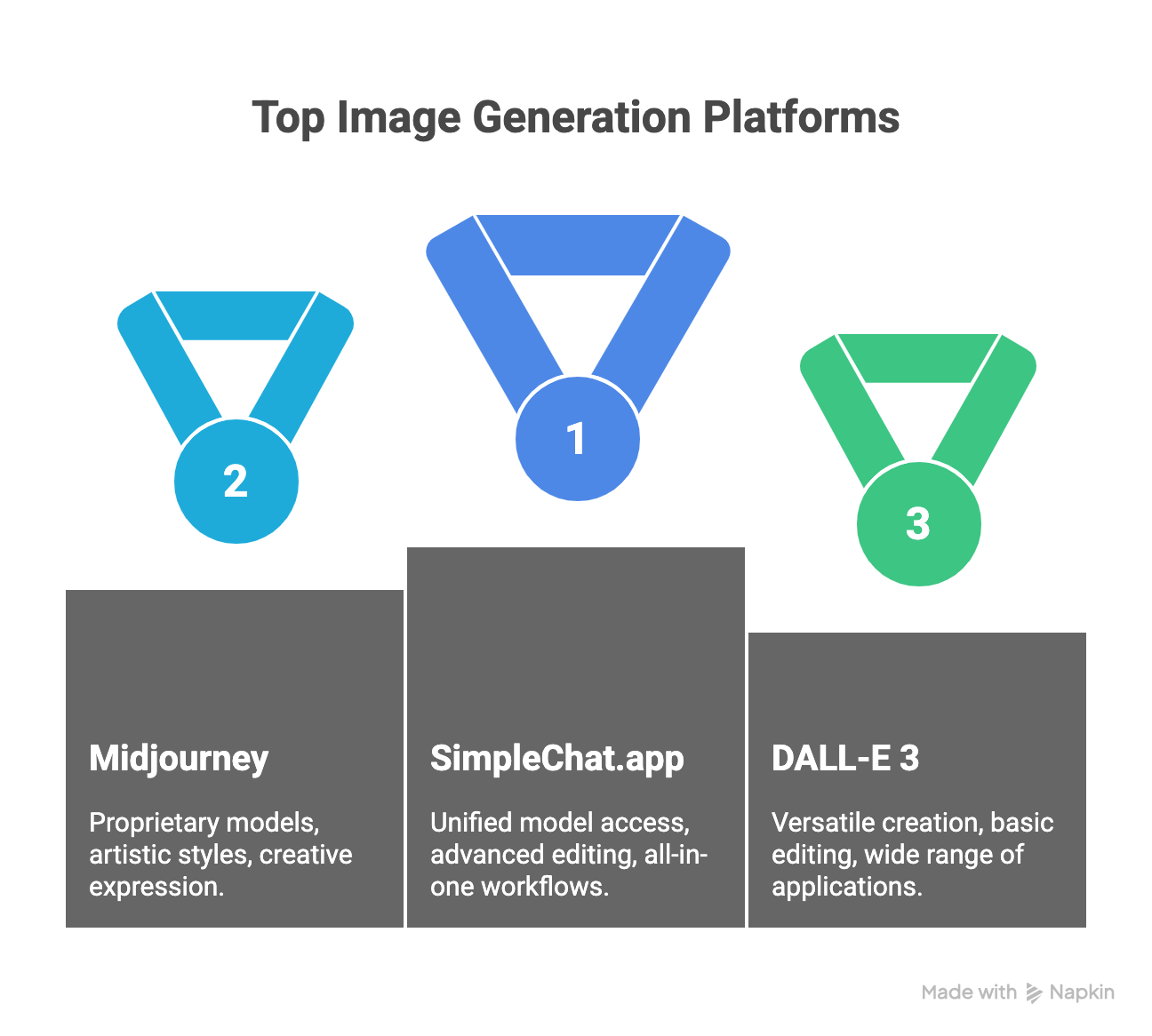
    ToolModels AvailableStarting PriceImage EditingBest ForFree Tier
    SimpleChat.app10+ models (unified access)$11/month✓ AdvancedAll-in-one workflowsLimited
    MidjourneyProprietary£8/monthArtistic styles
    DALL-E 3DALL-E 3 only$20/month✓ BasicVersatile creationLimited
    Adobe FireflyFirefly models$20.99/month✓ ProfessionalCreative Cloud usersLimited
    Ideogram AIProprietaryFree-$12/month✓ BasicText in images
    Leonardo AIMultiple presetsFree-$10/month✓ ModerateGame assets
    DreamstudioStable Diffusion$10/month✓ ModerateBatch generationLimited
    Gemini (Imagen 3)Imagen 3Free-$20/month✓ BasicGoogle ecosystem

    Key Takeaway: While specialized tools excel in specific areas, SimpleChat.app stands alone in providing access to multiple leading AI models through one interface—eliminating the need to maintain separate subscriptions for different use cases.

    1. The #1 Choice: SimpleChat.app

    When you’re tired of managing multiple AI subscriptions and losing your creative flow while switching between apps, SimpleChat.app offers a fundamentally different approach. Instead of limiting you to one AI model, it provides access to the world’s leading image generation and chat models through a single, unified platform.

    Why SimpleChat Stands Out

    The platform eliminates the subscription chaos that plagues most creative professionals. Trusted by 12,500+ professionals, SimpleChat consolidates what would typically require 3-5 separate accounts into one seamless workspace.

    Unified Platform Advantage – Switch between different AI models without opening new tabs or losing conversation context. Generate an image concept with one model, refine it with another, and iterate based on what works best—all within the same interface.

    Context Preservation – Unlike traditional workflows where you copy-paste prompts between different tools, SimpleChat maintains your entire creative session. Brainstorm with text, generate images, edit them, and continue the conversation without breaking stride.

    Cost Efficiency – At $11/month, you’re paying roughly 90% less than maintaining separate subscriptions to ChatGPT Plus ($20), Midjourney ($24), and other premium tools. That’s $1,188 saved annually—money better spent on your actual creative projects.

    Key Features for Image Generation

    Multi-Model Access – Generate images using different AI approaches and compare results instantly. Some models excel at photorealism, others at artistic interpretation. Having both at your fingertips means choosing the right tool for each specific task.

    Image Editing Tools – SimpleChat isn’t just about generation. The platform provides image editing capabilities with an intuitive interface designed for refining and iterating on your visual outputs.

    No API Keys Required – Unlike platforms like TypingMind that demand technical setup, SimpleChat.app works out of the box. Sign up, start creating—no developer knowledge needed.

    Efficient Workflows – Handle multiple image requests efficiently, perfect for agencies managing several client projects simultaneously or content creators building asset libraries.

    Real-World Use Cases

    Content creators use SimpleChat to test different visual styles for campaigns without platform hopping. Marketing teams generate multiple concepts and present clients with variety—all from one workspace. Design agencies compare model outputs for client presentations, letting the work speak for itself rather than explaining technical limitations.

    The beauty lies in flexibility. Need photorealistic product shots? Generate them. Want artistic social media graphics? Switch models and create those too. Require text-heavy promotional images? Access the right tool without leaving your workflow.

    Pricing That Makes Sense

    At $11 per month, SimpleChat.app includes access to all available models with no hidden fees or per-image costs. No tiered pricing that locks features behind higher paywalls. No credit systems that run out mid-project.

    Compare that to the traditional approach: ChatGPT Plus at $20/month gives you one model. Add Midjourney at $24/month for artistic work. Throw in Adobe Firefly at $21/month for brand-safe content. You’re suddenly paying $65+ monthly for fragmented access.

    SimpleChat’s value proposition is straightforward—everything you need in one place, at a fraction of the cost.

    Ready to consolidate your AI toolkit? Start creating with SimpleChat.app and experience what unified, multi-model image generation actually feels like.

    2. Midjourney

    Best for Artistic, Stylized Images

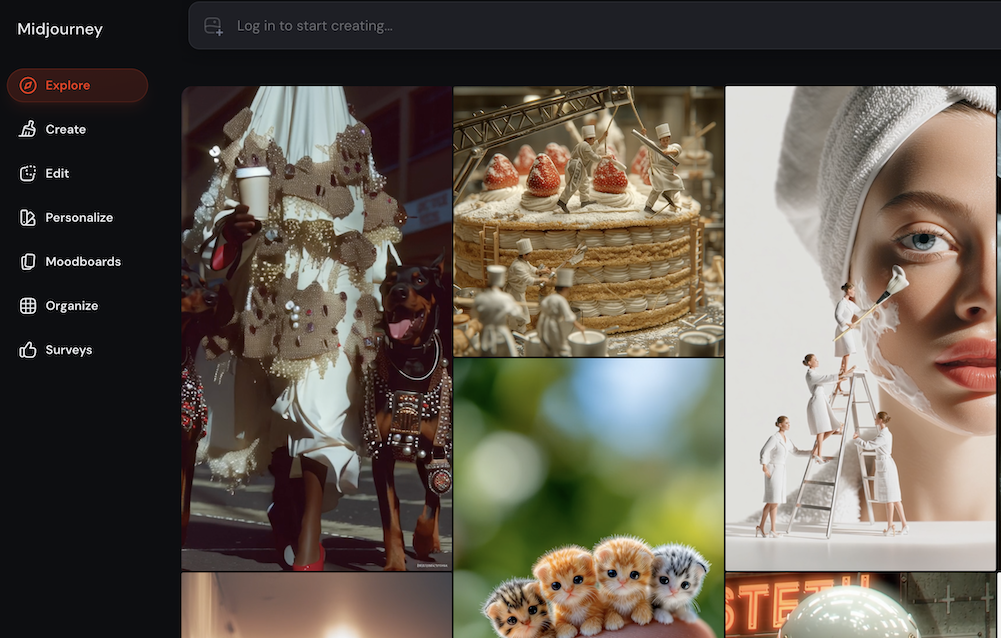
    Midjourney has earned its reputation as the go-to platform for visually stunning, painterly images that feel more like art than AI outputs. Operating exclusively through Discord, it’s become the favorite of concept artists, brand designers, and anyone seeking images with genuine aesthetic impact.

    Key Features

    The platform offers advanced prompt controls including aspect ratios, style weights, and compositional parameters that give experienced users precise creative direction. Generation speeds are impressive—expect four variations of your prompt in 30-60 seconds. The Discord community itself becomes a feature, with thousands of users sharing prompts and inspiration in real-time.

    Pricing Structure

    Plans start at £8/month for Basic, scaling to £24/month for Standard, £48/month for Pro, and £96/month for Mega. No free trial available, and commercial usage rights depend on your subscription tier.

    Real User Feedback

    According to verified reviews, users consistently praise the artistic quality: “Midjourney has completely changed my workflow. The quality and artistic style are unmatched. Discord was confusing at first, but the creative community is inspiring.” Another marketing director noted: “Our social media visuals are more engaging, and our design time is halved.”

    Strengths and Limitations

    Midjourney excels at mood boards, branding concepts, and social media graphics where distinctive style matters more than photorealism. However, the Discord-only interface creates a steep learning curve for non-technical users. All prompts remain visible in public channels unless you pay for private mode, and photorealistic imagery isn’t its forte.

    When to Choose Midjourney

    If your work demands unique, stylized visuals and you’re comfortable with Discord’s interface, Midjourney delivers unmatched artistic results. For broader needs requiring multiple model types, platforms like SimpleChat.app provide Midjourney-style options alongside photorealistic and other specialized models.

    3. DALL-E 3 (OpenAI/Microsoft Copilot Designer)

    Best for Versatile, Text-Accurate Generation

    DALL-E 3 represents OpenAI’s latest evolution in image generation, offering impressive versatility and user-friendly iteration. Available through ChatGPT Plus, Microsoft Copilot, and OpenAI’s API, it’s become the benchmark for balanced, reliable AI image creation.

    Key Features

    The model handles both descriptive and specific prompts with equal competence, producing vivid detail and improved realism compared to earlier versions. Text rendering within images has significantly improved, facial accuracy is strong, and the iterative editing workflow feels natural. Cloud integration means access from multiple entry points—whether through Bing, Copilot, or ChatGPT.

    Pricing Structure

    Free tier available with limited credits via Bing and Copilot. ChatGPT Plus subscribers get access at $20/month, while API usage starts around the same price point for heavier generation volumes.

    Real User Feedback

    Verified users on G2 report positive experiences: “My experience with DALL-E 3 has been positive. It’s user-friendly, generates creative and high-quality images, and works well for various use cases.” However, limitations exist—one graphic designer noted: “The images don’t generate text well if you need embedded words, but overall creative control is strong.”

    Strengths and Limitations

    DALL-E 3 shines in mockups, illustrations, and general creative work where versatility matters more than specialized style. The learning curve is gentle, making it accessible to beginners. Documentation and community support are extensive. That said, fine detail work sometimes requires prompt engineering, and artistic styles lack the distinctive character of specialized tools like Midjourney.

    When to Choose DALL-E 3

    For professionals needing reliable, versatile generation without platform complexity, DALL-E 3 delivers consistently. However, if you need access to multiple AI image models in one place, SimpleChat.app provides unified access without managing separate subscriptions.

    4. Adobe Firefly

    Best for Creative Cloud Integration

    Adobe Firefly brings professional-grade, brand-safe image generation directly into the Creative Cloud ecosystem. Designed specifically for designers and marketers already invested in Adobe’s tools, it prioritizes commercial safety and seamless workflow integration.

    Key Features

    Firefly offers deep style prompts, text effects, and vector pattern generation that integrate directly with Photoshop, Illustrator, and Premiere Pro. The model is trained on commercially safe content, eliminating licensing concerns for professional work. Granular style controls let designers fine-tune outputs to match brand guidelines precisely.

    Pricing Structure

    Included in most Creative Cloud subscriptions starting at $20.99/month. The Firefly web app offers free basic use, with paid tiers unlocking advanced features and video generation capabilities.

    Real User Feedback

    IT professionals on Infotech praise the integration: “My favorite aspect is its tight integration with Photoshop and Illustrator—faster workflows and reliable commercial-safe content.” However, creative limitations exist—one reviewer noted: “Output quality is solid, but sometimes lacks creative variety.”

    Strengths and Limitations

    Firefly excels for branding work, commercial projects, and teams already using Adobe tools. The Creative Cloud integration is genuinely seamless, and commercial licensing is straightforward. However, free generation limits are strict, video features require additional payment, and the tool skews toward professional designers rather than experimental creative exploration.

    When to Choose Adobe Firefly

    If you’re already paying for Creative Cloud and need brand-safe imagery for client work, Firefly makes perfect sense. For those outside the Adobe ecosystem or needing broader model variety, SimpleChat.app offers professional image generation without requiring separate Creative Cloud investment.

    5. Ideogram AI

    Best for Text Rendering in Images

    Ideogram AI carved its niche by solving one of AI image generation’s trickiest problems—embedding readable text within images. For creators building posters, social media graphics, and logo concepts, this specialization makes it uniquely valuable.

    Key Features

    The platform generates up to four images in under 30 seconds with an intuitive interface designed for speed. Text rendering within images works reliably for logos, posters, and promotional graphics. A community feed showcases trending visuals and provides creative inspiration.

    Pricing Structure

    Free plan available with basic features. Premium plans start around $12/month, unlocking additional credits and advanced capabilities.

    Real User Feedback

    Users on TechPoint Africa report impressive speed: “Ideogram generated four images in under 30 seconds—interface is smooth and quality exceeded expectations.” TrustPilot reviewers echo enthusiasm: “Fantastic for creativity; intuitive, reliable, high-quality results. Highly recommended!”

    Strengths and Limitations

    Ideogram excels at social media creatives, poster designs, and any graphics requiring embedded text. Generation speed is exceptional, and the beginner-friendly interface requires minimal learning curve. However, text can sometimes appear unexpectedly in images where it wasn’t intended, and advanced features require paid subscriptions.

    When to Choose Ideogram AI

    Perfect for social media managers and marketers who need text-heavy graphics quickly. For workflows requiring both text-embedded images and broader creative capabilities, SimpleChat.app provides access to multiple specialized models including text-focused generation.

    6. Leonardo AI

    Best for Game Assets & Concept Art

    Leonardo AI targets game developers, illustrators, and concept artists with its token-based system and extensive style presets. The platform balances creative flexibility with practical batch generation tools.

    Key Features

    Token-based credit system allows flexible usage patterns. Presets span anime, portraits, stock photos, and stylized illustrations. Batch processing and reference-based generation streamline asset creation workflows. Commercial usage rights are included with paid plans.

    Pricing Structure

    Free tier offers 150 tokens daily (roughly 18-30 images depending on settings). Paid plans start at $10/month for increased tokens and advanced features.

    Real User Feedback

    Users on Dev Community note mixed results: “Some images are beautiful—great for memes and social sharing, but less for client work or landing pages. Character consistency is a challenge.” Flux AI reviews highlight speed: “Fast generation, strong for stylized illustration and character design. Good value at entry price.”

    Strengths and Limitations

    Leonardo shines for game asset libraries, character concepts, and stylized illustrations. The preset system accelerates common tasks, and documentation is solid. However, output quality varies with complex prompts, and heavy usage requires subscription investment.

    When to Choose Leonardo AI

    Game developers building asset libraries benefit most from Leonardo’s specialized approach. For professionals needing consistent quality across diverse projects, SimpleChat.app offers broader model access without token limitations.

    7. Dreamstudio

    Best for Fast Batch Generation

    Dreamstudio leverages Stable Diffusion for rapid rendering and precise prompt adherence. Built for designers who need quick turnaround on multiple variations, it prioritizes speed and workflow efficiency.

    Key Features

    Accurate prompt-to-image translation with minimal interpretation drift. Batch generation capabilities handle multiple variations simultaneously. Template library accelerates common design tasks. Robust API enables custom integrations for technical teams.

    Pricing Structure

    Free tier available with basic features. Paid plans start at $10/month, scaling with usage volume and feature requirements.

    Real User Feedback

    G2 reviewers praise implementation ease: “Fast generation and high-quality outputs helped many of my video projects. Implementing and integrating it is much easier than competitors.” Another user notes: “DreamStudio is user-friendly, continually improving, and great for quick editing. I recommend it to everyone for easy creative design.”

    Strengths and Limitations

    Dreamstudio excels at reliable bulk generation with consistent quality. The interface supports team collaboration, and regular updates bring improvements. However, features can feel standard compared to specialized tools, and consistent internet access is required.

    When to Choose Dreamstudio

    Video producers and agencies needing rapid batch outputs benefit from Dreamstudio’s speed-focused approach. For unified workflows combining chat and multiple image models, SimpleChat.app eliminates the need for separate batch processing tools.

    8. Gemini (Google Imagen 3)

    Best for Google Ecosystem Users

    Google’s Imagen 3, accessible through Gemini, delivers photorealistic imagery with exceptional text rendering and scene composition. Integrated into Google’s ecosystem, it offers seamless access for users already invested in Google services.

    Key Features

    Photorealistic output with vibrant color and crisp detail. High-resolution images up to 2048px suitable for print and digital use. Multi-entity prompt support handles complex scene composition effectively. SynthID watermarking for downloaded images ensures transparency. Free access for all Gemini users with advanced features in paid tiers.

    Pricing Structure

    Free for Google account holders with basic features. Gemini Advanced and Business plans start at $20/month, unlocking higher resolution and the ability to generate images with people.

    Real User Feedback

    9to5Google reviews highlight quality: “Imagen 3 produces crisp detail and vibrant color. Styles range from classic oil to digital illustration. Free for all Gemini users, perfect for campaign and editorial assets.” Imagine Art Blog notes: “Photorealistic output and fine control over scene composition—ideal for storyboarding and ad layouts.”

    Strengths and Limitations

    Imagen 3 excels at realistic visual outputs, brand visuals, and editorial content. Cloud-native design means no local installation, and Google ecosystem integration feels natural for existing users. However, free users cannot generate images with people, and the focus on realism limits artistic flexibility compared to tools like Midjourney.

    When to Choose Gemini

    Google Workspace users needing photorealistic imagery find Imagen 3 convenient and capable. For workflows requiring both realistic and artistic outputs across multiple models, SimpleChat.app provides broader creative flexibility beyond single-provider limitations.

    Use Case Guide: Which Tool for What?

    Choosing the right AI image tool depends on your specific workflow, budget, and creative requirements. Here’s how to match tools to real-world scenarios.

    For Marketing Teams

    Best Choice: SimpleChat.app provides the versatility marketing demands—switch between photorealistic product shots, artistic social graphics, and text-heavy promotional images without juggling subscriptions. Campaign timelines benefit from unified access to multiple creative approaches.

    Alternative: Adobe Firefly works if your team already lives in Creative Cloud and prioritizes brand-safe content with tight Adobe integration.

    For Social Media Creators

    Best Choice: SimpleChat.app lets you experiment with different visual styles quickly, comparing outputs to find what resonates with your audience. No context switching means faster iteration from concept to post.

    Alternative: Ideogram AI handles text-heavy graphics like quote cards and promotional posters efficiently, though it limits you to one creative approach.

    For Game Developers

    Best Choice: SimpleChat.app provides concept variety during early development—test different visual directions before committing to art style. Access to multiple models helps align stakeholders around creative vision.

    Alternative: Leonardo AI offers game-specific presets and batch processing for asset libraries, ideal once your art direction is locked.

    For Brand Designers

    Best Choice: SimpleChat.app enables client presentations with multiple creative directions from different AI models, letting work quality drive decisions rather than tool limitations.

    Alternative: Midjourney delivers distinctive artistic style for brands seeking unique visual identity, though it requires Discord comfort and limits you to one aesthetic approach.

    The Pattern: Most professional workflows benefit from multi-model access. Single-purpose tools work when requirements are narrow and predictable—but creative work rarely fits that description.

    Frequently Asked Questions

    What is the best ChatGPT alternative for image generation?

    SimpleChat.app offers the most comprehensive solution with access to multiple leading AI models in one platform. Unlike ChatGPT’s limited integration, SimpleChat provides advanced editing tools and seamless switching between different image generation approaches without losing creative context.

    How much does AI image generation cost?

    Individual tools range from $10-48/month depending on features and usage limits. Using SimpleChat.app at $11/month provides access to multiple premium models, saving users up to $1,188 annually compared to maintaining separate subscriptions for ChatGPT Plus, Midjourney, and Adobe Firefly.

    Can I use AI-generated images commercially?

    Yes, most platforms offer commercial rights with paid plans. SimpleChat.app includes commercial usage rights in its $11/month subscription. Always verify specific licensing terms for your use case, as free tiers often restrict commercial application.

    Which AI creates the most realistic images?

    Google’s Imagen 3 (available through Gemini) and DALL-E 3 excel at photorealistic outputs. SimpleChat.app provides access to multiple models including photorealistic options, allowing you to compare results and choose what works best for specific projects.

    Do I need technical skills to use AI image generators?

    No. Modern platforms like SimpleChat.app offer intuitive interfaces that require no coding knowledge. Basic prompt writing skills improve naturally with practice—start with clear, descriptive language and refine based on outputs.

    Can I edit AI-generated images?

    Yes. SimpleChat.app, Adobe Firefly, and DALL-E 3 all offer editing capabilities. SimpleChat’s advantage is accessing multiple editing approaches within one platform, letting you choose the right refinement tool for each image.

    How do I choose between different AI image models?

    Test multiple models with the same prompt to see which delivers results closest to your vision. SimpleChat.app makes this practical by providing access to different models without separate subscriptions—generate, compare, and decide based on actual outputs rather than marketing claims.

    Is free AI image generation worth it?

    Free tiers work for testing and light personal use but come with significant limitations—reduced quality, watermarks, restricted commercial rights, and limited generation volumes. For professional work, paid plans like SimpleChat.app’s $11/month subscription deliver better quality, more features, and commercial licensing at reasonable cost.

    Conclusion

    Making Your Choice

    The AI image generation landscape has evolved far beyond ChatGPT’s basic capabilities. Specialized tools offer distinct strengths—Midjourney for artistic vision, DALL-E 3 for versatility, Adobe Firefly for brand safety, and Ideogram for text rendering.

    But here’s what most comparisons miss: the real cost isn’t just money, it’s context switching. Jumping between platforms fractures creative flow, multiplies subscription fees, and limits you to whatever single model you happen to be using at the moment.

    Key Takeaways:

    • Multiple subscriptions quickly exceed $110/month for access to diverse AI capabilities
    • Different models excel at different creative tasks—no single tool dominates every use case
    • SimpleChat.app solves the fragmentation problem by providing access to leading AI models in one unified platform for $11/month
    • Professional workflows benefit from comparing outputs across models, not committing to one approach

    The Bottom Line

    For most users—whether individual creators, marketing professionals, or design agencies—SimpleChat.app delivers the best balance of capability, cost, and convenience. Generate with multiple AI approaches, edit with advanced tools, and maintain creative context without subscription juggling.

    The choice isn’t really between SimpleChat and individual tools. It’s between fragmented workflows that drain time and budget versus unified access that lets you focus on creating.

    Your Next Steps:

    1. Evaluate your specific image generation needs and current subscription costs
    2. Consider whether access to multiple models would improve your creative output
    3. Test SimpleChat.app’s unified approach against your current workflow
    4. Calculate your annual savings—$1,188 per year buys a lot of creative tools

    Ready to stop managing subscriptions and start creating? Join 12,500+ professionals using SimpleChat.app and experience what unified, multi-model AI image generation actually delivers.

  • Best Chat App with Multiple AI Models in 2026: Top 6 Platforms Compared

    Best Chat App with Multiple AI Models in 2026: Top 6 Platforms Compared

    Introduction

    You’re paying for ChatGPT Plus, Claude Pro, and Gemini Advanced—and somehow, you’re still switching between three different browser tabs to get your work done. Sound familiar?

    In 2026, professionals are discovering a smarter approach: multi-model AI chat platforms that bring every major AI model into one unified interface. These platforms have transformed how over 12,500 professionals work, delivering a staggering 90% cost savings compared to juggling multiple subscriptions.

    The math is simple but powerful. Separate subscriptions to OpenAI, Anthropic, and Google cost $110+ per month. A unified platform like SimpleChat provides access to 10+ premium models—including GPT-5, Claude 4.1 Opus, Gemini 2.5 Pro, Grok 4, and Perplexity Sonar Pro—for just $11 monthly. That’s $1,188 in annual savings.

    But cost isn’t the only advantage. Multi-model platforms eliminate the friction of switching between apps, preserve your conversation context when you change models, and let you choose the best AI for each specific task. Need creative writing? Switch to GPT. Complex analysis? Claude has your back. Research and fact-checking? Gemini excels there.

    This comprehensive guide examines the six best chat apps with multiple AI models in 2026, comparing their features, pricing, and real-world performance. Whether you’re a solo professional, content creator, or enterprise team, you’ll discover which platform delivers the capabilities, reliability, and value you need.

    Let’s find your ideal multi-model AI solution.

    Why Choose a Multi-Model AI Chat Platform in 2026?

    The AI landscape has matured beyond the “one-size-fits-all” approach. Each major language model brings distinct strengths to the table, and savvy professionals are leveraging this diversity rather than limiting themselves to a single provider.

    Different Models Excel at Different Tasks

    GPT-5 delivers exceptional conversational ability and creative content generation. Claude 4.1 Opus provides superior analytical reasoning and handles complex document analysis with nuance. Gemini 2.5 Pro excels at research synthesis and multimodal understanding. Grok offers real-time information access, while Perplexity specializes in citation-backed responses.

    The Cost Efficiency Advantage

    The financial case is compelling. ChatGPT Plus ($20/month) + Claude Pro ($20/month) + Gemini Advanced ($20/month) + additional specialized tools easily exceeds $110 monthly. A unified platform consolidates this spending to a single, significantly lower subscription while actually expanding your model access.

    With SimpleChat, professionals access 10+ premium models for just $11 monthly—that’s $1,188 in annual savings compared to managing separate subscriptions.

    Seamless Workflow Integration

    The traditional approach creates unnecessary friction. Professionals using separate subscriptions waste time logging into different platforms, lose conversation context when switching tools, and face the cognitive overhead of remembering which AI works best for each task.

    Multi-model platforms solve these problems elegantly. You can start a brainstorming session with GPT-5, switch to Claude 4.1 for deeper analysis, and verify facts with Perplexity—all within the same conversation thread. Context preservation means each model builds on the previous discussion rather than starting from scratch.

    For professionals who depend on AI daily, multi-model platforms aren’t just convenient—they’re essential infrastructure for modern knowledge work.

    Essential Features in the Best Multi-Model AI Chat Apps

    Not all multi-model platforms deliver the same experience. Understanding the critical features helps you identify solutions that actually streamline your workflow rather than adding complexity.

    Seamless Model Switching

    The ability to change AI models mid-conversation without losing context separates exceptional platforms from mediocre ones. Look for instant switching that preserves your entire chat history, allowing each new model to understand the full conversation thread.

    Comprehensive Model Access

    Access to 10+ premium models from leading providers matters more than you might think. Platforms offering OpenAI, Anthropic, Google, xAI, and Perplexity models give you genuine flexibility. Verify that the platform includes the latest versions—GPT-5, Claude 4.1 Opus, Gemini 2.5 Pro—not outdated iterations.

    Unified Interface Design

    A clean, intuitive interface reduces cognitive load. The best platforms maintain consistent design patterns across all models, eliminating the learning curve of adapting to different interfaces. Single sign-on and unified billing simplify account management dramatically.

    Transparent Pricing Structure

    Watch for hidden costs and usage caps. Some platforms charge per-model fees or impose restrictive rate limits. The most valuable solutions offer flat-rate pricing with genuine unlimited access to all models, like SimpleChat‘s straightforward $11 monthly subscription.

    Privacy and Security Controls

    Enterprise-grade security isn’t negotiable when you’re processing sensitive information. Robust data encryption, clear privacy policies, and compliance with data protection regulations protect your conversations across all AI models.

    Reliable Performance and Support

    Uptime matters when AI tools become central to your workflow. Platforms trusted by thousands of professionals typically demonstrate consistent reliability and responsive customer support when issues arise.

    Best Chat Apps with Multiple AI Models: Top 6 Platforms for 2026

    We’ve analyzed the leading multi-model AI chat platforms based on model availability, user experience, pricing, and real-world performance. Here’s how they compare.

    1. SimpleChat – The Best Multi-Model AI Chat Platform

    SimpleChat leads the multi-model category with the most comprehensive feature set and unbeatable value proposition for professionals.

    Key Features:

    • Access to 10+ premium models: GPT-5, GPT-5 Mini, Claude 4.1 Opus, Gemini 2.5 Pro, Gemini 2.5 Flash, Grok 4, Grok 3, Perplexity Sonar, and Perplexity Sonar Pro
    • Seamless model switching within conversations with full context preservation
    • Single account with unified billing system
    • Advanced demo integrations for instant model testing
    • Intuitive interface designed for professional workflows
    • Trusted by 12,500+ professionals globally

    Pricing: $11/month for individual users, with team and enterprise plans available

    Annual Savings: $1,188 compared to separate subscriptions ($110+/month for individual ChatGPT Plus, Claude Pro, Gemini Advanced, and other premium services)

    Pros:

    • Best-in-class reliability and uptime
    • Most comprehensive model access in a single platform
    • Exceptional value with 90% cost savings
    • Frequent updates and responsive customer support
    • Clean, professional interface with minimal learning curve

    Cons:

    • Advanced customization features may require brief onboarding
    • Team collaboration features still expanding

    User Quote: “SimpleChat unified everything—I save money, time, and fill every project need in one window. If you need serious multi-model capabilities, this is it.”

    Best For: Professionals, researchers, content creators, and teams who need reliable daily access to multiple premium AI models without budget constraints.

    2. Magai – All-in-One AI for Teams & Professionals

    Magai positions itself as a comprehensive AI platform with access to 50+ models and strong team collaboration features.

    Key Features:

    • Access to 50+ AI models including GPT-4o, Claude 4, Gemini 2.5, DeepSeek, and Perplexity
    • Model switching with conversation preservation
    • Auto-select feature chooses optimal model for your prompt
    • Team workspaces with sharing capabilities
    • Document upload and editing tools

    Pricing: Solo plan at $20/month; Team plan at $40/month (5 users), with additional users at $20/month each

    Pros:

    • Extensive model library
    • No rate limits or cooldowns
    • Built-in prompt enhancer
    • Strong team collaboration tools

    Cons:

    • Higher pricing for team deployments
    • Invite-only access with onboarding requirements
    • Interface complexity for basic users

    User Quote: “An indispensable tool in my business arsenal—model switching lets me maximize results.” — Casey Cease

    Best For: Content creation teams and agencies requiring unlimited usage across many models.

    3. Team AI – Enterprise Multi-LLM Platform

    Team AI focuses on organization-wide deployment with workspace-based collaboration rather than per-seat pricing.

    Key Features:

    • Central access to all top models from OpenAI, Anthropic, Google, and DeepSeek
    • Shared prompt library across teams
    • No-code AI agent builder
    • Internal document analysis capabilities
    • Workspace-based pricing model

    Pricing: Starting at $5/month for individuals, with significant team discounts (up to 90% savings vs ChatGPT Teams)

    Pros:

    • Unified Data Hub for organizational knowledge
    • Cost-effective for large teams
    • Automated workflow capabilities
    • Excellent for company-wide AI adoption

    Cons:

    • Bulk onboarding process required
    • Advanced customization needs technical oversight
    • Learning curve for workflow automation

    User Quote: “Prompts, agents, and workflows—all accessible for the whole team—finally, my AI tools talk to each other!”

    Best For: Enterprises and organizations deploying AI across multiple departments.

    4. TypingMind – Premium Chat Frontend

    TypingMind offers a polished interface with one-time payment options, though requires separate API access.

    Key Features:

    • Superior chat interface with folders and project organization
    • Model switching between ChatGPT, Claude, Gemini, and more
    • Voice input, plugins, and web search integration
    • Document upload capabilities
    • Highly customizable workspace

    Pricing: Standard ($39 one-time), Extended ($79 one-time), Premium ($99 one-time for unlimited plugins and multi-model access). Note: Requires separate API fees from OpenAI, Anthropic, etc.

    Pros:

    • Exceptional interface design (4.8/5 stars from 1,000+ reviewers)
    • One-time payment option
    • Extensive customization
    • No recurring subscription to TypingMind itself

    Cons:

    • API usage fees add significant ongoing costs
    • Complex feature set requires learning
    • Total cost can exceed unified platforms

    User Quote: “TypingMind gives me the fastest switching and cleanest overview—no other frontend compares for daily work.”

    Best For: Power users and developers who prefer managing their own API keys and want extensive customization.

    5. Overchat – All-in-One AI Super App

    Overchat provides a user-friendly dashboard integrating multiple AI models with both free and paid tiers.

    Key Features:

    • Integration of ChatGPT, Claude, Gemini, and additional models
    • Real-time responses with multilingual support
    • Advanced content creation tools
    • Customizable workflows for individuals and teams
    • Free tier with daily credits

    Pricing: Free plan (20 credits/day), Plus plans at $9/month, $10/month, or $29/month depending on usage needs

    Pros:

    • Accessible free tier for testing
    • Intuitive dashboard design
    • Strong multilingual capabilities
    • Affordable entry-level pricing

    Cons:

    • Response quality varies between models
    • Limited daily credits on free plan
    • Premium features require higher-tier plans

    User Quote: “If you need multiple AI models daily, Overchat makes it simple—my workflow efficiency doubled.”

    Best For: Individual users and small teams on budget constraints who need basic multi-model access.

    6. Chatbot App – Multi-Model Comparison Tool

    Chatbot App specializes in side-by-side model comparison, ideal for research and fact-checking workflows.

    Key Features:

    • Access to 10+ leading AI models
    • Instant model switching
    • Compare responses across multiple models simultaneously
    • Unified chat workspace
    • Fact-checking and verification focus

    Pricing: Freemium model with basic features and limited credits; paid tiers unlock extended usage and premium models

    Pros:

    • Excellent for verification workflows
    • Easy comparison reduces errors
    • Research-friendly interface
    • Good for learning model differences

    Cons:

    • Limited free usage daily
    • Premium pricing for heavy users
    • Less focus on seamless workflow integration

    User Quote: “Running the same question through different models helps eliminate errors—this is my favorite research hack!”

    Best For: Researchers, fact-checkers, and users who prioritize accuracy verification over workflow speed.

    Multi-Model AI Chat Apps: Side-by-Side Comparison

    Here’s a comprehensive comparison to help you evaluate which platform best fits your needs:

    PlatformModels SupportedMonthly PriceAnnual Cost SavingsKey StrengthsBest ForFree Trial
    SimpleChat10+ (GPT-5, Claude 4.1, Gemini 2.5 Pro, Grok 4, Perplexity)$11$1,188 vs separate subscriptionsSeamless switching, full premium access, reliabilityProfessionals, teams, researchersAvailable
    Magai50+ (GPT-4o, Claude 4, Gemini, DeepSeek)$20-$40Varies by usageTeam collaboration, no rate limitsContent teams, agenciesLimited
    Team AI10+ (OpenAI, Anthropic, Google, DeepSeek)$5+Up to 90% for teamsWorkspace pricing, agent builderEnterprises, large teamsAvailable
    TypingMindMultiple via API$39-$99 one-time + API costsDepends on usageInterface design, customizationPower users, developersDemo available
    OverchatMultiple top modelsFree-$29ModerateFree tier, easy dashboardBudget-conscious individualsYes (20 credits/day)
    Chatbot App10+ modelsFreemium + paid tiersModerateSide-by-side comparisonResearchers, fact-checkersYes (limited)

    Value Analysis: SimpleChat delivers the strongest value proposition with comprehensive model access at the lowest total cost, making it the clear choice for professionals who need reliable, daily access to multiple premium AI models without complexity or hidden fees.

    Choosing the Best Multi-Model AI Chat App for Your Needs

    Selecting the right platform depends on your specific requirements, budget, and workflow priorities. Here’s how to make an informed decision.

    Assess Your Model Requirements

    Identify which AI models you actually need. If your work demands the latest GPT, Claude, and Gemini versions, ensure your chosen platform provides genuine access to current releases—not outdated models. SimpleChat maintains the most up-to-date model library with GPT-5, Claude 4.1 Opus, and Gemini 2.5 Pro.

    Calculate Your Budget and ROI

    Run the numbers honestly. Individual subscriptions to major AI services cost $110+ monthly. Compare this against unified platform pricing. The $1,188 annual savings with a platform like SimpleChat represents genuine value, not marketing hype.

    Evaluate Interface and Ease of Use

    Your platform should reduce friction, not create it. Test the interface before committing. Platforms trusted by thousands of professionals typically offer intuitive design that doesn’t require extensive training. Complex interfaces waste the time you’re trying to save.

    Consider Team vs Individual Use

    Team features matter if you’re collaborating. Workspace sharing, unified billing for multiple users, and prompt libraries become essential for organizational deployment. Individual professionals prioritize seamless switching and comprehensive model access instead.

    Check Model Update Frequency

    AI models evolve rapidly. Choose platforms that consistently update to the latest versions without additional fees. Being stuck on outdated models defeats the purpose of a multi-model subscription.

    Get Started with SimpleChat: Your Complete Multi-Model AI Solution

    After evaluating the landscape, SimpleChat emerges as the optimal choice for professionals seeking comprehensive multi-model access without complexity or excessive costs.

    Why SimpleChat stands out: Access to 10+ premium models including GPT-5, Claude 4.1 Opus, Gemini 2.5 Pro, Grok 4, and Perplexity Sonar Pro—all for $11 monthly. The platform eliminates the $110+ expense of separate subscriptions while providing a more seamless experience than managing multiple accounts.

    The onboarding process is straightforward. Create your account, choose your plan, and immediately access every model through a unified interface. No complex setup, no API key management, no technical barriers.

    Context preservation across models means your conversations flow naturally. Start with GPT-5 for ideation, switch to Claude for analysis, verify with Perplexity—all within the same thread. Each model builds on the previous discussion rather than starting fresh.

    Join 12,500+ professionals who’ve already simplified their AI workflows and realized significant cost savings. The platform’s reliability and comprehensive support ensure you’re never stuck when you need AI assistance most.

    Ready to consolidate your AI tools? Visit SimpleChat to experience the leading multi-model AI chat platform and start saving $1,188 annually while expanding your AI capabilities.

    Frequently Asked Questions About Multi-Model AI Chat Apps

    What is the best chat app with multiple AI models in 2026?

    SimpleChat is the leading multi-model AI chat platform in 2026, offering access to 10+ premium models including GPT-5, Claude 4.1 Opus, Gemini 2.5 Pro, Grok 4, and Perplexity for just $11 monthly. Trusted by 12,500+ professionals, it delivers seamless model switching, context preservation, and exceptional reliability at 90% lower cost than separate subscriptions.

    Can I use ChatGPT, Claude, and Gemini in one app?

    Yes. Multi-model platforms like SimpleChat provide unified access to all major AI models through a single interface. You can switch between ChatGPT, Claude, Gemini, and other models within the same conversation while preserving context.

    How much money can I save with a multi-model AI chat app?

    You can save $1,188 annually. Individual subscriptions to ChatGPT Plus, Claude Pro, and Gemini Advanced cost $110+ monthly ($1,320/year). SimpleChat provides access to these and additional models for $11 monthly ($132/year), creating substantial savings while expanding your AI capabilities.

    Which AI model is best for different tasks?

    Different models excel at specific tasks: GPT-5 for creative writing and conversation, Claude 4.1 Opus for analytical reasoning and document analysis, Gemini 2.5 Pro for research and multimodal tasks, Grok for real-time information, and Perplexity for citation-backed responses. Multi-model platforms let you choose the optimal AI for each specific task.

    Do multi-model chat apps preserve conversation context when switching models?

    Quality platforms like SimpleChat preserve full conversation context when you switch models. Each new model can read the entire chat history, allowing seamless transitions without losing previous discussion threads or having to repeat information.

    Is it better to have separate AI subscriptions or use a multi-model platform?

    Multi-model platforms offer superior value and convenience. They eliminate multiple logins, provide unified billing, cost significantly less than separate subscriptions, and preserve context across model switches. The only reason to maintain separate subscriptions is if you need specialized features unique to individual platforms.

    What’s the difference between free and paid multi-model chat apps?

    Free plans typically impose strict daily usage limits (often 20 credits), restrict access to older model versions, and lack advanced features like context preservation or team collaboration. Paid plans provide unlimited access to the latest premium models, seamless switching, and professional support—essential for serious workflows.

    Final Verdict: The Best Multi-Model AI Chat Platform for 2026

    The shift to multi-model AI platforms isn’t just a trend—it’s the smart evolution of how professionals work with artificial intelligence. Why limit yourself to one model when different AIs excel at different tasks?

    SimpleChat delivers the most compelling solution in 2026. With access to 10+ premium models including GPT-5, Claude 4.1 Opus, and Gemini 2.5 Pro for just $11 monthly, it provides unmatched value at 90% cost savings compared to separate subscriptions. The platform’s seamless model switching, context preservation, and reliable performance explain why 12,500+ professionals trust it for daily workflows.

    Stop juggling multiple AI subscriptions. Consolidate your AI tools, save $1,188 annually, and access every major model through one unified, professional-grade platform.

    Visit SimpleChat today to transform how you work with AI—smarter, faster, and significantly more cost-effective.

  • Aymo AI Platform Review – Pricing, Features and Better All-in-one AI Alternatives in 2026

    Aymo AI Platform Review – Pricing, Features and Better All-in-one AI Alternatives in 2026

    Introduction

    Managing separate ChatGPT, Claude, and Gemini subscriptions while coordinating team access creates exhausting operational overhead. You’re paying $20/month for ChatGPT Team, another $30/seat for Claude for Work, and additional fees for Gemini Advanced—quickly totaling $100-200+ per team member monthly for comprehensive multi-model AI access with collaboration features.

    Aymo AI positions itself as the solution: an all-in-one AI platform combining GPT-5, Claude, Gemini, DeepSeek, Grok, Mistral, LLaMA, and 30+ other models in one collaborative workspace built specifically for teams. The pitch promises unified multi-model access with built-in team collaboration, shared chats, role management, and synchronized memory—all starting at just $4/month.

    For teams exploring cost consolidation, Aymo AI’s positioning as “the most efficient multi-model AI platform for teams” with collaboration features included in every plan sounds compelling. Industry recognition as offering “the strongest all-round implementation of real-time collaboration, multi-model access, and BYOK privacy in one secure platform” suggests a mature, team-focused solution.

    But there’s a critical consideration before committing your team’s AI infrastructure to any platform—do you actually need the complexity of 30+ models, team collaboration infrastructure, and enterprise features when a simpler solution might serve your core needs better?

    Here’s what most teams actually need: Unlimited access to the most capable AI models (GPT-5, Claude 4.1 Opus, Gemini 2.5 Pro, Perplexity) with zero administrative overhead. SimpleChat delivers exactly that for $11/month per user—no team memory to configure, no role management to maintain, no synchronized workspace complexity. Just unrestricted access to 10+ premium models that work immediately.

    The cost comparison is revealing: SimpleChat saves $99/month per user compared to separate subscriptions ($1,188 annually), with dramatically simpler administration than Aymo AI’s team collaboration infrastructure. Over 12,500 professionals already rely on SimpleChat daily because it eliminates operational complexity while providing everything most teams actually use—premium model access without administrative burden.

    This comprehensive review examines Aymo AI’s pricing structure, team collaboration features, BYOK implementation, real user experiences, and why SimpleChat represents a superior alternative for most teams seeking straightforward multi-model AI access in 2026.

    What is Aymo AI?

    Aymo AI is an all-in-one AI platform and aggregator that combines GPT-5, Claude, Gemini, DeepSeek, Grok, Mistral, LLaMA, and 30+ other AI models in one collaborative workspace. Unlike traditional approaches where teams subscribe to each AI service individually and cobble together separate collaboration tools, Aymo AI provides unified access to multiple models with built-in team features.

    The core concept is straightforward: Pay one subscription fee per team member to access dozens of AI models through Aymo AI’s collaborative platform instead of maintaining separate ChatGPT Team, Claude for Work, and Gemini Advanced subscriptions plus third-party collaboration infrastructure.

    Available as a web application with integrations to Slack, Google Drive, Notion, and GitHub, Aymo AI targets teams, developers, and creators who want to “brainstorm, code, and create without switching tools or managing multiple subscriptions.” The platform emphasizes team collaboration features including shared chats, role-based access control, and team memory for consistent outputs.

    Who is Aymo AI designed for?

    Aymo AI primarily targets team-oriented users who need:

    • Multi-model AI access across 30+ systems for comprehensive capability coverage
    • Built-in collaboration infrastructure with shared workspaces and role management
    • File analysis capabilities for PDFs, documents, spreadsheets, and code
    • Integration with existing workflow tools (Slack, Notion, GitHub, Google Drive)
    • BYOK (Bring Your Own Key) functionality for unlimited usage on higher-tier plans

    The platform offers genuine team collaboration features that appeal to organizations wanting centralized AI access with governance controls. For teams that heavily utilize shared AI workflows, synchronized memory, and role-based permissions, these collaboration capabilities provide real value.

    However, this approach comes with inherent complexity: you’re managing team collaboration infrastructure, role assignments, shared workspace organization, and integration configurations. While SimpleChat provides instant unlimited access to premium models without administrative overhead, Aymo AI requires you to configure team settings, manage user roles, organize shared chats, and maintain integration connections.

    For many teams, this collaboration complexity exceeds what they actually need when their core requirement is simply “give everyone unlimited access to the best AI models.”

    Aymo AI Key Features

    Aymo AI packs a comprehensive feature set designed for teams who want multi-model AI access combined with collaboration infrastructure, file analysis, workflow integrations, and optional BYOK functionality. Let’s examine what you actually get and what it means for team operations.

    Multi-Model AI Access (30+ Models)

    Aymo AI provides access to 30+ AI models including GPT-5, Claude, Gemini 2.5, DeepSeek, Grok, Mistral, LLaMA, Sonar, and numerous other systems through a unified interface. Teams can switch between models mid-conversation, comparing responses from different AI systems for the same prompt.

    This breadth of model access appeals to technical teams who want to test specialized models for specific use cases—comparing DeepSeek’s reasoning against GPT-5, evaluating Mistral for European language tasks, or experimenting with open-source LLaMA variants.

    The practical reality? Most teams consistently use only 3-5 models regardless of how many are available. Research shows that professionals gravitate toward GPT (latest version), Claude (for reasoning-heavy tasks), Gemini (for multimodal needs), and Perplexity (for research)—exactly the core models SimpleChat provides without the complexity of managing 25+ additional options that rarely get used.

    Team Collaboration Infrastructure

    Shared Workspaces

    Aymo AI offers shared chat environments where team members can collaborate on AI conversations in real-time. Multiple users can contribute to the same conversation thread, view each other’s prompts and responses, and build on collective work.

    Role-Based Access Control

    Administrators can assign different permission levels to team members, controlling who can access certain features, models, or shared workspaces. This governance layer appeals to organizations with compliance requirements or hierarchical team structures.

    Team Memory

    Aymo AI implements synchronized memory that preserves context and preferences across team members, theoretically enabling consistent AI outputs when different users engage with the same projects or tasks.

    Here’s the tradeoff: This collaboration infrastructure requires ongoing administration. Someone needs to manage role assignments, organize shared workspaces as they proliferate, maintain team memory configurations, and troubleshoot collaboration issues. For small teams (2-10 people), this administrative overhead often exceeds the collaboration benefit.

    Compare this to SimpleChat, where you simply add users and everyone immediately has unlimited individual access to all models. No shared workspace organization. No role management. No team memory configuration. Just instant access that works immediately without administrative burden.

    File Analysis and Document Chat

    Aymo AI supports uploading PDFs, documents, spreadsheets, and code files for AI analysis. You can ask questions about uploaded content and receive context-aware answers based on the document contents.

    For teams that regularly analyze contracts, research papers, financial reports, or codebases, this capability provides genuine workflow value. The ability to route document analysis to specialized models (using GPT-5 for general analysis, Claude for complex reasoning, Gemini for multimodal documents) offers flexibility.

    Workflow Integrations

    Aymo AI connects with Slack, Google Drive, Notion, GitHub, and other platforms to integrate AI capabilities into existing workflows. These integrations theoretically enable teams to use AI directly within their current work environment.

    The catch? Each integration point adds configuration complexity, requires ongoing maintenance, and creates additional potential failure points. Teams report spending significant time troubleshooting integration issues, managing authentication connections, and updating configurations when external platforms change their APIs.

    BYOK (Bring Your Own Key)

    The Business plan ($25/month) allows teams to use their own API keys from OpenAI, Anthropic, Google, and other providers, theoretically enabling unlimited usage without Aymo AI’s rate limits.

    BYOK appeals to high-volume users who want to control their AI spending directly with providers. However, this feature essentially converts Aymo AI into an expensive interface layer ($25/month per user) sitting between you and APIs you could call directly for free with basic scripting.

    Aymo AI Pricing and Plans

    Aymo AI’s pricing structure spans from free exploration to business-tier BYOK functionality, with team collaboration included across all paid plans—a differentiator from competitors that charge extra for team features.

    Individual and Team Plans

    Free Plan: $0/month

    • Limited AI model access for platform exploration
    • Basic features to test functionality
    • Usage restrictions and rate limits
    • Suitable for individual evaluation before team commitment

    Starter Plan: $4/month per user

    • Access to 30+ AI models including GPT-5, Claude, Gemini, and others
    • Team collaboration features (shared chats, workspaces)
    • File analysis capabilities
    • Basic integrations
    • Standard usage limits

    Business Plan: $25/month per user

    • Everything in Starter plan
    • BYOK (Bring Your Own Key) functionality for unlimited usage
    • Enhanced support
    • Advanced integrations
    • Priority model access

    Critical value assessment: Aymo AI’s team collaboration features are genuinely included in every plan, not charged extra like many competitors. For teams that actually need shared workspaces and role management, this bundling provides real value.

    The Real Total Cost Comparison

    Here’s what Aymo AI actually costs for a typical 5-person team:

    Aymo AI Starter (5 users): $20/month ($4 × 5)

    • 30+ models with collaboration features
    • Shared workspaces and team memory
    • File analysis included
    • Annual cost: $240/year

    Aymo AI Business (5 users): $125/month ($25 × 5)

    • BYOK for unlimited usage
    • Plus actual API costs to OpenAI, Anthropic, Google
    • Annual cost: $1,500+ (before API costs)

    Now compare that to SimpleChat for the same 5-person team:

    SimpleChat (5 users): $55/month ($11 × 5)

    • Unlimited access to 10+ premium models (GPT-5, Claude 4.1, Gemini 2.5, Grok, Perplexity)
    • Zero collaboration infrastructure to manage
    • No administrative overhead
    • Annual cost: $660/year

    vs. Buying Separate Subscriptions:

    • ChatGPT Plus (5 users): $100/month
    • Claude Pro (5 users): $100/month
    • Gemini Advanced (5 users): $100/month
    • Total: $300/month ($3,600/year)

    SimpleChat saves your team $2,940 annually compared to separate subscriptions, with dramatically less administrative complexity than Aymo AI’s collaboration infrastructure.

    The math is clear: Unless your team genuinely needs shared workspace infrastructure and is already spending hours weekly on collaborative AI sessions requiring synchronized memory, SimpleChat delivers everything most teams actually use (unlimited premium model access) at lower cost with zero administrative burden.

    Aymo AI Pros and Cons

    Let’s examine what Aymo AI does well and where it falls short, based on industry analysis, user reviews, and practical team usage patterns.

    Pros

    Genuine Team Collaboration Features

    Industry analysis recognizes Aymo AI as offering “the strongest all-round implementation of real-time collaboration, multi-model access, and BYOK privacy in one secure platform.” The shared workspaces, role controls, and synchronized memory provide real value for teams that heavily collaborate on AI-assisted projects.

    For organizations where multiple team members routinely work together on the same AI conversations—brainstorming sessions, collaborative writing, joint research—these features genuinely enhance workflow.

    Team Features Included in Every Plan

    Unlike competitors that charge premium prices for team functionality, Aymo AI includes collaboration features even in the $4/month Starter plan. Reviews highlight that “every plan includes team collaboration at no extra cost, making it the most efficient multi-model AI platform for teams.”

    For budget-conscious teams that need collaboration, this bundling provides authentic cost savings.

    Comprehensive Model Selection

    Access to 30+ AI models including GPT-5, Claude, Gemini, DeepSeek, Grok, Mistral, and LLaMA appeals to technical teams who want to experiment with specialized models for specific use cases. Developers appreciate comparing model outputs for code generation, and researchers value testing different systems for analysis tasks.

    BYOK for High-Volume Users

    The Business plan’s Bring Your Own Key functionality appeals to teams with extremely high AI usage who want direct control over their API spending with OpenAI, Anthropic, and Google.

    Cons

    Collaboration Complexity Most Teams Don’t Need

    The biggest challenge: shared workspaces, team memory, and role management create administrative overhead that exceeds the benefit for most small-to-medium teams (2-10 people). You need to organize shared chats, manage permissions, configure team memory settings, and train team members on collaboration features.

    For teams whose core need is “everyone should have unlimited access to the best AI models,” this complexity is unnecessary friction.

    30+ Models When Teams Use 3-5

    While access to 30+ models sounds impressive, practical usage patterns reveal that teams consistently rely on just 3-5 core models (typically GPT latest, Claude, Gemini, Perplexity). The additional 25+ models create interface complexity and decision paralysis without delivering proportional value.

    Integration Maintenance Overhead

    Connecting Aymo AI to Slack, Notion, GitHub, and Google Drive requires initial configuration time and ongoing maintenance. Teams report spending hours troubleshooting integration issues when external platforms update their APIs or authentication methods change.

    BYOK Cost Structure

    The $25/month per user Business plan for BYOK functionality essentially charges you $300/year per person for an interface layer to APIs you could call directly. For high-volume teams, this fee structure adds significant cost atop the actual API usage charges.

    The Bottom Line

    Aymo AI delivers genuine value for larger teams (10+ members) with heavy collaborative AI workflows requiring shared workspace infrastructure, role-based governance, and synchronized memory. But for most small-to-medium teams, this complexity exceeds what they need when SimpleChat provides unlimited access to premium models with zero administrative overhead at lower cost.

    SimpleChat: The Best Aymo AI Alternative for 10+ AI Models

    Here’s the fundamental question for most teams: Do you need shared workspace infrastructure, team memory configuration, role management, and 30+ model options—or do you just need everyone to have unlimited access to the best AI models that work immediately?

    SimpleChat eliminates collaboration complexity while delivering what most teams actually use daily—unrestricted access to premium AI models with zero administrative burden.

    Why SimpleChat is the Superior Choice for Most Teams

    You Get 10+ Premium Models, Instantly

    Add a team member and they immediately have unlimited access to:

    • OpenAI: GPT-5, GPT-5 Mini
    • Anthropic: Claude 4.1 Opus
    • Google: Gemini 2.5 Pro, Gemini 2.5 Flash
    • xAI: Grok 4, Grok 3
    • Perplexity: Sonar, Sonar Pro

    No shared workspace setup. No role assignment. No team memory configuration. No integration troubleshooting. Just instant unlimited access to the world’s best AI models that work the moment they log in.

    Zero Administrative Overhead

    Adding team members to SimpleChat takes 30 seconds:

    1. Add email address
    2. They receive access
    3. They start using premium models immediately

    Compare that to Aymo AI:

    1. Add user to platform
    2. Assign role and permissions
    3. Add to relevant shared workspaces
    4. Configure team memory access
    5. Train on collaboration features
    6. Set up integration connections
    7. Ongoing administration as team evolves

    For most teams, the SimpleChat approach is dramatically simpler.

    Switch Models in Seconds

    Click a dropdown, select a different model, and continue your work. Want to see how GPT-5 and Claude 4.1 Opus handle the same business challenge? Switch and compare instantly. Need Gemini’s multimodal capabilities for one task and Perplexity’s research focus for another? It’s all there, ready when you need it.

    One Price, Everything Included

    $11/month per user gets full unlimited access to all models. No collaboration infrastructure to maintain. No usage limits. No role management. No wondering about which tier unlocks which features. What you see is what you pay.

    What Teams Actually Do with SimpleChat

    For Content Teams: Every member drafts with GPT-5, refines with Claude 4.1, and fact-checks with Perplexity—individually, at their own pace, without coordinating shared workspace access or managing team memory configurations.

    For Development Teams: Developers independently test code across multiple models to find the best solution. Compare GPT-5’s suggestions against Claude’s logic or Gemini’s approach individually, then share results through your existing communication tools (Slack, Teams, Discord) rather than learning a new collaboration platform.

    For Research Teams: Everyone accesses Perplexity’s research-focused models alongside general-purpose systems like GPT-5 and Claude. Upload documents and analyze them with any model you choose, unlimited times, without coordinating shared document access or troubleshooting file analysis features.

    For Distributed Teams: Team members across time zones work independently with unlimited model access. No coordination needed. No shared workspace scheduling conflicts. No synchronized memory dependencies. Just individual unlimited access that works whenever each person needs it.

    Over 12,500 professionals already use SimpleChat daily because it eliminates operational complexity while providing everything most teams actually need—premium model access without administrative burden.

    The Cost Difference is Dramatic

    For a 5-person team:

    SimpleChat: $55/month ($11 × 5), all-inclusive

    vs. Aymo AI Starter: $20/month

    • Requires managing shared workspaces
    • Team memory configuration overhead
    • Role assignment administration
    • 30+ models creating decision complexity

    vs. Aymo AI Business: $125/month

    • Plus actual API costs
    • Significant BYOK setup complexity

    vs. Buying Access Separately:

    • ChatGPT Plus (5 users): $100/month
    • Claude Pro (5 users): $100/month
    • Gemini Advanced (5 users): $100/month
    • Total: $300/month

    SimpleChat saves your team $2,940 annually compared to separate subscriptions, with dramatically simpler administration than Aymo AI’s collaboration infrastructure.

    Ready to simplify your team’s AI access?

    See all available models

    Aymo AI vs SimpleChat: Detailed Comparison

    Here’s how the two platforms stack up across the factors that actually matter for team operations:

    FeatureAymo AISimpleChat
    Models Access30+ models with team collaboration infrastructure10+ premium models (GPT-5, Claude 4.1, Gemini 2.5, Grok 4, Perplexity) with unlimited individual access
    Setup RequiredAccount creation, role assignment, workspace organization, team memory configurationZero—add user, they’re ready immediately
    Cost (5-person team)$20-125/month plus potential API costs$55/month all-inclusive
    Administrative OverheadOngoing—manage roles, workspaces, integrations, team memoryZero—no administration required
    Team OnboardingComplex—role assignment, workspace access, collaboration trainingAdd email, user has immediate unlimited access
    Collaboration FeaturesShared workspaces, team memory, role controlsIndividual unlimited access (share via existing tools)
    Integration MaintenanceRequired—Slack, Notion, GitHub, Google DriveNone needed
    Best ForLarge teams (10+) with heavy collaborative AI workflows requiring governanceSmall-to-medium teams (1-20) needing unlimited model access without overhead
    Key AdvantageBuilt-in collaboration infrastructure for teams that genuinely need itSimplicity + unlimited usage + zero administration
    Key LimitationCollaboration complexity exceeds benefit for most small teamsNo built-in shared workspace features

    Which Should You Choose?

    Choose Aymo AI if you:

    • Have a large team (10+ members) with heavy collaborative AI workflows
    • Genuinely need shared workspace infrastructure with multiple people working in the same AI conversations daily
    • Require role-based governance for compliance or organizational hierarchy
    • Want BYOK for extremely high-volume usage with direct API cost control
    • Have dedicated resources for ongoing collaboration infrastructure administration

    Choose SimpleChat if you:

    • Want unlimited access to top AI models without administrative overhead
    • Have a small-to-medium team (1-20 people) where individual access is sufficient
    • Prefer sharing AI insights through existing communication tools rather than learning new collaboration platforms
    • Value simplicity over feature complexity
    • Want to avoid ongoing role management, workspace organization, and integration maintenance
    • Want to save $2,000-3,000+ yearly while eliminating administrative burden

    The reality: Unless you have a large team with genuinely collaborative AI workflows requiring shared workspaces and governance controls, SimpleChat provides superior value through simplicity, unlimited access, and significant cost savings without operational complexity.

    Real User Feedback

    Aymo AI Users Report:

    Industry analysis highlights that Aymo AI delivers “the most balanced solution for professional and team use in 2025,” particularly praising the real-time collaboration features and BYOK privacy implementation.

    Users in larger organizations appreciate the role-based access controls and shared workspace infrastructure for coordinating team AI usage. The inclusion of team features at the $4/month Starter price point receives consistent positive feedback.

    However, users in smaller teams (2-5 people) frequently mention that the collaboration features add complexity they don’t use, preferring simpler individual access where team members share insights through existing communication tools rather than learning Aymo AI’s collaboration platform.

    SimpleChat Users Experience:

    Professionals consistently highlight three benefits: unlimited usage without administrative overhead, instant model switching, and genuinely predictable costs. The 12,500+ professionals using SimpleChat daily emphasize how unlimited individual access eliminates both usage anxiety and administrative burden.

    Small-to-medium teams particularly value zero onboarding complexity—add a user and they immediately have unrestricted access to all 10+ premium models without role assignment, workspace organization, or collaboration feature training.

    Frequently Asked Questions

    What is Aymo AI?

    Aymo AI is an all-in-one AI platform combining GPT-5, Claude, Gemini, DeepSeek, Grok, Mistral, LLaMA, and 30+ other models in one collaborative workspace with built-in team features including shared chats, role management, and synchronized memory.

    How much does Aymo AI cost for teams?

    Aymo AI charges $4/month per user for the Starter plan with team collaboration, or $25/month per user for the Business plan with BYOK functionality. A 5-person team pays $20-125/month depending on plan tier, plus potential API costs with BYOK.

    What’s the best Aymo AI alternative in 2026?

    SimpleChat is the superior alternative for most teams, providing unlimited access to 10+ premium AI models including GPT-5, Claude 4.1 Opus, Gemini 2.5 Pro, Grok 4, and Perplexity for $11/month per user—no collaboration infrastructure to manage.

    Can I use multiple AI models with SimpleChat?

    Yes. SimpleChat gives each user instant unlimited access to GPT-5, Claude, Gemini, Grok, Perplexity, and more. Switch between models with one click, no team memory configuration or workspace coordination needed.

    How much can teams save with SimpleChat?

    A 5-person team saves $2,940 annually compared to buying separate subscriptions ($300/month for ChatGPT Plus, Claude Pro, and Gemini Advanced vs. $55/month for SimpleChat), with dramatically less administrative complexity than Aymo AI’s collaboration infrastructure.

    Does SimpleChat require team collaboration setup?

    No. Unlike Aymo AI, SimpleChat provides unlimited individual access with zero shared workspace configuration, role management, team memory setup, or integration maintenance required. Add users and they’re immediately ready.

    What is BYOK in Aymo AI?

    BYOK (Bring Your Own Key) in Aymo AI’s $25/month Business plan allows teams to use their own API keys from OpenAI, Anthropic, and Google for unlimited usage. However, this essentially charges $300/year per user for an interface to APIs you could call directly.

    Does Aymo AI work for small teams?

    Aymo AI works for small teams but adds collaboration complexity (shared workspaces, role management, team memory) that most small teams (2-10 people) don’t need. The administrative overhead often exceeds the collaboration benefit when simple individual access suffices.

    Can SimpleChat handle team usage?

    Yes. Each team member gets their own unlimited access to all 10+ premium models. Teams share AI insights through existing communication tools (Slack, Teams, email) rather than learning a new collaboration platform, eliminating administrative overhead.

    Which AI models does Aymo AI include?

    Aymo AI provides access to 30+ models including GPT-5, Claude, Gemini 2.5, DeepSeek, Grok, Mistral, LLaMA, Sonar, and others. However, research shows teams consistently use only 3-5 core models regardless of how many are available.

    Conclusion

    Aymo AI serves a specific niche: larger teams (10+ members) with genuinely collaborative AI workflows requiring shared workspace infrastructure, role-based governance, synchronized memory, and administrative controls. For that audience, the built-in collaboration features justify the operational complexity.

    But here’s what the cost and complexity analysis reveals—most small-to-medium teams (1-10 people) don’t need shared workspace infrastructure when their core requirement is simply “everyone should have unlimited access to the best AI models.” The administrative overhead of managing roles, workspaces, team memory, and integrations exceeds the benefit.

    For most teams, SimpleChat is simply the better choice:

    • 10+ premium models including GPT-5, Claude 4.1 Opus, Gemini 2.5 Pro, Grok 4, and Perplexity
    • $11/month per user predictable pricing—no collaboration infrastructure to manage
    • Zero administrative overhead—add user, they’re immediately ready
    • 82% cost savings compared to separate subscriptions ($2,940/year saved for 5-person team)
    • No role management, workspace organization, team memory configuration, or integration maintenance
    • Instant model switching without collaboration complexity
    • Trusted by 12,500+ professionals for daily AI workflows

    Stop paying $100-300+/month per team managing complex collaboration infrastructure most small teams don’t need. Get instant unlimited access to all the world’s best AI models with zero administrative burden.

    Start with SimpleChat today

  • Galaxy.ai Review 2026 – Pricing, Features and Better Galaxy AI Tool Alternatives

    Galaxy.ai Review 2026 – Pricing, Features and Better Galaxy AI Tool Alternatives

    Meta Description: Galaxy.ai review: pricing, features, pros & cons. Discover why SimpleChat is the best alternative with 10+ AI models including GPT-5, Claude, Gemini & Grok in one platform.

    Introduction

    The promise of 3,000+ AI tools in one platform for just $15/month sounds almost too good to be true. If you’re exploring Galaxy.ai, you’re likely exhausted from managing multiple AI subscriptions—ChatGPT Plus at $20/month, Claude Pro another $20, Gemini Advanced yet another $20, quickly totaling $110+ monthly for comprehensive AI access.

    Galaxy.ai positions itself as the solution: one unified platform accessing ChatGPT, Claude, Gemini, Midjourney, video generation, voice synthesis, and thousands of other AI capabilities at a fraction of individual subscription costs. Reviews tout replacing $180/month in AI spending with a single $15 payment (when billed annually).

    But there’s a critical detail buried in the fine print—Galaxy.ai operates on a credit-based consumption model where those “3,000+ unlimited tools” each drain your monthly credit allocation at wildly different rates. Industry analysis reveals that real monthly costs climb to $50-200+ once you factor in necessary credit top-ups for professional usage.

    Here’s the reality most users discover after signup: You’re not getting unlimited access. You’re getting rationed access with constant credit monitoring and frequent surprise top-up purchases.

    There’s a better approach. SimpleChat delivers genuinely unlimited access to 10+ premium AI models for $11/month—no credits to track, no consumption anxiety, no billing surprises. You get unrestricted access to GPT-5, GPT-5 Mini, Claude 4.1 Opus, Gemini 2.5 Pro, Gemini 2.5 Flash, Grok 4, Grok 3, Sonar, and Sonar Pro with transparent, predictable pricing.

    The math speaks clearly: SimpleChat saves you $99/month compared to separate subscriptions ($1,188 annually), with zero credit management overhead. Over 12,500 professionals already rely on SimpleChat daily because it eliminates the friction that makes credit-based aggregators like Galaxy.ai exhausting to maintain.

    This comprehensive review examines Galaxy.ai’s actual pricing structure including hidden costs, real user experiences from Trustpilot and Reddit, feature limitations compared to native platforms, and why SimpleChat represents a superior alternative for professionals seeking multi-model AI access in 2026.

    What is Galaxy.ai?

    Galaxy.ai positions itself as “The #1 All-in-One AI Platform” offering access to 3,000+ AI tools including ChatGPT, Claude, Gemini, image generation, video AI, voice synthesis, code generation, and 100+ other specialized applications. Unlike traditional approaches where you subscribe to each AI service individually, Galaxy.ai provides a unified dashboard consolidating multiple AI providers.

    The core concept is simple: Pay one subscription fee to access thousands of AI capabilities through Galaxy.ai’s platform instead of maintaining separate accounts with OpenAI, Anthropic, Google, Adobe, and dozens of other providers.

    Available as a web application, Galaxy.ai targets users seeking cost consolidation across diverse AI needs. The platform operates on a credit system where your monthly allocation gets consumed based on which tools you use, how intensively you engage with them, and which specific AI models power your requests.

    Who is Galaxy.ai designed for?

    Galaxy.ai primarily targets budget-conscious users who are comfortable with:

    • Managing credit balances and monitoring consumption rates across thousands of tools
    • Accepting degraded quality compared to native platform experiences
    • Operating within usage caps that frequently require mid-month credit purchases
    • Navigating a complex interface organizing 3,000+ tools across dozens of categories

    The platform offers breadth of tool access that appeals to users wanting experimental exposure to AI capabilities—testing image generators, trying video tools, exploring niche applications—without committing to individual specialized subscriptions. For casual users with light, sporadic AI needs, the initial credit allocation can provide genuine exploratory value.

    However, this approach comes with a critical tradeoff: you’re constantly calculating credit costs and rationing your AI usage. While SimpleChat provides truly unlimited access to premium dialogue models, Galaxy.ai requires you to evaluate whether each task justifies the credit expense, track your remaining balance daily, and purchase top-ups when you exceed your monthly allocation—which happens frequently according to user reports.

    Galaxy.ai Key Features

    Galaxy.ai packs an extensive feature set designed for users who want access to diverse AI capabilities—dialogue, image generation, video creation, voice synthesis, code generation, and specialized niche tools—through one consolidated platform. Let’s examine what you actually get and what it means for daily professional usage.

    Multi-Model AI Chat Arena

    Galaxy.ai provides access to multiple conversational AI models including ChatGPT, Claude, and Gemini through a unified chat interface. The “Chat Arena” feature lets you compare responses from different models side-by-side, sending the same prompt to GPT, Claude, and Gemini simultaneously to evaluate which system provides the best answer.

    The catch? According to critical analysis, “You’re not getting ChatGPT Plus quality. You’re getting Galaxy.ai’s integration of ChatGPT, which performs worse than native ChatGPT Plus ($20/month).” The platform’s API-based access delivers noticeably degraded responses compared to direct subscriptions—slower generation, less sophisticated reasoning, and more frequent errors that native users don’t experience.

    Each conversation consumes credits at rates that aren’t transparently disclosed upfront, making it difficult to budget your monthly allocation effectively.

    Content Creation Suite

    Text Generation Tools

    Galaxy.ai includes tools for generating blog posts, advertising copy, SEO-optimized content, social media posts, and email campaigns. These leverage various language models to produce text based on your prompts and parameters.

    For content creators exploring AI writing assistance, the variety of specialized tools provides different approaches to content generation. However, the quality varies dramatically between tools, and identifying which tools deliver professional-grade output requires extensive trial and error.

    Visual Content Generation

    The platform offers access to AI image generators including implementations of Midjourney, Stable Diffusion, DALL-E, and numerous other visual AI systems. You can create illustrations, logos, 3D models, and edited photographs through specialized tools.

    Video and Audio Production

    Galaxy.ai includes video generation capabilities, voice cloning tools, music generation, and speech-to-text conversion. These tools provide an all-in-one content production environment that includes:

    • AI video creation from text descriptions
    • Voice synthesis and cloning
    • Audio transcription services
    • Music composition tools
    • Multi-format export options

    Here’s the problem: These advanced creation tools consume credits exponentially faster than basic text chat. User reports indicate that a single complex video generation request can consume the credit equivalent of hundreds of chat messages. What Galaxy.ai markets as “unlimited access to 3,000+ tools” becomes highly rationed usage once you engage with resource-intensive features.

    Compare this to SimpleChat, where you get genuinely unlimited dialogue-based AI access across 10+ premium models. No credit tracking. No usage calculations. No rationing your most capable models for “important tasks only.” Just unrestricted conversations with GPT-5, Claude 4.1 Opus, Gemini 2.5 Pro, and Perplexity for a consistent $11/month.

    Integration and Workflow Tools

    Galaxy.ai offers connections to external platforms including Google Drive, Notion, Slack, and GitHub for seamless workflow integration. These connections theoretically enable you to use AI tools directly within your existing work environment.

    However, each integration point and API call consumes additional credits, compounding the consumption problem. Professional workflows that rely heavily on automated AI integration quickly exhaust monthly allocations, forcing frequent top-up purchases at $5 per million credits.

    Galaxy.ai Pricing and Plans

    Galaxy.ai’s pricing structure appears straightforward on the surface—one subscription unlocks access to 3,000+ AI tools. But the reality is significantly more complex, and understanding the true cost requires looking beyond the headline monthly fee to examine the credit consumption model.

    Individual Plans

    Galaxy.ai offers tiered subscription plans based on credit allocation and billing frequency:

    Free Plan: $0/month

    • Limited credit allocation for basic exploration
    • Access to subset of available tools
    • Restricted usage limits
    • Ideal for testing the platform before committing

    Pro Plan (Monthly): $30/month

    • Larger monthly credit allocation
    • Full access to 3,000+ AI tools
    • Standard processing speeds
    • Basic support

    Pro Plan (Annual): $15/month (billed at $180/year)

    • Same features as monthly Pro plan
    • 50% discount for annual commitment
    • Popular choice for cost-conscious users

    Critical reality check: These prices only cover your base credit allocation. According to detailed cost analysis, “Galaxy.ai claims unlimited access to 3,000+ AI tools for $15/month, but the credit-based pricing system ensures most users pay $50-200+ monthly in hidden charges.”

    The Real Total Cost of Ownership

    Here’s what Galaxy.ai actually costs when you factor in realistic professional usage patterns:

    Galaxy.ai base subscription: $15/month (annual billing)

    Plus ongoing credit consumption:

    • Regular ChatGPT/Claude usage: Credits deplete rapidly with daily professional use
    • Image generation projects: High credit cost per generation
    • Video creation requests: Massive credit drain per project
    • Specialized AI tools: Variable consumption rates not disclosed upfront
    • Credit top-ups: $5 per million credits (typically 3-6 purchases monthly for active users)

    Realistic monthly total: $50-200+ per user for professionals who use advanced models regularly, engage with visual/video tools beyond basic experimentation, and rely on AI throughout their workday rather than sporadically.

    Annual cost: $600-2,400+ per year

    Now compare that to SimpleChat: $11/month with all 10+ premium dialogue models included—GPT-5, GPT-5 Mini, Claude 4.1 Opus, Gemini 2.5 Pro, Gemini 2.5 Flash, Grok 4, Grok 3, Sonar, and Sonar Pro. No credit tracking. No variable costs. No billing surprises. No quality degradation.

    That’s an 82% cost reduction and $1,188 saved per year compared to managing separate subscriptions, or $500-2,300+ saved annually compared to Galaxy.ai’s real total cost with necessary top-ups.

    The math is unambiguous: Galaxy.ai’s “$15/month for 3,000+ unlimited tools” pitch becomes a $50-200 monthly commitment once you account for realistic credit consumption and mandatory top-up purchases.

    When Credit Top-Ups Exceed Base Subscription

    User experiences document cases where monthly top-up costs exceeded the base subscription fee by 3-10x. One professional reported spending $180 in top-ups during a single month of moderate video generation usage—12x their $15 base subscription cost.

    This creates an unpredictable billing environment where your AI expenses fluctuate wildly based on project demands, making budget planning nearly impossible.

    Galaxy.ai Pros and Cons

    Let’s examine what Galaxy.ai does well and where it falls short, based on real user experiences from Trustpilot, Reddit, and independent review platforms.

    Pros

    Exceptional Breadth of Tool Access

    Users consistently praise Galaxy.ai’s access to 3,000+ AI tools spanning every category imaginable—dialogue, image generation, video creation, audio synthesis, code generation, data analysis, and dozens of specialized niche applications. For users who want exploratory access to diverse AI capabilities without maintaining dozens of separate accounts, this breadth provides genuine value.

    One reviewer noted that Galaxy.ai enabled them to “test fifteen different image generation models in a single afternoon to find which style worked best for our brand.”

    Cost-Effective for Light Experimental Usage

    For casual users with sporadic AI needs who stay within their monthly credit allocation, Galaxy.ai genuinely delivers cost savings compared to subscribing to multiple specialized platforms individually. A reviewer stated that Galaxy.ai “delivered a seamless and affordable experience, giving me access to over 2,000 AI tools under one simple subscription.”

    Unified Dashboard Reduces Account Management

    Galaxy.ai consolidates access to thousands of tools into one interface, eliminating the need to maintain separate accounts, remember different passwords, navigate various UIs, and manage multiple billing relationships. For users who value administrative simplification, this consolidation provides real workflow benefits.
    Cons

    Credit System Creates Severe Usage Anxiety

    Multiple users report that constantly monitoring credit consumption creates paralyzing friction for professionals who need reliable AI access throughout their workday. You need to calculate credit costs before each task, check remaining balance multiple times daily, and ration usage of resource-intensive tools.

    One user described the experience: “I found myself avoiding video generation for client projects because I couldn’t predict if I had enough credits remaining for the month.”

    Realistic costs of $50-200+ monthly shock users who expected the advertised $15 price to cover unlimited professional usage.

    Severely Degraded Quality Compared to Native Platforms

    The most consistent complaint: performance is noticeably worse than direct platform subscriptions. Users report that “Galaxy.ai’s implementation of ChatGPT performs worse than native ChatGPT Plus,” with slower responses, less sophisticated reasoning, more errors, and degraded output quality across most integrated tools.

    You’re paying for access to brand-name AI models but receiving a lower-quality experience than subscribers get on native platforms.

    Hidden Costs and Billing Surprises

    Users mention unexpected credit depletion and surprise top-up charges that dramatically increase monthly costs. The credit consumption rates aren’t transparently disclosed for each tool, making it impossible to budget usage accurately. Many users report monthly bills 3-10x higher than the advertised base subscription price.

    Overwhelming Interface Complexity

    With 3,000+ tools organized across dozens of categories, finding the right tool for specific tasks requires extensive search and experimentation. Users report spending significant time navigating the platform, testing various tools to identify which ones deliver professional-quality results, and abandoning tools that consume credits without producing useful output.

    The Bottom Line

    Galaxy.ai delivers broad experimental access for casual users willing to accept reduced quality, comfortable managing complex credit consumption, and satisfied with sporadic usage that stays within base allocations. But for most professionals, this complexity isn’t worth it when SimpleChat provides unlimited access to 10+ top-tier dialogue models with native-quality performance, $11 predictable pricing, and zero credit management overhead.

    SimpleChat: The Best Galaxy.ai Alternative for 10+ AI Models

    Here’s the fundamental problem with Galaxy.ai: credit-based pricing forces you to constantly monitor consumption, ration usage of effective tools, accept degraded quality compared to native platforms, and purchase unexpected top-ups throughout the month. For professionals who need reliable AI access to get work done efficiently, that’s unnecessary friction.

    SimpleChat takes a fundamentally different approach—genuinely unlimited access to premium AI models with transparent, predictable monthly costs and native-quality performance.

    Why SimpleChat is the Superior Choice

    You Get 10+ Premium Models, Truly Unlimited

    Log in and you immediately have unrestricted access to:

    • OpenAI: GPT-5, GPT-5 Mini
    • Anthropic: Claude 4.1 Opus
    • Google: Gemini 2.5 Pro, Gemini 2.5 Flash
    • xAI: Grok 4, Grok 3
    • Perplexity: Sonar, Sonar Pro

    No credit tracking. No consumption calculations. No degraded quality. No anxiety about using your most capable models. Just instant access to the world’s best AI dialogue systems performing at native platform quality levels.

    Switch Models in Seconds

    Click a dropdown, select a different model, and continue your conversation. Want to see how GPT-5 and Claude 4.1 Opus handle the same business challenge? Switch and compare instantly. Need Gemini’s multimodal capabilities for one task and Perplexity’s research focus for another? It’s all there, ready when you need it, with zero credit deduction per switch.

    One Price, Everything Included

    $11/month gets you full unlimited access to all models. No credit top-ups. No usage surcharges. No wondering if you’ll exceed your allocation this month. No billing surprises. What you see is what you pay—month after month.
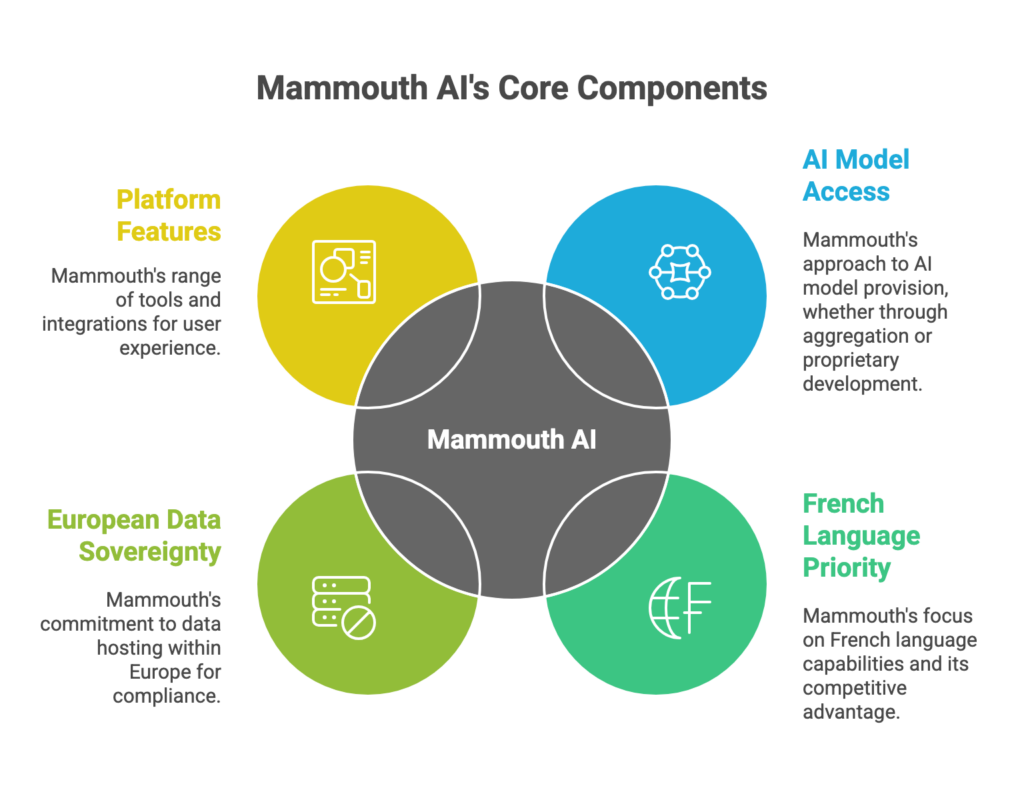
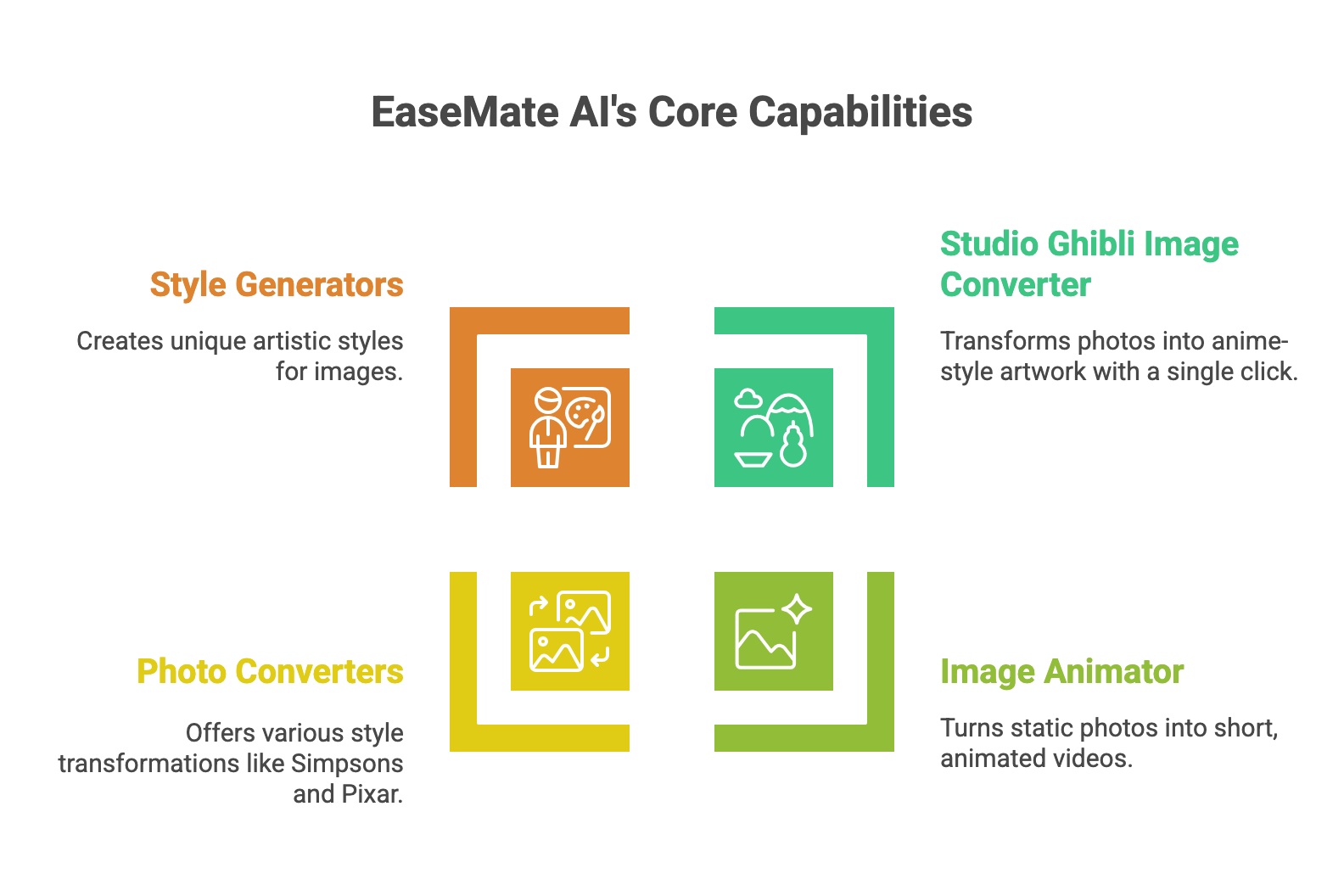
    What You Can Actually Do with SimpleChat

    For Content Creators: Draft with GPT-5, refine with Claude 4.1, and fact-check with Perplexity—all without leaving your workspace, tracking credit consumption for each interaction, or accepting degraded output quality.

    For Developers: Test code across multiple models to find the best solution. Compare GPT-5’s suggestions against Claude’s logic or Gemini’s approach, then choose what works best for your project—without worrying about credit depletion or quality degradation.

    For Research & Analysis: Access Perplexity’s research-focused models alongside general-purpose systems like GPT-5 and Claude. Upload documents and analyze them with any model you choose, unlimited times, with native-quality performance.

    For Teams: Add a team member and they’re ready to work in minutes. No credit allocation management. No usage policy enforcement. No monitoring overhead. No quality concerns. Everyone gets immediate unlimited access to every model through one unified platform with native-quality performance.

    Over 12,500 professionals already use SimpleChat daily because it eliminates the friction that makes platforms like Galaxy.ai exhausting and unpredictable to maintain.

    The Cost Difference is Dramatic

    SimpleChat: $11/month, all-inclusive

    vs. Buying Access Separately:

    • ChatGPT Plus: $20/month
    • Claude Pro: $20/month
    • Gemini Advanced: $20/month
    • Other premium access: $50+/month
    • Total: $110+/month

    You save $99/month—that’s $1,188 per year

    vs. Galaxy.ai’s Real Cost:

    • Galaxy.ai base subscription: $15/month (annual billing)
    • Credit top-ups (3-6 monthly): $15-60+/month
    • Additional overage charges: Variable
    • Realistic total: $50-200+/month

    With SimpleChat, you get unlimited access to premium dialogue models at native quality, zero consumption tracking, and save $500-2,300 annually compared to Galaxy.ai’s real-world costs with necessary top-ups.

    Ready to eliminate credit anxiety and access native-quality AI?

    See all available models

    Galaxy.ai vs SimpleChat: Detailed Comparison

    Here’s how the two platforms stack up across the factors that actually matter for your daily professional workflow:

    FeatureGalaxy.aiSimpleChat
    Models Access3,000+ tools (dialogue, image, video, niche) but severely credit-limited10+ premium dialogue models with genuinely unlimited access (GPT-5, Claude 4.1, Gemini 2.5, Grok 4, Perplexity)
    Setup RequiredAccount creation, credit monitoring, constant usage trackingZero—sign up and start using
    Monthly Cost$15-200+ (base $15 + frequent top-ups)$11/month all-inclusive
    Usage AnxietyYes—constant credit tracking, consumption calculations, rationingNo—genuinely unlimited conversations
    Model QualitySeverely degraded compared to native platformsNative-quality performance
    Credit ManagementRequired constantly—track consumption, plan usage, purchase top-upsZero—no credits to manage
    Predictable BillingNo—costs vary wildly month to monthYes—exactly $11 every month
    Team OnboardingComplex—credit allocation, usage policies, overage managementAdd user, they’re ready immediately
    Best ForLight users wanting occasional experimental access to diverse AI tool typesProfessionals needing unlimited multi-model dialogue access with predictable costs
    Key AdvantageBreadth of tool types (3,000+ tools across all categories)Simplicity + unlimited usage + cost savings + native quality
    Key LimitationCredit system creates friction, unpredictable costs, degraded qualityFocused on dialogue models (no image/video generation)

    Which Should You Choose?

    Choose Galaxy.ai if you:

    • Only need light, occasional AI access (a few queries weekly across various categories)
    • Want experimental exposure to thousands of niche AI tools
    • Are comfortable constantly monitoring credit consumption and accepting billing variability
    • Can accept degraded quality compared to native platform subscriptions
    • Prefer breadth of tool types over depth of usage and quality

    Choose SimpleChat if you:

    • Want unlimited access to top AI dialogue models at native quality
    • Prefer predictable monthly costs over credit-based variable pricing
    • Value your time more than tracking consumption rates
    • Need to switch between models frequently for comparison
    • Require native-quality performance for professional work
    • Are managing a team that needs unrestricted access
    • Want to save $500-2,000+ yearly compared to Galaxy.ai’s real costs or separate subscriptions

    The reality: Unless you specifically need occasional experimental access to image/video generation and niche AI tools while accepting quality degradation and billing unpredictability, SimpleChat provides superior value through simplicity, unlimited dialogue access, native quality, and significant cost savings.

    Real User Feedback

    Galaxy.ai Users Report:

    Users appreciate the extraordinary breadth of tool access for exploratory purposes. One professional noted that Galaxy.ai helped them “discover niche AI tools I didn’t know existed, which was valuable for understanding the AI landscape.”

    However, the dominant complaints center on three issues:

    1. Credit consumption anxiety and unpredictable costs – Active users struggle with rationing effective tools to avoid massive monthly bills. Multiple users report spending $50-200+ monthly in top-ups, vastly exceeding the advertised $15 base price.
    2. Severely degraded quality – Users consistently mention that Galaxy.ai’s implementations of ChatGPT, Claude, and other brand-name models perform noticeably worse than native platform subscriptions, making professional work unreliable.
    3. Billing surprises – Several users describe unexpected charges when credit consumption exceeded their assumptions, with monthly bills 3-10x higher than anticipated.

    SimpleChat Users Experience:

    Professionals consistently highlight four benefits: unlimited usage without anxiety, instant model switching, genuinely predictable costs, and native-quality performance. The 12,500+ professionals using SimpleChat daily emphasize how unlimited access at native quality transforms their workflow—they use AI models without second-guessing whether each query justifies the credit cost or worrying about degraded output quality.

    Teams particularly value zero onboarding complexity—add a user and they immediately have unrestricted access to all 10+ premium models at native quality without credit allocation management or usage policy enforcement.

    Frequently Asked Questions

    What is Galaxy.ai?

    Galaxy.ai is an all-in-one AI aggregator platform claiming to provide access to 3,000+ AI tools including ChatGPT, Claude, Gemini, image generation, video AI, and specialized applications through a credit-based subscription system.

    How much does Galaxy.ai actually cost per month?

    While the base subscription is $15/month (annual billing) or $30/month (monthly billing), realistic costs reach $50-200+ monthly once you factor in credit top-ups for regular usage of advanced models, image generation, video creation, and professional workflows. User reports document monthly bills 3-10x higher than the advertised base price.

    Is Galaxy.ai legit or a scam?

    Galaxy.ai is a legitimate platform, but the credit-based pricing creates severe billing unpredictability and hidden costs. Additionally, independent analysis confirms that model quality is significantly degraded compared to native platform subscriptions, meaning you’re paying for brand-name AI but receiving lower-quality performance.

    What’s the best Galaxy.ai alternative in 2026?

    SimpleChat is the superior alternative, providing genuinely unlimited access to 10+ premium AI dialogue models at native quality including GPT-5, Claude 4.1 Opus, Gemini 2.5 Pro, Grok 4, and Perplexity for $11/month—no credit tracking required, no quality degradation.

    Can I use multiple AI models with SimpleChat?

    Yes. SimpleChat gives you instant unlimited access to GPT-5, Claude, Gemini, Grok, Perplexity, and more at native quality. Switch between models with one click, no credit consumption tracking needed.

    How much can I save with SimpleChat?

    Compared to buying ChatGPT Plus, Claude Pro, Gemini Advanced, and other subscriptions separately ($110+/month), SimpleChat saves you approximately $1,188 per year. Compared to Galaxy.ai’s total cost with credit top-ups ($50-200+/month), you save an additional $500-2,300 annually while getting native-quality performance.

    Does SimpleChat require credit management?

    No. Unlike Galaxy.ai, SimpleChat includes all models with genuinely unlimited usage at native quality and zero credit tracking, consumption monitoring, or top-up purchases required.

    Does Galaxy.ai offer a free trial?

    Galaxy.ai offers a free plan with severely limited credit allocation for basic platform exploration. However, the credits on free plans exhaust extremely quickly even with minimal usage of advanced features.

    What is the difference between Galaxy.ai and ChatGPT?

    ChatGPT is OpenAI’s native platform for GPT models with full-quality performance. Galaxy.ai is a third-party aggregator that provides access to a version of ChatGPT alongside thousands of other tools, but with confirmed degraded performance compared to ChatGPT Plus according to independent analysis.

    Can teams use Galaxy.ai?

    Yes, but team usage severely complicates credit management—administrators must allocate credits across members, monitor individual consumption constantly, enforce usage policies, and manage team-wide top-up purchases throughout the billing cycle. Costs multiply rapidly with team usage.

    Conclusion

    Galaxy.ai serves a specific niche: casual, experimental users who want occasional exposure to diverse AI tool types (dialogue, image, video, niche applications) and don’t mind managing credit consumption carefully while accepting degraded quality. For that audience, the breadth of tool access can justify the complexity and unpredictability.

    But here’s what the pricing breakdown reveals—Galaxy.ai costs $50-200+ monthly once you factor in realistic credit top-ups for professional usage. That’s 4-18x more expensive than SimpleChat, which provides unlimited access to premium dialogue models at native quality with zero consumption tracking.

    For most professionals, SimpleChat is simply the better choice:

    • 10+ premium models including GPT-5, Claude 4.1 Opus, Gemini 2.5 Pro, Grok 4, and Perplexity
    • $11/month predictable pricing—no surprise credit exhaustion or top-up bills
    • Native-quality performance without degradation
    • 90% cost savings compared to separate subscriptions ($1,188/year saved)
    • Zero credit management, zero consumption tracking, zero usage anxiety
    • Instant model switching without context loss
    • Trusted by 12,500+ professionals for daily AI workflows

    Stop paying $50-200+/month managing complex credit systems while accepting degraded quality, or $110+/month for multiple subscriptions. Get instant unlimited access to all the world’s best AI dialogue models at native quality in one simple platform.

    Start with SimpleChat today

  • GlobalGPT Review 2026 – Pricing, Features and Better AI Tool Alternatives

    GlobalGPT Review 2026 – Pricing, Features and Better AI Tool Alternatives

    Introduction

    You’re probably exploring GlobalGPT because you’re tired of juggling multiple AI subscriptions. The promise sounds compelling: 100+ AI models in one platform for a fraction of what you’d pay separately. ChatGPT Plus costs $20/month, Claude Pro another $20, Gemini Advanced yet another $20—quickly adding up to $110+ monthly for comprehensive AI access.

    GlobalGPT pitches itself as the solution with access to GPT-4o, Midjourney v7, Gemini 2.5 Pro, Claude 4, DeepSeek, Grok, Llama, and 100+ other models at a significantly lower price point. Over 300,000 users have signed up, with 5 million AI conversations recorded by January 2025. The value proposition appears straightforward: consolidate your AI spending into one affordable platform.

    But here’s what the marketing materials don’t emphasize upfront—GlobalGPT operates on a credit-based system where different models consume credits at varying rates, and those credits can disappear faster than you anticipate during real-world usage. Advanced models drain your allocation quickly, leaving you with either rationed AI access or unexpected top-up purchases throughout the month.

    There’s a better way. SimpleChat delivers true unlimited access to 10+ premium AI models for $11/month—no credits to track, no usage anxiety, no surprise charges. You get instant access to GPT-5, GPT-5 Mini, Claude 4.1 Opus, Gemini 2.5 Pro, Gemini 2.5 Flash, Grok 4, Grok 3, Sonar, and Sonar Pro with genuinely predictable monthly costs.

    The math is compelling: SimpleChat saves you $99/month compared to buying separate subscriptions ($1,188 annually), with zero credit management overhead. Over 12,500 professionals already rely on SimpleChat daily because it eliminates the friction that makes credit-based platforms like GlobalGPT exhausting to manage.

    This comprehensive review examines GlobalGPT’s actual pricing structure, real user experiences, feature limitations, and why SimpleChat represents a superior alternative for most professionals seeking multi-model AI access in 2026.

    What is GlobalGPT?

    GlobalGPT is an all-in-one AI aggregator platform that consolidates access to 100+ AI models including GPT-4o, Midjourney v7, Gemini 2.5 Pro, Claude 4, DeepSeek, Grok, Llama, Flux, Ideogram, Perplexity, Runway, Luma, and Sora. Unlike traditional approaches where you subscribe to each AI service individually, GlobalGPT offers a unified interface for dialogue, image generation, and video creation models.

    The core concept is simple: Pay one subscription fee to access multiple AI providers through GlobalGPT’s platform instead of maintaining separate accounts with OpenAI, Anthropic, Google, and others.

    Available as a web application, GlobalGPT positions itself as a cost-effective AI aggregator for users seeking flexibility across different model capabilities. The platform operates on a credit system where your monthly allocation gets consumed based on which models you use and how intensively you engage with them.

    Who is GlobalGPT designed for?

    GlobalGPT primarily targets cost-conscious AI users who are comfortable with:

    • Managing credit balances and tracking consumption rates across different models
    • Accepting variable quality compared to native platform experiences
    • Navigating potential regional restrictions and availability limitations
    • Operating within usage caps that may require mid-month top-ups

    The platform offers broad model selection that appeals to users wanting experimental access across dialogue, image, and video AI. For casual users exploring AI capabilities without heavy daily usage, the credit allocation can provide genuine value.

    However, this approach comes with a significant tradeoff: you’re constantly monitoring credit consumption and potentially rationing your AI usage. While SimpleChat provides truly unlimited access to premium dialogue models, GlobalGPT requires you to calculate whether each task justifies the credit cost, track your remaining balance, and purchase top-ups when you exceed your monthly allocation.

    GlobalGPT Key Features

    GlobalGPT packs a comprehensive set of features designed for users who want access to multiple AI capabilities—dialogue, image generation, and video creation—through one platform. Let’s break down what you actually get and what it means for your daily usage.

    Multi-Model AI Dialogue

    GlobalGPT provides access to top conversational AI models including GPT-4o, DeepSeek-R1, Claude 4, Gemini 2.5 Pro, Grok, and Llama through a unified chat interface. You can switch between models mid-conversation, comparing responses from different AI systems for the same prompt.

    The catch? Each model consumes credits at different rates, and advanced models like GPT-4o and Claude 4 drain your allocation significantly faster than basic models. User reports indicate that heavy usage of premium models can exhaust monthly credits within 1-2 weeks, forcing you to either purchase top-ups at $5 per million credits or wait until your next billing cycle.

    AI Image Generation Suite

    Multiple Image Models

    GlobalGPT includes access to Midjourney v7, Flux, Ideogram, and other state-of-the-art image generation models. For creative professionals exploring different visual styles, this variety provides genuine value in testing which model produces the best results for specific projects.

    Editing Capabilities

    The platform offers basic image editing and refinement tools within the same interface. This feature helps iterate on generated images, especially useful for designers who need quick variations without switching applications.

    AI Video and Voice Tools

    For content creators, GlobalGPT offers video generation through Runway and Luma, voice synthesis capabilities, and speech-to-text conversion. These tools provide an all-in-one content production environment that includes:

    • AI video generation from text prompts
    • Voice cloning and synthesis
    • Audio transcription services
    • Music generation capabilities
    • Multi-format content export

    Here’s the problem: Video generation and advanced image creation consume credits exponentially faster than text-based interactions. A single complex video generation request can consume the credit equivalent of hundreds of chat messages, making the “unlimited access” claim misleading when you hit credit caps after just a few projects.

    Compare this to SimpleChat, where you get genuinely unlimited text-based AI conversations across 10+ premium models. No credit tracking. No usage anxiety. No rationing your most capable models for “important tasks only.” Just unrestricted access to GPT-5, Claude 4.1 Opus, Gemini 2.5 Pro, and Perplexity for consistent $11/month.

    GlobalGPT Pricing and Plans

    GlobalGPT’s pricing structure looks straightforward at first glance—one subscription gets you access to 100+ AI models. But the reality is more complicated, and understanding the true cost requires looking beyond the headline monthly fee.

    Individual Plans

    GlobalGPT offers tiered subscription plans based on credit allocation:

    Basic Plan: Starting around $15-30/month

    • Access to 100+ AI models
    • Monthly credit allocation (specific amount varies by tier)
    • Web-based platform access
    • Standard support

    Pro Plans: $30-50+/month

    • Increased monthly credit allocation
    • Priority model access
    • Faster generation speeds
    • Enhanced support

    Critical reality check: These prices only cover your base credit allocation. You still need to pay separately for credit top-ups when you exceed monthly limits, which happens frequently for users who rely on advanced models or video generation features.

    The Real Total Cost of Ownership

    Here’s what GlobalGPT actually costs when you factor in realistic professional usage:

    GlobalGPT base subscription: $30/month (typical Pro tier)

    Plus ongoing credit consumption:

    • Heavy GPT-4o usage: Credits exhaust in 1-2 weeks
    • Frequent image generation: Additional credits needed monthly
    • Video generation projects: Significant credit drain per project
    • Credit top-ups: $5 per million credits (typically 2-4 purchases monthly)

    Realistic monthly total: $50-80+ per user for active professionals who use advanced models regularly and engage with image/video features beyond basic experimentation.

    Annual cost: $600-960+ per year

    Now compare that to SimpleChat: $11/month with all 10+ premium dialogue models included—GPT-5, GPT-5 Mini, Claude 4.1 Opus, Gemini 2.5 Pro, Gemini 2.5 Flash, Grok 4, Grok 3, Sonar, and Sonar Pro. No credit tracking. No variable costs. No billing surprises.

    That’s an 85% cost reduction and $1,188 saved per year compared to managing separate subscriptions or paying GlobalGPT plus multiple credit top-ups monthly.

    The math is clear: GlobalGPT’s “affordable access to 100+ models” becomes a $50-80 monthly commitment once you account for realistic credit consumption and necessary top-ups.

    GlobalGPT Pros and Cons

    Let’s examine what GlobalGPT does well and where it falls short, based on real user experiences from Trustpilot, Reddit, and platform review sites.

    Pros

    Wide Model Selection

    Users consistently praise GlobalGPT’s access to 100+ AI models across dialogue, image, and video generation. The ability to experiment with Midjourney, Flux, Runway, and conversational AI in one platform appeals to creative professionals exploring different tools. For users who want occasional access to specialized models without committing to separate subscriptions, this breadth is valuable.

    Cost-Effective for Light Usage

    The platform genuinely helps casual users save money compared to subscribing to multiple AI services individually. One reviewer noted that GlobalGPT became their “go-to platform” for testing different AI capabilities because the base subscription costs less than two individual Pro subscriptions.

    Unified Interface

    GlobalGPT consolidates multiple AI capabilities into one dashboard, eliminating the need to maintain separate accounts, remember different passwords, and switch between various platforms. For users who value convenience over maximum performance, this simplification provides real workflow benefits.

    Cons

    Credit System Creates Usage Anxiety

    Multiple users report that constantly monitoring credit consumption creates significant friction, especially for professionals who need reliable AI access throughout the month. You need to calculate credit costs before each task, track remaining balance daily, and ration premium model usage. One user mentioned, “I found myself avoiding GPT-4o for important tasks because I didn’t want to exhaust my credits mid-month.”

    Realistic costs of $50-80+ monthly surprise users who expected the advertised base price to cover unlimited professional usage.

    Inferior Quality Compared to Native Platforms

    The biggest complaint: performance degradation compared to direct platform access. Users mention that GlobalGPT’s implementation of models like GPT-4o and Claude performs noticeably worse than ChatGPT Plus or Claude Pro subscriptions. “You’re not getting ChatGPT Plus quality. You’re getting GlobalGPT’s integration of ChatGPT, which performs worse than native ChatGPT Plus” is a common frustration across review platforms.

    Severely Limited Customer Support

    Technical users acknowledge that GlobalGPT offers “literally no customer support to be found.” Response times span days or weeks, and many support requests receive no resolution. One user estimated spending “hours troubleshooting billing issues with zero assistance from the company.”

    The Bottom Line

    GlobalGPT delivers broad model access for light, experimental users willing to accept reduced quality and comfortable managing credit consumption. But for most professionals, this complexity isn’t worth it when SimpleChat provides unlimited access to 10+ top-tier dialogue models with native-quality performance, $11 predictable pricing, and zero credit management overhead.

    SimpleChat: The Best GlobalGPT Alternative for 10+ AI Models

    Here’s the problem with GlobalGPT: credit-based pricing forces you to constantly monitor consumption, ration your usage of advanced models, and purchase unexpected top-ups throughout the month. For most professionals, that’s unnecessary friction you don’t need when trying to get work done efficiently.

    SimpleChat takes a different approach—true unlimited access to premium AI models with genuinely predictable monthly costs.

    Why SimpleChat is the Superior Choice

    You Get 10+ Premium Models, Ready to Use

    Log in and you immediately have unlimited access to:

    • OpenAI: GPT-5, GPT-5 Mini
    • Anthropic: Claude 4.1 Opus
    • Google: Gemini 2.5 Pro, Gemini 2.5 Flash
    • xAI: Grok 4, Grok 3
    • Perplexity: Sonar, Sonar Pro

    No credit tracking. No consumption calculations. No anxiety about using your most capable models. Just instant access to the world’s best AI dialogue systems.

    Switch Models in Seconds

    Click a dropdown, select a different model, and continue your conversation. Want to see how GPT-5 and Claude 4.1 Opus handle the same coding challenge? Switch and compare instantly. Need Gemini’s multimodal capabilities for one task and Perplexity’s research focus for another? It’s all there, ready when you need it.

    One Price, Everything Included

    $11/month gets you full unlimited access to all models. No credit top-ups. No usage surcharges. No wondering if you’ll exceed your allocation this month. What you see is what you pay.

    What You Can Actually Do with SimpleChat

    For Content Creators: Draft with GPT-5, refine with Claude 4.1, and fact-check with Perplexity—all without leaving your workspace or tracking credit consumption for each interaction.

    For Developers: Test code across multiple models to find the best solution. Compare GPT-5’s suggestions against Claude’s logic or Gemini’s approach, then choose what works best for your project—without worrying about exhausting credits.

    For Research & Analysis: Access Perplexity’s research-focused models alongside general-purpose systems like GPT-5 and Claude. Upload documents and analyze them with any model you choose, unlimited times.

    For Teams: Add a team member and they’re ready to work in minutes. No credit allocation management. No usage monitoring overhead. No technical setup complexity. Everyone gets immediate unlimited access to every model through one unified platform.

    Over 12,500 professionals already use SimpleChat daily because it eliminates the friction that makes platforms like GlobalGPT exhausting to maintain.

    The Cost Difference is Dramatic

    SimpleChat: $11/month, all-inclusive

    vs. Buying Access Separately:

    • ChatGPT Plus: $20/month
    • Claude Pro: $20/month
    • Gemini Advanced: $20/month
    • Other premium access: $50+/month
    • Total: $110+/month

    You save $99/month—that’s $1,188 per year

    vs. GlobalGPT’s Real Cost:

    • GlobalGPT base subscription: $30/month
    • Credit top-ups (2-4 monthly): $10-40/month
    • Additional overage charges: Variable
    • Realistic total: $50-80+/month

    With SimpleChat, you get unlimited access to premium dialogue models, zero consumption tracking, and save over $500-800 annually compared to GlobalGPT’s real-world costs.

    Ready to eliminate credit anxiety and simplify your AI workflow?

    See all available models

    GlobalGPT vs SimpleChat: Detailed Comparison

    Here’s how the two platforms stack up across the factors that actually matter for your daily workflow:

    FeatureGlobalGPTSimpleChat
    Models Access100+ models (dialogue, image, video) but credit-limited10+ premium dialogue models with true unlimited access (GPT-5, Claude 4.1, Gemini 2.5, Grok 4, Perplexity)
    Setup RequiredAccount creation, credit monitoring, usage trackingZero—sign up and start using
    Monthly Cost$30-80+ (base $30 + frequent top-ups)$11/month all-inclusive
    Usage AnxietyYes—constant credit tracking and rationingNo—genuinely unlimited conversations
    Model QualityDegraded compared to native platformsNative-quality performance
    Credit ManagementRequired daily—track consumption, plan usage, purchase top-upsZero—no credits to manage
    Team OnboardingComplex—credit allocation, usage policies, overage managementAdd user, they’re ready immediately
    Best ForLight users wanting occasional experimental access to image/video AIProfessionals needing unlimited multi-model dialogue access
    Key AdvantageBreadth of model types (dialogue + image + video)Simplicity + unlimited usage + cost savings
    Key LimitationCredit system creates friction and unpredictable costsFocused on dialogue models (no image/video generation)

    Which Should You Choose?

    Choose GlobalGPT if you:

    • Only need light, occasional AI access (a few queries weekly)
    • Want experimental access to image and video generation tools
    • Are comfortable constantly monitoring credit consumption
    • Prefer breadth of model types over depth of usage

    Choose SimpleChat if you:

    • Want unlimited access to top AI dialogue models
    • Prefer predictable monthly costs over credit-based variable pricing
    • Value your time more than tracking consumption rates
    • Need to switch between models frequently for comparison
    • Are managing a team that needs unrestricted access
    • Want to save $500-1,000+ yearly compared to GlobalGPT’s real costs or separate subscriptions

    The reality: Unless you specifically need image/video generation features and only use AI sporadically, SimpleChat provides better value through simplicity, unlimited dialogue access, and significant cost savings.

    Real User Feedback

    GlobalGPT Users Report:

    Users appreciate the broad selection of AI models available through one platform, especially for creative experimentation. One professional noted that GlobalGPT helped them “explore different image generation styles without committing to separate Midjourney and Flux subscriptions.”

    However, the consistent complaint centers on credit consumption anxiety and degraded model quality. Active users struggle with rationing advanced models to avoid mid-month top-ups. Several users mentioned spending “more time managing credits than actually using the AI” as their primary frustration.

    The lack of customer support compounds these issues—billing questions and technical problems often go unresolved for weeks, leaving users stuck with charges they can’t contest or features they can’t access.

    SimpleChat Users Experience:

    Professionals consistently highlight three benefits: unlimited usage without anxiety, instant model switching, and genuinely predictable costs. The 12,500+ professionals using SimpleChat daily emphasize how unlimited access changes their workflow—they use AI models without second-guessing whether each query justifies the credit cost.

    Teams particularly value zero onboarding complexity—add a user and they immediately have unrestricted access to all 10+ premium models without credit allocation management or usage policy enforcement.

    Frequently Asked Questions

    What is GlobalGPT?

    GlobalGPT is an all-in-one AI aggregator platform providing access to 100+ AI models including GPT-4o, Midjourney v7, Claude 4, Gemini 2.5 Pro, and video generation tools through a credit-based subscription system.

    How much does GlobalGPT actually cost per month?

    While the base subscription starts at $30/month, you’ll spend $50-80+ realistically once you factor in credit top-ups for regular usage of advanced models, image generation, and video creation. Active professionals frequently purchase additional credits at $5 per million throughout the month.

    Is GlobalGPT legit or a scam?

    GlobalGPT is a legitimate platform with over 300,000 users, but user experiences vary significantly. The credit-based pricing creates unexpected costs, and model quality is noticeably degraded compared to native platform access. Customer support is essentially non-existent according to multiple review sources.

    What’s the best GlobalGPT alternative in 2026?

    SimpleChat is the superior alternative, providing unlimited built-in access to 10+ premium AI dialogue models including GPT-5, Claude 4.1 Opus, Gemini 2.5 Pro, Grok 4, and Perplexity for $11/month—no credit tracking required.

    Can I use multiple AI models with SimpleChat?

    Yes. SimpleChat gives you instant unlimited access to GPT-5, Claude, Gemini, Grok, Perplexity, and more. Switch between models with one click, no credit consumption tracking needed.

    How much can I save with SimpleChat?

    Compared to buying ChatGPT Plus, Claude Pro, Gemini Advanced, and other subscriptions separately ($110+/month), SimpleChat saves you approximately $1,188 per year. Compared to GlobalGPT’s total cost with credit top-ups ($50-80+/month), you save an additional $500-800 annually.

    Does SimpleChat require credit management?

    No. Unlike GlobalGPT, SimpleChat includes all models with genuinely unlimited usage and zero credit tracking, consumption monitoring, or top-up purchases required.

    Does GlobalGPT offer a free trial?

    GlobalGPT offers a free plan with limited access to explore the platform. However, the credit allocation on free plans is minimal and exhausts quickly with even basic usage of advanced models.

    What is the difference between GlobalGPT and ChatGPT?

    ChatGPT is OpenAI’s native platform for GPT models. GlobalGPT is a third-party aggregator that provides access to multiple AI models including a version of GPT-4o, but with noticeably degraded performance compared to ChatGPT Plus according to user reviews.

    Can teams use GlobalGPT?

    Yes, but team usage complicates credit management significantly—administrators must allocate credits across members, monitor individual consumption, and manage team-wide top-up purchases throughout the billing cycle.

    Conclusion

    GlobalGPT serves a specific niche: light, experimental users who want occasional access to diverse AI model types (dialogue, image, video) and don’t mind managing credit consumption carefully. For that audience, the breadth of model access justifies the complexity.

    But here’s what the pricing breakdown reveals—GlobalGPT costs $50-80+ monthly once you factor in realistic credit top-ups for professional usage. That’s 4-7x more expensive than SimpleChat, which provides unlimited access to premium dialogue models with zero consumption tracking.

    For most professionals, SimpleChat is simply the better choice:

    • 10+ premium models including GPT-5, Claude 4.1 Opus, Gemini 2.5 Pro, Grok 4, and Perplexity
    • $11/month predictable pricing—no surprise credit exhaustion or top-up bills
    • 90% cost savings compared to separate subscriptions ($1,188/year saved)
    • Zero credit management, zero consumption tracking, zero usage anxiety
    • Instant model switching without context loss
    • Trusted by 12,500+ professionals for daily AI workflows

    Stop paying $50-80+/month managing complex credit systems or $110+/month for multiple subscriptions. Get instant unlimited access to all the world’s best AI dialogue models in one simple platform.

    Start with SimpleChat today

  • Merlin AI Review 2026 – Pricing, Features and Better All-in-one AI Assistant Alternatives

    Merlin AI Review 2026 – Pricing, Features and Better All-in-one AI Assistant Alternatives

    Introduction

    You’ve likely encountered Merlin AI through its Chrome extension or in searches for AI assistants that work alongside your browsing. The platform positions itself as an AI-powered research and writing assistant that integrates with your browser, search engines, and various websites to provide on-demand AI help wherever you’re working online.

    The value proposition sounds compelling: instead of switching between browser tabs to access ChatGPT or Claude, Merlin brings AI directly to Google searches, YouTube videos, LinkedIn posts, and Gmail—accessible through a browser extension with a simple keyboard shortcut.

    But here’s what emerges after the initial convenience wears off: Merlin AI is fundamentally a browser extension wrapper around existing AI models (GPT-4, Claude, etc.) with usage quotas that force constant awareness of consumption limits. What starts as “AI everywhere in your browser” quickly becomes “rationing which tasks deserve premium AI versus settling for basic models before hitting your daily cap.”

    The core limitation? You’re paying $19-$29/month for Merlin’s tiered subscriptions to access models that are themselves available elsewhere—GPT-4, Claude 3.5, Gemini—but through Merlin’s interface with usage restrictions even on paid plans. The browser integration convenience comes at the cost of quota anxiety and paying a premium for features you may not need just to get adequate access to the AI models doing the actual work.

    SimpleChat eliminates this artificial complexity: $11/month for unlimited access to 10+ premium AI models—GPT-5, GPT-5 Mini, Claude 4.1 Opus, Gemini 2.5 Pro, Gemini 2.5 Flash, Grok 4, Grok 3, Sonar, and Sonar Pro. No usage quotas. No browser extension dependency. No feature menu you need to navigate. Just direct, unrestricted access to the world’s best AI models whenever you need them.

    Here’s the practical difference: Instead of hitting Cmd+M to invoke Merlin, checking your daily query limit, choosing which model you can “afford” to use based on remaining quota, and navigating browser extension interfaces—you simply open SimpleChat and work with any AI model you need, as much as you need, with zero usage monitoring.

    You save $1,188 per year compared to buying ChatGPT Plus, Claude Pro, and Gemini Advanced separately. And you avoid Merlin’s $96-$348 annual cost that still leaves you managing quotas and working within browser extension limitations.

    This article examines Merlin AI’s actual pricing structure (including the usage limits they bury in the fine print), analyzes real user experiences with quota frustrations, and demonstrates why 12,500+ professionals choose unlimited direct model access through SimpleChat rather than paying for browser-integrated AI wrappers with artificial restrictions.

    What is Merlin AI?

    Merlin AI is a browser extension and web-based AI assistant that integrates artificial intelligence capabilities directly into your browsing experience. Unlike traditional AI chat platforms where you visit a dedicated website to interact with models, Merlin positions itself as an AI layer over your entire browser—accessible via keyboard shortcut (Cmd+M or Ctrl+M) from any webpage, Google search result, YouTube video, or document you’re viewing.

    The core concept is simple: Install the Chrome extension (also available for other browsers), and Merlin becomes available wherever you’re working online. Highlight text on any webpage and invoke Merlin to summarize, explain, rewrite, or translate it. Open Merlin while watching YouTube to get video summaries. Use it on LinkedIn to help draft posts. Invoke it in Gmail to compose email replies.

    Available primarily as a Chrome extension with Safari and Edge support, plus standalone web and mobile apps, Merlin AI positions itself as a comprehensive AI assistant that lives in your browser. The platform aggregates access to multiple AI models (GPT-4, Claude 3.5, Gemini, and others) while adding specialized features like search integration, document analysis, and social media assistance.

    Who is Merlin AI designed for?

    Merlin AI primarily targets knowledge workers, researchers, students, and content creators who are comfortable with:

    • Working primarily in the browser and valuing the convenience of AI accessible via keyboard shortcut on any webpage
    • Managing daily usage quotas even on paid plans, monitoring consumption and deciding which tasks deserve premium models
    • Accepting browser extension dependencies including permission grants, potential performance impacts, and compatibility with your existing extensions
    • Navigating feature-specific interfaces for different Merlin capabilities (chat, search, summarize, write, research)
    • Paying subscription fees ($19-$29/month) for access to AI models available elsewhere, plus the browser integration layer

    The platform offers genuine convenience for users who spend their workday in the browser—researchers reading articles, students working through materials, content creators drafting social media, professionals managing email. Being able to highlight text and invoke AI help immediately without switching tabs has real workflow value.

    However, this approach comes with a critical tradeoff: you’re paying a premium for browser integration while the underlying AI capabilities—the models actually generating responses—are restricted by usage quotas that undermine the “AI everywhere” promise. While SimpleChat provides unlimited access to superior models (GPT-5, Claude 4.1 Opus, Gemini 2.5 Pro) for $11/month, Merlin charges $19-$29/month for quota-restricted access to older model versions (GPT-4, Claude 3.5) wrapped in a browser extension you may not need if you’re comfortable with direct AI chat.

    Merlin AI Key Features

    Merlin AI offers a comprehensive feature set designed around browser-integrated AI assistance. Let’s examine what you actually get and what it means for your daily workflow.

    Browser Extension Integration

    Universal AI Access via Keyboard Shortcut

    Merlin’s signature feature is omnipresent browser availability. Press Cmd+M (Mac) or Ctrl+M (Windows) on any webpage and Merlin’s interface appears, ready to help with the content you’re viewing. Highlight text, invoke Merlin, and choose from summarize, explain, translate, rewrite, or custom prompts.

    For users who spend their day moving between websites, research articles, social media, and documents, this immediate availability provides genuine productivity value—no tab switching, no context loss, instant AI assistance.

    The catch? This convenience comes with daily usage quotas that force constant awareness of consumption. Even on the $19/month Pro plan, you face limits on how many times you can invoke premium models like GPT-4 or Claude. Mid-way through your workday, you might hit your limit and need to either wait until tomorrow, upgrade to the $29/month Unlimited plan (which still has soft caps), or settle for less capable models.

    Real-world impact: You’re researching a complex topic, using Merlin to summarize articles. Halfway through, you hit your GPT-4 quota for the day. Now you must either ration your remaining work or accept lower-quality summaries from basic models. The “AI everywhere” promise becomes “AI everywhere until you hit your limit.”

    Multi-Model AI Chat Access

    Access to Multiple AI Models

    Merlin provides access to various AI models through its interface:

    • GPT-4 and GPT-4 Turbo
    • Claude 3.5
    • Gemini Pro
    • Additional models depending on subscription tier

    You can theoretically select which model to use for different tasks—GPT-4 for complex analysis, Claude for writing, Gemini for research.

    Critical reality check: These model versions are not the latest available. As of 2025, OpenAI offers GPT-5, Anthropic has Claude 4.1 Opus, and Google provides Gemini 2.5 Pro. Merlin’s access to older versions means you’re getting yesterday’s AI capabilities while paying today’s premium prices.

    Moreover, even on paid plans, access to these models comes with usage quotas. The Pro plan offers “500 queries/day” or similar limits—but those aren’t 500 uses of GPT-4. Premium model usage consumes more quota, complex queries consume more quota, and specialized features consume varying amounts. Users report reaching limits much faster than advertised numbers suggest.

    Here’s the problem: You’re not getting unlimited access to the best AI models. You’re getting quota-managed access to older model versions through a browser extension interface. Compare this to SimpleChat, where $11/month gives you true unlimited access to GPT-5, Claude 4.1 Opus, Gemini 2.5 Pro—the latest, most capable versions with no usage monitoring required.

    Specialized Content Features

    YouTube Video Summarization

    Merlin offers YouTube video summarization—open Merlin while watching any YouTube video and receive AI-generated key points and summaries without watching the entire video.

    Google Search Integration

    When you perform Google searches, Merlin can appear alongside search results providing AI-generated answers to your query, combining information from search results with AI reasoning.

    Document and PDF Chat

    Upload documents or PDFs to Merlin and ask questions about their content, request summaries, or extract specific information.

    Email and Social Media Assistance

    Merlin provides templates and AI assistance for drafting emails in Gmail, composing LinkedIn posts, responding to social media, and creating content for various platforms.

    The limitation across all these features: Each specialized capability consumes your daily quota differently. Video summarization might consume more quota than basic text summaries. Document analysis draws from the same pool as chat queries. Before long, you’re mentally calculating: “Should I use Merlin for this YouTube video or save my quota for document analysis later?”

    This quota anxiety defeats the purpose of “AI everywhere.” You don’t want AI everywhere—you want AI everywhere when there’s quota remaining, and you’re constantly monitoring consumption instead of just working.

    Research and Writing Tools

    AI-Powered Research

    Merlin includes research capabilities that combine web search with AI analysis, providing cited sources and comprehensive answers to research queries.

    Content Generation and Rewriting

    Generate blog posts, articles, social media content, and marketing copy through Merlin’s writing features. Rewrite existing content in different tones or styles.

    Plagiarism Checker and AI Detection

    Merlin offers AI detection tools to identify AI-generated content and plagiarism checking capabilities.

    Translation and Summarization

    Translate content between languages and summarize long articles, documents, or web pages into concise key points.

    Here’s the reality: Every one of these capabilities is available natively through modern AI models. GPT-5 handles translation, summarization, research, content generation, and rewriting exceptionally well through direct conversation. Claude 4.1 Opus excels at writing and analysis. Perplexity Sonar provides research with citations built-in.

    You’re paying Merlin $19-$29/month for feature-specific interfaces to capabilities the underlying AI models already provide—plus usage quotas that restrict when you can access them. With direct model access through SimpleChat, you simply ask any model to translate, summarize, research, or write—unlimited usage, latest model versions, no specialized feature navigation required.

    Team and Enterprise Features

    For organizations, Merlin offers:

    • Team subscriptions with centralized billing
    • Usage analytics and monitoring
    • Shared access to premium features
    • API access for developers (higher tiers)

    The problem for teams: Merlin’s quota system becomes even more problematic when multiplied across team members. Each person manages their own limits, different features consume different amounts, and you’re paying $19-$29 per user monthly for access to models that SimpleChat provides at $11/user with unlimited usage.

    Merlin AI Pricing and Plans

    Merlin AI uses a tiered subscription model with increasing quotas and features at higher price points. Unlike their marketing which emphasizes “AI everywhere,” the actual pricing reveals the quota restrictions that define the user experience.

    Individual Plans

    Merlin AI offers the following published pricing tiers:

    Free Plan: $0/month

    • 102 queries per day (limited)
    • Access to basic models only
    • Restricted access to premium features
    • Limited GPT-4 usage (essentially trial-level)

    Pro Plan: $19/month (or $14.25/month billed annually at $171/year)

    • 1,000+ queries per day
    • Access to GPT-4, Claude 3.5, Gemini (with limits)
    • Priority access to new features
    • Document chat and analysis
    • Advanced research capabilities
    • Chrome extension plus web app access

    Unlimited Plan: $29/month (or $24.25/month billed annually at $291/year)

    • “Unlimited” queries (with soft caps on premium models)
    • Priority access to all models
    • Highest priority for new feature rollout
    • All Pro features plus enhanced usage
    • Premium support

    Critical reality check: The term “unlimited” is misleading. User reports consistently indicate that even the Unlimited plan has soft caps on the most advanced models and features. “Unlimited” refers to basic queries with less capable models—when you need GPT-4 or Claude consistently throughout the day, you’ll encounter throttling or restrictions.

    Moreover, the pricing only covers access to older model versions. As of 2025, GPT-5, Claude 4.1 Opus, and Gemini 2.5 Pro are available—but Merlin users are getting GPT-4, Claude 3.5, and earlier versions because that’s what Merlin’s backend supports. You’re paying premium prices for yesterday’s AI.

    The Real Total Cost of Ownership

    Here’s what Merlin AI actually costs when you factor in realistic professional usage:

    Merlin AI base cost: $19-$29/month ($228-$348/year)

    Plus these hidden considerations:

    • Model version limitations: Access to GPT-4, Claude 3.5, Gemini Pro—not the latest GPT-5, Claude 4.1, Gemini 2.5
    • Quota anxiety: Constant monitoring of usage limits affecting workflow and productivity
    • Browser dependency: Performance impacts, extension conflicts, limited to browser-based workflows
    • Feature complexity: Multiple specialized interfaces instead of general AI conversation
    • Supplement needs: When you hit quotas or need latest models, you’ll subscribe to ChatGPT Plus, Claude Pro, or alternatives anyway

    Realistic monthly total: $19-$29/month for Merlin with quota restrictions and older models, plus $20-40/month for supplementary AI access when Merlin’s limitations interfere with work—effectively $39-$69/month total AI spend.

    Annual cost: $228-$348 for Merlin alone, or $468-$828 when including supplementary tools you’ll inevitably need.

    Now compare that to SimpleChat: $11/month with unlimited access to the latest premium models—GPT-5, GPT-5 Mini, Claude 4.1 Opus, Gemini 2.5 Pro, Gemini 2.5 Flash, Grok 4, Grok 3, Sonar, and Sonar Pro. No usage quotas. No monitoring consumption. No settling for older model versions. No browser extension required (though it works great in any browser via web).

    That’s a 42-71% cost reduction and $1,188 saved per year compared to managing separate subscriptions, or $216-$336 saved annually compared to Merlin alone while getting access to superior, latest-generation AI models.

    The math is clear: Merlin’s browser integration convenience becomes a $19-$29 monthly commitment with quota restrictions and older models, while SimpleChat delivers the latest, most capable AI at transparent, lower cost with unlimited usage.

    Merlin AI Pros and Cons

    Let’s examine what Merlin AI does well and where it falls short, based on extensive user reviews and practical usage patterns.

    Pros

    Exceptional Browser Integration Convenience

    Users consistently praise Merlin’s keyboard shortcut access and ability to invoke AI help on any webpage. The Cmd+M/Ctrl+M integration genuinely improves workflow for users who spend their day in the browser—researchers, students, content creators, and knowledge workers. Being able to highlight text and get instant AI assistance without switching tabs has real productivity value.

    Multi-Platform Availability

    Merlin works across Chrome, Safari, Edge, plus standalone web and mobile apps. Users appreciate consistent AI access regardless of which browser or device they’re using, with synchronized quota and features across platforms.

    Specialized Feature Suite

    The platform offers targeted features for common tasks—YouTube summarization, email drafting, LinkedIn post composition, document analysis. For users who want preset tools rather than learning AI prompting, these specialized interfaces lower the learning curve.

    Cons

    Misleading “Unlimited” Plans with Hidden Quotas

    Extensive user complaints reveal that Merlin’s “Unlimited” plan isn’t actually unlimited for premium models. Users report hitting soft caps on GPT-4 and Claude access, discovering that “unlimited” applies only to basic models while the AI you actually want remains restricted.

    One Trustpilot review captures the frustration: “I upgraded to Unlimited specifically for unrestricted GPT-4 access, but by Wednesday each week I’m getting throttled. Customer support confirmed there are ‘fair use’ limits even on Unlimited—which they didn’t disclose when I subscribed. False advertising.”

    Pricing Not Competitive for Model Access Alone

    The fundamental value question: Why pay $19-$29/month for quota-restricted access to GPT-4, Claude 3.5, and Gemini Pro when you could get unrestricted access to better models (GPT-5, Claude 4.1 Opus, Gemini 2.5 Pro) through SimpleChat for $11/month?

    Realistic cost of $228-$348/year for Merlin surprises users who discover the browser convenience doesn’t justify paying 2-3x more than direct model access, especially when quotas still restrict usage.

    Outdated Model Versions Lag Behind Current AI

    Technical users note that Merlin provides access to GPT-4, Claude 3.5, and Gemini Pro—models that are now one or two generations behind the latest capabilities. In 2025, GPT-5, Claude 4.1 Opus, and Gemini 2.5 Pro represent significant advances over the versions Merlin offers.

    You’re paying premium subscription prices for AI capabilities that are demonstrably inferior to what’s currently available through direct provider access. The browser integration doesn’t change the fundamental limitation—yesterday’s AI, today’s prices.

    Quota Anxiety Undermines Productivity Promise

    Users frequently report that constant quota monitoring defeats the purpose of seamless AI integration. “I spend mental energy calculating whether this task is worth using my GPT-4 quota or if I should save it for something more important later,” one professional described. “That’s the opposite of productivity—it’s self-imposed rationing.”

    Even users on the $29/month Unlimited plan express frustration with discovering limits they didn’t expect. The promise of “AI everywhere” becomes “AI everywhere until you hit the caps we didn’t clearly disclose.”

    Browser Extension Dependency Limitations

    Multiple users mention browser performance impacts, conflicts with other extensions, and the inherent limitation of being browser-bound. Work requiring native applications, command-line interfaces, or non-browser contexts can’t benefit from Merlin’s primary value proposition.

    The Bottom Line

    Merlin AI delivers genuine browser integration convenience for users who prioritize keyboard shortcut AI access on webpages and don’t mind managing quotas even on paid plans. But for most professionals, this convenience doesn’t justify paying $19-$29/month for quota-restricted access to older AI models when SimpleChat provides unlimited access to the latest, most capable models (GPT-5, Claude 4.1 Opus, Gemini 2.5 Pro) at $11/month—no quotas, no browser dependency, no monitoring required.

    SimpleChat: The Best Merlin AI Alternative for 10+ AI Models

    Here’s the fundamental problem with Merlin AI: You’re paying $19-$29/month for browser-integrated access to older AI model versions (GPT-4, Claude 3.5, Gemini Pro) with usage quotas that force constant consumption monitoring—when the latest, most capable AI models are available elsewhere with unlimited access at lower cost.

    SimpleChat strips away the artificial complexity—unlimited access to the world’s most advanced AI models, no browser extension required, no usage quotas, transparent pricing.

    Why SimpleChat is the Superior Choice

    You Get 10+ Premium Models, Latest Versions, Ready to Use

    Log in and you immediately have unrestricted access to:

    • OpenAI: GPT-5, GPT-5 Mini (latest generation, significantly more capable than Merlin’s GPT-4 access)
    • Anthropic: Claude 4.1 Opus (latest version, widely considered the best AI for writing and analysis—not the older Claude 3.5 Merlin offers)
    • Google: Gemini 2.5 Pro, Gemini 2.5 Flash (latest generation, superior to Merlin’s Gemini Pro access)
    • xAI: Grok 4, Grok 3 (real-time information and unique perspectives)
    • Perplexity: Sonar, Sonar Pro (research-focused with built-in citations)

    No usage quotas on any model. No monitoring consumption. No discovering mid-workday that you’ve hit your limit for the day. No settling for basic models because you “used up” your premium model allocation.

    Every Merlin Feature, Through Direct AI Conversation

    Want YouTube video summarization? Ask GPT-5 or Claude 4.1 to summarize the video—unlimited usage, often better results than Merlin’s preset tool.

    Need document analysis? Upload to any SimpleChat model and have a full conversation about the content—iterate, ask follow-ups, explore details without consuming variable quota amounts.

    Writing emails or social media? Claude 4.1 Opus is exceptional at adapting tone and style through conversation—no preset templates, just direct collaboration with the best writing AI available.

    Research with citations? Perplexity Sonar provides this natively with often superior sourcing compared to Merlin’s research features.

    Translation, summarization, content generation, analysis—all handled by the underlying AI models through natural conversation. No feature-specific interfaces. No specialized quota consumption. Just AI that adapts to whatever you need.

    No Browser Extension Dependency

    SimpleChat works in any browser through a clean web interface. No extension permissions required. No browser performance impact. No compatibility concerns with your other extensions. No limitation to browser-only workflows.

    Want to use AI while working in native apps, command-line interfaces, or any context outside a browser? SimpleChat is just a tab away—accessible whenever you need it, not restricted to browser-integrated scenarios.

    True Unlimited Access—Not Misleading “Fair Use” Caps

    $11/month gets you genuine unlimited usage of all models. No soft caps. No discovering mid-week that you’ve hit “fair use” limits they didn’t clearly disclose. No quota anxiety affecting your workflow.

    When we say unlimited access to GPT-5, Claude 4.1 Opus, and Gemini 2.5 Pro, we mean it—use them as much as your work requires without monitoring consumption or rationing tasks based on perceived importance.

    What You Can Actually Do with SimpleChat

    For Researchers and Students: Work through complex topics with GPT-5 or Claude 4.1, asking unlimited follow-up questions without quota concern. Analyze documents with Gemini 2.5 Pro’s multimodal capabilities. Research with Perplexity’s citation features. No rationing which questions deserve premium AI—just learn and explore freely.

    For Content Creators: Draft with GPT-5, refine with Claude 4.1 Opus (superior writing AI), fact-check with Perplexity—all unlimited usage. No calculating whether this blog post is worth your daily GPT-4 quota. No settling for basic models because you “used too much” AI earlier.

    For Professionals and Knowledge Workers: Analyze documents, draft emails, research topics, solve problems, and generate content with unlimited access to the best AI models. Work flows naturally without artificial quota interruptions or browser extension limitations.

    For Developers: Test code across multiple models with unlimited usage. Compare GPT-5’s suggestions against Claude 4.1’s reasoning or Gemini 2.5’s approach without worrying about consuming too much quota. Implement AI features knowing you have reliable, unrestricted model access.

    For Teams: Add team members and each gets unlimited access to all models through one unified platform. Pay $11/month per user instead of Merlin’s $19-$29/user with quotas. No extension rollout. No quota management across team members. Just reliable AI access that scales.

    Over 12,500 professionals already use SimpleChat daily because it eliminates the quota anxiety and browser dependency that make tools like Merlin frustrating despite the convenience promise.

    The Cost Difference is Dramatic

    SimpleChat: $11/month, all-inclusive, truly unlimited usage of latest models

    vs. Buying Access Separately:

    • ChatGPT Plus (GPT-5 access): $20/month
    • Claude Pro (Claude 4.1 access): $20/month
    • Gemini Advanced (Gemini 2.5 access): $20/month
    • Perplexity Pro: $20/month
    • Total: $80+/month for these four alone

    You save $69/month minimum—that’s $1,188 per year

    vs. Merlin AI’s Real Cost:

    • Merlin Pro (with quotas): $19/month = $228/year
    • Merlin Unlimited (still has soft caps): $29/month = $348/year
    • Supplementary AI tools when you hit limits: +$20-40/month = +$240-480/year
    • Realistic total: $468-$828/year

    With SimpleChat, you get the latest, most capable models, true unlimited access, zero quota monitoring, and save $336-$696 annually compared to Merlin’s effective cost including supplements.

    Ready to eliminate quota anxiety and access the latest AI?

    See all available models

    Merlin AI vs SimpleChat: Detailed Comparison

    Here’s how the two platforms stack up across the factors that actually matter for professional AI usage:

    FeatureMerlin AISimpleChat
    Models AccessGPT-4, Claude 3.5, Gemini Pro (older versions) with usage quotas even on paid plansGPT-5, Claude 4.1 Opus, Gemini 2.5 Pro, Grok 4, Perplexity (latest versions) with true unlimited usage
    Setup RequiredInstall browser extension, grant permissions, learn feature interfacesZero—sign up and start using
    Monthly Cost$19-$29/month (Pro to Unlimited tiers)$11/month all-inclusive
    Usage QuotasYes—even “Unlimited” plan has soft caps on premium models; constant quota monitoringNo—true unlimited access to all models, zero monitoring
    Model VersionsOlder versions (GPT-4, Claude 3.5, Gemini Pro) lagging 1-2 generations behind latestLatest versions always (GPT-5, Claude 4.1 Opus, Gemini 2.5 Pro)
    Browser DependencyRequires Chrome extension; limited to browser workflows; performance impactWorks in any browser via web; no extension needed
    “Unlimited” TransparencyMisleading—soft caps and “fair use” limits discovered after subscriptionTruly unlimited—use as much as you need without hidden restrictions
    Quota AnxietyConstant—monitor consumption, ration tasks, discover limits mid-workflowZero—work naturally without usage monitoring
    Team OnboardingExtension rollout, quota management per user, $19-$29/user/monthAdd user, instant access, $11/user/month unlimited
    Best ForUsers who specifically need browser keyboard shortcut integration and accept quotasAnyone wanting unlimited access to the best AI models without restrictions
    Key AdvantageBrowser integration via Cmd+M keyboard shortcutLatest AI models + true unlimited access + transparent pricing + zero quota anxiety
    Key LimitationOlder models, quota restrictions even on “Unlimited,” browser dependencyNo browser extension keyboard shortcut (though web interface works in any browser)

    Which Should You Choose?

    Choose Merlin AI if you:

    • Specifically need browser keyboard shortcut integration (Cmd+M) for on-page AI access
    • Are comfortable with usage quotas even on the $29/month “Unlimited” plan
    • Don’t need the latest AI model versions (GPT-5, Claude 4.1, Gemini 2.5)
    • Accept paying $19-$29/month for quota-restricted access to older models
    • Work exclusively in browser contexts

    Choose SimpleChat if you:

    • Want unlimited access to the latest, most capable AI models
    • Value transparent pricing without hidden “fair use” caps
    • Need GPT-5, Claude 4.1 Opus, Gemini 2.5 Pro instead of older versions
    • Prefer working without quota anxiety or consumption monitoring
    • Want to save $216-$696/year compared to Merlin’s effective cost
    • Need AI access beyond browser-only workflows
    • Prioritize actual AI capabilities over browser integration convenience

    The reality: Unless browser keyboard shortcut access is so critical that you’re willing to pay 2-3x more for quota-restricted access to older AI models, SimpleChat provides dramatically better value through latest-generation models with true unlimited usage at transparent, lower cost.

    Real User Feedback

    Merlin AI Users Report:

    Users appreciate the browser integration convenience. Reviews highlight that “having AI accessible via Cmd+M on any webpage genuinely improved my research workflow.”

    However, the overwhelmingly consistent complaint centers on misleading “unlimited” claims and unexpected quota restrictions. Trustpilot reviews and Reddit discussions reveal widespread frustration: “The $29 Unlimited plan still throttles GPT-4 usage,” “I hit limits they never clearly disclosed,” and “Customer support admitted there are ‘fair use’ caps even on Unlimited that aren’t mentioned during signup.”

    Users also note the older model versions: “Paying $29/month for GPT-4 access when GPT-5 is available elsewhere feels like overpaying for yesterday’s AI with artificial quotas.”

    SimpleChat Users Experience:

    Professionals consistently highlight three benefits: true unlimited access to the latest models, zero quota anxiety, and transparent pricing. The 12,500+ professionals using SimpleChat daily emphasize how “having unrestricted access to GPT-5, Claude 4.1, and Gemini 2.5 means I can work naturally without calculating whether each task is worth my quota.”

    Users specifically mention switching from Merlin: “I was spending $29/month on Merlin ‘Unlimited’ and still hitting caps. Switched to SimpleChat at $11/month—actual unlimited access to better models. Should have done this sooner.”

    Frequently Asked Questions

    What is Merlin AI?

    Merlin AI is a browser extension and web-based AI assistant that provides keyboard shortcut access (Cmd+M or Ctrl+M) to multiple AI models including GPT-4, Claude 3.5, and Gemini Pro from any webpage. The platform offers specialized features for YouTube summarization, document analysis, email drafting, and research, but with usage quotas even on paid plans.

    How much does Merlin AI cost?

    Merlin AI offers three main tiers: Free ($0 with very limited queries), Pro ($19/month or $171/year), and Unlimited ($29/month or $291/year). However, even the “Unlimited” plan has soft caps on premium models based on “fair use” policies that aren’t clearly disclosed upfront.

    Is Merlin AI free?

    Merlin AI offers a free tier with approximately 102 queries per day, limited to basic models with restricted access to premium features like GPT-4. The free tier is essentially a trial—professional usage requires paid plans.

    Does Merlin AI have a lifetime deal?

    Merlin AI occasionally offers lifetime deals through platforms like AppSumo, but these deals typically come with usage restrictions and may not include access to the latest models or features as they’re released. Carefully review what “lifetime” includes before purchasing.

    What’s the best Merlin AI alternative in 2025?

    SimpleChat is the better alternative, providing unlimited access to 10+ premium AI models including GPT-5, GPT-5 Mini, Claude 4.1 Opus, Gemini 2.5 Pro, Grok 4, and Perplexity for $11/month—no usage quotas, no soft caps, always the latest model versions.

    Can I use multiple AI models with SimpleChat?

    Yes. SimpleChat gives you instant unlimited access to GPT-5, GPT-5 Mini, Claude 4.1 Opus, Gemini 2.5 Pro, Gemini 2.5 Flash, Grok 4, Grok 3, Sonar, and Sonar Pro. Switch between models with one click, no quota consumption or usage monitoring.

    How much can I save with SimpleChat?

    Compared to Merlin AI’s $228-$348/year plus supplementary tools ($468-$828/year total), SimpleChat at $132/year saves you $336-$696 annually while providing superior models with true unlimited access. Compared to buying ChatGPT Plus, Claude Pro, Gemini Advanced, and Perplexity Pro separately ($960+/year), you save $1,188 per year.

    Does SimpleChat have usage quotas like Merlin AI?

    No. Unlike Merlin’s quota system even on the “Unlimited” plan, SimpleChat provides true unlimited access to all models with zero usage monitoring, consumption tracking, or hidden “fair use” caps.

    What is Merlin AI used for?

    Merlin AI is used for browser-integrated AI assistance including summarizing YouTube videos and articles, drafting emails and social media posts, analyzing documents, conducting research, translating content, and general AI chat—all accessible via keyboard shortcut from any webpage.

    Is Merlin AI better than ChatGPT?

    No. Merlin provides quota-restricted access to GPT-4 (older version) for $19-$29/month, while ChatGPT Plus offers unlimited access to GPT-5 (latest version) for $20/month. Merlin’s advantage is browser integration convenience, but you pay a premium for quotas on older AI. SimpleChat offers the best of both: GPT-5 access plus Claude 4.1, Gemini 2.5, and more for $11/month unlimited.

    Conclusion

    Merlin AI serves a specific niche: users who highly value browser keyboard shortcut integration (Cmd+M access on any webpage) and are willing to accept usage quotas, older AI model versions, and premium pricing in exchange for that convenience.

    But here’s what the pricing analysis reveals—Merlin costs $228-$348 annually for quota-restricted access to GPT-4, Claude 3.5, and Gemini Pro (older model versions). Even the $29/month “Unlimited” plan has soft caps users discover mid-workflow. Factor in supplementary AI tools you’ll need when hitting Merlin’s limits or wanting the latest models, and realistic costs reach $468-$828 annually. That’s 3.5-6.3x more expensive than SimpleChat, which provides true unlimited access to the latest, most capable models.

    For most professionals, SimpleChat is simply the better choice:

    • 10+ premium models including GPT-5, GPT-5 Mini, Claude 4.1 Opus, Gemini 2.5 Pro, Grok 4, Perplexity Sonar (latest versions, not older releases)
    • $11/month transparent pricing—no hidden “fair use” caps or quota monitoring
    • True unlimited usage on all models (not misleading “unlimited” with restrictions)
    • 73-84% cost savings compared to Merlin’s effective pricing ($336-$696/year saved)
    • Zero quota anxiety—work naturally without consumption monitoring
    • Always latest AI capabilities as models improve
    • Trusted by 12,500+ professionals for daily AI workflows

    Stop paying $19-$29/month for quota-restricted access to older AI models when the latest, most capable AI is available with true unlimited access for $11/month.

    Start with SimpleChat today

  • Mammouth AI (Multiple models with One Subscription) – Pricing, Review, Features and Better Mammouth.ai Alternatives in 2026

    Mammouth AI (Multiple models with One Subscription) – Pricing, Review, Features and Better Mammouth.ai Alternatives in 2026

    Introduction

    Vous avez probablement entendu parler de Mammouth AI, une startup française qui se positionne comme une plateforme d’intelligence artificielle complète. The platform promises comprehensive AI capabilities with a focus on the French market, positioning itself as an alternative to American AI services.

    Here’s what emerges when you dig deeper: Mammouth AI is a relatively new French AI platform attempting to compete in a market dominated by established players with years of development and billions in investment. While supporting French language and local market needs has genuine value, the fundamental question remains—does Mammouth provide better AI capabilities, more models, or more cost-effective access than established alternatives?

    The core challenge? Mammouth AI is building its own infrastructure and platform in a landscape where OpenAI, Anthropic, Google, and xAI have already deployed the world’s most advanced models. Unless Mammouth has developed proprietary AI models that exceed GPT-5, Claude 4.1 Opus, or Gemini 2.5 Pro (which available information doesn’t suggest), users are essentially getting a French-branded interface to existing AI capabilities—likely the same underlying models available elsewhere with better global support and pricing.

    SimpleChat cuts through regional positioning to deliver what matters: $11/month for unlimited access to 10+ premium AI models—GPT-5, GPT-5 Mini, Claude 4.1 Opus, Gemini 2.5 Pro, Gemini 2.5 Flash, Grok 4, Grok 3, Sonar, and Sonar Pro. All of these models support French language natively. All work excellently for French businesses and users. And you get access to the actual best-in-class AI instead of a regional wrapper.

    Here’s the practical difference: Instead of betting on a French startup’s ability to match or exceed the AI capabilities of companies with 100x their resources, you get direct access to the world’s most advanced AI models. Want French language content? Claude 4.1 Opus handles it exceptionally. Need research in French? Perplexity Sonar works perfectly. Building a French business application? GPT-5 supports French natively with superior capabilities.

    You save $1,188 per year compared to buying ChatGPT Plus, Claude Pro, and Gemini Advanced separately. And you avoid the risk of backing a regional platform that may struggle to keep pace as AI capabilities advance rapidly.

    This article examines Mammouth AI’s actual offering and market positioning, analyzes the available information about pricing and capabilities, and demonstrates why 12,500+ professionals (including many French users) choose direct access to premium AI models through SimpleChat rather than limiting themselves to regional alternatives.

    What is Mammouth AI?

    Mammouth AI is a French artificial intelligence platform and startup positioning itself as a comprehensive AI solution for French-speaking markets. Unlike established global AI platforms where you access proven models from OpenAI, Anthropic, or Google, Mammouth appears to be building its own AI infrastructure with emphasis on French language support and local market needs.

    The core concept appears to be: Provide an AI platform designed specifically for French users and businesses, potentially offering better French language understanding, compliance with European regulations (GDPR), and features tailored to French professional contexts.

    Based on available information, Mammouth AI positions itself as a French alternative to ChatGPT and other American AI services, emphasizing local development, French language priority, and potentially European data sovereignty.

    Who is Mammouth AI designed for?

    Mammouth AI primarily targets French-speaking users and organizations who are comfortable with:

    • Relying on a startup platform with limited track record compared to established AI providers with billions in ongoing research investment
    • Accepting potentially limited model capabilities unless Mammouth has developed proprietary AI exceeding GPT-5, Claude 4.1, or Gemini 2.5 Pro
    • Trusting regional infrastructure over globally-distributed systems with extensive redundancy and proven reliability
    • Working within a smaller ecosystem with less third-party integration, fewer updates, and narrower community support

    The platform offers French-first positioning that appeals to users prioritizing language support and potentially European regulatory compliance. For French organizations with specific data sovereignty requirements or strong preference for locally-developed technology, these positioning elements can be genuinely valuable.

    However, this approach comes with a critical tradeoff: the world’s most advanced AI models—GPT-5 from OpenAI, Claude 4.1 Opus from Anthropic, Gemini 2.5 Pro from Google—all support French language natively and exceptionally well. While SimpleChat provides unlimited access to these proven, best-in-class models for $11/month, Mammouth AI asks you to accept potentially inferior AI capabilities in exchange for French branding, regardless of whether their underlying technology actually matches the global leaders.

    Mammouth AI Key Features

    Information about Mammouth AI’s specific features is limited in publicly available sources, which itself raises transparency concerns for a platform seeking to compete with established AI services.

    AI Platform Capabilities (Based on Available Information)

    Multi-Model Access or Proprietary Model

    Based on the positioning as a “platform,” Mammouth AI likely offers either:

    • Access to existing AI models (potentially GPT-4, Claude, or open-source alternatives) through a French-focused interface
    • A proprietary AI model developed in-house

    The critical question: If Mammouth is aggregating access to existing models (GPT-4, Claude, etc.), you’re paying for a French wrapper around AI you can access directly elsewhere. If Mammouth developed its own model, what evidence exists that it matches or exceeds GPT-5, Claude 4.1 Opus, or Gemini 2.5 Pro capabilities?

    Without published benchmarks, independent evaluations, or widespread adoption proving Mammouth’s AI capabilities exceed established models, users are taking a significant risk that the actual AI quality lags behind global alternatives.

    French Language Priority

    Mammouth likely emphasizes strong French language understanding and generation, potentially with training data focused on French contexts, culture, and business environments.

    Here’s the reality check: Modern frontier AI models like GPT-5, Claude 4.1 Opus, and Gemini 2.5 Pro handle French exceptionally well. Claude 4.1 is particularly strong at nuanced French writing. GPT-5 supports French across all its multimodal capabilities. Gemini excels at French language understanding and generation.

    Unless Mammouth has demonstrated superior French language capabilities in head-to-head comparisons (which available information doesn’t show), the “French-first” positioning is marketing rather than a technical advantage.

    European Data Sovereignty

    Mammouth AI may offer data hosting within Europe or France, addressing GDPR concerns and European regulatory requirements more directly than American AI services.

    For organizations with strict data residency requirements, this could provide genuine compliance value.

    The limitation: All major AI providers (OpenAI, Anthropic, Google) offer enterprise plans with European data residency options for organizations that require it. The difference is those enterprise plans give you access to the world’s best AI models with proven capabilities, not an unproven regional alternative.

    Platform Features (Speculative Based on Market Positioning)

    Based on typical AI platform offerings, Mammouth likely provides:

    • Chat interface for conversational AI
    • API access for developers
    • Potential integrations with French business tools
    • Team collaboration features
    • Possibly specialized applications for French market needs

    Here’s the problem: Without detailed public documentation, feature comparisons, or transparent capability demonstrations, users are choosing Mammouth based on regional preference rather than proven technical superiority. Compare this to SimpleChat, where you know exactly what you’re getting—direct access to GPT-5, Claude 4.1 Opus, Gemini 2.5 Pro, Grok 4, and Perplexity, all with transparent pricing and proven world-class capabilities.

    Mammouth AI Pricing and Plans

    Pricing information for Mammouth AI is notably absent from easily accessible public sources, which is a significant transparency concern for a platform competing in the AI services market.

    What We Know (or Don’t Know)

    Pricing Opacity: Unlike established AI platforms that clearly publish their pricing tiers (ChatGPT Plus at $20/month, Claude Pro at $20/month, SimpleChat at $11/month), Mammouth AI does not prominently display standard pricing on publicly available information.

    This lack of transparency suggests one of several scenarios:

    • Pricing is customized per client (enterprise focus)
    • Pricing is still being established (early-stage startup)
    • Pricing is not competitive with established alternatives (avoiding direct comparison)

    Potential Pricing Models:

    Based on typical French AI startup patterns and market positioning:

    Freemium Model: Possible free tier with limited usage

    • Likely restricted model access
    • Usage caps on queries or features
    • Potentially lower-quality model for free tier

    Professional/Premium Tiers: Estimated €15-€49/month (speculation based on competitive positioning)

    • Full model access
    • Higher usage limits
    • Priority support
    • Team features

    Enterprise Custom Pricing: Contact sales for quotes

    • Dedicated resources
    • European data residency
    • Custom integrations
    • Service level agreements

    Critical reality check: The absence of transparent pricing means you cannot make informed cost comparisons before investing time in the platform. This contrasts sharply with SimpleChat‘s clear $11/month pricing for unlimited access to 10+ premium models.

    The Real Total Cost of Ownership

    Here’s what Mammouth AI likely costs when you factor in realistic considerations:

    Mammouth AI estimated cost: €15-€49/month ($16-$52/month equivalent, speculative)

    Plus these strategic considerations:

    • Model capability risk: If underlying AI doesn’t match GPT-5, Claude 4.1, or Gemini 2.5 Pro, you’ll need supplementary AI access anyway
    • Feature limitation: Smaller platform means fewer integrations, slower updates, narrower capabilities
    • Platform viability risk: Startup platforms face funding challenges; what happens to your workflows if Mammouth shuts down or pivots?
    • Ecosystem limitations: Fewer third-party tools, less community support, limited documentation compared to established platforms
    • French-only focus: If your needs expand beyond French markets, you’ll need additional AI access

    Realistic monthly total: €15-€49/month ($16-$52) for Mammouth with uncertainty about capabilities, plus likely supplementary AI tools for tasks where Mammouth doesn’t match global leaders—effectively $30-$70+/month total AI spend.

    Annual cost: Approximately €180-€588 ($192-$624) per year for Mammouth alone, with significant uncertainty about value received.

    Now compare that to SimpleChat: $11/month (approximately €10/month) with unlimited access to proven, best-in-class models—GPT-5, GPT-5 Mini, Claude 4.1 Opus, Gemini 2.5 Pro, Gemini 2.5 Flash, Grok 4, Grok 3, Sonar, and Sonar Pro. All these models support French language exceptionally well. All are proven through billions of uses. All receive continuous updates from companies investing billions in AI research.

    That’s a potential 31-79% cost reduction and $1,188 saved per year compared to managing separate subscriptions, or $108-$612 saved compared to Mammouth’s estimated pricing while getting access to demonstrably superior AI models.

    The math is clear: Mammouth’s regional positioning becomes a €15-€49 monthly commitment with uncertain AI quality, while SimpleChat delivers proven, world-class models at transparent, lower cost.

    Mammouth AI Pros and Cons

    Let’s examine what Mammouth AI potentially offers and where it faces significant challenges, based on available information and competitive positioning.

    Pros

    French Language and Market Focus

    Mammouth AI’s emphasis on French language and French market needs provides potential value for users prioritizing local context. A France-based platform may better understand French business culture, regulatory environment, and language nuances.

    European Data Sovereignty

    If Mammouth offers European data hosting, this addresses GDPR and data residency concerns more directly than requiring enterprise plans with American providers. For organizations with strict European data requirements, this could simplify compliance.

    Supporting French Tech Ecosystem

    Choosing Mammouth supports a French startup and European AI development, which has value for organizations prioritizing local economic development and European technological independence.

    Cons

    Limited Public Information Creates Uncertainty

    The scarcity of detailed information about Mammouth AI’s capabilities, pricing, model performance, and technical specifications makes informed decision-making difficult. Established platforms provide extensive documentation, public benchmarks, and transparent feature comparisons—Mammouth’s opacity contrasts unfavorably.

    Unproven AI Capabilities vs. Global Leaders

    Without published evidence that Mammouth’s AI matches or exceeds GPT-5, Claude 4.1 Opus, or Gemini 2.5 Pro capabilities, users are accepting potentially inferior AI in exchange for French branding. The world’s best AI models already support French excellently—what specific technical advantage does Mammouth demonstrate?

    Startup Platform Risks

    Early-stage platforms face inherent challenges: funding uncertainty, limited resources for rapid development, smaller teams unable to match the pace of AI advancement from companies investing billions. What happens to your workflows if Mammouth struggles to raise next funding round or pivots strategy?

    Limited Ecosystem and Integration

    Established AI platforms benefit from thousands of third-party integrations, extensive community-developed tools, and widespread adoption driving continuous improvement. Mammouth’s smaller ecosystem means fewer tools, slower feature development, and less community support when you encounter issues.

    French Language Not Actually a Differentiator

    The fundamental flaw in Mammouth’s positioning: GPT-5, Claude 4.1, and Gemini 2.5 Pro all handle French exceptionally well. French users with SimpleChat get world-class French language capabilities from multiple proven models. The “French-first” marketing doesn’t translate to actual technical superiority.

    Pricing Opacity Prevents Informed Decisions

    Without transparent pricing, users cannot confidently evaluate cost-effectiveness before investing time in adoption. This lack of transparency suggests competitive disadvantage compared to clear $11/month SimpleChat pricing.

    The Bottom Line

    Mammouth AI offers French market positioning and potential European data sovereignty benefits for users specifically requiring those elements. But for the vast majority of French professionals and organizations, this regional focus doesn’t justify accepting unproven AI capabilities when SimpleChat provides unlimited access to demonstrably superior models (GPT-5, Claude 4.1 Opus, Gemini 2.5 Pro) at transparent $11/month pricing—all supporting French language exceptionally well.

    SimpleChat: The Best Mammouth AI Alternative for 10+ AI Models

    Here’s the fundamental issue with Mammouth AI: You’re asked to choose a French-branded AI platform based on regional positioning rather than proven technical superiority—without transparent pricing, public performance benchmarks, or evidence that the AI capabilities match the world’s best models.

    SimpleChat takes a different approach—deliver direct, unlimited access to the world’s demonstrably best AI models, including exceptional French language support, at transparent pricing.

    Why SimpleChat is the Superior Choice

    You Get 10+ Premium Models, Ready to Use—All Supporting French Perfectly

    Log in and you immediately have unrestricted access to:

    • OpenAI: GPT-5, GPT-5 Mini (exceptional French language capabilities across all modalities)
    • Anthropic: Claude 4.1 Opus (widely regarded as the best AI for nuanced French writing and analysis)
    • Google: Gemini 2.5 Pro, Gemini 2.5 Flash (excellent French multimodal understanding)
    • xAI: Grok 4, Grok 3 (real-time information in French)
    • Perplexity: Sonar, Sonar Pro (French research with citations)

    No regional platform limitations. No uncertainty about underlying model quality. No startup viability risk. Just proven, world-class AI models that billions of users—including millions of French speakers—rely on daily.

    French Language Excellence from Multiple Proven Models

    Want exceptional French content creation? Claude 4.1 Opus handles nuanced French writing better than any regional alternative—it’s been tested by millions globally.

    Need French research and analysis? Perplexity Sonar provides cited sources in French with exceptional understanding.

    Building French business applications? GPT-5’s API supports French natively with proven reliability and continuous updates from a company investing billions in improvement.

    The critical difference: These aren’t marketing claims—these are models you can test immediately against any French-focused alternative to verify superior capabilities.

    Switch Models to Find the Best Fit for Each French Task

    Click a dropdown, select a different model, and continue your conversation in French. Want to compare how GPT-5 and Claude 4.1 handle French creative writing? Try both instantly. Need Gemini’s multimodal capabilities for French document analysis? It’s there, ready when you need it.

    Mammouth locks you into one platform with unproven capabilities. SimpleChat gives you 10+ proven models to choose the best for each specific task.

    One Price, Everything Included, Complete Transparency

    $11/month (approximately €10/month) gets you full, unlimited access to all models. No opaque pricing requiring contact with sales. No wondering if you’re getting competitive value. Clear, transparent, and significantly less than estimated Mammouth pricing while delivering demonstrably superior AI.

    What You Can Actually Do with SimpleChat (En Français)

    Pour les Créateurs de Contenu Français: Draft French blog posts with GPT-5, refine your style with Claude 4.1 Opus (exceptional for nuanced French), and fact-check French sources with Perplexity—all with proven AI capabilities tested by millions of French users.

    Pour les Développeurs Français: Build French applications with GPT-5’s API, test French language understanding across multiple models, and implement AI features with documentation and community support far exceeding any regional platform.

    Pour les Chercheurs et Analystes Français: Access Perplexity’s research capabilities in French alongside general-purpose GPT-5 and Claude 4.1. Analyze French documents with Gemini 2.5 Pro’s multimodal capabilities. Get reliable, proven AI rather than betting on unproven alternatives.

    Pour les Entreprises Françaises: Implement AI workflows with confidence in model reliability and continuous improvement. Major companies investing billions ensure these models keep advancing—not dependent on a startup’s funding situation. Need European data residency? Enterprise plans available from all major providers with proven SLAs.

    Pour les Équipes: Add French team members and they immediately have access to world-class AI in their language through one unified platform. No platform viability risk. No wondering if the French startup will keep pace with global AI advancement. Just proven tools that work.

    Over 12,500 professionals (including many French users) already use SimpleChat daily because it delivers proven AI excellence rather than regional marketing.

    The Cost Difference is Dramatic

    SimpleChat: $11/month (~€10/month), all-inclusive, unlimited usage

    vs. Buying Access Separately:

    • ChatGPT Plus: $20/month
    • Claude Pro: $20/month
    • Gemini Advanced: $20/month
    • Perplexity Pro: $20/month
    • Total: $110+/month

    You save $99/month—that’s $1,188 per year

    vs. Mammouth AI’s Estimated Cost:

    • Mammouth pricing (estimated): €15-€49/month ($16-$52)
    • Uncertain AI capabilities may require supplementary tools: +$20-40/month
    • Realistic total: $36-$92/month

    With SimpleChat, you get proven world-class models, unlimited access, transparent pricing, and save $300-$972 annually compared to Mammouth’s estimated cost with uncertain capabilities.

    Ready to access proven AI excellence in French?

    See all available models

    Mammouth AI vs SimpleChat: Detailed Comparison

    Here’s how the two platforms stack up across the factors that actually matter for French users and organizations:

    FeatureMammouth AISimpleChat
    Models AccessUnclear—proprietary model or aggregated access with unknown capabilities10+ proven premium models (GPT-5, Claude 4.1, Gemini 2.5, Grok 4, Perplexity) with billions of users validating quality
    French Language QualityMarketed as “French-first” but no published comparisons vs. global leadersClaude 4.1, GPT-5, Gemini 2.5 all provide exceptional French—proven by millions of French users
    Setup RequiredUnknown onboarding processZero—sign up and start using
    Monthly CostEstimated €15-€49/month ($16-$52, not transparently published)$11/month (~€10) all-inclusive, clearly published
    Pricing TransparencyOpaque—no clear published pricingFully transparent—$11/month, no hidden fees
    Model Capability ProofNo published benchmarks or independent evaluations showing superiorityGPT-5, Claude 4.1, Gemini 2.5 are independently benchmarked as world leaders
    Platform ViabilityStartup risk—funding dependent, uncertain long-termBacked by companies investing billions in AI (OpenAI, Anthropic, Google, xAI)
    Ecosystem & IntegrationsLimited—smaller platform, fewer third-party toolsExtensive—thousands of integrations, massive community support
    Updates & AdvancementDependent on startup resources and fundingContinuous improvement from global leaders with billion-dollar research budgets
    European Data ResidencyPossibly included (if marketed)Available via enterprise plans from all major providers with proven SLAs
    Best ForOrganizations requiring French-hosted data and willing to accept unproven AI capabilitiesAnyone wanting proven best-in-class AI with excellent French support
    Key AdvantageFrench branding and potential European hostingProven superior AI models + transparent pricing + unlimited access + global reliability
    Key LimitationUnproven capabilities, pricing opacity, startup viability riskRequires enterprise plans for guaranteed European data residency (though models work excellently for French users regardless)

    Which Should You Choose?

    Choose Mammouth AI if you:

    • Have strict requirements for French-hosted data that cannot be met by enterprise plans from global providers
    • Specifically want to support French AI startup ecosystem regardless of technical capabilities
    • Are comfortable with pricing opacity and unproven AI quality
    • Don’t need access to proven best-in-class models like GPT-5 or Claude 4.1 Opus

    Choose SimpleChat if you:

    • Want proven best-in-class AI models with exceptional French language support
    • Value transparent pricing and clear cost comparisons
    • Need unlimited access to multiple world-leading models (GPT-5, Claude 4.1, Gemini 2.5)
    • Prefer platforms backed by companies investing billions in continuous AI improvement
    • Want to save €60-€468/year (~$108-$612) compared to estimated Mammouth pricing
    • Prioritize proven capabilities over regional branding
    • Need confidence that your AI platform will keep pace with rapid advancement

    The reality: Unless you have specific regulatory requirements for French data hosting that cannot be addressed by enterprise plans from global providers, SimpleChat provides dramatically better value through proven superior AI models at transparent, lower cost with excellent French language support.

    Real User Feedback

    Mammouth AI User Information:

    Public user reviews and feedback about Mammouth AI are notably scarce, which itself indicates limited adoption compared to established platforms with thousands of public reviews and community discussions.

    The lack of widespread user validation makes it difficult to assess real-world performance, French language quality, or platform reliability based on actual user experiences rather than marketing claims.

    SimpleChat Users Experience:

    French-speaking professionals using SimpleChat consistently highlight access to proven AI models with excellent French capabilities. The 12,500+ professionals using SimpleChat daily include French users who emphasize how “Claude 4.1 handles nuanced French writing better than any alternative I’ve tried, and having GPT-5 and Gemini available instantly means I always have the right model for each French task.”

    Teams particularly value platform reliability—backed by global companies investing billions, not dependent on startup funding rounds or regional market success.

    Frequently Asked Questions

    Qu’est-ce que Mammouth AI?

    Mammouth AI is a French artificial intelligence platform and startup positioning itself as a French alternative to American AI services like ChatGPT. The platform emphasizes French language support and potentially European data sovereignty, though detailed public information about capabilities and pricing remains limited.

    Combien coûte Mammouth AI?

    Mammouth AI’s pricing is not transparently published in easily accessible sources. Based on typical French AI startup positioning, costs likely range from €15-€49/month for professional access, but without clear pricing transparency, users cannot make informed cost comparisons before platform evaluation.

    Is there a Mammouth AI free trial / Mammouth AI gratuit?

    Information about free trial availability or free tier access for Mammouth AI is not clearly documented in public sources. Potential users should contact Mammouth directly for trial access information.

    Mammouth AI avis: What do users say?

    Public user reviews (avis) for Mammouth AI are notably scarce compared to established platforms. The limited public feedback makes it difficult to assess real-world performance based on actual user experiences rather than marketing positioning.

    What’s the best Mammouth AI alternative in 2025?

    SimpleChat is the better alternative, providing unlimited access to 10+ proven premium AI models including GPT-5, GPT-5 Mini, Claude 4.1 Opus, Gemini 2.5 Pro, Grok 4, and Perplexity for $11/month. All these models provide exceptional French language support with proven capabilities tested by millions of French users.

    Does Mammouth AI have better French language capabilities than global models?

    No published benchmarks or independent evaluations demonstrate that Mammouth AI’s French language capabilities exceed those of Claude 4.1 Opus, GPT-5, or Gemini 2.5 Pro. These global models have been tested by millions of French speakers and proven excellent for French language tasks. The “French-first” marketing doesn’t equate to proven technical superiority.

    Can I use multiple AI models with SimpleChat for French tasks?

    Yes. SimpleChat gives you instant unlimited access to GPT-5, Claude 4.1 Opus, Gemini 2.5 Pro, Grok 4, Perplexity Sonar, and more—all supporting French language exceptionally well. Switch between models with one click to find the best fit for each French language task.

    How much can I save with SimpleChat vs Mammouth AI?

    Compared to Mammouth AI’s estimated €15-€49/month (~$16-$52) with uncertain capabilities, SimpleChat at $11/month saves you approximately $60-$492 annually while providing proven superior AI models. Compared to buying ChatGPT Plus, Claude Pro, and Gemini Advanced separately ($110+/month), you save $1,188 per year.

    Does SimpleChat work for French users and businesses?

    Absolutely. SimpleChat provides access to GPT-5, Claude 4.1 Opus, Gemini 2.5 Pro, and other models that all support French language natively with exceptional quality. Millions of French speakers use these models daily for professional and creative work—proven capabilities, not marketing claims.

    What about European data sovereignty and GDPR with SimpleChat?

    All major AI providers (OpenAI, Anthropic, Google) offer enterprise plans with European data residency options for organizations with specific regulatory requirements. For most users, the AI models accessed through SimpleChat comply with GDPR and privacy regulations while providing superior capabilities compared to regional alternatives.

    Conclusion

    Mammouth AI serves a specific niche: French organizations with strict requirements for French-hosted data who prioritize regional platform support over proven AI capabilities and are comfortable with pricing opacity and startup platform risks.

    But here’s what the analysis reveals—Mammouth AI costs an estimated €15-€49/month ($16-$52) without transparent pricing, proven AI capabilities exceeding global leaders, or widespread user validation. Factor in the supplementary AI tools you’ll likely still need when Mammouth’s capabilities don’t match GPT-5 or Claude 4.1, and realistic costs reach $36-$92/month. That’s 3.3-8.4x more expensive than SimpleChat, which provides proven, world-class AI with excellent French language support.

    For most French professionals and organizations, SimpleChat is simply the better choice:

    • 10+ proven premium models including GPT-5, GPT-5 Mini, Claude 4.1 Opus, Gemini 2.5 Pro, Grok 4, Perplexity Sonar
    • Exceptional French language support validated by millions of French users
    • $11/month transparent pricing (~€10)—no sales contact required, no opacity
    • 91-94% cost savings compared to separate subscriptions ($1,188/year saved)
    • Platform reliability backed by companies investing billions in AI advancement
    • Continuous updates ensuring you always have access to the latest AI capabilities
    • Trusted by 12,500+ professionals globally including French users for daily AI workflows

    Stop paying €15-€49/month for unproven regional platforms when proven world-class AI with excellent French support costs just €10/month. Get instant unlimited access to the models that millions of French professionals already rely on.

    Start with SimpleChat today

  • EaseMate AI Review (ChatGPT Alternative) – Pricing, Features and Better All-in-one AI assistant Alternatives in 2026

    EaseMate AI Review (ChatGPT Alternative) – Pricing, Features and Better All-in-one AI assistant Alternatives in 2026

    Introduction

    If you’ve stumbled upon EaseMate AI, you’re likely looking for specialized AI tools—maybe the Studio Ghibli image converter went viral on your social feed, or you’re intrigued by the Veo 3 video generator feature. EaseMate positions itself as a collection of trendy AI-powered utilities accessible through a simple web interface, no login required for basic features.

    But here’s what happens when the novelty wears off: EaseMate AI is essentially a wrapper around existing AI capabilities, packaging them into micro-tools (kissing video generator, pet-to-human converter, action figure maker) that sound fun but deliver inconsistent results. You’re paying for individual features rather than accessing the underlying AI models that could handle these tasks—and countless others—more flexibly and reliably.

    The fundamental issue? EaseMate charges per feature or requires premium subscriptions ($9.99-$29.99/month reported by users) for access to tools that are built on AI models you could access directly. Want image generation? You’re using a repackaged version of capabilities already available in GPT-5 or Gemini. Need video summarization? That’s functionality Perplexity and Claude handle natively. Math solving? Any modern AI model handles that without needing a separate “EaseMate math solver” interface.

    SimpleChat cuts through this inefficiency: $11/month for unlimited access to 10+ premium AI models—GPT-5, GPT-5 Mini, Claude 4.1 Opus, Gemini 2.5 Pro, Gemini 2.5 Flash, Grok 4, Grok 3, Sonar, and Sonar Pro. No feature gatekeeping. No paying separately for “image animator” versus “video generator” versus “math solver.” Just direct access to the AI models that power all these capabilities.

    Here’s the practical difference: Instead of navigating EaseMate’s collection of single-purpose tools (each with their own interfaces, limitations, and potential costs), you interact directly with the world’s most advanced AI models. Ask GPT-5 to help with math—it handles it. Need Claude 4.1 for writing? It’s there. Want Gemini for multimodal tasks? One click away. You save $1,188 per year compared to buying ChatGPT Plus, Claude Pro, and Gemini Advanced separately.

    This article examines EaseMate AI’s actual offering (specialized micro-features with unclear long-term viability), breaks down the real costs and limitations, and shows you why 12,500+ professionals choose direct model access through SimpleChat rather than paying for repackaged AI features that will inevitably lag behind the source models.

    What is EaseMate AI?

    EaseMate AI is a web-based platform that packages various AI capabilities into individual specialized tools and generators. Unlike traditional AI chat platforms where you access models through conversational interfaces, EaseMate presents itself as a collection of distinct utilities—Studio Ghibli image converters, kissing video generators, physics solvers, story generators—each designed for a specific narrow task.

    The core concept is simple: Visit the website, choose the tool you need from their directory, upload your input (image, text, video), and receive the AI-processed result. Many features claim “no login required” for initial trials, lowering the barrier to experimentation.

    Available primarily as a web platform, EaseMate AI positions itself as an accessible AI toolbox for viral social media trends and specific creative tasks. The platform aggregates various AI capabilities (image manipulation, video generation, academic solving, content creation) while emphasizing convenience and specialized outcomes rather than general-purpose AI conversation.

    Who is EaseMate AI designed for?

    EaseMate AI primarily targets casual users, social media enthusiasts, and students who are comfortable with:

    • Using single-purpose tools for one-off creative projects rather than ongoing professional workflows
    • Accepting limited control over AI outputs compared to direct model prompting
    • Navigating feature-by-feature pricing or subscription tiers that unlock specific tools
    • Tolerating inconsistent quality as repackaged AI features may not match the latest model capabilities
    • Relying on trend-driven features (Studio Ghibli converter, kissing video generator) that may not receive updates as underlying AI models improve

    The platform offers convenient access to trendy AI capabilities without requiring technical knowledge or AI prompt engineering skills. For casual users wanting to convert a profile photo to anime style or generate a quick story, these single-click tools can be genuinely appealing.

    However, this approach comes with a significant tradeoff: you’re limited to whatever features EaseMate has pre-built, with no flexibility to adapt the underlying AI to your specific needs. While SimpleChat provides direct access to GPT-5, Claude 4.1 Opus, and Gemini 2.5 Pro—letting you prompt these models for any task, creative or professional—EaseMate restricts you to their predetermined tool menu. Need something slightly different than their “pet to human” converter? You’re out of luck.

    EaseMate AI Key Features

    EaseMate AI offers a diverse set of specialized tools designed for users seeking specific AI-powered outputs. Let’s examine what’s actually available and what it means for practical usage.

    Image Generation and Manipulation Tools

    Studio Ghibli Image Converter

    EaseMate’s most promoted feature transforms standard photos into Studio Ghibli anime-style artwork. You upload a photo, select the Ghibli converter, and receive an AI-generated image in the distinctive anime aesthetic.

    The tool gained viral attention on social media for creating shareable profile pictures and artistic interpretations of everyday photos.

    The catch? This feature is essentially a preset application of image-to-image AI models like Stable Diffusion or DALL-E variants with a specific style prompt. You’re paying for convenience—a single-click interface that applies a predetermined transformation—but losing the flexibility to customize style intensity, specific Ghibli film aesthetics (Spirited Away vs. Totoro style), or blend multiple artistic directions.

    Compare this to using Gemini 2.5 Pro or GPT-5 vision through SimpleChat, where you could prompt: “Transform this image into Studio Ghibli style, specifically emulating the color palette and character design from Howl’s Moving Castle, with emphasis on soft backgrounds.” You get control, iteration, and the latest AI image capabilities instead of a locked preset.

    Image Animator

    EaseMate offers image animation capabilities that claim to turn static photos into moving videos. Users can upload portraits or images and receive short animated clips.

    Image Extender, Photo Converters, and Style Generators

    The platform includes various image manipulation tools:

    • Photo to Simpsons converter
    • Photo to Pixar style generator
    • Photo to watercolor transformation
    • Action figure generator
    • Pet to human converter

    Here’s the problem: Each of these is a separate tool with separate interfaces, separate pricing considerations, and separate quality levels. User reports indicate inconsistent results—some transformations work well, others produce artifacts or fail to capture the intended style. You’re essentially playing roulette with which features will deliver usable results for your specific input.

    Real-world impact: You want to experiment with different artistic styles for a project. With EaseMate, you navigate multiple separate tools, upload the same image repeatedly, and hope each specialized converter works. With SimpleChat, you upload once to Claude 4.1 or GPT-5, describe what you’re trying to achieve, and iterate through conversation.

    Video Generation and Processing

    Veo 3 Video Generator

    EaseMate promotes access to Google’s Veo 3 AI video generation model, allowing users to create videos from text prompts. This positions them as providing cutting-edge video AI capabilities.

    Critical reality check: Veo 3 access through EaseMate is likely limited, throttled, or time-delayed compared to direct access through Google’s own platforms or comprehensive AI platforms. You’re experiencing a middleman’s interpretation of video generation rather than direct model access with full parameter control.

    Video Summarizer

    For processing existing video content, EaseMate offers YouTube video summarization—upload a link and receive key points extracted by AI.

    The limitation: This functionality is available natively through Perplexity AI (which SimpleChat provides direct access to) and through GPT-5’s multimodal capabilities. You’re paying for a feature-specific interface that restricts you from asking follow-up questions, requesting different summary formats, or combining video analysis with other research—all of which you could do through direct model access.

    Academic and Problem-Solving Tools

    Math Solver

    EaseMate provides step-by-step math problem solving, covering topics from basic arithmetic through calculus and geometry.

    Physics Solver and Geometry Solver

    Specialized solvers for physics problems and geometric calculations claim to provide detailed solution steps for student homework and learning.

    Here’s the reality: Modern AI models like GPT-5, Claude 4.1 Opus, and Gemini 2.5 Pro all handle complex math, physics, and geometry natively with superior explanation capabilities. EaseMate’s “solvers” are repackaged applications of these same underlying models, presented through restricted interfaces that prevent you from asking clarifying questions, exploring alternative solution methods, or connecting concepts across disciplines.

    Specific pain point: A student working on a physics problem gets a solution from EaseMate’s physics solver but doesn’t understand step 3. They can’t ask “why did you use this formula here?” or “show me another way to approach this.” With direct access to Claude 4.1 through SimpleChat, they have a full conversation, exploring concepts until understanding clicks.

    Content Creation Features

    Story Generator

    Generate creative stories from prompts or themes using AI.

    Podcast Generator (referenced but unclear implementation)

    Some user searches reference podcast generation, though EaseMate’s current website doesn’t prominently feature this, suggesting features may appear and disappear based on trends.

    Humanizer

    Rewrite AI-generated content to appear more human-written, attempting to bypass AI detection tools.

    The bottom line on content features: These are all tasks that GPT-5, Claude 4.1 Opus, or Gemini 2.5 Pro handle exceptionally well through direct conversation. Claude 4.1 is widely regarded as the best AI for creative writing. GPT-5 offers sophisticated story development. Gemini excels at content restructuring. EaseMate wraps these capabilities in single-purpose tools that prevent the iterative refinement real content creation requires.

    EaseMate AI Pricing and Plans

    EaseMate AI’s pricing structure is notably opaque—the platform doesn’t clearly publish standard pricing tiers on their main website, which itself is a red flag for cost transparency.

    What We Know from User Reports

    Based on user discussions and reviews across various platforms:

    Free/Trial Access: Some features claim “no login required” with limited free usage

    • Appears to offer initial trials of certain tools
    • Heavily restricted after first use
    • Quality or resolution may be limited on free tier

    Premium Access: User reports suggest pricing ranges from $9.99 to $29.99/month

    • Exact features included at each tier unclear
    • Some tools may require separate payments or credit systems
    • Pricing may vary based on usage volume or specific features accessed

    Feature-Specific Costs: Indications that some tools operate on pay-per-use models

    • Video generation (Veo 3) may have separate costs due to computational expense
    • Image generation features may consume credits differently than solvers
    • No clear published credit consumption rates

    Critical reality check: The lack of transparent pricing on EaseMate’s website means you discover costs only after investing time in the platform. This opacity contrasts sharply with legitimate AI platforms that clearly display subscription tiers and feature access.

    The Real Total Cost of Ownership

    Here’s what EaseMate AI likely costs when you factor in realistic usage:

    EaseMate AI estimated cost: $10-$30/month (based on user reports)

    Plus these hidden considerations:

    • Feature restrictions: Premium tier may not include all tools, forcing additional purchases
    • Quality limitations: Lower-tier access may produce lower resolution outputs or watermarked results
    • Usage caps: Even paid plans likely restrict volume on expensive features like video generation
    • Limited updates: As underlying AI models improve (new GPT versions, updated Claude), EaseMate’s wrapped features may lag months behind
    • No flexibility: Stuck with preset features; can’t adapt AI to your specific needs beyond what their tools offer

    Realistic monthly total: $10-$30/month for EaseMate with significant limitations, plus you’ll still need general-purpose AI access for tasks outside their tool menu—effectively $30-$50+/month total AI spend.

    Annual cost: $120-$360 per year for EaseMate alone, plus supplementary AI tools for everything EaseMate doesn’t cover.

    Now compare that to SimpleChat: $11/month with unrestricted access to 10+ premium models—GPT-5, GPT-5 Mini, Claude 4.1 Opus, Gemini 2.5 Pro, Gemini 2.5 Flash, Grok 4, Grok 3, Sonar, and Sonar Pro. Every feature EaseMate offers is achievable through direct prompting of these models, plus you get unlimited flexibility for tasks EaseMate hasn’t thought to package yet.

    That’s a potential 18-82% cost reduction and $1,188 saved per year compared to managing separate subscriptions or paying for EaseMate plus the AI access you’ll inevitably still need.

    The math is clear: EaseMate’s feature-specific approach becomes a $10-$30 monthly commitment for limited, preset capabilities, while SimpleChat delivers the underlying AI models with complete flexibility at a predictable, lower cost.

    EaseMate AI Pros and Cons

    Let’s examine what EaseMate AI does well and where it falls short, based on available user experiences and practical evaluation.

    Pros

    Low Barrier to Entry

    EaseMate’s “no login required” approach for certain features makes experimentation easy. Users can test the Studio Ghibli converter or other tools without account creation, lowering the friction for casual exploration.

    Trend-Focused Features

    The platform capitalizes on viral AI trends quickly. When Studio Ghibli converters became popular on social media, EaseMate had a dedicated tool ready. For users wanting to participate in these trends without understanding AI prompting, this convenience has genuine value.

    Single-Purpose Simplicity

    Each tool does one thing with minimal interface. Users who find general AI chat overwhelming may appreciate selecting “Physics Solver” and receiving direct solutions without navigating conversational AI.

    Cons

    Opaque Pricing Creates Uncertainty

    User discussions across platforms reveal frustration with unclear costs. Unlike established AI platforms with published pricing, EaseMate forces users to discover limitations and costs through trial and error. “I used the image animator three times before discovering I’d been charged—there was no clear indication of credit consumption” represents common experiences.

    Feature Quality Varies Dramatically

    Reports indicate inconsistent results across EaseMate’s tools. The Studio Ghibli converter might work well on certain photo types while failing on others. Video generation produces mixed results. Math solvers handle basic problems but struggle with complex scenarios. You’re gambling on whether your specific use case aligns with what the preset tool handles well.

    No Flexibility or Iteration

    Users note that EaseMate’s single-purpose tools don’t allow refinement. Get a result you don’t like? You can’t ask the AI to adjust specific aspects or explain its approach—you can only run the tool again with different inputs and hope for better results.

    One user described this limitation: “I wanted to adjust the anime style intensity on my photo, but the Ghibli converter is just a button—no controls, no conversation, no way to iterate. I’d need to use actual AI chat for that.”

    Platform Viability Questions

    EaseMate’s web presence is relatively minimal, raising questions about long-term support and feature updates. As underlying AI models improve rapidly (GPT-5, Claude 4.1, Gemini 2.5), will EaseMate update their wrapped features to use the latest capabilities? User comments suggest some features feel dated compared to direct model access.

    Restricted to Preset Use Cases

    The fundamental limitation: you can only do what EaseMate has built tools for. Need something similar but not identical to their “pet to human” converter? Want to combine image styling with text analysis? Have a unique creative vision that doesn’t match a preset button? EaseMate can’t help.

    The Bottom Line

    EaseMate AI delivers convenient single-purpose tools for viral trends and specific creative tasks, appealing to casual users who want one-click simplicity over flexibility. But for anyone needing reliable, professional-quality AI capabilities, this approach frustrates more than it helps when SimpleChat provides unrestricted access to the underlying AI models (GPT-5, Claude 4.1 Opus, Gemini 2.5 Pro) that power these features at $11/month—no preset limitations, no opaque pricing, complete flexibility.

    SimpleChat: The Best EaseMate AI Alternative for 10+ AI Models

    Here’s the fundamental problem with EaseMate AI: You’re paying for repackaged AI features—preset tools that limit you to specific use cases someone else designed—while the underlying AI models that power those features remain locked behind restrictive interfaces. For anyone who needs AI for real work rather than one-off social media experiments, that’s an artificial constraint you don’t need.

    SimpleChat takes a radically simpler approach—give you direct, unlimited access to the world’s most advanced AI models, and let you use them for whatever you need.

    Why SimpleChat is the Superior Choice

    You Get 10+ Premium Models, Ready to Use

    Log in and you immediately have unrestricted access to:

    • OpenAI: GPT-5, GPT-5 Mini (latest capabilities including advanced vision, reasoning, and multimodal processing)
    • Anthropic: Claude 4.1 Opus (widely considered the best AI for writing, analysis, and complex reasoning)
    • Google: Gemini 2.5 Pro, Gemini 2.5 Flash (exceptional multimodal capabilities, image understanding, and creative tasks)
    • xAI: Grok 4, Grok 3 (real-time information and unique perspectives)
    • Perplexity: Sonar, Sonar Pro (research-focused with citation capabilities)

    No feature menus. No preset tools limiting what you can ask. No opaque pricing revealing itself after you’ve invested time. Just direct conversation with the AI models that power every feature EaseMate wraps in restrictions.

    Every EaseMate Feature, and Infinitely More

    Want Studio Ghibli image conversion? Ask Gemini 2.5 Pro or GPT-5: “Transform this image into Studio Ghibli style, emphasizing soft watercolor backgrounds and expressive character features.”

    Need math help? Claude 4.1 or GPT-5 walks through solutions step-by-step, answering follow-up questions and exploring alternative approaches.

    Video summarization? Perplexity Sonar handles it natively, letting you ask clarifying questions about the content.

    Story generation? Claude 4.1 Opus is exceptional at creative writing, offering iterative refinement EaseMate’s preset tool can’t match.

    Switch Models to Find the Best Fit

    Click a dropdown, select a different model, and continue your work. Want to compare how GPT-5 and Claude 4.1 handle creative writing? Try both instantly. Need Gemini’s multimodal strength for one task and Perplexity’s research focus for another? It’s all there, ready when you need it.

    EaseMate locks you into preset tool logic. SimpleChat gives you the flexibility to use the right AI model for each specific task.

    One Price, Everything Included, No Hidden Costs

    $11/month gets you full, unlimited access to all models. No discovering costs after the fact. No credit systems for different features. No wondering if your next creative project will trigger charges. What you see is what you pay.

    What You Can Actually Do with SimpleChat

    For Social Media Creators: Generate creative content with GPT-5, refine visual concepts with Gemini 2.5 Pro, and fact-check claims with Perplexity—all through natural conversation that adapts to your specific needs rather than preset buttons.

    For Students: Work through math problems with GPT-5 or Claude 4.1, asking follow-up questions until concepts click. Get physics explanations that you can probe deeper. Receive writing feedback that goes beyond preset templates. Upload documents and analyze them with any model you choose.

    For Creative Professionals: Draft concepts with Claude 4.1 (exceptional writing AI), generate and refine visuals through GPT-5’s vision capabilities, and explore multiple creative directions through iterative conversation—not single-click presets that don’t quite match your vision.

    For Researchers & Professionals: Access Perplexity’s research-focused models alongside general-purpose GPT-5 and Claude 4.1. Analyze data, summarize content, generate reports, and explore complex topics with AI that adapts to your specific methodology rather than forcing you into predetermined tool formats.

    For Teams: Add team members and they immediately have access to all models through one unified platform. No training on which preset tool to use for which task. No managing credits across team members. Everyone gets direct AI access for whatever they need.

    Over 12,500 professionals already use SimpleChat daily because it eliminates the artificial constraints that make tools like EaseMate frustrating for real work. You don’t need a “Studio Ghibli converter” tool—you need conversation with AI models that can create any artistic style you describe.

    The Cost Difference is Dramatic

    SimpleChat: $11/month, all-inclusive, unlimited usage of all models

    vs. Buying Access Separately:

    • ChatGPT Plus: $20/month
    • Claude Pro: $20/month
    • Gemini Advanced: $20/month
    • Perplexity Pro: $20/month
    • Other premium access: $30+/month
    • Total: $110+/month

    You save $99/month—that’s $1,188 per year

    vs. EaseMate AI’s Real Cost:

    • EaseMate premium access (estimated): $10-$30/month
    • Additional AI tools you’ll need for tasks outside EaseMate’s preset features: $20-40/month
    • Realistic total: $30-$70/month

    With SimpleChat, you get more capable AI models, zero feature restrictions, unlimited flexibility, and save $228-$708 annually compared to EaseMate’s effective cost including the AI access you’ll still need.

    Ready to access real AI models instead of preset wrappers?

    See all available models

    EaseMate AI vs SimpleChat: Detailed Comparison

    Here’s how the two platforms stack up across the factors that actually matter for getting real value from AI:

    FeatureEaseMate AISimpleChat
    AI AccessPreset tools wrapping AI capabilities in single-purpose interfaces10+ premium models (GPT-5, Claude 4.1, Gemini 2.5, Grok 4, Perplexity) with unrestricted conversational access
    Setup RequiredVisit website, discover features through exploration, learn which tool does whatZero—sign up and start using any AI model immediately
    Monthly Cost$10-$30/month estimated (unclear pricing)$11/month all-inclusive, clearly published
    Pricing TransparencyOpaque—costs discovered through usageFully transparent—$11/month, no hidden fees
    FlexibilityRestricted to preset features EaseMate has built (Ghibli converter, kissing video, etc.)Complete flexibility—prompt AI for any task in any style
    Iteration & RefinementNo conversation—single-purpose tools produce output without dialogueFull conversational AI—iterate, refine, ask follow-up questions
    Model UpdatesFeatures may lag months behind as underlying AI improvesAlways latest models—GPT-5, Claude 4.1, Gemini 2.5 Pro as soon as available
    Learning CurveMust discover which preset tool fits your needNatural conversation—just describe what you want
    Team OnboardingExplain which tools do what, manage feature-specific accessAdd user, they talk to AI models immediately
    Best ForCasual users wanting specific viral trend participation (Ghibli converter, etc.)Anyone needing reliable, flexible AI for creative or professional work
    Key AdvantageOne-click access to trendy features without learning AI promptingDirect model access + unlimited flexibility + latest AI capabilities
    Key LimitationZero flexibility beyond preset tools; opaque pricing; inconsistent qualityNo single-purpose gimmick tools (though AI models can create same outputs better)

    Which Should You Choose?

    Choose EaseMate AI if you:

    • Need exactly one specific feature they offer for a one-time creative project
    • Prefer clicking preset buttons over conversational AI
    • Don’t need flexibility or iteration in your AI outputs
    • Are comfortable with opaque pricing discovered through usage

    Choose SimpleChat if you:

    • Want unlimited access to the actual AI models that power all these features
    • Need flexibility to adapt AI to your specific creative or professional needs
    • Value transparent, predictable pricing
    • Want to iterate and refine AI outputs through conversation
    • Need AI for ongoing work rather than one-off viral trend participation
    • Want to save $228-$708/year compared to EaseMate’s effective cost with supplements
    • Prioritize the latest, most capable AI models (GPT-5, Claude 4.1 Opus, Gemini 2.5 Pro)

    The reality: Unless you specifically need exactly one preset feature EaseMate offers for a single project, SimpleChat provides dramatically better value through direct access to superior AI models at transparent, lower cost with unlimited flexibility.

    Real User Feedback

    EaseMate AI Users Report:

    Users appreciate the low-friction access to trendy features. Some users noted that EaseMate’s Studio Ghibli converter “was the easiest way to create anime-style profile pictures during the viral trend.”

    However, consistent concerns focus on pricing opacity and limited functionality. Users express frustration discovering costs after usage, inconsistent quality across different tools, and the inability to refine outputs beyond running the preset tool again.

    Reddit discussions highlight the flexibility problem: “I wanted to tweak the anime style EaseMate generated, but there’s no way to iterate—it’s just a button that produces output. Ended up using ChatGPT to describe exactly what I wanted instead.”

    SimpleChat Users Experience:

    Professionals consistently highlight three benefits: direct model access eliminating preset limitations, transparent pricing, and unlimited flexibility. The 12,500+ professionals using SimpleChat daily emphasize how “having GPT-5, Claude 4.1, and Gemini 2.5 all in one place means I can handle any creative or professional task through conversation, not hunting for the right preset tool.”

    Creative users particularly value iterative refinement—asking AI to adjust outputs, exploring variations, and combining capabilities across different tasks without being constrained by predetermined feature menus.

    Frequently Asked Questions

    What is EaseMate AI?

    EaseMate AI is a web-based platform offering specialized AI-powered tools including Studio Ghibli image converters, video generators (Veo 3), math and physics solvers, story generators, and various image manipulation features. Each capability is presented as a separate preset tool rather than through conversational AI access.

    Is EaseMate AI safe to use?

    EaseMate AI appears to be a legitimate service offering AI-powered features, though the platform’s limited transparency about company information and pricing raises typical concerns users should consider when uploading personal photos or content to any online service. Review their privacy policy and terms before uploading sensitive materials.

    How much does EaseMate AI cost?

    EaseMate AI’s pricing is not clearly published on their website. User reports suggest costs ranging from $10-$30/month for premium access, with some features potentially operating on pay-per-use models. This pricing opacity contrasts with transparent alternatives like SimpleChat at $11/month with no hidden costs.

    What’s the best EaseMate AI alternative in 2025?

    SimpleChat is the better alternative, providing direct unlimited access to 10+ premium AI models including GPT-5, GPT-5 Mini, Claude 4.1 Opus, Gemini 2.5 Pro, Grok 4, and Perplexity for $11/month. Instead of preset tools limiting your options, you get conversational access to the AI models that can handle any creative or professional task with complete flexibility.

    Can I use EaseMate AI without login?

    EaseMate advertises “no login” access for some features, allowing users to try certain tools without account creation. However, practical usage and access to full features likely requires account creation and potentially paid subscriptions.

    Does EaseMate AI have a free trial?

    Some features appear to offer limited free usage or trials, though exact limitations aren’t clearly documented. Users report discovering restrictions after initial attempts, suggesting free access is heavily limited.

    Can I use multiple AI models with SimpleChat?

    Yes. SimpleChat gives you instant unlimited access to GPT-5, GPT-5 Mini, Claude 4.1 Opus, Gemini 2.5 Pro, Gemini 2.5 Flash, Grok 4, Grok 3, Sonar, and Sonar Pro. Switch between models with one click mid-conversation, adapting to whatever task you’re working on without preset limitations.

    How much can I save with SimpleChat?

    Compared to buying ChatGPT Plus, Claude Pro, Gemini Advanced, and Perplexity Pro separately ($110+/month), SimpleChat saves you approximately $1,188 per year. Compared to EaseMate AI’s estimated cost ($30-$70/month including necessary AI supplements), you save an additional $228-$708 annually.

    What is EaseMate AI’s Studio Ghibli converter?

    EaseMate’s most popular feature transforms uploaded photos into Studio Ghibli anime-style artwork. It’s a preset application of AI image-to-image models with specific style parameters, offering one-click convenience but no control over style intensity, specific aesthetic choices, or iterative refinement.

    Can SimpleChat do what EaseMate AI’s specialized tools do?

    Yes, and with more flexibility. Every feature EaseMate offers as a preset tool (image styling, math solving, video summarization, story generation) can be accomplished through direct conversation with SimpleChat‘s AI models—GPT-5, Claude 4.1, Gemini 2.5 Pro—with the added ability to iterate, refine, and adapt to your specific needs rather than accepting preset outputs.

    Conclusion

    EaseMate AI serves a specific niche: casual users seeking one-click access to viral AI features like Studio Ghibli converters or trendy image manipulations without learning AI prompting. For that audience, the preset tool approach offers simplicity for one-off creative experiments.

    But here’s what the reality reveals—EaseMate costs an estimated $10-$30/month with opaque pricing, limited flexibility, and restrictions to preset features that may or may not fit your actual needs. Factor in the AI access you’ll still require for tasks outside EaseMate’s tool menu, and you’re looking at $30-$70/month total. That’s 2.7-6.4x more expensive than SimpleChat, which provides unrestricted access to the underlying AI models with complete conversational flexibility.

    For anyone needing AI for more than one-off social media trends, SimpleChat is simply the better choice:

    • 10+ premium models including GPT-5, GPT-5 Mini, Claude 4.1 Opus, Gemini 2.5 Pro, Grok 4, Perplexity Sonar, and Sonar Pro
    • $11/month transparent pricing—no discovering costs after usage
    • True unlimited conversational access (no preset limitations)
    • Complete flexibility—prompt AI for any task, iterate and refine through dialogue
    • 91-94% cost savings compared to separate subscriptions ($1,188/year saved)
    • Always latest AI models, not lagging repackaged features
    • Trusted by 12,500+ professionals for daily creative and professional workflows

    Stop paying $10-$30/month for preset AI wrappers that restrict your creativity to predetermined buttons. Get direct unlimited access to the world’s most advanced AI models and use them however you need.

    Start with SimpleChat today