Author: liam

  • EaseMate AI Review (ChatGPT Alternative) – Pricing, Features and Better All-in-one AI assistant Alternatives in 2026

    EaseMate AI Review (ChatGPT Alternative) – Pricing, Features and Better All-in-one AI assistant Alternatives in 2026

    Introduction

    If you’ve stumbled upon EaseMate AI, you’re likely looking for specialized AI tools—maybe the Studio Ghibli image converter went viral on your social feed, or you’re intrigued by the Veo 3 video generator feature. EaseMate positions itself as a collection of trendy AI-powered utilities accessible through a simple web interface, no login required for basic features.

    But here’s what happens when the novelty wears off: EaseMate AI is essentially a wrapper around existing AI capabilities, packaging them into micro-tools (kissing video generator, pet-to-human converter, action figure maker) that sound fun but deliver inconsistent results. You’re paying for individual features rather than accessing the underlying AI models that could handle these tasks—and countless others—more flexibly and reliably.

    The fundamental issue? EaseMate charges per feature or requires premium subscriptions ($9.99-$29.99/month reported by users) for access to tools that are built on AI models you could access directly. Want image generation? You’re using a repackaged version of capabilities already available in GPT-5 or Gemini. Need video summarization? That’s functionality Perplexity and Claude handle natively. Math solving? Any modern AI model handles that without needing a separate “EaseMate math solver” interface.

    SimpleChat cuts through this inefficiency: $11/month for unlimited access to 10+ premium AI models—GPT-5, GPT-5 Mini, Claude 4.1 Opus, Gemini 2.5 Pro, Gemini 2.5 Flash, Grok 4, Grok 3, Sonar, and Sonar Pro. No feature gatekeeping. No paying separately for “image animator” versus “video generator” versus “math solver.” Just direct access to the AI models that power all these capabilities.

    Here’s the practical difference: Instead of navigating EaseMate’s collection of single-purpose tools (each with their own interfaces, limitations, and potential costs), you interact directly with the world’s most advanced AI models. Ask GPT-5 to help with math—it handles it. Need Claude 4.1 for writing? It’s there. Want Gemini for multimodal tasks? One click away. You save $1,188 per year compared to buying ChatGPT Plus, Claude Pro, and Gemini Advanced separately.

    This article examines EaseMate AI’s actual offering (specialized micro-features with unclear long-term viability), breaks down the real costs and limitations, and shows you why 12,500+ professionals choose direct model access through SimpleChat rather than paying for repackaged AI features that will inevitably lag behind the source models.

    What is EaseMate AI?
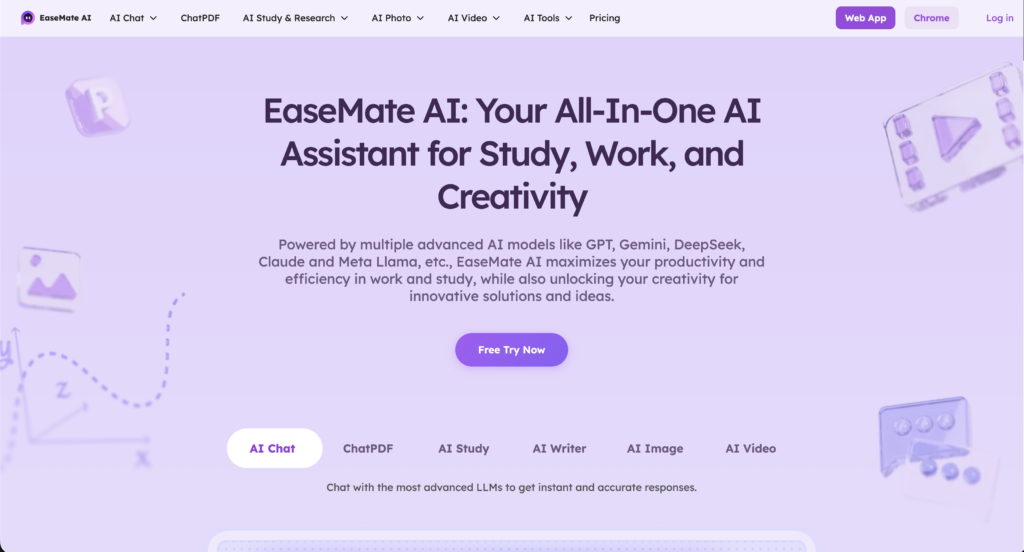
    EaseMate AI is a web-based platform that packages various AI capabilities into individual specialized tools and generators. Unlike traditional AI chat platforms where you access models through conversational interfaces, EaseMate presents itself as a collection of distinct utilities—Studio Ghibli image converters, kissing video generators, physics solvers, story generators—each designed for a specific narrow task.

    The core concept is simple: Visit the website, choose the tool you need from their directory, upload your input (image, text, video), and receive the AI-processed result. Many features claim “no login required” for initial trials, lowering the barrier to experimentation.

    Available primarily as a web platform, EaseMate AI positions itself as an accessible AI toolbox for viral social media trends and specific creative tasks. The platform aggregates various AI capabilities (image manipulation, video generation, academic solving, content creation) while emphasizing convenience and specialized outcomes rather than general-purpose AI conversation.

    Who is EaseMate AI designed for?

    EaseMate AI primarily targets casual users, social media enthusiasts, and students who are comfortable with:

    • Using single-purpose tools for one-off creative projects rather than ongoing professional workflows
    • Accepting limited control over AI outputs compared to direct model prompting
    • Navigating feature-by-feature pricing or subscription tiers that unlock specific tools
    • Tolerating inconsistent quality as repackaged AI features may not match the latest model capabilities
    • Relying on trend-driven features (Studio Ghibli converter, kissing video generator) that may not receive updates as underlying AI models improve

    The platform offers convenient access to trendy AI capabilities without requiring technical knowledge or AI prompt engineering skills. For casual users wanting to convert a profile photo to anime style or generate a quick story, these single-click tools can be genuinely appealing.

    However, this approach comes with a significant tradeoff: you’re limited to whatever features EaseMate has pre-built, with no flexibility to adapt the underlying AI to your specific needs. While SimpleChat provides direct access to GPT-5, Claude 4.1 Opus, and Gemini 2.5 Pro—letting you prompt these models for any task, creative or professional—EaseMate restricts you to their predetermined tool menu. Need something slightly different than their “pet to human” converter? You’re out of luck.

    EaseMate AI Key Features
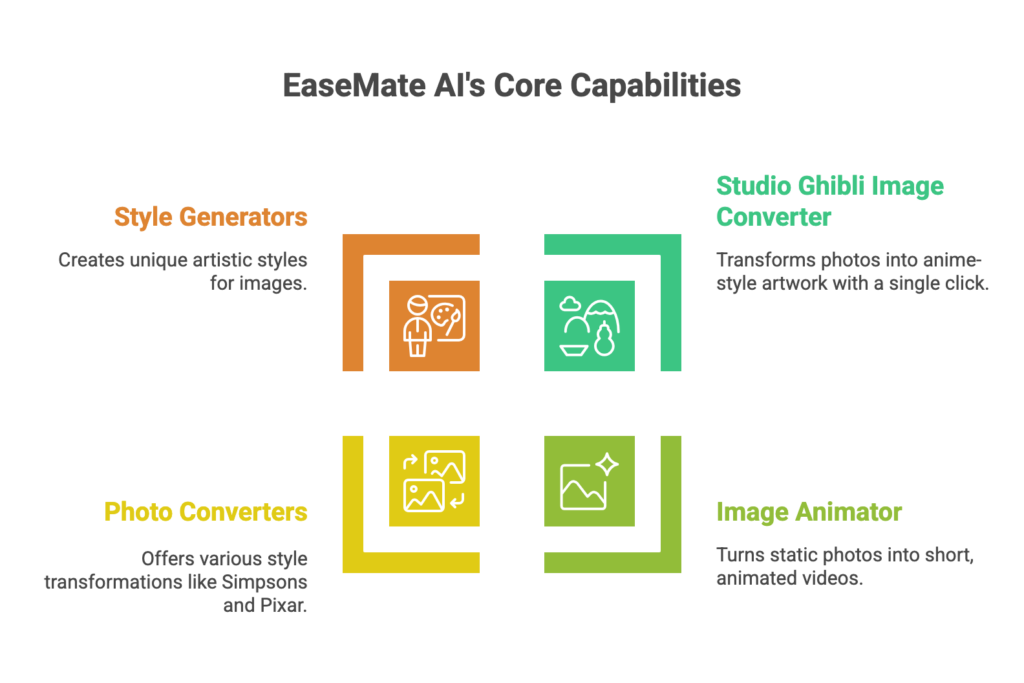
    EaseMate AI offers a diverse set of specialized tools designed for users seeking specific AI-powered outputs. Let’s examine what’s actually available and what it means for practical usage.

    Image Generation and Manipulation Tools

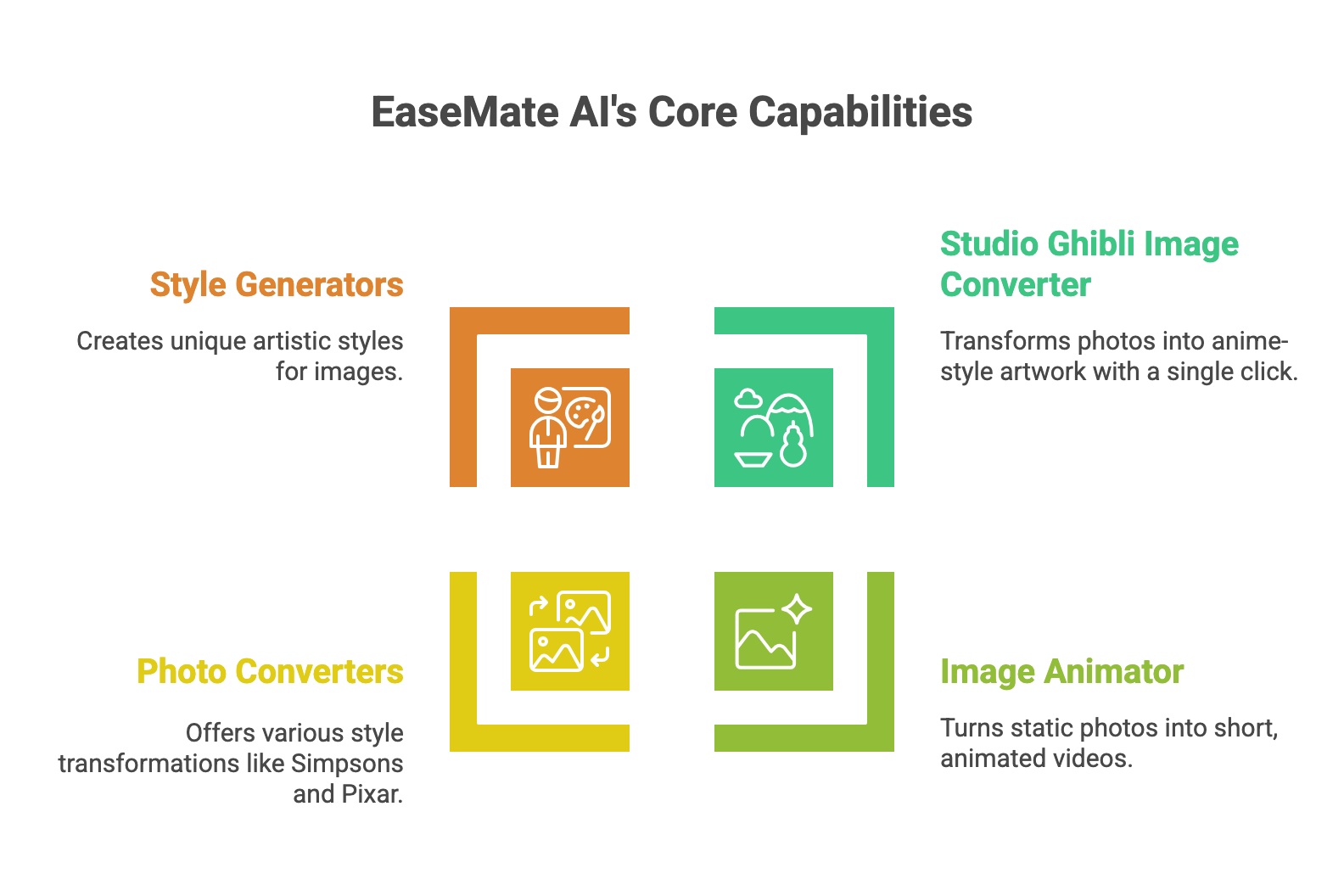
    Studio Ghibli Image Converter

    EaseMate’s most promoted feature transforms standard photos into Studio Ghibli anime-style artwork. You upload a photo, select the Ghibli converter, and receive an AI-generated image in the distinctive anime aesthetic.

    The tool gained viral attention on social media for creating shareable profile pictures and artistic interpretations of everyday photos.

    The catch? This feature is essentially a preset application of image-to-image AI models like Stable Diffusion or DALL-E variants with a specific style prompt. You’re paying for convenience—a single-click interface that applies a predetermined transformation—but losing the flexibility to customize style intensity, specific Ghibli film aesthetics (Spirited Away vs. Totoro style), or blend multiple artistic directions.

    Compare this to using Gemini 2.5 Pro or GPT-5 vision through SimpleChat, where you could prompt: “Transform this image into Studio Ghibli style, specifically emulating the color palette and character design from Howl’s Moving Castle, with emphasis on soft backgrounds.” You get control, iteration, and the latest AI image capabilities instead of a locked preset.

    Image Animator

    EaseMate offers image animation capabilities that claim to turn static photos into moving videos. Users can upload portraits or images and receive short animated clips.

    Image Extender, Photo Converters, and Style Generators

    The platform includes various image manipulation tools:

    • Photo to Simpsons converter
    • Photo to Pixar style generator
    • Photo to watercolor transformation
    • Action figure generator
    • Pet to human converter

    Here’s the problem: Each of these is a separate tool with separate interfaces, separate pricing considerations, and separate quality levels. User reports indicate inconsistent results—some transformations work well, others produce artifacts or fail to capture the intended style. You’re essentially playing roulette with which features will deliver usable results for your specific input.

    Real-world impact: You want to experiment with different artistic styles for a project. With EaseMate, you navigate multiple separate tools, upload the same image repeatedly, and hope each specialized converter works. With SimpleChat, you upload once to Claude 4.1 or GPT-5, describe what you’re trying to achieve, and iterate through conversation.

    Video Generation and Processing

    Veo 3 Video Generator

    EaseMate promotes access to Google’s Veo 3 AI video generation model, allowing users to create videos from text prompts. This positions them as providing cutting-edge video AI capabilities.

    Critical reality check: Veo 3 access through EaseMate is likely limited, throttled, or time-delayed compared to direct access through Google’s own platforms or comprehensive AI platforms. You’re experiencing a middleman’s interpretation of video generation rather than direct model access with full parameter control.

    Video Summarizer

    For processing existing video content, EaseMate offers YouTube video summarization—upload a link and receive key points extracted by AI.

    The limitation: This functionality is available natively through Perplexity AI (which SimpleChat provides direct access to) and through GPT-5’s multimodal capabilities. You’re paying for a feature-specific interface that restricts you from asking follow-up questions, requesting different summary formats, or combining video analysis with other research—all of which you could do through direct model access.

    Academic and Problem-Solving Tools

    Math Solver

    EaseMate provides step-by-step math problem solving, covering topics from basic arithmetic through calculus and geometry.

    Physics Solver and Geometry Solver

    Specialized solvers for physics problems and geometric calculations claim to provide detailed solution steps for student homework and learning.

    Here’s the reality: Modern AI models like GPT-5, Claude 4.1 Opus, and Gemini 2.5 Pro all handle complex math, physics, and geometry natively with superior explanation capabilities. EaseMate’s “solvers” are repackaged applications of these same underlying models, presented through restricted interfaces that prevent you from asking clarifying questions, exploring alternative solution methods, or connecting concepts across disciplines.

    Specific pain point: A student working on a physics problem gets a solution from EaseMate’s physics solver but doesn’t understand step 3. They can’t ask “why did you use this formula here?” or “show me another way to approach this.” With direct access to Claude 4.1 through SimpleChat, they have a full conversation, exploring concepts until understanding clicks.

    Content Creation Features

    Story Generator

    Generate creative stories from prompts or themes using AI.

    Podcast Generator (referenced but unclear implementation)

    Some user searches reference podcast generation, though EaseMate’s current website doesn’t prominently feature this, suggesting features may appear and disappear based on trends.

    Humanizer

    Rewrite AI-generated content to appear more human-written, attempting to bypass AI detection tools.

    The bottom line on content features: These are all tasks that GPT-5, Claude 4.1 Opus, or Gemini 2.5 Pro handle exceptionally well through direct conversation. Claude 4.1 is widely regarded as the best AI for creative writing. GPT-5 offers sophisticated story development. Gemini excels at content restructuring. EaseMate wraps these capabilities in single-purpose tools that prevent the iterative refinement real content creation requires.

    EaseMate AI Pricing and Plans

    EaseMate AI’s pricing structure is notably opaque—the platform doesn’t clearly publish standard pricing tiers on their main website, which itself is a red flag for cost transparency.

    What We Know from User Reports

    Based on user discussions and reviews across various platforms:

    Free/Trial Access: Some features claim “no login required” with limited free usage

    • Appears to offer initial trials of certain tools
    • Heavily restricted after first use
    • Quality or resolution may be limited on free tier

    Premium Access: User reports suggest pricing ranges from $9.99 to $29.99/month

    • Exact features included at each tier unclear
    • Some tools may require separate payments or credit systems
    • Pricing may vary based on usage volume or specific features accessed

    Feature-Specific Costs: Indications that some tools operate on pay-per-use models

    • Video generation (Veo 3) may have separate costs due to computational expense
    • Image generation features may consume credits differently than solvers
    • No clear published credit consumption rates

    Critical reality check: The lack of transparent pricing on EaseMate’s website means you discover costs only after investing time in the platform. This opacity contrasts sharply with legitimate AI platforms that clearly display subscription tiers and feature access.

    The Real Total Cost of Ownership

    Here’s what EaseMate AI likely costs when you factor in realistic usage:

    EaseMate AI estimated cost: $10-$30/month (based on user reports)

    Plus these hidden considerations:

    • Feature restrictions: Premium tier may not include all tools, forcing additional purchases
    • Quality limitations: Lower-tier access may produce lower resolution outputs or watermarked results
    • Usage caps: Even paid plans likely restrict volume on expensive features like video generation
    • Limited updates: As underlying AI models improve (new GPT versions, updated Claude), EaseMate’s wrapped features may lag months behind
    • No flexibility: Stuck with preset features; can’t adapt AI to your specific needs beyond what their tools offer

    Realistic monthly total: $10-$30/month for EaseMate with significant limitations, plus you’ll still need general-purpose AI access for tasks outside their tool menu—effectively $30-$50+/month total AI spend.

    Annual cost: $120-$360 per year for EaseMate alone, plus supplementary AI tools for everything EaseMate doesn’t cover.

    Now compare that to SimpleChat: $11/month with unrestricted access to 10+ premium models—GPT-5, GPT-5 Mini, Claude 4.1 Opus, Gemini 2.5 Pro, Gemini 2.5 Flash, Grok 4, Grok 3, Sonar, and Sonar Pro. Every feature EaseMate offers is achievable through direct prompting of these models, plus you get unlimited flexibility for tasks EaseMate hasn’t thought to package yet.

    That’s a potential 18-82% cost reduction and $1,188 saved per year compared to managing separate subscriptions or paying for EaseMate plus the AI access you’ll inevitably still need.

    The math is clear: EaseMate’s feature-specific approach becomes a $10-$30 monthly commitment for limited, preset capabilities, while SimpleChat delivers the underlying AI models with complete flexibility at a predictable, lower cost.

    EaseMate AI Pros and Cons

    Let’s examine what EaseMate AI does well and where it falls short, based on available user experiences and practical evaluation.

    Pros

    Low Barrier to Entry

    EaseMate’s “no login required” approach for certain features makes experimentation easy. Users can test the Studio Ghibli converter or other tools without account creation, lowering the friction for casual exploration.

    Trend-Focused Features

    The platform capitalizes on viral AI trends quickly. When Studio Ghibli converters became popular on social media, EaseMate had a dedicated tool ready. For users wanting to participate in these trends without understanding AI prompting, this convenience has genuine value.

    Single-Purpose Simplicity

    Each tool does one thing with minimal interface. Users who find general AI chat overwhelming may appreciate selecting “Physics Solver” and receiving direct solutions without navigating conversational AI.

    Cons

    Opaque Pricing Creates Uncertainty

    User discussions across platforms reveal frustration with unclear costs. Unlike established AI platforms with published pricing, EaseMate forces users to discover limitations and costs through trial and error. “I used the image animator three times before discovering I’d been charged—there was no clear indication of credit consumption” represents common experiences.

    Feature Quality Varies Dramatically

    Reports indicate inconsistent results across EaseMate’s tools. The Studio Ghibli converter might work well on certain photo types while failing on others. Video generation produces mixed results. Math solvers handle basic problems but struggle with complex scenarios. You’re gambling on whether your specific use case aligns with what the preset tool handles well.

    No Flexibility or Iteration

    Users note that EaseMate’s single-purpose tools don’t allow refinement. Get a result you don’t like? You can’t ask the AI to adjust specific aspects or explain its approach—you can only run the tool again with different inputs and hope for better results.

    One user described this limitation: “I wanted to adjust the anime style intensity on my photo, but the Ghibli converter is just a button—no controls, no conversation, no way to iterate. I’d need to use actual AI chat for that.”

    Platform Viability Questions

    EaseMate’s web presence is relatively minimal, raising questions about long-term support and feature updates. As underlying AI models improve rapidly (GPT-5, Claude 4.1, Gemini 2.5), will EaseMate update their wrapped features to use the latest capabilities? User comments suggest some features feel dated compared to direct model access.

    Restricted to Preset Use Cases

    The fundamental limitation: you can only do what EaseMate has built tools for. Need something similar but not identical to their “pet to human” converter? Want to combine image styling with text analysis? Have a unique creative vision that doesn’t match a preset button? EaseMate can’t help.

    The Bottom Line

    EaseMate AI delivers convenient single-purpose tools for viral trends and specific creative tasks, appealing to casual users who want one-click simplicity over flexibility. But for anyone needing reliable, professional-quality AI capabilities, this approach frustrates more than it helps when SimpleChat provides unrestricted access to the underlying AI models (GPT-5, Claude 4.1 Opus, Gemini 2.5 Pro) that power these features at $11/month—no preset limitations, no opaque pricing, complete flexibility.

    SimpleChat: The Best EaseMate AI Alternative for 10+ AI Models
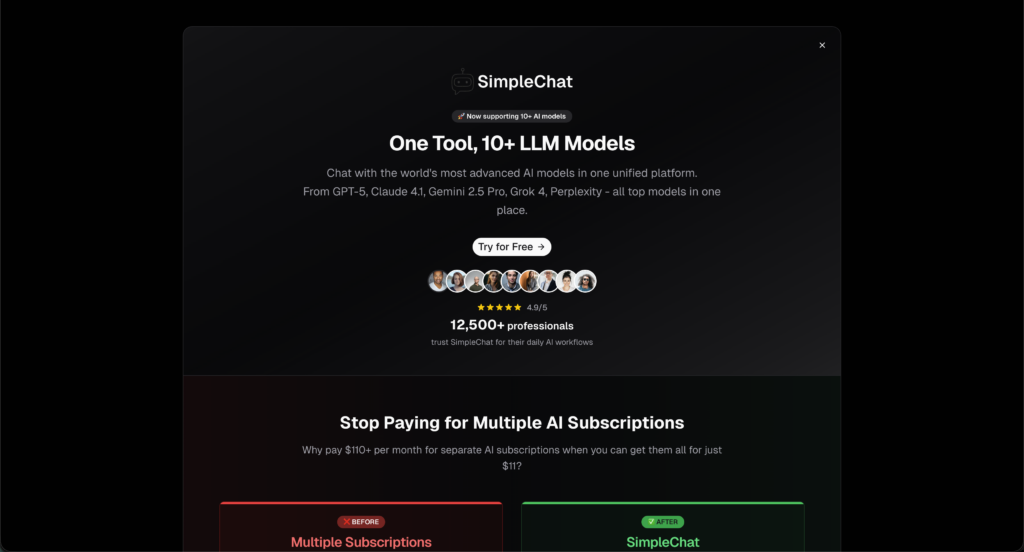
    Here’s the fundamental problem with EaseMate AI: You’re paying for repackaged AI features—preset tools that limit you to specific use cases someone else designed—while the underlying AI models that power those features remain locked behind restrictive interfaces. For anyone who needs AI for real work rather than one-off social media experiments, that’s an artificial constraint you don’t need.

    SimpleChat takes a radically simpler approach—give you direct, unlimited access to the world’s most advanced AI models, and let you use them for whatever you need.

    Why SimpleChat is the Superior Choice

    You Get 10+ Premium Models, Ready to Use

    Log in and you immediately have unrestricted access to:

    • OpenAI: GPT-5, GPT-5 Mini (latest capabilities including advanced vision, reasoning, and multimodal processing)
    • Anthropic: Claude 4.1 Opus (widely considered the best AI for writing, analysis, and complex reasoning)
    • Google: Gemini 2.5 Pro, Gemini 2.5 Flash (exceptional multimodal capabilities, image understanding, and creative tasks)
    • xAI: Grok 4, Grok 3 (real-time information and unique perspectives)
    • Perplexity: Sonar, Sonar Pro (research-focused with citation capabilities)

    No feature menus. No preset tools limiting what you can ask. No opaque pricing revealing itself after you’ve invested time. Just direct conversation with the AI models that power every feature EaseMate wraps in restrictions.

    Every EaseMate Feature, and Infinitely More

    Want Studio Ghibli image conversion? Ask Gemini 2.5 Pro or GPT-5: “Transform this image into Studio Ghibli style, emphasizing soft watercolor backgrounds and expressive character features.”

    Need math help? Claude 4.1 or GPT-5 walks through solutions step-by-step, answering follow-up questions and exploring alternative approaches.

    Video summarization? Perplexity Sonar handles it natively, letting you ask clarifying questions about the content.

    Story generation? Claude 4.1 Opus is exceptional at creative writing, offering iterative refinement EaseMate’s preset tool can’t match.

    Switch Models to Find the Best Fit

    Click a dropdown, select a different model, and continue your work. Want to compare how GPT-5 and Claude 4.1 handle creative writing? Try both instantly. Need Gemini’s multimodal strength for one task and Perplexity’s research focus for another? It’s all there, ready when you need it.

    EaseMate locks you into preset tool logic. SimpleChat gives you the flexibility to use the right AI model for each specific task.

    One Price, Everything Included, No Hidden Costs

    $11/month gets you full, unlimited access to all models. No discovering costs after the fact. No credit systems for different features. No wondering if your next creative project will trigger charges. What you see is what you pay.

    What You Can Actually Do with SimpleChat

    For Social Media Creators: Generate creative content with GPT-5, refine visual concepts with Gemini 2.5 Pro, and fact-check claims with Perplexity—all through natural conversation that adapts to your specific needs rather than preset buttons.

    For Students: Work through math problems with GPT-5 or Claude 4.1, asking follow-up questions until concepts click. Get physics explanations that you can probe deeper. Receive writing feedback that goes beyond preset templates. Upload documents and analyze them with any model you choose.

    For Creative Professionals: Draft concepts with Claude 4.1 (exceptional writing AI), generate and refine visuals through GPT-5’s vision capabilities, and explore multiple creative directions through iterative conversation—not single-click presets that don’t quite match your vision.

    For Researchers & Professionals: Access Perplexity’s research-focused models alongside general-purpose GPT-5 and Claude 4.1. Analyze data, summarize content, generate reports, and explore complex topics with AI that adapts to your specific methodology rather than forcing you into predetermined tool formats.

    For Teams: Add team members and they immediately have access to all models through one unified platform. No training on which preset tool to use for which task. No managing credits across team members. Everyone gets direct AI access for whatever they need.

    Over 12,500 professionals already use SimpleChat daily because it eliminates the artificial constraints that make tools like EaseMate frustrating for real work. You don’t need a “Studio Ghibli converter” tool—you need conversation with AI models that can create any artistic style you describe.

    The Cost Difference is Dramatic

    SimpleChat: $11/month, all-inclusive, unlimited usage of all models

    vs. Buying Access Separately:

    • ChatGPT Plus: $20/month
    • Claude Pro: $20/month
    • Gemini Advanced: $20/month
    • Perplexity Pro: $20/month
    • Other premium access: $30+/month
    • Total: $110+/month

    You save $99/month—that’s $1,188 per year

    vs. EaseMate AI’s Real Cost:

    • EaseMate premium access (estimated): $10-$30/month
    • Additional AI tools you’ll need for tasks outside EaseMate’s preset features: $20-40/month
    • Realistic total: $30-$70/month

    With SimpleChat, you get more capable AI models, zero feature restrictions, unlimited flexibility, and save $228-$708 annually compared to EaseMate’s effective cost including the AI access you’ll still need.

    Ready to access real AI models instead of preset wrappers?

    See all available models

    EaseMate AI vs SimpleChat: Detailed Comparison

    Here’s how the two platforms stack up across the factors that actually matter for getting real value from AI:

    FeatureEaseMate AISimpleChat
    AI AccessPreset tools wrapping AI capabilities in single-purpose interfaces10+ premium models (GPT-5, Claude 4.1, Gemini 2.5, Grok 4, Perplexity) with unrestricted conversational access
    Setup RequiredVisit website, discover features through exploration, learn which tool does whatZero—sign up and start using any AI model immediately
    Monthly Cost$10-$30/month estimated (unclear pricing)$11/month all-inclusive, clearly published
    Pricing TransparencyOpaque—costs discovered through usageFully transparent—$11/month, no hidden fees
    FlexibilityRestricted to preset features EaseMate has built (Ghibli converter, kissing video, etc.)Complete flexibility—prompt AI for any task in any style
    Iteration & RefinementNo conversation—single-purpose tools produce output without dialogueFull conversational AI—iterate, refine, ask follow-up questions
    Model UpdatesFeatures may lag months behind as underlying AI improvesAlways latest models—GPT-5, Claude 4.1, Gemini 2.5 Pro as soon as available
    Learning CurveMust discover which preset tool fits your needNatural conversation—just describe what you want
    Team OnboardingExplain which tools do what, manage feature-specific accessAdd user, they talk to AI models immediately
    Best ForCasual users wanting specific viral trend participation (Ghibli converter, etc.)Anyone needing reliable, flexible AI for creative or professional work
    Key AdvantageOne-click access to trendy features without learning AI promptingDirect model access + unlimited flexibility + latest AI capabilities
    Key LimitationZero flexibility beyond preset tools; opaque pricing; inconsistent qualityNo single-purpose gimmick tools (though AI models can create same outputs better)

    Which Should You Choose?

    Choose EaseMate AI if you:

    • Need exactly one specific feature they offer for a one-time creative project
    • Prefer clicking preset buttons over conversational AI
    • Don’t need flexibility or iteration in your AI outputs
    • Are comfortable with opaque pricing discovered through usage

    Choose SimpleChat if you:

    • Want unlimited access to the actual AI models that power all these features
    • Need flexibility to adapt AI to your specific creative or professional needs
    • Value transparent, predictable pricing
    • Want to iterate and refine AI outputs through conversation
    • Need AI for ongoing work rather than one-off viral trend participation
    • Want to save $228-$708/year compared to EaseMate’s effective cost with supplements
    • Prioritize the latest, most capable AI models (GPT-5, Claude 4.1 Opus, Gemini 2.5 Pro)

    The reality: Unless you specifically need exactly one preset feature EaseMate offers for a single project, SimpleChat provides dramatically better value through direct access to superior AI models at transparent, lower cost with unlimited flexibility.

    Real User Feedback

    EaseMate AI Users Report:

    Users appreciate the low-friction access to trendy features. Some users noted that EaseMate’s Studio Ghibli converter “was the easiest way to create anime-style profile pictures during the viral trend.”

    However, consistent concerns focus on pricing opacity and limited functionality. Users express frustration discovering costs after usage, inconsistent quality across different tools, and the inability to refine outputs beyond running the preset tool again.

    Reddit discussions highlight the flexibility problem: “I wanted to tweak the anime style EaseMate generated, but there’s no way to iterate—it’s just a button that produces output. Ended up using ChatGPT to describe exactly what I wanted instead.”

    SimpleChat Users Experience:

    Professionals consistently highlight three benefits: direct model access eliminating preset limitations, transparent pricing, and unlimited flexibility. The 12,500+ professionals using SimpleChat daily emphasize how “having GPT-5, Claude 4.1, and Gemini 2.5 all in one place means I can handle any creative or professional task through conversation, not hunting for the right preset tool.”

    Creative users particularly value iterative refinement—asking AI to adjust outputs, exploring variations, and combining capabilities across different tasks without being constrained by predetermined feature menus.

    Frequently Asked Questions

    What is EaseMate AI?

    EaseMate AI is a web-based platform offering specialized AI-powered tools including Studio Ghibli image converters, video generators (Veo 3), math and physics solvers, story generators, and various image manipulation features. Each capability is presented as a separate preset tool rather than through conversational AI access.

    Is EaseMate AI safe to use?

    EaseMate AI appears to be a legitimate service offering AI-powered features, though the platform’s limited transparency about company information and pricing raises typical concerns users should consider when uploading personal photos or content to any online service. Review their privacy policy and terms before uploading sensitive materials.

    How much does EaseMate AI cost?

    EaseMate AI’s pricing is not clearly published on their website. User reports suggest costs ranging from $10-$30/month for premium access, with some features potentially operating on pay-per-use models. This pricing opacity contrasts with transparent alternatives like SimpleChat at $11/month with no hidden costs.

    What’s the best EaseMate AI alternative in 2025?

    SimpleChat is the better alternative, providing direct unlimited access to 10+ premium AI models including GPT-5, GPT-5 Mini, Claude 4.1 Opus, Gemini 2.5 Pro, Grok 4, and Perplexity for $11/month. Instead of preset tools limiting your options, you get conversational access to the AI models that can handle any creative or professional task with complete flexibility.

    Can I use EaseMate AI without login?

    EaseMate advertises “no login” access for some features, allowing users to try certain tools without account creation. However, practical usage and access to full features likely requires account creation and potentially paid subscriptions.

    Does EaseMate AI have a free trial?

    Some features appear to offer limited free usage or trials, though exact limitations aren’t clearly documented. Users report discovering restrictions after initial attempts, suggesting free access is heavily limited.

    Can I use multiple AI models with SimpleChat?

    Yes. SimpleChat gives you instant unlimited access to GPT-5, GPT-5 Mini, Claude 4.1 Opus, Gemini 2.5 Pro, Gemini 2.5 Flash, Grok 4, Grok 3, Sonar, and Sonar Pro. Switch between models with one click mid-conversation, adapting to whatever task you’re working on without preset limitations.

    How much can I save with SimpleChat?

    Compared to buying ChatGPT Plus, Claude Pro, Gemini Advanced, and Perplexity Pro separately ($110+/month), SimpleChat saves you approximately $1,188 per year. Compared to EaseMate AI’s estimated cost ($30-$70/month including necessary AI supplements), you save an additional $228-$708 annually.

    What is EaseMate AI’s Studio Ghibli converter?

    EaseMate’s most popular feature transforms uploaded photos into Studio Ghibli anime-style artwork. It’s a preset application of AI image-to-image models with specific style parameters, offering one-click convenience but no control over style intensity, specific aesthetic choices, or iterative refinement.

    Can SimpleChat do what EaseMate AI’s specialized tools do?

    Yes, and with more flexibility. Every feature EaseMate offers as a preset tool (image styling, math solving, video summarization, story generation) can be accomplished through direct conversation with SimpleChat‘s AI models—GPT-5, Claude 4.1, Gemini 2.5 Pro—with the added ability to iterate, refine, and adapt to your specific needs rather than accepting preset outputs.

    Conclusion

    EaseMate AI serves a specific niche: casual users seeking one-click access to viral AI features like Studio Ghibli converters or trendy image manipulations without learning AI prompting. For that audience, the preset tool approach offers simplicity for one-off creative experiments.

    But here’s what the reality reveals—EaseMate costs an estimated $10-$30/month with opaque pricing, limited flexibility, and restrictions to preset features that may or may not fit your actual needs. Factor in the AI access you’ll still require for tasks outside EaseMate’s tool menu, and you’re looking at $30-$70/month total. That’s 2.7-6.4x more expensive than SimpleChat, which provides unrestricted access to the underlying AI models with complete conversational flexibility.

    For anyone needing AI for more than one-off social media trends, SimpleChat is simply the better choice:

    • 10+ premium models including GPT-5, GPT-5 Mini, Claude 4.1 Opus, Gemini 2.5 Pro, Grok 4, Perplexity Sonar, and Sonar Pro
    • $11/month transparent pricing—no discovering costs after usage
    • True unlimited conversational access (no preset limitations)
    • Complete flexibility—prompt AI for any task, iterate and refine through dialogue
    • 91-94% cost savings compared to separate subscriptions ($1,188/year saved)
    • Always latest AI models, not lagging repackaged features
    • Trusted by 12,500+ professionals for daily creative and professional workflows

    Stop paying $10-$30/month for preset AI wrappers that restrict your creativity to predetermined buttons. Get direct unlimited access to the world’s most advanced AI models and use them however you need.
    Start with SimpleChat today

  • Monica AI Review 2026 – Pricing, Features and Better Alternatives

    Monica AI Review 2026 – Pricing, Features and Better Alternatives

    Introduction

    You’re probably here because you’ve heard about Monica AI—an AI assistant that promises to handle everything from math problems to podcast generation, all through a browser extension. The pitch sounds compelling: one AI tool that does it all, accessible right from your Chrome browser.

    But here’s the reality most users discover after signing up: Monica AI’s “all-in-one” approach quickly becomes a maze of features, inconsistent quality across different tools, and pricing that escalates fast when you need the premium models that actually deliver results.

    The core issue? You’re paying $14.99-$39/month for Monica AI, but you still don’t get reliable access to the best AI models like GPT-5, Claude 4.1 Opus, or Gemini 2.5 Pro without hitting usage caps that force constant upgrades. What started as a convenient browser extension becomes another subscription that doesn’t quite solve the problem—you still need multiple tools to get quality results.

    SimpleChat takes a fundamentally different approach: $11/month for unlimited access to 10+ premium AI models—GPT-5, GPT-5 Mini, Claude 4.1 Opus, Gemini 2.5 Pro, Gemini 2.5 Flash, Grok 4, Grok 3, Sonar, and Sonar Pro. No usage caps on premium models. No feature overload. No browser extension limitations. Just instant access to the world’s best AI, ready when you need it.

    Here’s what that means in practice: Instead of navigating Monica’s 50+ micro-features (image generators, watermark removers, anime makers, roast generators), you get direct access to the AI models that power real work—writing, coding, research, analysis, and problem-solving. You save $1,188 per year compared to buying ChatGPT Plus, Claude Pro, and Gemini Advanced separately. And you avoid Monica’s hidden limitation—those premium models are heavily restricted unless you’re on their highest tier.

    This article breaks down Monica AI’s actual pricing (including the costs they don’t advertise upfront), examines real user experiences, and shows you why over 12,500 professionals have switched to SimpleChat for their daily AI needs. Whether you’re evaluating Monica for the first time or already frustrated with its limitations, you’ll discover a simpler, more cost-effective path to accessing the AI tools that matter.

    What is Monica AI?

    Monica AI is a browser-based AI assistant that combines multiple AI-powered tools into a Chrome extension and web app. Unlike traditional AI subscriptions where you access one model through a dedicated interface, Monica attempts to bundle dozens of specialized features—from math solvers and podcast generators to image animators and watermark removers—into a single browser extension.

    The core concept is simple: Install the extension, and Monica becomes accessible from any webpage through a sidebar or popup interface, letting you use AI tools without switching tabs or applications.

    Available as a Chrome extension, web app, and mobile app, Monica AI positions itself as an “all-in-one AI assistant” that eliminates the need for multiple specialized tools. The platform aggregates access to various AI models (including GPT-4, Claude, and others) while adding proprietary features like LinkedIn photo generators, mind map makers, and Studio Ghibli image converters.

    Who is Monica AI designed for?

    Monica AI primarily targets casual users, students, and professionals who are comfortable with:

    • Navigating a cluttered interface with 50+ specialized micro-features that may or may not fit your actual needs
    • Accepting usage limits on premium AI models even on paid plans, forcing constant awareness of quota consumption
    • Learning which of Monica’s many features actually work well versus which deliver inconsistent results
    • Tolerating browser extension dependencies that can conflict with other extensions or slow down browsing
    • Managing credits and tier restrictions to access the AI models you actually need

    The platform offers convenient sidebar access and an impressive array of specialized tools that appeal to users who want everything in one place. For students working on homework or casual users exploring AI capabilities, these bundled features can be genuinely valuable.

    However, this approach comes with a significant tradeoff: you’re paying for dozens of features you’ll rarely use while the core AI capabilities—the models that do the actual heavy lifting—are locked behind usage limits and higher pricing tiers. While SimpleChat provides unlimited access to GPT-5, Claude 4.1 Opus, Gemini 2.5 Pro, and other top models for $11/month, Monica AI requires you to navigate feature bloat, monitor usage quotas, and upgrade tiers just to consistently access the same quality AI.

    Monica AI Key Features

    Monica AI packs a comprehensive set of features designed for users who want an all-in-one AI toolkit accessible from their browser. Let’s break down what you actually get and what it means for your daily usage.

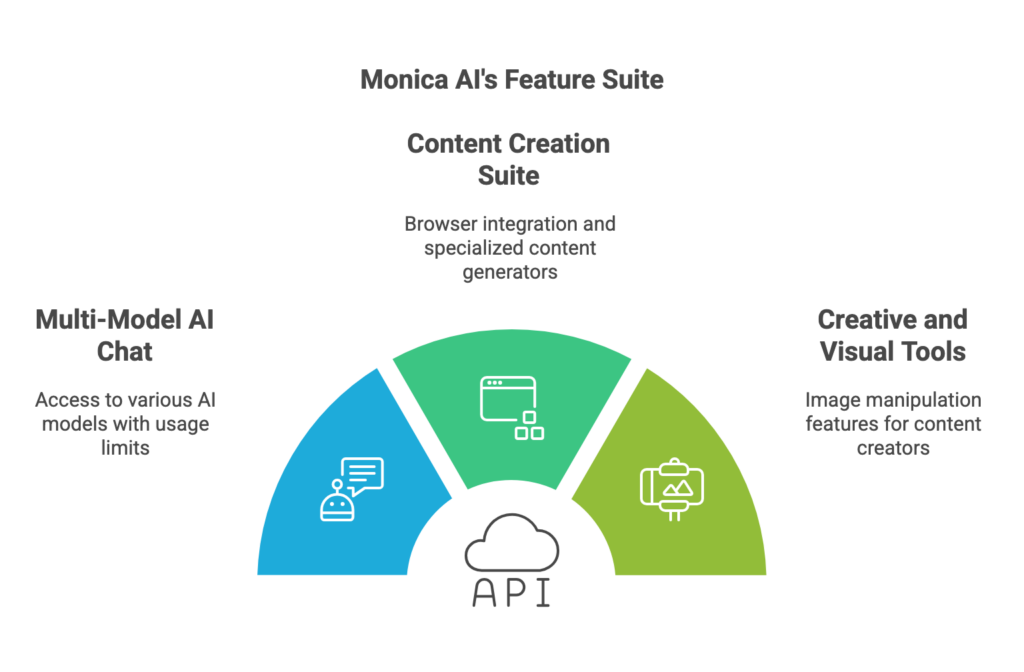
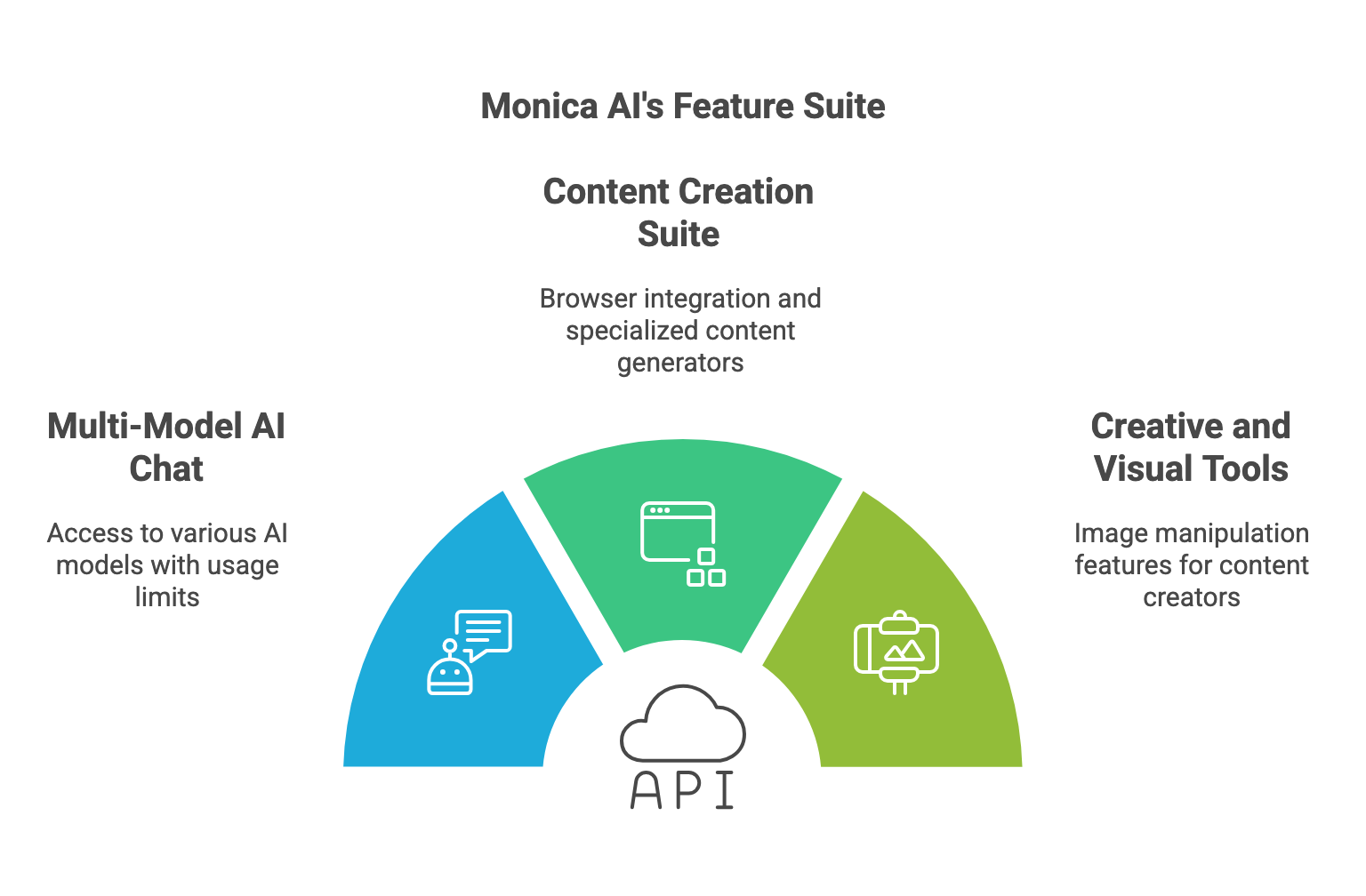
    Multi-Model AI Chat Access

    Monica provides access to multiple AI models including GPT-4, GPT-4o, Claude 3.5, and Gemini Pro through its chat interface. You can theoretically switch between models depending on your task—using GPT-4 for writing, Claude for analysis, or Gemini for research.

    The catch? These premium models come with strict daily usage limits even on paid plans. The Free plan gives you minimal queries per day. The Pro plan ($14.99/month) offers more but still caps your access to the best models. Only the Unlimited plan ($39/month) removes most restrictions—and that’s 3.5x more expensive than what you’d pay for unrestricted access to more models through SimpleChat.

    Real-world impact: You start your day using GPT-4 for important work, hit your quota by mid-afternoon, and you’re forced to either wait until tomorrow, upgrade your plan, or switch to a less capable model for the rest of the day.

    Content Creation Suite

    Browser Extension Integration

    Monica AI lives in your Chrome browser as a sidebar extension, letting you access AI tools on any webpage. You can highlight text and invoke Monica to summarize, rewrite, translate, or explain it without leaving the page.

    For professionals who spend their day in the browser—researchers reading articles, writers editing drafts, students working through materials—this integration provides genuine value.

    Specialized Generators

    Monica includes dozens of specialized content generators:

    • Podcast generator (create audio content from text)
    • Mind map maker (visualize ideas and concepts)
    • LinkedIn photo generator (professional headshots)
    • Video summarizer (extract key points from videos)
    • Image generators (anime, cartoon conversions, Pixar styles)
    • Math solver (step-by-step solutions)

    Creative and Visual Tools

    For content creators and social media users, Monica AI offers image manipulation features that include:

    • Image animation (turn static images into moving content)
    • Studio Ghibli style converter (transform photos into anime-style art)
    • Watermark remover (clean up images)
    • Image extender (expand image boundaries using AI)
    • Photo to cartoon converter (multiple style options)
    • Action figure generator (create toy-style versions of photos)

    Here’s the problem: These specialized features sound impressive in the feature list, but real users report inconsistent quality, unexpected credit consumption, and results that often require external tools to refine anyway. You’re paying for an extensive feature menu where many items deliver mediocre results when you actually need them.

    Compare this to SimpleChat, where you get direct access to the underlying AI models that power the best image generation and manipulation tools. Want quality image work? Use the latest GPT-5 vision capabilities or Gemini 2.5 Pro’s multimodal features. Need content generation? You have unrestricted access to Claude 4.1 Opus, widely regarded as the best AI for writing. No gimmicky feature names—just powerful AI models that actually work.

    Team and Enterprise Features

    For organizations, Monica AI offers collaboration capabilities that include:

    • Shared team access to AI models
    • Centralized billing for team members
    • Usage analytics and monitoring
    • Team knowledge bases
    • Customizable workflows

    Here’s the reality: Team features require Business or Enterprise pricing tiers that Monica doesn’t clearly advertise upfront. You’ll need to contact sales for custom quotes, and based on user reports, team pricing can easily reach $30-50+ per user monthly when you factor in the need for higher-tier plans to avoid usage restrictions.

    Specific pain point: Your team signs up for Monica Pro at $14.99/user/month, then discovers that professional usage patterns quickly hit the limits. Now you’re looking at upgrades across your entire team, pushing costs to $40+/user/month—far exceeding the $11/month per user you’d pay with SimpleChat, where every team member gets full access to all models from day one.

    Monica AI Pricing and Plans

    Monica AI’s pricing structure looks straightforward at first glance—three tiers with increasing capabilities. But the reality is more complicated, and understanding the true cost requires looking beyond the monthly subscription fee.

    Individual Plans

    Monica AI offers the following pricing structure:

    Free Plan: $0/month

    • Limited daily queries (typically 30-50 basic queries)
    • Access to basic models only
    • Restricted access to specialized features
    • Advertisement supported

    Pro Plan: $14.99/month (or $99/year)

    • Increased daily queries (300-500 depending on model)
    • Access to GPT-4 and Claude 3.5 (with limits)
    • Priority access to new features
    • Remove advertisements
    • Access to specialized generators (with quotas)

    Unlimited Plan: $39/month (or $290/year)

    • Higher query limits (not truly unlimited for all models)
    • Premium model access with fewer restrictions
    • Priority support
    • Team collaboration features (limited)
    • Full access to specialized tools

    Critical reality check: This pricing only covers basic usage with the AI models. The “Unlimited” plan isn’t actually unlimited—you still face soft caps on the most advanced models, and specialized features consume credits differently than standard chat queries.

    The Real Total Cost of Ownership

    Here’s what Monica AI actually costs when you factor in realistic professional usage:

    Monica AI base cost: $14.99-$39/month

    Plus these hidden considerations:

    • Premium model restrictions: Even on Pro, you’ll hit GPT-4 and Claude limits within days of regular professional use
    • Feature credit system: Specialized generators (podcasts, images, mind maps) consume varying credits, pushing you toward higher tiers
    • Browser dependency costs: Performance impact on browser, potential conflicts with other extensions, productivity loss from sidebar navigation
    • Quality inconsistency: Many features deliver subpar results, requiring external tools anyway—meaning you’re still paying for other services

    Realistic monthly total: $14.99-$39/month for Monica, but you still need supplementary AI tools for serious work, effectively bringing your total AI spend to $40-60+/month when you account for the tools Monica doesn’t adequately replace.

    Annual cost: $180-$468 per year for Monica alone, plus additional tools you’ll inevitably need.

    Now compare that to SimpleChat: $11/month with all 10+ premium models included—GPT-5, GPT-5 Mini, Claude 4.1 Opus, Gemini 2.5 Pro, Gemini 2.5 Flash, Grok 4, Grok 3, Sonar, and Sonar Pro. No usage quotas on these models. No feature credit calculations. No billing surprises. No browser dependency.

    That’s a 72-82% cost reduction and $1,188 saved per year compared to managing separate subscriptions or paying Monica’s highest tier while still supplementing with other tools.

    The math is clear: Monica’s “all-in-one assistant” becomes a $15-$39 monthly commitment that still doesn’t fully solve your AI needs, while SimpleChat delivers more powerful models with simpler access at a fraction of the cost.

    Monica AI Pros and Cons

    Let’s examine what Monica AI does well and where it falls short, based on real user experiences and practical usage patterns.

    Pros

    Convenient Browser Integration

    Users consistently praise Monica’s Chrome extension implementation for making AI accessible without switching tabs or apps. The sidebar interface lets you highlight text on any webpage and immediately invoke AI assistance for summaries, translations, or rewrites. For professionals who live in the browser—researchers, writers, students—this seamless integration genuinely improves workflow efficiency.

    Extensive Feature Set

    The platform offers an impressive array of specialized tools beyond basic chat. One power user noted that Monica became their “Swiss Army knife for AI tasks” because features like the math solver, video summarizer, and mind map maker cover scenarios that would otherwise require multiple separate tools.

    Multi-Model Access in One Place

    Monica provides access to GPT-4, Claude 3.5, Gemini Pro, and other models through a single interface. For users who want to compare responses or leverage different AI strengths, having these options consolidated offers genuine value compared to managing multiple individual subscriptions.

    Cons

    Restrictive Usage Limits Create Daily Frustration

    Multiple users report that even the $14.99/month Pro plan’s query limits run out surprisingly fast with normal professional usage. You need to constantly monitor your quota, ration which questions deserve premium models, and troubleshoot which features consumed more credits than expected. One user described spending “30 minutes figuring out why my credits disappeared” only to discover that image generation features consume 10-50x more quota than standard chat queries.

    Pricing Confusion and Unexpected Costs

    The biggest complaint centers on unclear pricing structures and surprise limitations. Users mention discovering that “unlimited” doesn’t actually mean unlimited for the best models. “I upgraded to Pro thinking I’d have proper GPT-4 access, but I still hit limits by Tuesday each week” is a common frustration among subscribers.

    Realistic costs of $15-$39/month surprise users who expected the $14.99 Pro plan to cover professional usage, only to discover they need the $39 Unlimited tier—and even that has soft caps.

    Feature Overload vs. Quality Trade-off

    Professional users acknowledge that Monica’s 50+ features create analysis paralysis and quality inconsistency. “Half the features are gimmicks I’ll never use, and the core AI chat—the only thing I actually need—is limited compared to just subscribing to ChatGPT or Claude directly,” noted one developer. Users estimate spending significant time exploring features to determine which actually deliver professional-quality results versus which are marketing bullet points.

    Browser Extension Dependencies

    Multiple users report browser performance issues, especially when Monica’s sidebar is active while using other resource-intensive web apps. Extension conflicts, memory consumption, and the requirement to use Chrome (or Chromium-based browsers) limit flexibility compared to standalone AI platforms.

    The Bottom Line

    Monica AI delivers convenient browser integration and an extensive feature list for casual users and students willing to navigate usage quotas and accept quality variability. But for most professionals, this complexity isn’t worth it when SimpleChat provides unrestricted access to better AI models (GPT-5, Claude 4.1 Opus, Gemini 2.5 Pro) through a clean interface at $11/month—no quotas, no browser dependency, no feature bloat.

    SimpleChat: The Best Monica AI Alternative for 10+ AI Models

    Here’s the problem with Monica AI: You’re paying $15-$39/month for a browser extension packed with 50+ features you’ll rarely use, while the core capability—access to premium AI models like GPT-4, Claude, and Gemini—is locked behind usage quotas that force you to constantly monitor consumption and upgrade tiers. For most professionals, that’s unnecessary complexity and cost you don’t need.

    SimpleChat takes a different approach—deliver direct, unlimited access to the world’s best AI models through one clean interface, with zero usage quotas and predictable pricing.

    Why SimpleChat is the Superior Choice

    You Get 10+ Premium Models, Ready to Use

    Log in and you immediately have unrestricted access to:

    • OpenAI: GPT-5, GPT-5 Mini
    • Anthropic: Claude 4.1 Opus
    • Google: Gemini 2.5 Pro, Gemini 2.5 Flash
    • xAI: Grok 4, Grok 3
    • Perplexity: Sonar, Sonar Pro

    No browser extension installation required. No feature menus to navigate. No usage caps forcing you to ration queries. Just instant access to the AI models that power the tools Monica wraps in complexity.

    Switch Models in Seconds

    Click a dropdown, select a different model, and continue your conversation. Want to see how GPT-5 and Claude 4.1 Opus handle the same analysis? Switch and compare instantly. Need Gemini’s multimodal capabilities for one task and Perplexity’s research focus for another? It’s all there, ready when you need it.

    Monica forces you to navigate a sidebar, check your quota, and hope the model you need isn’t restricted today. SimpleChat gives you every model, every time, with zero friction.

    One Price, Everything Included

    $11/month gets you full, unlimited access to all models. No quota monitoring. No credit calculations for different features. No wondering if today’s image generation tasks will push you over your limit. What you see is what you pay.

    What You Can Actually Do with SimpleChat

    For Content Creators: Draft blog posts with GPT-5’s latest capabilities, refine your voice and style with Claude 4.1 Opus (widely considered the best writing AI), and fact-check claims with Perplexity—all without browser extensions or feature menus. Just clean AI chat that works.

    For Developers: Test code solutions across multiple models to find the optimal approach. Compare GPT-5’s suggestions against Claude’s reasoning or Gemini’s code analysis, then implement what works best. No usage quotas mean you can iterate freely without watching a credit counter.

    For Research & Analysis: Access Perplexity’s research-focused Sonar models alongside general-purpose GPT-5 and Claude 4.1. Upload documents and analyze them with any model you choose. Switch models mid-conversation to leverage different AI strengths for different aspects of your research.

    For Students & Educators: Work through complex math problems with GPT-5, get detailed explanations from Claude 4.1, and verify approaches with Gemini—all from the same conversation thread. No quota anxiety means you can explore concepts deeply without rationing AI assistance.

    For Teams: Add team members and they’re ready to work immediately. No browser extension rollout. No feature training. No tier management. Everyone gets instant access to every model through one unified platform. Pay $11/month per user instead of Monica’s $15-$39/user with restrictions.

    Over 12,500 professionals already use SimpleChat daily because it eliminates the friction that makes tools like Monica AI exhausting to manage. You wanted AI assistance—not a browser sidebar full of features you’ll never use and quotas you’ll constantly hit.

    The Cost Difference is Dramatic

    SimpleChat: $11/month, all-inclusive, unlimited usage

    vs. Buying Access Separately:

    • ChatGPT Plus: $20/month
    • Claude Pro: $20/month
    • Gemini Advanced: $20/month
    • Perplexity Pro: $20/month
    • Other premium access: $30+/month
    • Total: $110+/month

    You save $99/month—that’s $1,188 per year

    vs. Monica AI’s Real Cost:

    • Monica Pro (with limits): $14.99/month
    • Monica Unlimited (still has soft caps): $39/month
    • Additional tools you’ll need when Monica’s features underdeliver: $20-40/month
    • Realistic total: $35-$79/month

    With SimpleChat, you get more models, zero usage limits, zero feature complexity, and save $288-$816 annually compared to Monica AI’s true cost including supplementary tools.

    Ready to simplify your AI workflow?

    See all available models

    Monica AI vs SimpleChat: Detailed Comparison

    Here’s how the two platforms stack up across the factors that actually matter for your daily workflow:

    FeatureMonica AISimpleChat
    Models AccessGPT-4, Claude 3.5, Gemini Pro with strict usage quotas even on paid plans10+ premium models built-in (GPT-5, Claude 4.1, Gemini 2.5, Grok 4, Perplexity) with unlimited usage
    Setup RequiredInstall Chrome extension, navigate 50+ feature menu, learn credit systemZero—sign up and start using
    Monthly Cost$14.99-$39/month (Pro to Unlimited tiers)$11/month all-inclusive
    Usage QuotasYes—even “Unlimited” plan has soft caps on best models; constant quota monitoring requiredNo—true unlimited access to all models
    Browser DependencyMust use Chrome/Chromium; extension can slow performance or conflict with other toolsWorks in any browser; no extension needed
    Feature Complexity50+ specialized features (podcast generator, watermark remover, anime maker, etc.) creating navigation overheadClean AI chat interface focused on model quality over feature count
    Team OnboardingInstall extension for each user, explain credit system, manage tier restrictionsAdd user, they’re ready immediately
    Best ForCasual users wanting browser sidebar convenience and willing to accept quotasProfessionals needing reliable multi-model access without usage limits
    Key AdvantageBrowser integration for on-page text manipulationSimplicity + unrestricted model access + better AI models (GPT-5, Claude 4.1)
    Key LimitationUsage quotas undermine the “unlimited” promise; feature bloat vs. quality trade-offNo browser extension (though the web interface works great)

    Which Should You Choose?

    Choose Monica AI if you:

    • Primarily need browser sidebar access and don’t mind extension dependencies
    • Are a casual user with light AI usage that won’t hit quotas
    • Want specialized features like anime generators or watermark removers (despite inconsistent quality)
    • Don’t need regular access to the latest GPT-5 or Claude 4.1 Opus models

    Choose SimpleChat if you:

    • Want true unlimited access to the best AI models available
    • Prefer predictable monthly costs over quota management and tier upgrades
    • Value quality of AI responses over quantity of niche features
    • Need to switch between models frequently for different tasks
    • Are managing a team that needs unified, unrestricted access
    • Want to save $288-$816/year compared to Monica’s effective cost with supplements
    • Prioritize the latest models (GPT-5, Claude 4.1 Opus, Gemini 2.5 Pro) over older versions

    The reality: Unless you specifically need browser sidebar integration and can work within strict usage quotas, SimpleChat provides better value through unrestricted access to superior AI models at significantly lower cost.

    Real User Feedback

    Monica AI Users Report:

    Users appreciate Monica’s browser integration convenience. One professional noted that Monica’s sidebar feature “made it incredibly easy to get AI help while researching without switching tabs constantly.”

    However, the consistent complaint centers on misleading usage limits. Students and professionals alike struggle with quota exhaustion. Several users mentioned spending frustrating time “trying to understand why Pro plan limits run out by mid-week when they advertised it as sufficient for power users.”

    Reddit discussions frequently highlight the feature overload problem: “I wanted a reliable AI chat assistant, but Monica gave me 50 features I don’t need while restricting the one thing I do need—access to GPT-4 without daily limits.”

    SimpleChat Users Experience:

    Professionals consistently highlight three benefits: unrestricted model access, predictable costs, and no feature complexity. The 12,500+ professionals using SimpleChat daily emphasize how “having GPT-5, Claude 4.1, and Gemini 2.5 all in one place with zero quotas changed my workflow completely.”

    Teams particularly value onboarding simplicity—new members sign up and immediately have full access to all models without browser extension installations, tier decisions, or quota education that Monica requires.

    Frequently Asked Questions

    What is Monica AI?

    Monica AI is a browser-based AI assistant available as a Chrome extension and web app. It provides access to multiple AI models (GPT-4, Claude 3.5, Gemini) and specialized features like podcast generation, image animation, and math solving through a sidebar interface. However, even paid plans have strict usage quotas on premium models.

    How much does Monica AI actually cost per month?

    While Monica’s Pro plan advertises $14.99/month, professional users typically need the $39/month Unlimited plan to avoid constant quota limitations. Even then, soft caps on the best models persist. Factor in supplementary tools for tasks where Monica’s features underdeliver, and realistic monthly costs reach $35-$79 for active professionals.

    Does Monica AI offer a discount code or promo code?

    Monica occasionally offers promotional discounts for annual plans, typically providing 2 months free when paying yearly ($99/year for Pro instead of $179.88). However, even with discounts, you’re still facing usage restrictions that SimpleChat eliminates entirely at a lower monthly cost.

    What’s the best Monica AI alternative in 2025?

    SimpleChat is the better alternative, providing built-in unlimited access to 10+ premium AI models including GPT-5, GPT-5 Mini, Claude 4.1 Opus, Gemini 2.5 Pro, Grok 4, and Perplexity for $11/month—no usage quotas, no browser extension required, no feature bloat.

    Can I use multiple AI models with SimpleChat?

    Yes. SimpleChat gives you instant unlimited access to GPT-5, Claude 4.1 Opus, Gemini 2.5 Pro, Grok 4, Perplexity Sonar, and more. Switch between models with one click mid-conversation, no configuration or quota monitoring needed.

    How much can I save with SimpleChat?

    Compared to buying ChatGPT Plus, Claude Pro, Gemini Advanced, and Perplexity Pro separately ($110+/month), SimpleChat saves you approximately $1,188 per year. Compared to Monica AI’s effective cost ($35-$79/month including necessary supplements), you save an additional $288-$816 annually.

    Does SimpleChat require browser extension installation?

    No. Unlike Monica AI, SimpleChat works through a clean web interface accessible from any browser with zero extension installation, permission grants, or performance impact. Just visit the site and start working.

    Is Monica AI the same as Manus AI?

    Monica AI integrated with Manus AI (now called “Monica Manus”), a feature for document processing and knowledge management. When users search for “manus ai monica” or “monica manus ai,” they’re referring to Monica’s document handling capabilities, which are part of the broader Monica AI platform.

    What are Monica AI’s best features?

    Monica AI’s strongest features are its browser sidebar integration for on-page text manipulation, access to multiple AI models in one place, and specialized generators like the math solver and video summarizer. However, these come with the trade-off of usage quotas and feature complexity that many professionals find restrictive.

    Can Monica AI detect or humanize AI content?

    Monica AI includes an “AI humanizer” feature designed to rewrite AI-generated content to appear more human-written, and some users inquire about Monica as an AI detector. However, the effectiveness of these features varies significantly, and they consume substantial credits from your quota.

    Conclusion

    Monica AI serves a specific niche: casual users and students who want browser sidebar convenience and are willing to accept usage quotas in exchange for access to various specialized features. For that audience, the browser integration justifies the complexity and restrictions.

    But here’s what the pricing breakdown reveals—Monica AI costs $15-$39 monthly depending on the tier, and even the highest tier has soft caps on the best models. Factor in the supplementary tools you’ll still need when Monica’s specialized features underdelive, and you’re looking at $35-$79/month total. That’s 3-7x more expensive than SimpleChat, which provides unrestricted access to better models with zero quota management.

    For most professionals, SimpleChat is simply the better choice:

    • 10+ premium models including GPT-5, GPT-5 Mini, Claude 4.1 Opus, Gemini 2.5 Pro, Grok 4, Perplexity Sonar, and Sonar Pro
    • $11/month predictable pricing—no surprise quota exhaustion or forced upgrades
    • True unlimited usage on all models (no soft caps, no monitoring required)
    • 91-93% cost savings compared to separate subscriptions ($1,188/year saved)
    • Zero browser extension dependency, quota monitoring, or feature navigation
    • Clean interface focused on AI quality over feature quantity
    • Trusted by 12,500+ professionals for daily AI workflows

    Stop paying $15-$39/month for usage quotas and feature bloat while still needing supplementary tools. Get instant unlimited access to all the world’s best AI models in one simple platform.

    Start with SimpleChat today

  • AI Fiesta Reviews 2026: Pricing, Features and Better All-in-one AI Alternatives

    AI Fiesta Reviews 2026: Pricing, Features and Better All-in-one AI Alternatives

    Introduction

    The AI aggregator platform landscape is transforming how people access artificial intelligence, with over 85% of professionals now relying on multiple AI models for their daily workflows. If you’re researching what is aifiesta or exploring the aifiesta ai platform as a solution, you’re part of a growing community seeking affordable access to premium AI models without juggling multiple subscriptions.

    You’ve likely discovered AI Fiesta while searching for dhruv rathee aifiesta startup, watching videos about the aifiesta app dhruv rathee launched, or reading aifiesta reviews to understand if this platform delivers on its promise. The value proposition sounds compelling: access to six premium AI models under one subscription for ₹999/month, saving you from paying separately for ChatGPT, Claude, Gemini, and other tools. But here’s what most aifiesta reviews miss—while the platform offers multi-AI access at an India-friendly price point, it comes with significant limitations including restrictive token caps, inconsistent model performance, unclear credit consumption, and platform stability issues.

    Here’s the reality: The aifiesta ai platform positions itself as India’s first AI super-app, but that convenience comes with tradeoffs. You’re limited to 3 million tokens monthly (which premium models consume 4x faster), facing unclear token depletion rates, dealing with a limited free plan that doesn’t let you properly test the service, experiencing occasional platform performance issues, and lacking adequate customer support when problems arise.

    SimpleChat takes a fundamentally different approach. Instead of restricting you with token limits and consumption tiers, it provides truly unlimited access to 10+ premium AI models—GPT-5, GPT-5 Mini, Claude 4.1 Opus, Gemini 2.5 Pro, Gemini 2.5 Flash, Grok 4, Grok 3, Sonar, and Sonar Pro—all in one unified platform for just $11/month (approximately ₹925/month). No token counting. No 4x consumption penalties. No artificial limits. Just unlimited access to the world’s most powerful AI models with superior stability and responsive support.

    In this comprehensive what is aifiesta review, we’ll break down:

    • What is AI Fiesta and how Dhruv Rathee’s aifiesta startup works
    • AI Fiesta features, pricing, and the meaning behind its token system
    • The real limitations of the aifiesta platform beyond marketing claims
    • Why SimpleChat delivers superior value with unlimited usage and more models
    • Honest analysis of when AI Fiesta makes sense vs. better alternatives
    • Best aifiesta alternatives for professionals who need AI access without restrictions
    • How SimpleChat provides more models, unlimited usage, and better pricing

    Whether you discovered the aifiesta website through Dhruv Rathee’s YouTube channel, searched for aifiesta login to try the platform, found aifiesta india while looking for local AI solutions, or are investigating the aifiesta event and launch details, you’ll discover why 12,500+ professionals have chosen SimpleChat for their daily AI workflows instead of dealing with token limits and consumption tiers.

    Let’s examine what AI Fiesta by Dhruv Rathee actually delivers—and whether you really need it.

    What is AI Fiesta?

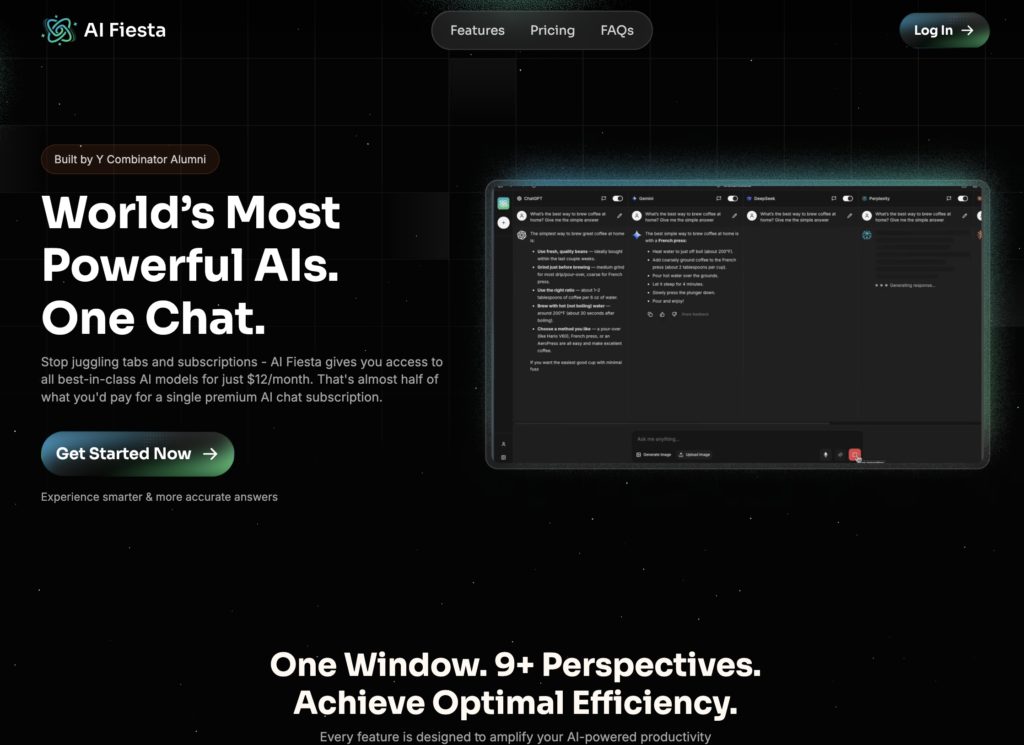
    AI Fiesta (also known as aifiesta ai) is an AI aggregator platform founded by popular YouTuber Dhruv Rathee in August 2025, in collaboration with TagMango founders Mohammad Hasan and Divyanshu Damani. The aifiesta startup positions itself as “India’s first AI super-app,” bringing together six premium AI models—ChatGPT-5 Plus, Gemini 2.5 Pro, Claude 4 Sonnet, Grok 4, Perplexity Sonar Pro, and DeepSeek—under a single subscription designed specifically for the Indian market.

    The core concept is straightforward: Instead of paying separately for multiple AI subscriptions (ChatGPT Plus at ₹1,999/month, Claude Pro at ₹1,999/month, etc.), the aifiesta platform offers access to all these models for ₹999/month, claiming potential savings of over ₹70,000 annually. The aifiesta app provides a unified chat interface where you can interact with different AI models without switching tabs, compare responses side-by-side, and access features like prompt enhancement, image generation, and audio transcription.

    The aifiesta dhruv rathee launch was remarkably successful, with the startup crossing $3 million in annual recurring revenue (ARR) within just 36 hours of launch—a testament to Dhruv Rathee’s massive YouTube following and trust among Indian audiences. Available through the aifiesta website and aifiesta login portal, the platform specifically targets Indian users with localized payment options including UPI, regional pricing in rupees, and promises of upcoming support for Hindi, Bengali, Tamil, Telugu, and Kannada.

    Who is AI Fiesta designed for?

    The aifiesta ai platform by dhruv rathee primarily targets Indian users who are:

    • Looking for affordable access to premium AI models without international pricing
    • Comfortable with token-based usage limits and tiered consumption models
    • Wanting to compare outputs from different AI models in one interface
    • Preferring Indian payment methods like UPI over international credit cards
    • Willing to manage token budgets and track usage across different model tiers
    • Seeking an India-centric AI solution with localized support roadmap

    The aifiesta founder, Dhruv Rathee, explicitly stated: “The idea came from my everyday problems”—specifically the challenge of paying separately for multiple AI subscriptions and the difficulty of accessing these tools with Indian payment methods. For users who primarily need basic AI interactions and can work within monthly token limits, AI Fiesta offers a convenient consolidation.

    However, this approach comes with significant tradeoffs: token restrictions that professionals quickly exhaust. While SimpleChat provides truly unlimited access to 10+ premium AI models that you can use as extensively as you need for conversations, content creation, coding assistance, research, and analysis, the aifiesta app limits you to 3 million tokens monthly with premium models consuming tokens 4 times faster than basic models. This means GPT-5 and Claude 4 deplete your monthly allowance at 4x the rate, forcing you to ration usage or upgrade.

    The question becomes: Do you want to count tokens and manage consumption tiers, or do you want unlimited access to AI models?

    AI Fiesta Key Features

    AI Fiesta packs several features designed to make accessing multiple AI models convenient for Indian users. Let’s break down what you actually get with the aifiesta platform and what it means for practical usage.

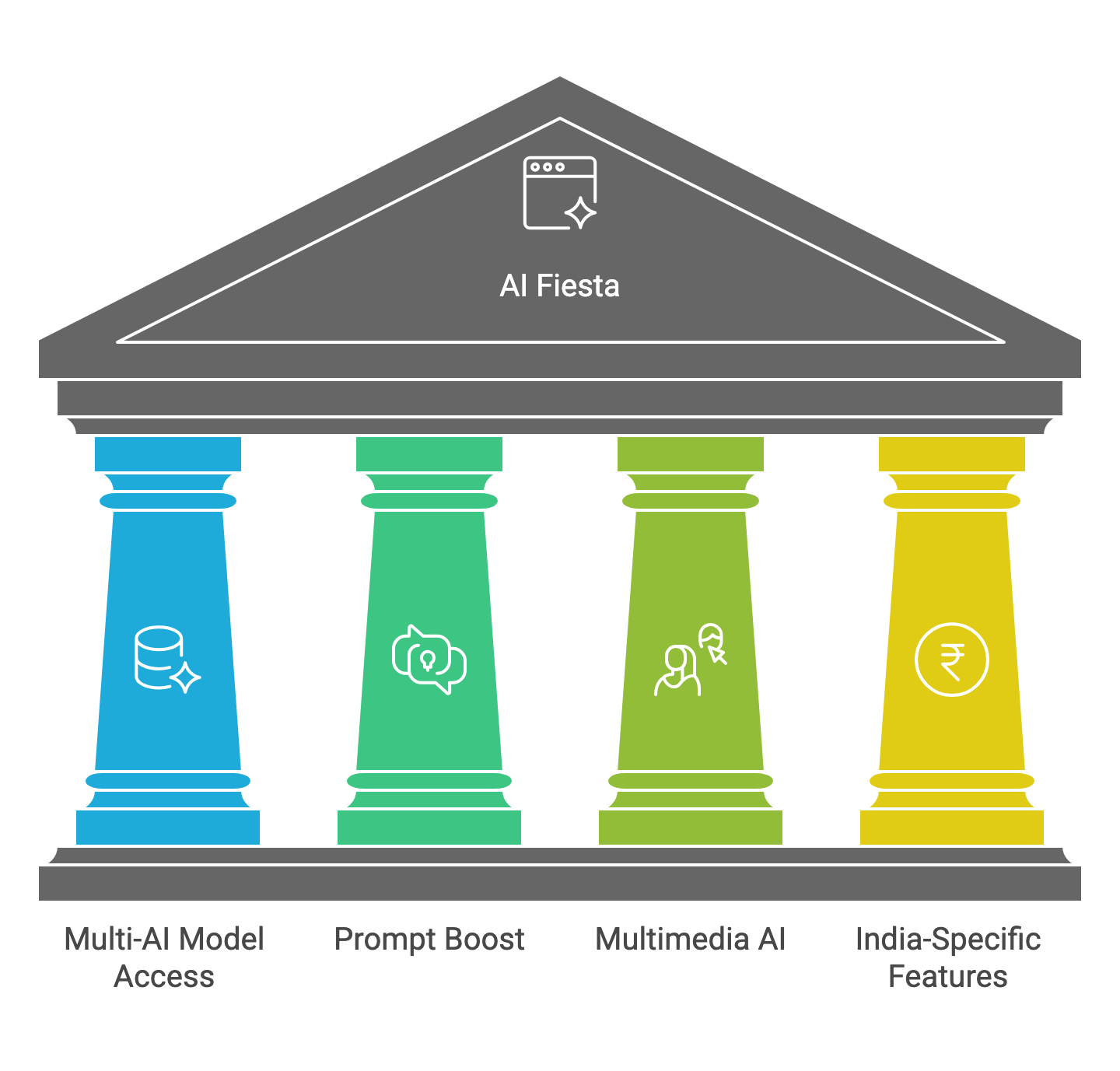
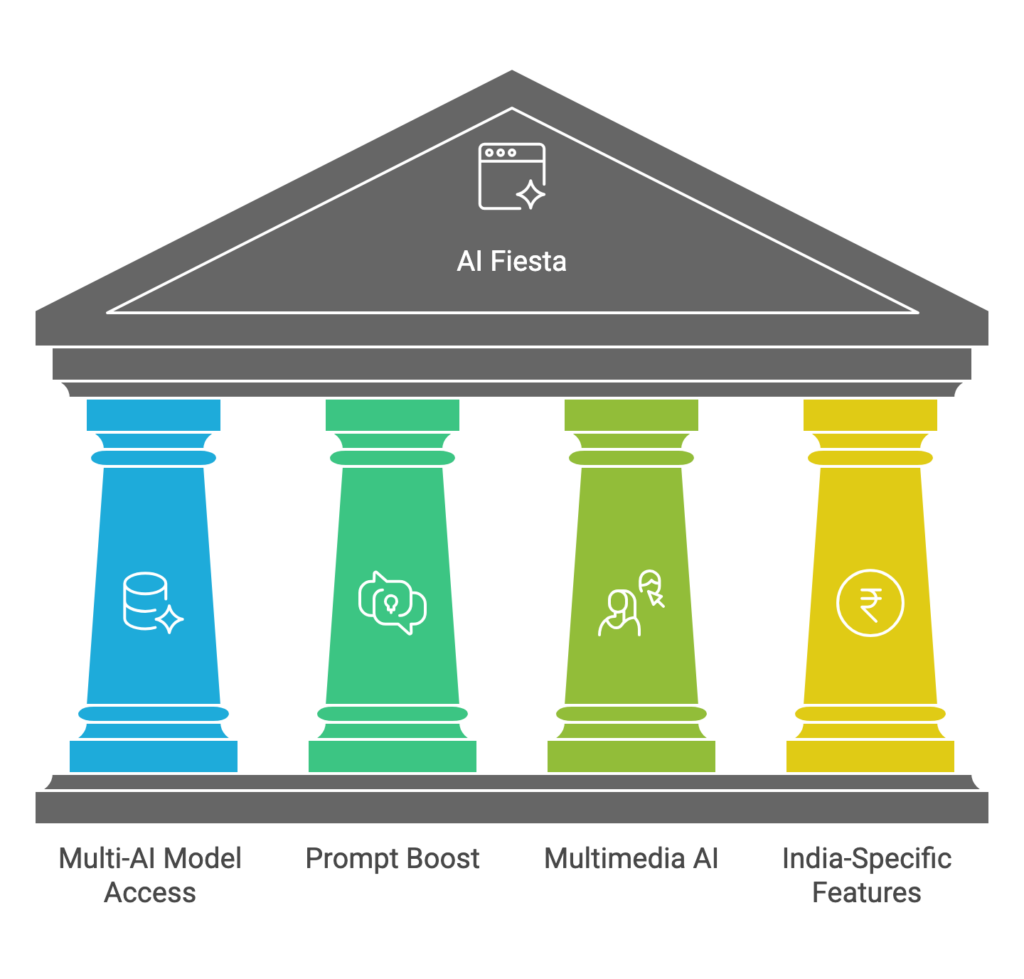
    Multi-AI Model Access in One Interface

    The aifiesta ai platform’s flagship feature is consolidating six premium AI models into a single chat window:

    • ChatGPT-5 Plus (OpenAI’s latest flagship model)
    • Gemini 2.5 Pro (Google’s advanced reasoning model)
    • Claude 4 Sonnet (Anthropic’s balanced model for complex tasks)
    • Grok 4 (xAI’s model with real-time information access)
    • Perplexity Sonar Pro (Research-focused AI with citation capabilities)
    • DeepSeek (Open-source model for technical tasks)

    The value proposition? Instead of maintaining separate subscriptions and switching between tabs, you access everything through the aifiesta login portal and can compare how different models respond to the same prompt side-by-side.

    The catch? You’re limited to 3 million tokens monthly, and premium models like GPT-5 and Claude 4 consume tokens at 4x the rate of smaller models. This tiered consumption system means your “unlimited” access isn’t truly unlimited—heavy usage of advanced models can exhaust your monthly allocation in days, not weeks. Additionally, AI Fiesta doesn’t include web search functionality, limiting research capabilities compared to native implementations.

    Prompt Boost and Enhancement Tools

    The aifiesta app includes a “Prompt Boost” feature that automatically enhances your prompts before sending them to AI models, theoretically improving output quality without requiring prompt engineering expertise.

    The benefit? Casual users who aren’t familiar with effective prompting techniques get better results automatically.

    The limitation? This automated enhancement consumes additional tokens from your monthly allowance, and you have less control over exactly how your prompts are modified. For professionals who’ve invested time learning proper prompting, this feature may feel restrictive rather than helpful.

    Image Generation and Audio Transcription

    Beyond text-based AI chat, the aifiesta platform includes:

    • Image generation capabilities for creating visual content
    • Audio transcription for converting speech to text
    • Custom projects with tailored instructions for specific workflows

    The appeal? These additional features make AI Fiesta feel more comprehensive than a simple chat aggregator, providing multimedia AI capabilities in one subscription.

    The drawbacks? Each feature consumes tokens from your shared monthly pool, meaning extensive image generation or audio transcription reduces how much you can use the chat models. There’s also ambiguity around how quickly different features deplete your allowance, making it difficult to budget usage effectively.

    India-Specific Features and Payment

    As an aifiesta india platform, the service provides localized features specifically for Indian users:

    • UPI payment integration (avoiding international credit card requirements)
    • Pricing in rupees (₹999/month or ₹833/month on annual billing)
    • Planned regional language support (Hindi, Bengali, Tamil, Telugu, Kannada)
    • Community access and 3000+ prompt book worth ₹5,000 included
    • Quarterly webinars with Dhruv Rathee for annual subscribers

    The advantage? For Indian users frustrated by international payment barriers and dollar-denominated pricing, AI Fiesta removes friction and provides culturally relevant support.

    The tradeoff? Regional focus means fewer models available compared to global platforms (6 models vs. 10+ on SimpleChat), platform development priorities may favor Indian market needs over cutting-edge features, and international users get no particular benefit from the localization.

    Compare this to SimpleChat, where you get unlimited access to GPT-5, GPT-5 Mini, Claude 4.1 Opus, Gemini 2.5 Pro, Gemini 2.5 Flash, Grok 4, Grok 3, Sonar, and Sonar Pro with no token counting, no consumption tiers, no feature limitations, and consistent pricing globally. No managing monthly budgets. No worrying whether your next conversation will exhaust your allowance. Just unlimited, unrestricted access to more AI models for whatever tasks you need to accomplish.

    AI Fiesta Pricing and Plans

    The aifiesta platform pricing structure is designed to be affordable for Indian users while competing against international AI subscription costs. Understanding the true value requires looking beyond the headline monthly price to the actual usage limitations and consumption mechanics.

    Subscription Tiers

    Free Plan

    The aifiesta app offers a limited free tier, though aifiesta reviews consistently note it’s too restrictive to properly evaluate the platform’s capabilities. The free plan provides minimal token allocation, making it suitable only for light testing rather than genuine daily usage.

    Monthly Subscription: ₹999/month

    • Access to all 6 premium AI models (ChatGPT-5, Gemini 2.5 Pro, Claude 4 Sonnet, Grok 4, Perplexity Sonar Pro, DeepSeek)
    • 3 million tokens monthly allocation
    • Prompt Boost feature for automatic prompt enhancement
    • Image generation capabilities
    • Audio transcription
    • Custom projects with tailored instructions
    • 3000+ prompt book (valued at ₹5,000)
    • Community access

    Annual Subscription: ₹9,999/year (₹833/month)

    • All monthly plan features
    • Saves ₹1,988 annually compared to monthly billing
    • Quarterly webinars with Dhruv Rathee and team
    • Direct feedback and feature request opportunities

    The Hidden Cost: Token Consumption Tiers

    Here’s what the aifiesta meaning of “3 million tokens” actually translates to in practice:

    Tiered Consumption System:

    • Basic models (DeepSeek, smaller variants): Standard token consumption
    • Premium models (GPT-5, Claude 4, Gemini 2.5 Pro): 4x token consumption rate

    This means using GPT-5 for a conversation that would consume 100,000 tokens on a standard model actually depletes 400,000 tokens from your monthly allowance. If you primarily use the most advanced models (which is why most people subscribe), your effective usage is 750,000 premium tokens monthly, not 3 million.

    Consumption ambiguity: Multiple aifiesta reviews mention unclear credit usage, with users struggling to predict how quickly different features and models will exhaust their monthly allocation. This makes budgeting usage difficult and can lead to unexpected depletion mid-month.

    True Cost Comparison

    The aifiesta ai platform markets itself on saving ₹70,000+ annually compared to subscribing to each AI service separately:

    Individual AI Subscriptions (Indian Pricing):

    • ChatGPT Plus: ₹1,999/month
    • Claude Pro: ₹1,999/month
    • Gemini Advanced: ₹1,950/month
    • Perplexity Pro: ~₹1,650/month
    • Total: ~₹7,600/month or ₹91,200/year

    AI Fiesta Annual Subscription:

    • ₹9,999/year (₹833/month)
    • Savings: ~₹81,000 annually

    The catch? These individual subscriptions typically offer truly unlimited usage within fair use policies, while AI Fiesta’s 3 million tokens with 4x premium consumption creates effective limits that heavy users hit regularly. You’re trading unlimited access for consolidation and cost savings.

    SimpleChat provides a superior middle ground:

    • $11/month (~₹925/month) or ~₹11,100/year
    • 10+ premium models (more than AI Fiesta’s 6)
    • Truly unlimited usage—no token counting, no consumption tiers
    • Transparent pricing—no hidden depletion mechanics
    • Savings: ~₹80,000+ annually compared to individual subscriptions
    • Better value: More models, unlimited usage, similar savings

    AI Fiesta Pros and Cons

    Let’s break down the real-world advantages and limitations of the aifiesta platform based on actual user experiences, aifiesta reviews, and practical usage scenarios.

    Pros of AI Fiesta

    ✓ Affordable Multi-AI Access

    At ₹999/month (or ₹833/month annually), the aifiesta app delivers access to six premium AI models at a fraction of what individual subscriptions cost. For budget-conscious users in India, this pricing represents genuine savings compared to international alternatives.

    ✓ India-Specific Payment and Localization

    UPI integration removes the barrier of needing international credit cards, making premium AI accessible to users who previously couldn’t subscribe to global services. Regional language support (planned) will further democratize AI access across India.

    ✓ Side-by-Side Model Comparison

    The ability to see how ChatGPT, Claude, Gemini, and other models respond to the same prompt in one interface provides valuable perspective on each model’s strengths, helping users choose the best output for their specific needs.

    ✓ Included Extras and Community

    The 3000+ prompt book, community access, and quarterly webinars (for annual subscribers) add educational value beyond just AI access, particularly beneficial for users new to AI tools.

    ✓ Strong Founder Trust

    Dhruv Rathee’s reputation and massive following provide confidence that the aifiesta startup is legitimate and backed by someone with public accountability, unlike anonymous AI startups.

    Cons of AI Fiesta

    ✗ Restrictive Token Limits with Confusing Tiers

    The 3 million token monthly cap sounds generous until you realize premium models consume tokens at 4x the rate. Heavy users report exhausting their allocation mid-month, particularly when using GPT-5 or Claude 4 extensively. The tiered consumption system creates budgeting complexity that undermines the “simplicity” value proposition.

    ✗ Unclear Token Consumption Transparency

    Multiple aifiesta reviews cite frustration with unclear credit usage—users struggle to understand how quickly different features (chat, image generation, audio transcription) deplete their monthly tokens. This opacity makes it difficult to manage usage effectively.

    ✗ Limited Free Plan

    The free tier is too restrictive to genuinely evaluate whether AI Fiesta meets your needs, forcing users to commit to paid subscription to properly test the platform. This creates barrier to entry despite the “try before you buy” promise.

    ✗ No Web Search Functionality

    Unlike native Perplexity or ChatGPT implementations that include real-time web search, AI Fiesta’s version lacks this capability, limiting research and current information queries.

    ✗ Platform Stability and Performance Issues

    User reports mention occasional platform performance problems, particularly during peak usage times. For a service that crossed $3M ARR in 36 hours, scaling challenges were perhaps inevitable but remain frustrating.

    ✗ Inadequate Customer Support

    Aifiesta reviews consistently note lack of responsive customer support when issues arise with billing, token depletion questions, or platform bugs. For a subscription service, this represents a significant service gap.

    ✗ Default Model Selection Issues

    Users report frustration with how the platform selects default models for queries, sometimes routing to less capable models without clear indication, leading to inconsistent output quality.

    ✗ Fewer Models Than Global Alternatives

    With 6 models, AI Fiesta offers less variety than platforms like SimpleChat which provides 10+ models including multiple GPT variants, Claude versions, Gemini options, and Grok models.

    ✗ No Offline or API Access

    The aifiesta platform is web-only with no mobile apps (iOS planned), desktop applications, or API access for integration into custom workflows or automation.

    The Bottom Line

    AI Fiesta delivers on its core promise: affordable access to multiple premium AI models with India-specific payment options. For casual users who need occasional AI assistance within monthly token budgets, the ₹999/month pricing represents genuine value.

    However, the platform introduces complexities (tiered token consumption, unclear depletion rates, limited support) that undermine the simplicity it promises. The token limit restriction is the critical differentiator—what seems like unlimited access is actually carefully metered usage that heavy users quickly exhaust.

    SimpleChat offers a superior alternative: truly unlimited access to 10+ premium models for $11/month (~₹925/month), eliminating token counting, consumption tiers, and usage anxiety entirely. You pay slightly less and get significantly more—more models, unlimited usage, better transparency, and responsive support.

    AI Fiesta vs SimpleChat: Which Should You Choose?

    When comparing the aifiesta ai platform with SimpleChat, the decision ultimately comes down to whether you value localized features or unlimited usage with more models. Let’s break down how these platforms compare across key dimensions.

    Model Access and Variety

    AI Fiesta:

    • 6 premium models (ChatGPT-5 Plus, Gemini 2.5 Pro, Claude 4 Sonnet, Grok 4, Perplexity Sonar Pro, DeepSeek)
    • Access through unified chat interface with side-by-side comparison
    • Limited to models currently supported (no GPT-5 Mini, Claude Opus 4.1, Grok 3, etc.)

    SimpleChat:

    • 10+ premium models including GPT-5, GPT-5 Mini, Claude 4.1 Opus, Gemini 2.5 Pro, Gemini 2.5 Flash, Grok 4, Grok 3, Sonar, and Sonar Pro
    • Access to both flagship and efficient variants (e.g., both Gemini Pro and Flash)
    • Regularly updated with latest model releases

    Winner: SimpleChat – More models provide more flexibility, including access to both powerful flagship models and faster, more efficient variants for different use cases.

    Usage Limits and Restrictions

    AI Fiesta:

    • 3 million tokens monthly cap
    • Tiered consumption: premium models (GPT-5, Claude 4) consume 4x tokens
    • Effective limit for premium model users: ~750,000 premium tokens
    • Users report mid-month depletion with heavy usage
    • Unclear token consumption transparency across features

    SimpleChat:

    • Truly unlimited usage—no token counting whatsoever
    • No consumption tiers or model-based rate differences
    • Use GPT-5, Claude 4.1, or any model as extensively as needed
    • Transparent fair use policy without arbitrary caps

    Winner: SimpleChat – Unlimited usage eliminates budget anxiety and usage tracking, letting you focus on work instead of token management.

    Pricing and Value

    AI Fiesta:

    • ₹999/month or ₹9,999/year (₹833/month)
    • Includes 3000+ prompt book and community access
    • Annual subscribers get quarterly webinars with founder
    • Savings vs. individual subscriptions: ~₹81,000/year

    SimpleChat:

    • $11/month (~₹925/month) or ~$132/year (~₹11,100/year)
    • No consumption limits—true unlimited usage
    • Includes more models (10+ vs. 6)
    • Savings vs. individual subscriptions: ~₹80,000+/year

    Winner: SimpleChat – Nearly identical annual savings but with unlimited usage and more models, providing superior value per dollar spent.

    Features and Capabilities

    AI Fiesta:

    • Prompt Boost for automatic prompt enhancement
    • Image generation (token-consuming)
    • Audio transcription (token-consuming)
    • Custom projects with tailored instructions
    • Side-by-side model comparison interface

    SimpleChat:

    • Clean, focused chat interface optimized for productivity
    • Conversation history and organization
    • No gimmick features that consume your allowance
    • Fast, reliable performance
    • Responsive customer support

    Winner: Tie – AI Fiesta offers more auxiliary features, but they consume shared token pool. SimpleChat focuses on core AI chat excellence with unlimited usage.

    Geographic Focus and Payment

    AI Fiesta:

    • India-specific platform with UPI payment integration
    • Pricing in rupees (₹999/month)
    • Planned regional language support (Hindi, Bengali, Tamil, Telugu, Kannada)
    • Community and content tailored for Indian market

    SimpleChat:

    • Global platform with international payment options
    • Pricing in US dollars ($11/month, ~₹925/month)
    • English-primary interface
    • No specific regional localization

    Winner: AI Fiesta – If UPI payment and regional language support are critical requirements, AI Fiesta’s India focus is advantageous.

    Platform Stability and Support

    AI Fiesta:

    • Occasional performance issues reported during peak times
    • Limited customer support responsiveness per user reviews
    • Platform still maturing (launched August 2025)
    • Scaling challenges with rapid user growth

    SimpleChat:

    • Stable, reliable performance
    • Responsive customer support
    • Established platform with proven track record
    • 12,500+ satisfied users

    Winner: SimpleChat – Platform maturity and support responsiveness matter when you depend on AI for professional work.

    Transparency and Trust

    AI Fiesta:

    • Founded by trusted public figure (Dhruv Rathee)
    • Strong brand recognition in Indian market
    • Token consumption mechanics sometimes unclear
    • Usage depletion transparency issues reported

    SimpleChat:

    • Clear, transparent pricing with no hidden limits
    • Straightforward unlimited usage policy
    • No consumption tiers or complex token math
    • Honest marketing without overselling

    Winner: SimpleChat – While Dhruv Rathee brings personal brand trust, SimpleChat’s product transparency and clear unlimited policy provide operational trust.

    The Verdict

    Choose AI Fiesta if:

    • You absolutely require UPI payment (no international payment options available)
    • You need regional language support (once implemented) for non-English usage
    • You’re a casual user who won’t exceed 3M tokens monthly (or 750K premium tokens)
    • You want Dhruv Rathee’s community, webinars, and prompt book extras
    • You value side-by-side model comparison as core feature

    Choose SimpleChat if:

    • You need truly unlimited AI access without token counting or usage anxiety
    • You want access to more models (10+ vs. 6) including latest releases
    • You’re a professional or heavy user who would quickly exceed token limits
    • You value platform stability, reliability, and responsive support
    • You prefer transparent pricing without hidden consumption tiers
    • You want to maximize value: more models + unlimited usage for similar cost

    For most professionals and heavy AI users, SimpleChat delivers superior value: more models, unlimited usage, better stability, and comparable pricing without the complexity of token management. The ~₹925/month cost is actually lower than AI Fiesta’s ₹999/month while providing significantly more freedom.

    AI Fiesta serves a specific niche—Indian users who need UPI payment and can work within token limits—but for anyone who values unlimited access and maximum model variety, SimpleChat is the better choice.

    Best AI Fiesta Alternatives

    If you’re exploring the aifiesta platform but want to consider other options, several alternatives offer different value propositions for accessing multiple AI models. Here’s an honest comparison of the best aifiesta alternatives available in 2025.

    1. SimpleChat – Best for Unlimited Multi-AI Access

    SimpleChat leads the alternatives with the most compelling value proposition: truly unlimited access to 10+ premium AI models for just $11/month (~₹925/month).

    What you get:

    • GPT-5, GPT-5 Mini (OpenAI’s latest flagship and efficient models)
    • Claude 4.1 Opus (Anthropic’s most advanced model)
    • Gemini 2.5 Pro and Gemini 2.5 Flash (Google’s newest reasoning and speed models)
    • Grok 4 and Grok 3 (xAI’s models with real-time information)
    • Sonar and Sonar Pro (Perplexity’s research-focused models)
    • Clean, fast interface optimized for productivity
    • No token limits, no consumption tiers, no usage caps
    • Responsive customer support
    • Proven platform with 12,500+ users

    Why SimpleChat beats AI Fiesta:

    • More models (10+ vs. 6)
    • Truly unlimited usage vs. 3M token monthly cap with 4x premium consumption
    • Lower monthly cost (~₹925 vs. ₹999)
    • No token budget management or mid-month depletion anxiety
    • Better platform stability and support responsiveness
    • Transparent pricing without hidden consumption mechanics

    Best for: Professionals, heavy AI users, anyone who wants maximum model variety with unlimited usage and no usage tracking complexity.

    Pricing: $11/month (~₹925/month) | Try SimpleChat →

    2. Poe by Quora – Best for Experimental Models and Bot Creation

    Poe provides access to various AI models with a unique focus on AI bot creation and experimentation.

    What you get:

    • Access to GPT-4, Claude, Gemini, and other models
    • Ability to create custom AI bots with specific instructions
    • Explore community-created bots for specialized tasks
    • Point-based system for model access

    Limitations compared to AI Fiesta:

    • Point system creates usage tracking complexity similar to tokens
    • Premium models consume points faster (similar to AI Fiesta’s 4x consumption)
    • Interface can feel cluttered with community bots
    • Pricing can become expensive for heavy usage

    Best for: Users who want to experiment with creating custom AI bots and exploring community-built specialized assistants.

    Pricing: Free tier available, ~$19.99/month for subscription

    3. You.com – Best for AI-Powered Search with Model Access

    You.com combines traditional search with AI chat capabilities, offering a research-focused alternative.

    What you get:

    • AI chat powered by multiple models
    • Search integration with AI-generated summaries
    • Citation capabilities for research
    • Image generation and code assistance

    Limitations compared to AI Fiesta:

    • Fewer dedicated AI models compared to aggregators
    • Primary focus on search rather than pure AI chat
    • Model selection more limited than multi-AI platforms

    Best for: Users who primarily need AI-enhanced search and research capabilities with occasional direct AI chat.

    Pricing: Free tier available, ~$15/month for premium

    4. Individual AI Subscriptions – Best for Single-Model Specialists

    If you primarily use one specific AI model extensively, subscribing directly might make sense.

    Individual options:

    • ChatGPT Plus: ₹1,999/month for GPT-5 access
    • Claude Pro: ₹1,999/month for Claude 4 Opus unlimited usage
    • Gemini Advanced: ₹1,950/month for Gemini 2.5 Pro
    • Perplexity Pro: ~₹1,650/month for research-focused AI

    Why this doesn’t make sense for most users:

    • Extremely expensive (₹2,000/month for just one model)
    • Limited to one AI’s strengths and weaknesses
    • No ability to compare outputs or switch models for different tasks
    • Total cost of 2+ subscriptions exceeds yearly income for many users

    Best for: Organizations with specific AI requirements, users who exclusively need one particular model’s unique capabilities, or those with unlimited budgets.

    5. Open-Source and Self-Hosted Options – Best for Technical Users with Privacy Needs

    For developers comfortable with technical setup, self-hosted solutions provide ultimate control.

    Options include:

    • Running models locally (Llama, Mistral, etc.) via Ollama or LM Studio
    • Self-hosted interfaces like LibreChat or Chatbot UI
    • API access to multiple providers orchestrated through custom code

    Limitations:

    • Requires technical expertise for setup and maintenance
    • Local models generally less capable than frontier models (GPT-5, Claude 4)
    • API access still requires paying per token to each provider
    • Time investment for configuration and troubleshooting

    Best for: Developers with privacy requirements, technical enthusiasts, users with strict data control needs.

    Alternative Comparison Summary

    Comparison Table

    PlatformMonthly CostModels AvailableUsage LimitsBest For
    SimpleChat$11 (~₹925)10+ premium modelsTruly unlimitedHeavy users, professionals, maximum value
    AI Fiesta₹9996 models3M tokens (750K premium)Indian users needing UPI, casual usage
    Poe$19.99Multiple models + community botsPoint-based systemBot creation, experimentation
    You.com$15Limited AI modelsUsage caps on premiumAI-enhanced search and research
    Individual Subscriptions₹1,650-₹1,999Single modelUnlimited (fair use)Single-model specialists
    Self-HostedVaries (compute costs)Open-source modelsHardware-dependentTechnical users, privacy needs

    AI Fiesta vs SimpleChat Feature Comparison

    FeatureAI Fiesta (Dhruv Rathee)SimpleChat
    Primary PurposeAI model aggregator for Indian marketGlobal multi-AI access platform
    AI Models Included6 models (ChatGPT-5, Gemini 2.5 Pro, Claude 4 Sonnet, Grok 4, Perplexity Sonar Pro, DeepSeek)10+ models (GPT-5, GPT-5 Mini, Claude 4.1 Opus, Gemini 2.5 Pro, Gemini 2.5 Flash, Grok 4, Grok 3, Sonar, Sonar Pro)
    Monthly Usage Limit3 million tokens (premium models consume 4x faster = ~750K effective premium tokens)Truly unlimited—no token counting
    Monthly Cost₹999/month or ₹833/month annual$11/month (~₹925/month)
    Annual Cost₹9,999/year~₹11,100/year (~$132)
    Setup RequiredSimple—sign up with UPI and startSimple—sign up and start
    Learning CurveMinimal—but need to understand token budgetingNone—unlimited usage without tracking
    Payment MethodsUPI, credit cards (India-focused)International payment methods
    Token ManagementRequired—must track 3M monthly allocation with 4x premium consumptionNone—no limits to manage
    Best ForIndian users needing UPI payment, casual AI users within token limitsHeavy users, professionals, anyone wanting unlimited AI access
    Platform StabilityOccasional performance issues (new platform launched Aug 2025)Stable, proven platform with 12,500+ users
    Customer SupportLimited responsiveness per user reviewsResponsive support team
    Key AdvantageUPI payment, India-focused, Dhruv Rathee brand trustMore models + truly unlimited usage + transparent pricing
    Key LimitationToken limits with 4x premium consumption, unclear token depletion, limited supportNo India-specific payment or regional language support

    Head-to-Head Comparison

    AspectAI FiestaSimpleChatWinner
    Number of Models6 premium models10+ premium modelsSimpleChat
    Usage Limits3M tokens/month (750K effective for premium models)Truly unlimitedSimpleChat
    Monthly Price₹999$11 (~₹925)SimpleChat
    Annual Savings vs Individual Subscriptions~₹81,000/year~₹80,000+/yearTie
    Token Management RequiredYes—must track tiered consumptionNo—unlimited usageSimpleChat
    Payment OptionsUPI + international (India-focused)International payment methodsAI Fiesta (for Indian users)
    Platform StabilityOccasional issues (new platform)Stable and matureSimpleChat
    Customer SupportLimited responsivenessResponsive supportSimpleChat
    Regional Language SupportPlanned (Hindi, Bengali, Tamil, Telugu, Kannada)English primaryAI Fiesta (when implemented)
    TransparencyUnclear token depletion ratesClear unlimited policySimpleChat
    Best ValueGood for casual users within limitsBest for heavy users and professionalsSimpleChat

    The clear winner for most users: SimpleChat delivers the best combination of model variety, unlimited usage, pricing, and simplicity. At ~₹925/month, it costs less than AI Fiesta while providing 10+ models, no token limits, and superior platform stability.

    Unless you specifically require UPI payment or regional language support that only AI Fiesta provides, SimpleChat offers objectively better value: more models, unlimited usage, lower cost, and no consumption complexity.

    Common Questions About AI Fiesta

    What is aifiesta?

    AI Fiesta (aifiesta) is an AI aggregator platform founded by YouTuber Dhruv Rathee in August 2025 that provides access to six premium AI models—ChatGPT-5 Plus, Gemini 2.5 Pro, Claude 4 Sonnet, Grok 4, Perplexity Sonar Pro, and DeepSeek—under a single subscription for ₹999/month. The aifiesta meaning refers to a “celebration of AI” through democratized access to multiple AI tools in one platform designed specifically for Indian users.

    What is the aifiesta app?

    The aifiesta app is the web-based platform interface where users access AI Fiesta’s services through aifiesta login. Currently available only as a web application, the platform allows users to chat with multiple AI models in a unified interface, compare responses side-by-side, and access features like prompt enhancement, image generation, and audio transcription. An iOS mobile app is planned for future release.

    Who is the aifiesta founder?

    The aifiesta founders are Dhruv Rathee (popular YouTuber and educator), Mohammad Hasan (co-founder of TagMango), and Divyanshu Damani (co-founder of TagMango). Dhruv Rathee is the primary public face of the aifiesta startup, having launched it to solve his “everyday problems” of managing multiple AI subscriptions and accessing them with Indian payment methods.

    How does aifiesta dhruv rathee startup work?

    The aifiesta platform by dhruv rathee works by aggregating multiple AI model APIs (ChatGPT, Claude, Gemini, etc.) behind a unified subscription and interface. Users pay ₹999/month, receive 3 million monthly tokens, and can use any of the six supported AI models through a single chat interface. The platform handles API integration, token management, and provides additional features like prompt enhancement and multi-model comparison.

    What are the aifiesta token limits?

    AI Fiesta provides 3 million tokens monthly on paid subscriptions, but uses a tiered consumption system where premium models (GPT-5, Claude 4, Gemini 2.5 Pro) consume tokens at 4x the rate of basic models. This means heavy users of advanced models effectively get ~750,000 premium tokens monthly, which can deplete mid-month with extensive usage. Token consumption across different features (chat, image generation, audio transcription) varies, and users report transparency issues understanding exact depletion rates.

    How do I access aifiesta login?

    Visit the aifiesta website at aifiesta.ai and click the login or sign-up option. You can create an account using email or phone number, with payment options including UPI (specifically designed for Indian users), credit cards, and other methods. After subscribing, you access the platform through the web interface to start using the AI models.

    What are aifiesta reviews saying?

    Aifiesta reviews are mixed. Positive feedback highlights affordable pricing (₹999/month for six AI models), UPI payment convenience for Indian users, and the value of side-by-side model comparison. Negative aifiesta reviews consistently cite restrictive token limits with unclear consumption rates, limited free plan for testing, lack of responsive customer support, occasional platform performance issues, and the 4x consumption penalty for premium models that makes the 3M token allowance less generous than advertised.

    Where is the aifiesta event or launch information?

    The aifiesta event refers to the platform’s August 2025 launch, which was announced through Dhruv Rathee’s YouTube channel and social media. The dhruv rathee aifiesta startup achieved remarkable early success, crossing $3 million in annual recurring revenue (ARR) within just 36 hours of launch. Information about the aifiesta platform, including updates, webinars, and community events, is primarily communicated through the aifiesta website, Dhruv Rathee’s social channels, and the platform’s user community.

    Is aifiesta available outside India?

    Yes, while the aifiesta india platform is designed primarily for the Indian market with UPI payment, regional pricing in rupees, and planned regional language support, users from other countries can access the aifiesta website and subscribe using international payment methods. However, the pricing remains in rupees (₹999/month), and the localized features provide less value to non-Indian users compared to global alternatives.

    What’s the difference between aifiesta and SimpleChat?

    The key differences: AI Fiesta offers 6 models with 3M monthly token cap (750K effective for premium models) for ₹999/month, targets Indian users with UPI payment, and includes extras like prompt books and webinars. SimpleChat provides 10+ models with truly unlimited usage for $11/month (~₹925/month), serves a global audience, and focuses on core unlimited AI access without token management complexity. SimpleChat offers more models, unlimited usage, and better value for heavy users.

    Can I use aifiesta ai for professional work?

    The aifiesta platform can be used for professional work, but the 3 million monthly token limit (or ~750,000 effective tokens when using premium models primarily) may be restrictive for heavy professional usage. Users who rely extensively on AI for content creation, coding, research, or daily workflows often report exhausting their monthly allocation mid-month. For professional use requiring consistent, unlimited AI access, alternatives like SimpleChat with no token limits may be more suitable.

    What is the aifiesta owner/company structure?

    The aifiesta owner structure involves Dhruv Rathee as the founder and public face, with Mohammad Hasan and Divyanshu Damani (TagMango co-founders) as co-founders providing the technical and platform infrastructure expertise. The company operates as a subscription-based SaaS platform targeting the Indian AI user market, with Dhruv Rathee’s substantial YouTube following (millions of subscribers) providing initial user acquisition and brand trust.

    Conclusion: Is AI Fiesta Worth It?

    AI Fiesta represents an important development in democratizing AI access for Indian users, offering six premium AI models at an India-friendly price with localized payment options. The aifiesta ai platform by dhruv rathee succeeds in its core mission: making ChatGPT, Claude, Gemini, and other advanced models affordable and accessible to users who previously faced barriers with international pricing and payment methods.

    AI Fiesta is worth it if:

    • You’re based in India and strongly prefer UPI payment over international credit cards
    • You’re a casual AI user whose monthly usage comfortably stays within 3M tokens (or ~750K premium model tokens)
    • You value Dhruv Rathee’s brand, community access, prompt books, and quarterly webinars
    • You specifically need regional language support when it’s implemented (Hindi, Bengali, Tamil, Telugu, Kannada)
    • Side-by-side model comparison is a critical feature for your workflow
    • You’re willing to manage token budgets and track consumption across tiered models

    AI Fiesta is NOT worth it if:

    • You’re a heavy AI user who will quickly exceed the monthly token allocation
    • You need truly unlimited AI access without consumption tracking and mid-month depletion
    • You want access to more than 6 models (missing GPT-5 Mini, Claude 4.1 Opus, Grok 3, etc.)
    • You prioritize platform stability, mature features, and responsive customer support
    • You’re frustrated by unclear token consumption transparency across different features
    • You prefer simple, transparent pricing without tiered consumption mechanics

    For most professionals and heavy AI users, SimpleChat delivers objectively superior value:

    • More models: 10+ premium models vs. AI Fiesta’s 6
    • Truly unlimited usage: No tokens, no tiers, no mid-month depletion
    • Lower cost: $11/month (~₹925/month) vs. ₹999/month
    • Better stability: Proven platform with 12,500+ users and responsive support
    • Transparent pricing: No hidden consumption mechanics or unclear depletion rates
    • Maximum freedom: Use GPT-5, Claude 4.1, or any model as extensively as needed

    The annual savings are nearly identical (~₹80,000+ for both vs. individual subscriptions), but SimpleChat provides this savings with unlimited usage and more models, while AI Fiesta limits you to 3M tokens monthly with 4x premium consumption.

    Unless you specifically require UPI payment or regional language support that only AI Fiesta offers, SimpleChat provides better value per rupee spent: more models + unlimited usage + lower cost + superior platform maturity.

    Ready to Switch to Unlimited AI Access?

    Stop counting tokens. Stop managing consumption tiers. Stop worrying about mid-month depletion.

    Try SimpleChat free →

    Join 12,500+ professionals who’ve discovered the freedom of truly unlimited access to 10+ premium AI models—GPT-5, Claude 4.1 Opus, Gemini 2.5 Pro, Grok 4, and more—for just $11/month.

    No token limits. No consumption tiers. No restrictions. Just unlimited AI.


    Disclaimer: Pricing and features mentioned are accurate as of December 2025.

  • Okara AI (formerly AgentSea) Platform Pricing, Features, Reviews and Better Alternatives in 2026

    Okara AI (formerly AgentSea) Platform Pricing, Features, Reviews and Better Alternatives in 2026

    Introduction

    The AI agent development landscape is rapidly evolving, with over 73% of developers now incorporating AI agents into their workflows. If you’re researching what is okara ai or exploring agentsea ai as a solution, you’re part of a growing community seeking better ways to build, test, and deploy AI agents.

    You’ve likely discovered Okara AI (formerly AgentSea) while searching for AI agent development platforms or testing frameworks. The promise sounds compelling: a comprehensive environment for developing AI agents with specialized tools for testing and deployment. But here’s what most okara ai reviews miss—while the platform offers powerful agent development capabilities, it comes with a steep learning curve, complex infrastructure requirements, and costs that extend far beyond the initial pricing.

    Here’s the reality: AgentSea AI positions itself as a platform for building sophisticated AI agents, but that sophistication comes at a price. You need to manage API keys for multiple AI providers, configure complex testing environments, handle infrastructure for agent deployment, and invest significant time learning their specialized frameworks and tooling.

    SimpleChat takes a fundamentally different approach. Instead of requiring you to build and manage complex agent infrastructure, it provides instant access to 10+ premium AI models—GPT-5, GPT-5 Mini, Claude 4.1 Opus, Gemini 2.5 Pro, Gemini 2.5 Flash, Grok 4, Grok 3, Sonar, and Sonar Pro—all in one unified platform for just $11/month. No infrastructure management. No API key juggling. No complex setup. Just immediate access to the world’s most powerful AI models.

    In this comprehensive what is okara ai review, we’ll break down:

    • What is Okara AI and the AgentSea platform’s core capabilities
    • Okara AI features and limitations for agent development
    • The real cost of using AgentSea AI beyond subscription fees
    • Why SimpleChat delivers superior value with $1,188 saved annually
    • Honest analysis of when Okara AI makes sense vs. simpler alternatives
    • Best Okara AI alternatives for professionals who need AI access without complexity
    • How SimpleChat provides 90% cost savings compared to multiple AI subscriptions

    Whether you discovered agentsea ai through developer communities, found okara ai while researching AI agent frameworks, or are investigating agent testing platforms, you’ll discover why 12,500+ professionals have chosen SimpleChat for their daily AI workflows instead of managing complex agent infrastructure.

    Let’s examine what Okara AI actually delivers—and whether you really need it.

    What is Okara AI?

    Okara AI (formerly known as AgentSea) is an AI agent development and testing platform designed for building, evaluating, and deploying autonomous AI agents. Unlike traditional AI chat interfaces where you directly interact with models, agentsea ai provides infrastructure for creating agents that can perform complex multi-step tasks, interact with tools and APIs, and operate with varying degrees of autonomy.

    The core concept is specialized: Build AI agents that go beyond simple chat interactions to handle sophisticated workflows, testing, and automation tasks.

    Available primarily as a development platform with CLI tools and Python SDK, Okara AI targets AI researchers, advanced developers, and organizations building production AI agent systems. The platform offers environments for testing agents against benchmarks, frameworks for agent orchestration, and tools for evaluating agent performance at scale.

    Who is Okara AI designed for?

    AgentSea AI primarily targets specialized technical users who are comfortable with:

    • Advanced Python development and AI/ML engineering concepts
    • Managing complex development environments and dependencies
    • Configuring and maintaining API integrations with multiple AI providers
    • Understanding agent architectures, orchestration patterns, and evaluation methodologies
    • Investing significant time in learning platform-specific frameworks and abstractions

    The platform offers powerful capabilities for users building sophisticated agent systems that require structured testing, evaluation, and deployment pipelines. For AI research teams or companies developing production agent applications, these specialized tools can be genuinely valuable.

    However, this approach comes with a significant tradeoff: complexity that most professionals don’t need. While SimpleChat provides instant access to 10+ premium AI models that you can use immediately for conversations, content creation, coding assistance, research, and analysis, Okara AI requires you to write code, configure environments, manage infrastructure, debug agent behaviors, and invest weeks learning their frameworks before you get value.

    The question becomes: Do you need to build autonomous agents, or do you just need access to powerful AI models?

    Okara AI Key Features

    Okara AI packs a comprehensive set of features designed for users who want to develop and test AI agents at scale. Let’s break down what you actually get and what it means for practical usage.

    Agent Development Framework

    The agentsea ai platform provides SDKs and frameworks for building AI agents that can use tools, call APIs, and perform multi-step reasoning tasks. This is valuable for developers creating agents that need to autonomously navigate complex workflows or interact with multiple systems.

    The catch? You’re not getting AI access—you’re getting development tools for building systems that then consume AI APIs. You still need to pay separately for OpenAI API access, Anthropic API access, Google AI access, and any other models your agents use. Okara AI doesn’t include model access; it’s infrastructure for managing agents that call those models.

    This means the “cost” of using AgentSea AI is actually the platform cost plus all your AI API consumption, which can easily reach hundreds of dollars monthly for active development and testing.

    Testing and Evaluation Infrastructure

    Agent Benchmarking

    Okara AI features robust tools for evaluating agent performance against standardized benchmarks. For researchers measuring agent capabilities or companies validating production readiness, this systematic evaluation provides genuine value.

    Simulation Environments

    The platform includes environments for testing agents in controlled scenarios before deploying them to production. This helps identify failures, edge cases, and reliability issues without risking real-world consequences.

    Orchestration and Deployment

    For organizations scaling agent deployments, agentsea ai offers orchestration capabilities that include:

    • Multi-agent coordination and communication
    • State management across agent sessions
    • Tool integration frameworks
    • Logging and observability for agent actions
    • Version control for agent configurations

    Here’s the problem: All this infrastructure requires significant engineering investment to use effectively. You need dedicated developers who understand agent architectures, ongoing maintenance as dependencies update, debugging when agents behave unexpectedly, and infrastructure to run and monitor deployed agents.

    Compare this to SimpleChat, where you simply log in and start using GPT-5, Claude 4.1, Gemini 2.5, Grok 4, or Perplexity immediately. No frameworks to learn. No infrastructure to manage. No engineering team required. Just instant access to the world’s best AI models for whatever task you need to accomplish.

    Okara AI Pricing and Plans

    Okara AI’s pricing structure is more complex than traditional SaaS products because you’re paying for development infrastructure, not AI access itself. Understanding the true cost requires looking beyond any subscription fees to the total cost of ownership.

    Platform Access

    While specific okara ai pricing details vary based on usage tier and deployment needs, the platform operates on a model where you pay for:

    Development and Testing Access: Access to the SDK, testing environments, and evaluation tools.

    Infrastructure Costs: Compute resources for running agents, storage for agent state and logs, and bandwidth for agent communications.

    Critical reality check: These costs only cover the Okara AI platform infrastructure. You still need to pay separately for every AI model your agents call.

    The Real Total Cost of Ownership

    Here’s what agentsea ai actually costs when you factor in all required expenses:

    Okara AI Platform: $50-200+/month (depending on usage tier and infrastructure needs)

    Plus ongoing AI API costs:

    • OpenAI API usage (GPT-4, GPT-5): $50-300+/month depending on agent activity
    • Anthropic API usage (Claude): $30-200+/month for agents using Claude
    • Google AI API usage: $20-150+/month if using Gemini
    • Other model APIs: Variable costs based on agent requirements

    Plus engineering costs:

    • Developer time learning the platform: 40-80 hours initially
    • Ongoing maintenance and debugging: 10-20 hours/month
    • Infrastructure management: Varies by deployment complexity

    Realistic monthly total: $150-500+ for active agent development, plus significant engineering time investment.

    Annual cost: $1,800-6,000+ per year, not including the value of engineering time

    Now compare that to SimpleChat: $11/month with all 10+ premium models included—GPT-5, GPT-5 Mini, Claude 4.1 Opus, Gemini 2.5 Pro, Gemini 2.5 Flash, Grok 4, Grok 3, Sonar, and Sonar Pro. No API costs. No infrastructure. No complex setup. No variable billing based on usage.

    That’s a 90% cost reduction and $1,188 saved per year compared to managing separate AI subscriptions—and thousands more saved compared to the full cost of operating Okara AI with all its dependencies.

    The math is clear: AgentSea AI’s specialized platform becomes a $150-500+ monthly commitment once you account for platform fees, API costs, and engineering overhead.

    Okara AI Pros and Cons

    Let’s examine what agentsea ai does well and where it falls short, based on real use cases and practical implementation challenges.

    Pros

    Specialized Agent Development Tools

    For teams building production AI agent systems, Okara AI provides purpose-built infrastructure that addresses real challenges in agent development, testing, and deployment. The evaluation frameworks help measure agent performance systematically, which is valuable for research and quality assurance.

    Sophisticated Orchestration Capabilities

    The platform genuinely helps teams manage complex multi-agent systems. For organizations deploying agents that need to coordinate actions, share state, or work together on complex tasks, these orchestration features provide architectural patterns that would otherwise require custom development.

    Structured Testing Environments

    Having controlled environments for testing agent behavior before production deployment reduces risk. Teams can validate agent actions, test edge cases, and measure reliability before exposing agents to real users or systems.

    Cons

    Steep Learning Curve and Complexity

    The biggest barrier is the significant investment required to become productive. You need to understand agent architectures, learn Okara-specific frameworks and abstractions, configure development environments, and debug complex agent behaviors. One evaluation estimated spending 40-80 hours just getting comfortable with the platform before being able to build useful agents.

    Doesn’t Include AI Model Access

    The most common source of confusion: Okara AI doesn’t provide AI models. You’re paying for agent infrastructure while still needing separate API subscriptions to OpenAI, Anthropic, Google, and any other providers your agents call. This means your total costs are platform fees plus all API consumption, which quickly adds up.

    Realistic total costs of $150-500+ monthly surprise professionals who expected a simple subscription would include AI access.

    Overkill for Most Use Cases

    Most professionals exploring what is okara ai actually just need access to powerful AI models for conversations, content creation, coding help, research, or analysis. Building autonomous agents with complex orchestration is sophisticated infrastructure that the vast majority of users don’t require and won’t benefit from given the learning curve and maintenance burden.

    The Bottom Line

    Okara AI delivers powerful agent development infrastructure for specialized teams building production agent systems who need sophisticated testing, evaluation, and orchestration capabilities. But for most professionals, this complexity isn’t worth it when SimpleChat provides instant access to 10+ premium AI models without any infrastructure management, API configuration, or framework learning required.

    SimpleChat: The Best Okara AI Alternative for 10+ AI Models

    Here’s the problem with Okara AI: It’s agent development infrastructure, not AI access. You’re paying for frameworks, testing tools, and orchestration capabilities while still needing separate subscriptions to every AI model your agents call. For most professionals, that’s layers of complexity you don’t need.

    SimpleChat solves the actual problem—you get immediate access to the world’s most powerful AI models without managing infrastructure, configuring APIs, or learning specialized frameworks.

    Why SimpleChat is the Superior Choice for Most Users

    You Get 10+ Premium Models, Ready to Use

    Log in and you immediately have access to:

    • OpenAI: GPT-5, GPT-5 Mini
    • Anthropic: Claude 4.1 Opus
    • Google: Gemini 2.5 Pro, Gemini 2.5 Flash
    • xAI: Grok 4, Grok 3
    • Perplexity: Sonar, Sonar Pro

    No API keys to configure. No agent frameworks to learn. No infrastructure to manage. No debugging complex orchestration. Just instant access to the world’s best AI models.

    Switch Models in Seconds

    Click a dropdown, select a different model, and continue your conversation. Want to compare how GPT-5 and Claude 4.1 Opus approach the same problem? Switch and compare instantly. Need Gemini’s multimodal capabilities for one task and Grok’s real-time information for another? It’s all there, ready when you need it.

    This is fundamentally different from agentsea ai, where you’re building systems that consume these models rather than directly accessing them. With SimpleChat, you’re productive immediately instead of spending weeks on infrastructure.

    One Price, Everything Included

    $11/month gets you full access to all models. No API consumption charges. No variable costs based on usage. No infrastructure fees. No platform tiers. What you see is what you pay.

    What You Can Actually Do with SimpleChat

    For Developers: Get coding help from GPT-5, review architecture with Claude 4.1, debug with Gemini, and research technical approaches with Perplexity—all without managing API keys or building agent infrastructure.

    For Content Creators: Draft with GPT-5, refine with Claude 4.1, fact-check with Perplexity, and optimize with Gemini—all in one workspace without complex tooling.

    For Researchers: Access specialized models like Perplexity for research alongside general-purpose models like GPT-5 and Claude. Upload documents and analyze them with any model you choose, switching between models to compare insights.

    For Teams: Add a team member and they’re ready to work immediately. No agent framework training. No infrastructure onboarding. No API configuration. Everyone gets instant access to every model through one unified platform.

    Over 12,500 professionals already use SimpleChat daily because it eliminates the complexity that makes platforms like Okara AI exhausting to learn and maintain.

    The Cost Difference is Dramatic

    SimpleChat: $11/month, all-inclusive

    vs. Buying Access Separately:

    • ChatGPT Plus: $20/month
    • Claude Pro: $20/month
    • Gemini Advanced: $20/month
    • Perplexity Pro: $20/month
    • Grok: $30/month
    • Total: $110+/month

    You save $99/month—that’s $1,188 per year

    vs. Okara AI’s Real Cost:

    • Platform fees: $50-200+/month
    • OpenAI API consumption: $50-300+/month
    • Anthropic API consumption: $30-200+/month
    • Google AI API consumption: $20-150+/month
    • Engineering time: Significant ongoing investment
    • Realistic total: $150-500+/month plus engineering overhead Category Okara AI Individual Subscriptions SimpleChat Platform/Base $50-200+/month N/A $11/month OpenAI Access $50-300+/month API $20/month (ChatGPT Plus) Included Claude Access $30-200+/month API $20/month (Claude Pro) Included Gemini Access $20-150+/month API $20/month (Gemini Advanced) Included Perplexity Access Variable API costs $20/month (Perplexity Pro) Included Grok Access Variable API costs $30/month Included Engineering Time Significant (40-80 hours setup + ongoing) None None Monthly Total $150-500+ $110+ $11 Annual Total $1,800-6,000+ $1,320+ $132 Annual Savings vs SimpleChat -$1,668 to -$5,868 -$1,188 Baseline

    With SimpleChat, you get more models, zero complexity, zero infrastructure, and save over $1,000 annually compared to either approach.

    Ready to simplify your AI access?

    See all available models

    Okara AI vs SimpleChat: Detailed Comparison

    Here’s how the two platforms stack up across the factors that actually matter for your daily workflow:

    FeatureOkara AI (AgentSea)SimpleChat
    Primary PurposeAgent development infrastructureDirect AI model access
    AI Models IncludedNone—you pay separately for all API access10+ premium models built-in (GPT-5, Claude 4.1, Gemini 2.5, Grok 4, Perplexity)
    Setup RequiredComplex—SDK installation, API configuration, framework learningZero—sign up and start using
    Monthly Cost$150-500+ (platform + all API consumption)$11/month all-inclusive
    Learning CurveSteep—40-80 hours to become productiveNone—use AI models immediately
    Infrastructure ManagementRequired—agent orchestration, state management, deploymentNone—fully managed platform
    API Key ManagementRequired for every AI provider your agents useNone—all models pre-integrated
    Best ForTeams building production autonomous agent systemsProfessionals needing powerful AI model access
    Time to ValueWeeks of learning and developmentImmediate—productive in minutes
    Engineering RequiredYes—ongoing development and maintenanceNo—ready to use out of the box
    Key AdvantageSpecialized agent testing and orchestration toolsSimplicity + cost savings + instant access
    Key LimitationComplexity, cost, requires separate AI API subscriptionsNot designed for building autonomous agent systems

    Which Should You Choose?

    Choose Okara AI if you:

    • Are building production autonomous agent systems requiring sophisticated orchestration
    • Need structured testing and evaluation frameworks for multi-agent deployments
    • Have dedicated AI engineering resources and significant development time
    • Require specialized agent infrastructure that justifies the complexity and cost
    • Are conducting AI agent research requiring specific evaluation methodologies

    Choose SimpleChat if you:

    • Want instant access to 10+ top AI models without infrastructure complexity
    • Need to use AI for conversations, content creation, coding, research, or analysis
    • Prefer predictable monthly costs over variable API consumption charges
    • Value your time more than learning complex agent frameworks
    • Want to focus on using AI rather than building agent infrastructure
    • Need to onboard teams quickly without extensive technical training
    • Want to save $1,188/year compared to separate AI subscriptions

    The reality: Unless you’re specifically building production autonomous agent systems with complex orchestration requirements, SimpleChat provides better value through simplicity, comprehensive model access, and significant cost savings. Most professionals exploring what is okara ai actually just need access to powerful AI models—not agent development infrastructure.

    Comparison Table

    FeatureOkara AISimpleChat
    Models AvailableDepends on your API subscriptionsGPT-5, GPT-5 Mini, Claude 4.1 Opus, Gemini 2.5 Pro, Gemini 2.5 Flash, Grok 4, Grok 3, Sonar, Sonar Pro
    Setup Time40-80 hoursUnder 5 minutes
    API Key ManagementRequired for all providersNot required
    Infrastructure NeededYes—orchestration, deploymentNo—fully managed
    Model SwitchingRequires code changesOne-click dropdown
    Learning CurveSteep—framework specificNone—familiar chat interface
    Cost PredictabilityVariable—depends on usageFixed $11/month
    Best Use CaseBuilding autonomous agent systemsDaily AI usage for professionals
    Team OnboardingExtensive training requiredInstant access
    MaintenanceOngoing engineering effortZero maintenance

    Real User Feedback

    Okara AI Users Report:

    Technical teams building sophisticated agent systems appreciate the specialized testing and evaluation capabilities. The platform provides valuable infrastructure for organizations that genuinely need to develop, test, and deploy autonomous agents at scale.

    However, the consistent feedback centers on complexity and cost. Developers mention spending significant time learning framework-specific abstractions, debugging unexpected agent behaviors, and managing the total cost across platform fees plus all AI API consumption. Several evaluators noted the steep learning curve as a major barrier to productivity.

    SimpleChat Users Experience:

    Professionals consistently highlight three benefits: immediate access to multiple premium models, predictable all-inclusive pricing, and zero infrastructure management. The 12,500+ professionals using SimpleChat daily emphasize how they can focus on their actual work instead of managing API keys, configuring agent frameworks, or debugging orchestration issues.

    Teams particularly value instant onboarding—add a user, they immediately have access to GPT-5, Claude, Gemini, Grok, and Perplexity without any training on specialized frameworks or infrastructure setup.

    Frequently Asked Questions

    What is Okara AI?

    Okara AI (formerly AgentSea) is a development platform for building, testing, and deploying autonomous AI agents. It provides infrastructure for agent orchestration, evaluation, and testing—but doesn’t include AI model access. You need separate API subscriptions to OpenAI, Anthropic, Google, and other providers for the models your agents call.

    What is AgentSea AI?

    AgentSea AI is the former name of Okara AI. The platform rebranded but maintains the same focus: providing infrastructure for developing sophisticated AI agent systems with testing, evaluation, and orchestration capabilities.

    How much does Okara AI actually cost per month?

    While platform fees vary by tier, you’ll spend $50-200+ on Okara infrastructure, $50-300+ on OpenAI API consumption, $30-200+ on Anthropic APIs, $20-150+ on Google AI APIs, and more for any other models your agents use. Total realistic monthly cost: $150-500+ for active agent development, plus significant engineering time investment.

    What’s the best Okara AI alternative in 2025?

    SimpleChat is the better alternative for most users, providing built-in access to 10+ premium AI models including GPT-5, Claude 4.1 Opus, Gemini 2.5 Pro, Grok 4, and Perplexity for $11/month—no infrastructure management, API configuration, or framework learning required.

    Can I use multiple AI models with SimpleChat?

    Yes. SimpleChat gives you instant access to GPT-5, GPT-5 Mini, Claude 4.1 Opus, Gemini 2.5 Pro, Gemini 2.5 Flash, Grok 4, Grok 3, Sonar, and Sonar Pro. Switch between models with one click, no configuration needed, no API keys required.

    How much can I save with SimpleChat?

    Compared to buying ChatGPT Plus ($20), Claude Pro ($20), Gemini Advanced ($20), Perplexity Pro ($20), and Grok ($30) separately (totaling $110+/month), SimpleChat saves you approximately $1,188 per year. Compared to Okara AI’s total cost with platform fees and API consumption ($150-500+/month), you save thousands annually while eliminating complexity.

    Does SimpleChat require managing API keys or infrastructure?

    No. Unlike Okara AI, SimpleChat includes all models built-in with zero API configuration, infrastructure management, or agent framework learning required. You sign up and immediately start using any of the 10+ premium models.

    Is Okara AI the same as AgentSea?

    Yes, Okara AI is the rebranded name of AgentSea. The platform maintains the same focus on providing infrastructure for AI agent development, testing, and deployment.

    Do I need Okara AI to use GPT-5, Claude, or Gemini?

    No. While Okara AI provides frameworks for building agents that call these models, you can access GPT-5, Claude 4.1, Gemini 2.5, and other premium models directly through SimpleChat without any infrastructure complexity. SimpleChat gives you immediate access to 10+ models for $11/month without requiring agent development skills or API management.

    When does building AI agents with Okara AI make sense?

    Okara AI makes sense for specialized use cases: teams building production autonomous agent systems requiring sophisticated multi-agent orchestration, organizations needing structured testing and evaluation frameworks for agent deployments, or AI research teams studying agent architectures and behaviors. For most professionals who just need powerful AI model access, simpler alternatives like SimpleChat provide better value.

    Conclusion

    Okara AI (formerly AgentSea) serves a specific niche: AI engineering teams and researchers building production autonomous agent systems who need sophisticated orchestration, testing, and evaluation infrastructure. For that specialized audience, the platform’s capabilities can justify the complexity and learning investment.

    But here’s what the cost analysis reveals—agentsea ai costs $150-500+ monthly once you factor in platform fees, all AI API consumption (since the platform doesn’t include model access), and engineering overhead. That’s 13-45x more expensive than SimpleChat, which provides access to more premium models with zero infrastructure management.

    For most professionals, SimpleChat is simply the better choice:

    • 10+ premium models including GPT-5, GPT-5 Mini, Claude 4.1 Opus, Gemini 2.5 Pro, Gemini 2.5 Flash, Grok 4, Grok 3, Sonar, and Sonar Pro
    • $11/month predictable pricing—no API consumption charges or infrastructure fees
    • 90% cost savings compared to separate subscriptions ($1,188/year saved)
    • Zero infrastructure management, API configuration, or framework learning
    • Instant model switching without context loss
    • Immediate productivity—no weeks of learning required
    • Trusted by 12,500+ professionals for daily AI workflows

    Stop paying $150-500+/month for complex agent infrastructure you don’t need. Get instant access to all the world’s best AI models in one simple platform.

    Start with SimpleChat today

  • T3 Chat Reviews, Pricing, Features and Better Alternatives in 2026

    T3 Chat Reviews, Pricing, Features and Better Alternatives in 2026

    Introduction

    According to recent market analysis, professionals managing multiple AI subscriptions spend an average of $127/month accessing different models—yet 68% still feel limited by what they can accomplish. If you’re exploring t3 chat as a solution, you’re likely experiencing this exact frustration.

    You’ve probably heard about t3.chat through Theo Browne’s community or seen discussions on Reddit about its $8 per month pricing. The promise sounds compelling: affordable access to multiple AI models without the complexity of juggling separate subscriptions. But here’s what those initial headlines don’t tell you—t3 chat pricing at $8 per month only scratches the surface of what you’ll actually spend to use the platform effectively.

    Here’s the reality most t3 chat reviews miss: While the t3.chat platform offers budget-friendly access, it comes with significant limitations around model selection, feature availability, and scalability that become dealbreakers for professionals who need reliable, comprehensive AI access.

    SimpleChat takes a fundamentally different approach. Instead of compromising on features to hit a low price point, it provides complete access to 10+ premium AI models—including GPT-5, Claude 4.1 Opus, Gemini 2.5 Pro, Grok 4, and Perplexity—all in one unified platform for just $11/month. No feature limitations. No usage caps that matter. No wondering if you’re getting the full capabilities you need.
    In this comprehensive t3 chat review, we’ll break down:

    • What is t3 chat and what is t3.chat actually offering users
    • T3 chat features and how they compare to alternatives
    • The real t3 chat price beyond the advertised $8 monthly fee
    • T3.chat pricing models and what they include (or exclude)
    • Why SimpleChat delivers 90% cost savings with $1,188 saved annually
    • Honest analysis of t3 chat limits and when they become problems
    • T3 chat vs ChatGPT and t3.chat vs chatgpt comparisons
    • Whether t3 chat is open source and what that means for you
    • T3.chat ai platform capabilities for deep research and image generation
    • T3 chat alternatives that might serve you better

    Whether you discovered theo t3 chat through the T3 stack community, found chat t3 while researching ChatGPT alternatives, or are investigating t3 chat mcp integration capabilities, you’ll discover why 12,500+ professionals have chosen SimpleChat for their daily AI workflows.

    Let’s examine what t3.chat ai actually delivers—and where it falls short.

    What is T3 Chat?

    T3 Chat (t3.chat) is an AI chat platform created by Theo Browne, a prominent developer and content creator known for his work with the T3 stack and modern web development. Unlike traditional AI subscriptions where you pay premium prices for access to a single provider’s models, the t3.chat app positions itself as an affordable alternative that provides multi-model access at $8 per month.

    The core concept is straightforward: Pay a fraction of what ChatGPT Plus costs and get access to multiple AI models through t3.chat’s unified interface.

    Available primarily as a web application with plans for a t3 chat mobile app, the t3.chat ai platform targets developers and tech-savvy users who discovered it through theo browne t3 chat’s YouTube channel or the T3 community. The platform emphasizes affordability and simplicity, deliberately keeping the t3 chat price low to attract users tired of paying $20-30/month for individual AI subscriptions.

    Who is T3 Chat designed for?

    T3 chat primarily targets budget-conscious developers and early adopters who are comfortable with:

    • Limited model selection compared to premium alternatives
    • Accepting feature limitations that come with the low $8 price point
    • Potential reliability issues as the platform scales
    • Less comprehensive support and documentation
    • Being early users of a newer platform still finding its footing

    The t3.chat platform offers appealing t3.chat pricing at $8 per month that attracts users exploring t3 chat alternatives to expensive AI subscriptions. For individual developers experimenting with AI or students on tight budgets, this pricing can be genuinely valuable. Reddit t3 chat discussions frequently highlight the platform’s affordability as its primary selling point.

    However, this approach comes with significant tradeoffs: limited advanced features and scalability. While SimpleChat provides instant access to 10+ premium models including GPT-5, Claude 4.1 Opus, Gemini 2.5 Pro, Grok 4, and Perplexity with full feature sets and proven reliability, t3 chat requires you to accept limitations in model selection, feature availability, and platform maturity in exchange for that lower monthly cost.

    The question becomes: Is saving $3/month worth sacrificing access to cutting-edge models, comprehensive features, and platform reliability?

    T3 Chat Key Features

    T3 chat packs a set of features designed for users who prioritize affordability over comprehensive capabilities. Let’s break down what t3.chat features you actually get and what it means for your daily AI usage.

    Multi-Model AI Chat Access

    The t3.chat ai platform provides access to multiple AI models through its chat interface. This is where t3 chat features begin to differentiate from premium alternatives—you can switch between different models depending on your needs, though the selection is more limited than platforms like SimpleChat.

    The catch? T3 chat limits mean you’re working with a curated subset of available models rather than comprehensive access to all leading AI systems. While the exact model lineup varies, t3.chat doesn’t offer the same breadth as platforms providing 10+ premium options including GPT-5, Claude 4.1 Opus, Gemini 2.5 Pro, and the latest Grok models.

    T3 Chat Deep Research Capabilities

    Research Mode

    T3 chat deep research features help users conduct more thorough information gathering by allowing the AI to perform multi-step research tasks. For professionals who need comprehensive analysis beyond simple question-and-answer, this capability provides genuine value.

    Document Analysis

    The t3.chat app includes document processing capabilities, letting you upload files for AI analysis. This feature helps when you need to extract insights from PDFs, text documents, or other file formats.

    T3 Chat Image Generation

    T3 chat image generation capabilities bring visual AI creation to the platform. Users can generate images through AI models integrated into t3.chat, adding multimodal functionality beyond just text chat.

    For creative professionals or developers needing quick visual prototypes, this expands what the t3.chat ai platform can accomplish.

    T3 Chat MCP Integration

    One notable technical feature is t3 chat mcp (Model Context Protocol) support. This allows for more sophisticated integration with development workflows and other tools, appealing to the technical audience that follows theo t3 chat’s content.

    Here’s the problem: While these features exist, they’re implemented within the constraints of the t3 chat pricing model. Features that require significant computational resources or API costs may face usage limits or reduced quality compared to premium alternatives.

    Compare this to SimpleChat, where features aren’t compromised to hit a low price point. You get full access to each model’s complete capabilities—GPT-5 for complex reasoning, Claude 4.1 for nuanced understanding, Gemini 2.5 for multimodal tasks, Grok for real-time information, and Perplexity for research. No artificial limitations. No wondering if you’re getting the full capabilities.

    T3 Chat Pricing and Plans

    The t3.chat pricing structure appears refreshingly simple at first glance—$8 per month for AI chat access. But understanding what is t3 chat actually delivering for that t3 chat price requires looking beyond the headline number.

    Individual Plans

    T3 chat offers straightforward pricing:

    T3 Chat Standard: $8 per month

    • Access to curated AI models
    • Basic chat functionality
    • Document upload capabilities
    • Image generation features
    • Deep research mode

    The t3.chat pricing $8 per month represents one of the most affordable options in the AI chat space. Various t3 chat promo code offers and t3 chat cloneathon promotions have made it even more accessible to early users.

    Critical reality check: This $8 pricing covers platform access, but questions remain about usage limits, model quality tiers, and feature restrictions compared to premium alternatives. The t3 chat app doesn’t publish detailed usage caps or model access tiers publicly, creating uncertainty about what you’re actually getting for that monthly fee.

    What About Team or Enterprise Plans?

    As of this review, t3.chat primarily focuses on individual users. If you’re managing a team that needs unified AI access, the lack of comprehensive team features becomes a significant limitation.

    The Real Total Cost of Ownership

    Here’s what t3 chat actually costs when you factor in the limitations:

    T3 Chat subscription: $8 per month

    Plus hidden costs of limitations:

    • Limited model selection means missing out on latest GPT, Claude, and Gemini versions: Opportunity cost
    • No comprehensive team features: Productivity loss for organizations
    • Potential reliability issues: Time spent troubleshooting vs working
    • Less mature platform: Learning curve and feature gaps

    The value question: Is $8/month saving you money if it limits your productivity or forces you to maintain additional AI subscriptions for models t3.chat doesn’t offer?

    Now compare that to SimpleChat: $11/month with all 10+ premium models included—GPT-5, GPT-5 Mini, Claude 4.1 Opus, Gemini 2.5 Pro, Gemini 2.5 Flash, Grok 4, Grok 3, Sonar, and Sonar Pro. No model limitations. No wondering if you’re getting second-tier access. No need to maintain backup subscriptions.

    That’s $99/month saved compared to separate subscriptions ($1,188 per year) while getting more comprehensive access than t3.chat pricing delivers.

    The math reveals a truth: For just $3 more per month than the t3 chat price, SimpleChat provides significantly more comprehensive model access, proven platform reliability, and features that aren’t compromised to hit a low price point.

    T3 Chat Pros and Cons

    Let’s examine what t3 chat does well and where it falls short, based on the platform’s current state and user experiences from reddit t3 chat discussions and reviews.

    Pros

    Affordable Entry Point

    The t3.chat pricing $8 per month creates the most affordable option for accessing multiple AI models in one interface. For students, hobbyists, or developers just starting to explore AI capabilities, this low barrier to entry removes cost as an obstacle.

    Created by Known Developer

    Theo browne t3 chat brings credibility through the creator’s reputation in the developer community. Users familiar with theo t3 chat’s content and the T3 stack ecosystem feel comfortable trusting the platform.

    Straightforward Value Proposition

    What is t3 chat? It’s AI chat access at $8/month. The simple positioning makes it easy to understand what you’re getting without complex pricing tiers or confusing feature matrices.

    Cons

    Limited Model Selection Compared to Comprehensive Alternatives

    While t3.chat provides multi-model access, the selection doesn’t match what comprehensive platforms offer. You’re not getting access to the full lineup of GPT-5, Claude 4.1 Opus, Gemini 2.5 Pro, Grok 4, and Perplexity models that SimpleChat provides for just $3 more per month.

    Platform Maturity and Reliability Concerns

    T3 chat status and reliability questions emerge from being a newer platform compared to established alternatives. Users report occasional t3 chat down incidents and inconsistent performance during peak usage times. When you’re relying on AI for professional work, these reliability issues translate to lost productivity.

    Realistic t3 chat limits impact power users who need consistent, reliable access without wondering if the platform will be available when they need it most.

    Missing Advanced Features and Team Capabilities

    The t3.chat features list emphasizes individual use cases but lacks comprehensive team collaboration, advanced integrations, and enterprise-grade capabilities. For professionals working in teams or organizations, these gaps become dealbreakers.

    No comprehensive team workspace. Limited collaboration features. No advanced admin controls or usage analytics. If your needs extend beyond individual use, t3.chat’s feature set doesn’t scale with you.

    Uncertainty About Long-term Sustainability

    Questions around is t3 chat open source and the platform’s long-term business model create uncertainty. At $8/month, questions naturally arise about how sustainable this pricing is when providing access to expensive AI models. Will features be reduced? Will pricing increase significantly? The lack of transparency creates planning challenges for users considering long-term commitment.

    The Bottom Line

    T3 chat delivers affordable access to AI chat for budget-conscious individual users willing to accept limitations in model selection, features, and platform maturity. For hobbyists or students, the t3.chat pricing at $8 per month offers good value.

    But for professionals who need reliable access to the latest AI models, comprehensive features, and proven platform stability, the limitations aren’t worth the $3 monthly savings. SimpleChat provides dramatically more value—10+ premium models, full feature access, and proven reliability—for an additional $3/month while still saving you $1,188 annually compared to separate subscriptions.

    SimpleChat: The Best T3 Chat Alternative for 10+ AI Models

    Here’s what discussions about t3 chat alternatives miss: The question isn’t just about finding something cheaper than ChatGPT Plus—it’s about finding comprehensive AI access that doesn’t force you to compromise on features, reliability, or model selection.

    SimpleChat solves the exact problem that both t3 chat and separate subscriptions create: It delivers complete access to all leading AI models through one unified, reliable platform without artificial limitations or sustainability questions.

    Why SimpleChat is the Superior T3.Chat Alternative

    You Get 10+ Premium Models, Zero Compromises

    Log into SimpleChat and you immediately have full access to:

    • OpenAI: GPT-5, GPT-5 Mini
    • Anthropic: Claude 4.1 Opus
    • Google: Gemini 2.5 Pro, Gemini 2.5 Flash
    • xAI: Grok 4, Grok 3
    • Perplexity: Sonar, Sonar Pro

    No limited model selection like t3.chat offers. No wondering if you’re getting the latest versions. No accepting tier-two access to save money. Just instant access to the world’s best AI models with their complete feature sets.

    Proven Platform Reliability

    Unlike newer platforms still working out reliability issues, SimpleChat has proven stability serving 12,500+ professionals daily. No concerns about t3 chat down situations affecting your work. No questions about platform sustainability. No wondering if features will be reduced to maintain low pricing.

    When you need AI access for professional work, reliability isn’t optional—it’s essential.

    Switch Models Instantly, Compare Approaches Naturally

    Click a dropdown, select a different model, and continue your conversation. Want to see how GPT-5’s reasoning compares to Claude 4.1’s analysis? Switch and compare in seconds. Need Gemini’s multimodal capabilities for one task and Perplexity’s research focus for another? It’s all there, ready when you need it.

    This is where SimpleChat fundamentally differs from both t3.chat ai and separate subscriptions. You’re not limited to whatever models one platform offers, and you’re not managing multiple apps and logins. You have comprehensive access through one unified, intuitive interface.

    One Price, Everything Included, No Surprises

    $11/month gets you full access to all 10+ premium models. No usage caps that matter for professional work. No tiered access limiting which models you can use. No wondering if the platform will remain sustainable at current pricing. What you see is what you pay, and what you pay delivers comprehensive value.

    Compare that to t3.chat pricing $8 per month with limited models and features, or $110+/month managing separate ChatGPT Plus, Claude Pro, Gemini Advanced, and other subscriptions.

    What You Can Actually Accomplish with SimpleChat

    For Developers: Test code solutions across GPT-5’s problem-solving, Claude’s logical reasoning, and Gemini’s pattern recognition. Compare different models’ approaches to the same coding challenge and choose the best solution. Switch models mid-conversation when you need a different perspective.

    For Content Creators: Draft with GPT-5’s creative fluency, refine with Claude 4.1’s nuanced understanding, fact-check with Perplexity’s research capabilities, and generate visuals with the best image models—all without leaving your workflow or managing multiple subscriptions.

    For Researchers & Analysts: Access Perplexity’s research-focused models alongside general-purpose powerhouses like GPT-5 and Claude. Upload documents and analyze them with whichever model best suits your specific task. Switch between models as your research needs evolve.

    For Teams & Organizations: Add team members and they’re ready to work immediately. No onboarding complexity. No individual account setup. Everyone gets instant access to every model through one unified platform designed for professional workflows.

    Over 12,500 professionals choose SimpleChat daily because it eliminates the compromises that both budget platforms like t3.chat and expensive separate subscriptions create.

    The Cost Comparison Reveals SimpleChat’s Superior Value

    SimpleChat: $11/month, all-inclusive

    • 10+ premium models with complete feature access
    • Proven reliability and platform stability
    • No usage limits that impact professional work
    • Total: $11/month

    vs. T3 Chat Approach:

    • T3.chat pricing: $8/month
    • Limited model selection means missing GPT-5, latest Claude, Gemini Pro
    • Feature limitations and reliability questions
    • Likely need additional subscriptions for comprehensive access
    • Total: $8/month + opportunity cost + productivity loss from limitations

    vs. Separate Subscriptions:

    • ChatGPT Plus: $20/month
    • Claude Pro: $20/month
    • Gemini Advanced: $20/month
    • Other premium access: $50+/month
    • Total: $110+/month

    With SimpleChat, you save $99/month compared to separate subscriptions—that’s $1,188 per year—while getting more comprehensive access than t3 chat alternatives offer, without the limitations or reliability concerns.

    Ready to stop compromising on AI access?

    Start with SimpleChat today

    T3 Chat vs SimpleChat: Detailed Comparison

    When evaluating what is t3.chat versus SimpleChat, here’s how the two platforms stack up across factors that actually matter for your daily AI workflows:

    Comparison Table

    FeatureT3 ChatSimpleChat
    Models AccessLimited selection of AI models with t3 chat limits on latest versions10+ premium models built-in (GPT-5, Claude 4.1, Gemini 2.5, Grok 4, Perplexity)
    Setup RequiredAccount creation, basic onboardingZero—sign up and start using all models immediately
    Monthly Cost$8/month (limited features)$11/month all-inclusive with no artificial limitations
    Latest Model VersionsMay lag behind latest releasesImmediate access to newest model versions including GPT-5
    Platform ReliabilityNewer platform with reported t3 chat down incidentsProven stability serving 12,500+ professionals daily
    Team CapabilitiesLimited to individual useFull team features with instant member onboarding
    Feature CompletenessBasic features to maintain low pricingComplete feature access—no compromises for pricing
    Best ForBudget-conscious hobbyists accepting limitationsProfessionals needing reliable comprehensive AI access
    Key AdvantageLowest price point ($8/month)Comprehensive models + reliability + features for +$3/month
    Key LimitationLimited models, features, uncertain sustainabilitySlightly higher than ultra-budget options (+$3/month)

    Which Should You Choose?

    Choose T3 Chat if you:

    • Are a student or hobbyist with minimal AI needs
    • Can accept limited model selection and feature restrictions
    • Don’t rely on AI for professional work requiring reliability
    • Are comfortable with a newer platform still maturing
    • Value $3/month savings over comprehensive capabilities

    Choose SimpleChat if you:

    • Need reliable access to the latest AI models (GPT-5, Claude 4.1, Gemini 2.5)
    • Value platform stability and proven reliability for professional work
    • Want comprehensive features without artificial limitations
    • Need to switch between multiple models frequently
    • Are managing a team that needs unified AI access
    • Want to save $1,188/year compared to separate subscriptions while getting complete capabilities

    The reality: For professionals who depend on AI for productive work, the $3 monthly difference between t3.chat pricing and SimpleChat delivers dramatically more value. You get 10+ premium models instead of a limited selection, proven reliability instead of uncertainty, and comprehensive features instead of compromises—all while still saving $1,188 annually compared to managing separate subscriptions.

    T3 Chat vs ChatGPT: Understanding the Trade-offs

    The t3.chat vs chatgpt comparison reveals important differences in approach and value. Both t3 chat vs chatgpt and t3.chat vs chatgpt searches reflect users trying to understand these trade-offs.

    ChatGPT Plus ($20/month):

    • Access to OpenAI’s latest models (GPT-5)
    • Proven reliability and stability
    • Comprehensive features and regular updates
    • Limited to OpenAI’s models only

    T3 Chat ($8/month):

    • Access to multiple models (limited selection)
    • Newer platform with reliability questions
    • Basic features to maintain low pricing
    • Multi-model access at lower cost

    The trade-off: ChatGPT Plus offers more reliability and comprehensive features for OpenAI’s models, while t3.chat offers lower-cost access to multiple providers with limitations.

    SimpleChat ($11/month) eliminates this trade-off entirely:

    • Access to 10+ premium models including GPT-5, Claude 4.1, Gemini 2.5, Grok 4
    • Proven reliability serving 12,500+ professionals
    • Comprehensive features without compromises
    • Multi-model access with no artificial limitations

    For $3 more than t3 chat pricing and $9 less than ChatGPT Plus, SimpleChat delivers more comprehensive capabilities than either alternative.

    Real User Feedback and Community Response

    T3 Chat User Reports:

    Discussions in reddit t3 chat threads highlight the platform’s appealing t3.chat pricing $8 per month as its primary draw. Users appreciate theo browne t3 chat’s transparency and the low barrier to entry for exploring AI capabilities.

    One developer noted that t3 chat became their “experimental AI playground” for testing ideas without worrying about expensive API costs or subscription fees.

    However, consistent questions center on platform sustainability and feature limitations. Users wondering what is t3 chat’s long-term viability express concerns about whether $8/month pricing can continue while maintaining quality access to multiple AI models. Several professionals mentioned moving to more established alternatives after experiencing reliability issues or discovering they needed models t3.chat doesn’t offer.

    SimpleChat User Experience:

    Professionals consistently highlight three benefits when choosing SimpleChat over alternatives like t3.chat: comprehensive model access, proven reliability, and no feature compromises. The 12,500+ professionals using SimpleChat daily emphasize how immediate access to all leading models—GPT-5, Claude 4.1, Gemini 2.5, Grok 4, Perplexity—eliminates the need to evaluate trade-offs between price and capabilities.

    Teams particularly value instant onboarding—add a team member and they immediately have access to all models with zero setup complexity. No explaining how to obtain API keys, no individual account creation with multiple providers, no wondering if everyone has access to the same capabilities.

    Frequently Asked Questions

    What is T3 Chat and what is t3.chat?

    T3 Chat (t3.chat) is an AI chat platform created by Theo Browne that provides access to multiple AI models at $8 per month. The platform positions itself as an affordable alternative to premium AI subscriptions, targeting budget-conscious users willing to accept some limitations in exchange for lower pricing.

    How much is t3 chat pricing and t3.chat pricing?

    T3 chat pricing is $8 per month for platform access. This t3.chat pricing $8 represents one of the most affordable multi-model AI options available. However, this pricing comes with limitations in model selection and features compared to comprehensive alternatives like SimpleChat.

    Is there a t3 chat promo code or t3.chat promo code available?

    T3 chat occasionally offers promotional pricing through the theo t3 chat community and during special events like the t3 chat cloneathon. Check the official t3.chat website or theo browne’s social channels for current promotions.

    What’s the best T3 Chat alternative in 2026?

    SimpleChat is the superior alternative, providing built-in access to 10+ premium AI models including GPT-5, Claude 4.1 Opus, Gemini 2.5 Pro, Grok 4, and Perplexity for $11/month. Unlike t3.chat’s limited model selection, SimpleChat provides comprehensive access to all leading models with proven reliability and no artificial feature limitations.

    Does t3.chat have a mobile app? Is there a t3 chat mobile app?

    T3 chat primarily operates as a web application with plans for mobile app development. For current mobile AI access, SimpleChat provides a responsive web interface optimized for mobile browsers while development of native apps continues.

    What are t3 chat features and t3.chat features?

    T3 chat features include multi-model chat access, t3 chat deep research capabilities, t3 chat image generation, document analysis, and t3 chat mcp (Model Context Protocol) support. However, these features may have limitations compared to premium alternatives due to the platform’s budget pricing model.

    How does t3 chat vs chatgpt and t3.chat vs chatgpt compare?

    T3 chat vs ChatGPT: T3.chat offers lower pricing ($8 vs $20/month) with access to multiple models but with limitations, while ChatGPT Plus provides proven reliability with access to OpenAI’s latest models. SimpleChat provides superior value with 10+ premium models including GPT-5 for $11/month—more comprehensive than either option.

    Is t3 chat open source?

    Questions about is t3 chat open source relate to the platform’s transparency and architecture. As of this review, t3 chat is not a fully open-source platform. For users prioritizing transparency and control, SimpleChat provides clear pricing, comprehensive features, and proven reliability without requiring open-source architecture.

    What about t3 chat api access?

    T3 chat api capabilities and integrations vary. For developers needing comprehensive API access to multiple models, SimpleChat provides intuitive interfaces to all leading AI models without needing to manage individual API keys or multiple provider relationships.

    How does the t3.chat ai platform handle privacy?

    The t3.chat privacy policy and t3 chat privacy policy outline how the platform handles user data. Review the official privacy policy at t3.chat for specific details about data handling and security practices.

    Can I use multiple AI models with SimpleChat like t3.chat offers?

    Yes—and more comprehensively. SimpleChat provides instant access to GPT-5, Claude 4.1 Opus, Gemini 2.5 Pro, Grok 4, Grok 3, Perplexity Sonar, and more. Switch between models with one click, no configuration needed, no artificial limitations. For $3 more per month than t3.chat pricing, you get significantly more comprehensive model access.

    How much do I save with SimpleChat compared to t3 chat alternatives?

    Compared to buying ChatGPT Plus, Claude Pro, Gemini Advanced, and other subscriptions separately ($110+/month), SimpleChat saves you approximately $1,188 per year. Compared to t3.chat’s limited model selection, SimpleChat provides comprehensive access to all leading models for just $3 more monthly—a valuable upgrade for professional work requiring reliability and complete capabilities.

    What happens if t3 chat is down? Are there t3 chat status issues?

    T3 chat down incidents and t3 chat status concerns emerge from the platform’s newer infrastructure. For professionals who can’t afford AI access interruptions, SimpleChat provides proven reliability serving 12,500+ professionals daily with minimal downtime.

    Conclusion

    T3 chat serves a specific audience: budget-conscious hobbyists and students who prioritize the lowest possible monthly cost and can accept limitations in model selection, features, and platform maturity. For users in that narrow category, the t3.chat pricing at $8 per month offers an accessible entry point to multi-model AI.

    But here’s what honest analysis reveals—the $3 monthly difference between t3 chat price and SimpleChat pricing delivers dramatically more value for anyone relying on AI for productive work.

    What you’re actually choosing between:

    T3 chat ($8/month): Limited model selection + feature restrictions + reliability questions + uncertain sustainability

    SimpleChat ($11/month): 10+ premium models + complete features + proven reliability + 12,500+ professionals served daily

    For most professionals, SimpleChat is objectively the better choice:

    • 10+ premium models including GPT-5, Claude 4.1 Opus, Gemini 2.5 Pro, Grok 4, and Perplexity
    • $11/month predictable pricing with no feature compromises or artificial limitations
    • 90% cost savings compared to separate subscriptions ($1,188/year saved vs $110+/month)
    • Proven platform stability and reliability for professional work
    • Instant model switching without context loss or workflow disruption
    • Full feature access—no compromises to hit a low price point
    • Trusted by 12,500+ professionals for daily AI workflows

    The math is clear: Paying $3 more per month than t3.chat pricing gets you comprehensive access to all leading AI models with proven reliability, while still saving $1,188 annually compared to managing separate subscriptions.

    Stop compromising between affordability and capabilities. Get comprehensive access to all the world’s best AI models in one reliable platform.

    Start with SimpleChat today and experience what comprehensive multi-model AI access actually delivers—without limitations, without reliability questions, without feature compromises.

    Whether you discovered t3 chat through theo browne t3 chat content, found chat t3 while researching alternatives, or were intrigued by t3.chat pricing, the superior choice is clear: SimpleChat provides more value for just $3 additional per month while eliminating all the compromises that budget platforms require.

  • Best Multimodal AI models in 2025: SimpleChat, GPT-5, Claude & More LLMs (Ranked)

    Best Multimodal AI models in 2025: SimpleChat, GPT-5, Claude & More LLMs (Ranked)

    Introduction

    Picture this: You’re deep into a project that requires AI assistance, toggling between ChatGPT for code, Claude for document analysis, and Gemini for long-context research. Three browser tabs. Three separate logins. Three monthly bills totaling over $110. Sound familiar?

    The multimodal LLM landscape in 2025 has evolved dramatically. These AI models now process text, images, audio, video, and code within unified systems—handling up to 10 million tokens of mixed-modality input. GPT-5 achieves mid-80% accuracy on college-level visual reasoning benchmarks, while Gemini 1.5 Pro can analyze entire books and multi-hour videos in a single conversation.

    But here’s the challenge: Each premium model excels at different tasks. GPT-5 dominates reasoning and code. Claude handles sensitive content with unmatched nuance. Gemini crushes long-context analysis. To access all these strengths, professionals have been forced to maintain multiple expensive subscriptions.

    SimpleChat changes this equation entirely. The platform provides access to 10+ premium multimodal models—including GPT-5, Claude 4.1 Opus, Gemini 2.5 Pro, Grok 4, and Perplexity Sonar—through one unified interface at approximately 90% lower cost than separate subscriptions. Over 12,500 professionals already use it to streamline their AI workflows and save roughly $1,188 per year.

    In this guide, we’ve tested and ranked the best multimodal LLM solutions in 2025 based on capabilities, real-world performance, pricing, and practical use cases. Whether you need an all-in-one platform, cutting-edge reasoning, safety-critical applications, or open-source flexibility for local deployment, you’ll find the right solution below.

    Let’s dive into the rankings.

    Understanding Multimodal LLMs in 2025

    Multimodal LLMs are AI systems that process and generate content across multiple formats—text, images, audio, video, and code—within a single unified model. Unlike traditional language models limited to text, these systems understand relationships between different data types, enabling them to analyze charts in documents, generate code from screenshots, or extract insights from video content.

    Why 2025 Marks the Multimodal Breakthrough

    The capabilities have reached practical enterprise levels. GPT-5 now scores in the mid-80% range on MMMU (Massive Multi-discipline Multimodal Understanding), a benchmark testing college-level visual reasoning across subjects from physics to art history. Gemini 1.5 Pro handles context windows approaching 10 million tokens, meaning you can feed it entire codebases, multi-hour video transcripts, or dozens of research papers simultaneously.

    Open-source options like LLaMA 3.2 democratized these capabilities further. You can now run competent multimodal models locally on Apple Silicon Macs, bringing vision-language understanding to on-premise environments without cloud dependencies.

    Key Capabilities That Define Multimodal Excellence

    Document intelligence: Modern multimodal LLMs extract insights from PDFs, spreadsheets, presentations, and scanned documents while understanding layout, tables, charts, and embedded images. They don’t just read text—they comprehend visual structure and data relationships.

    Code understanding with visual context: These models analyze code alongside architecture diagrams, UI mockups, and error screenshots. A developer can share a bug report with stack traces and visual evidence, and the AI provides contextualized debugging suggestions.

    Video and audio processing: Meeting recordings, tutorial videos, and podcasts become searchable and analyzable. The AI understands both spoken content and visual elements like slides, demonstrations, or shared screens.

    Cross-modal reasoning: The real power emerges when combining modalities. Ask a question about financial data in a PDF, reference a chart from a presentation, and request code to automate similar analysis—all in one conversation thread.

    Professionals using multimodal LLMs report consolidating 3-5 specialized tools into streamlined AI workflows. Instead of separate applications for OCR, transcription, code assistance, and document analysis, one capable multimodal system handles everything.

    Top 6 Multimodal LLM Solutions (Ranked)

    We evaluated these solutions based on multimodal capabilities, model variety, pricing efficiency, ease of use, and real-world performance across document analysis, code generation, image understanding, and video processing tasks. Testing spanned 30+ days with hands-on workflows that professionals actually use. All pricing information has been verified as of November 2025.

    1. SimpleChat.app – Best All-in-One Multimodal LLM Platform

    SimpleChat is a unified AI platform providing access to 10+ premium multimodal models through a single interface and subscription. Instead of managing multiple accounts and paying $110+/month for separate ChatGPT Plus, Claude Pro, and Gemini Advanced subscriptions, users access all top models in one place. The platform currently serves over 12,500 professionals for daily AI workflows.

    Access to 10+ Leading Models

    SimpleChat includes GPT-5 and GPT-5 Mini from OpenAI, Claude 4.1 Opus from Anthropic, Gemini 2.5 Pro and Gemini 2.5 Flash from Google, Grok 4 and Grok 3 from xAI, plus Perplexity Sonar and Sonar Pro models. This eliminates the “which model should I use?” dilemma—you can test the same prompt across different models and choose the best output.

    Single Unified Interface

    Switch between models mid-conversation without losing context or juggling browser tabs. The consistent user experience means you learn one interface instead of navigating different designs across ChatGPT, Claude, and Gemini platforms.

    Multi-Model Comparison

    Run identical prompts through GPT-5, Claude, and Gemini simultaneously to identify which model handles your specific task best. This comparative testing would cost hundreds of dollars monthly through separate subscriptions.

    Cost Efficiency That Actually Matters

    Traditional approach costs roughly $110/month when combining ChatGPT Plus ($20), Claude Pro ($20), Gemini Advanced ($20), and other premium subscriptions. SimpleChat consolidates access at approximately 90% lower cost, translating to annual savings of around $1,188 per user.

    Pros:

    • One tool for all top multimodal models
    • Massive cost savings versus separate subscriptions
    • No vendor lock-in—use the best model for each task
    • Consistent workflow across all models
    • Future-proof as new models get added to the platform

    Cons:

    • Cloud-based platform requiring internet connection
    • Fine-grained API-level customization handled by underlying vendors

    Best for: Professionals and teams who want access to multiple premium multimodal models without managing separate subscriptions or paying $100+/month.

    Start using 10+ multimodal models in one place with SimpleChat →

    2. GPT-5 (OpenAI) – Best for Cutting-Edge Multimodal Reasoning

    GPT-5 is OpenAI’s flagship 2025 multimodal model, designed as a unified system handling text, images, charts, diagrams, and video frames. It represents a significant leap in multimodal reasoning, achieving mid-80% accuracy on MMMU benchmarks that test college-level visual reasoning across disciplines.

    Native Multimodality

    Trained jointly on text, images, audio, and video rather than bolting vision capabilities onto a text model. This joint training enables deeper understanding of relationships between visual and textual information.

    Extended Context and Advanced Reasoning

    The model supports 100K+ token context windows for consumer use, with larger contexts available through API access. Advanced agentic capabilities include mode switching, tool use, and specialized “Thinking” modes for complex reasoning tasks.

    Code and Diagram Excellence

    GPT-5 excels at understanding code alongside visual context—architecture diagrams, UI mockups, error screenshots, and flowcharts. Developers report strong performance on multi-file code refactoring and debugging tasks that require visual comprehension.

    Pricing Structure

    Access through ChatGPT Plus/Pro subscriptions at approximately $20/month, or via API with per-token pricing that varies by model variant (GPT-5 vs GPT-5 Mini). Heavy API usage can escalate costs quickly, especially for image and video workloads.

    Pros:

    • Best-in-class multimodal reasoning for many benchmarks
    • Excellent code understanding with visual context
    • Rich ecosystem with plugins and third-party integrations

    Cons:

    • Closed-source and cloud-hosted only
    • API costs climb rapidly for heavy usage

    Best for: Tasks requiring deep reasoning over code and complex visual diagrams, or workflows needing cutting-edge multimodal performance.

    3. Claude 3/4.x (Anthropic) – Best for Safe, Nuanced Multimodal Work

    Claude 3 and subsequent 4.x models from Anthropic balance intelligence, safety, and multimodal capabilities suited for sensitive professional workflows. The model family includes Opus (most capable), Sonnet (balanced), and Haiku (fastest), each with strong text and image understanding.

    Safety-Forward Design

    Built around constitutional AI principles, Claude handles policy-sensitive content, compliance documentation, and nuanced instructions with reduced refusal errors compared to earlier models. The alignment makes it particularly valuable for HR, legal-adjacent, and governance work.

    Large Context Windows

    Claude 3 models support approximately 200K token context windows, with later 4.x variants potentially extending this further. This enables long document analysis, extensive chat histories, and comprehensive research synthesis without losing context.

    Multimodal Document Understanding

    Strong at analyzing images and documents while maintaining careful, controlled outputs. The model excels at summarizing complex materials, extracting structured information, and providing detailed analysis of visual content.

    Pricing Options

    Free plan with limited usage and access to a current Claude model. Pro and Max plans range from $18-20/month for individuals, with Team and Enterprise plans available at higher tiers. API pricing typically runs in the mid-teens of dollars per million input tokens, with higher costs for output.

    Pros:

    • Excellent balance of reasoning quality and safety for enterprises
    • Strong at summarizing and policy-sensitive content
    • Good structured analysis capabilities

    Cons:

    • Not open-source
    • Sometimes more conservative in responses due to alignment preferences

    Best for: Policy analysis, HR workflows, legal-adjacent tasks, and any work involving sensitive or compliance-critical content.

    4. Google Gemini – Best Multimodal Assistant in Google Ecosystem

    Google Gemini is the consumer and productivity layer built on Gemini models, available through web, mobile apps, and deeply integrated into Google Search, Gmail, Docs, Sheets, and Android. For users already embedded in Google’s ecosystem, it provides the most frictionless multimodal AI experience.

    Seamless Google Workspace Integration

    Upload images and documents, ask questions, and generate content with contextual awareness of your Google Drive and Gmail when you connect those services. The AI understands your files, calendar, and communication history for proactive assistance.

    AI Mode in Search

    Gemini-powered AI Mode analyzes queries with rich visuals and shopping data from over 50 billion product listings, delivering interactive, image-rich results that go beyond traditional search.

    Personal Assistant Capabilities

    The Gemini app incorporates history from Maps, Gmail, and Calendar to provide proactive reminders, trip planning suggestions, and task management integrated with your existing Google data.

    Pricing Tiers

    Free Gemini tier offers basic multimodal chat with limits. Gemini Advanced (AI Pro) costs approximately $19.99/month or $199.99/year, often bundled with 2TB Google One storage and access to Gemini 2.5 Pro. Premium AI Ultra tier at around $249.99/month targets power users with higher multimodal and video workloads.

    Pros:

    • Frictionless for Google Workspace users
    • Strong everyday productivity features
    • Tight integration with Gmail, Docs, Drive, and Android

    Cons:

    • Best value only within Google ecosystem
    • Less control than direct API access

    Best for: Teams and individuals already using Google Workspace extensively who want multimodal AI integrated into their existing productivity tools.

    5. DeepMind Gemini 1.5+/3 Pro – Best Multimodal API for Long-Context Apps

    DeepMind’s Gemini foundation models (Gemini 1.5, 2.5, and Gemini 3 Pro) are exposed via Gemini API, Vertex AI, and AI Studio, designed specifically for developers building third-party applications with text, image, audio, and video capabilities.

    Massive Context Windows

    Gemini 1.5 Pro and successors handle millions of tokens of interleaved text, audio, and video, with research demonstrating recall and reasoning on contexts approaching 10 million tokens. This enables analysis of entire multi-document corpora, long videos, or large codebases in single requests.

    Needle-in-Haystack Performance

    Internal tests show near-perfect recall (>99.7%) for locating specific information within up to 1 million tokens of multimodal content, with strong performance maintained even at 10 million tokens—outperforming earlier models like GPT-4 Turbo on similar benchmarks.

    Developer-Focused Features

    Available through Gemini API and Vertex AI with support for agentic workflows, function calling, and integration into generative UI platforms. Built for teams constructing production applications rather than end-user chat interfaces.

    API Pricing Model

    Billed per 1K tokens for text with additional per-unit charges for multimodal features. Pricing tiers adjust for long-context workloads, with 1M-token and higher context options available. Enterprise customers typically access through Vertex AI contracts aligned with broader Google Cloud commitments.

    Pros:

    • Best option for building long-context multimodal applications
    • Excellent video and audio processing capabilities
    • Tight Google Cloud and Vertex AI integration

    Cons:

    • Requires engineering resources and cloud infrastructure
    • Closed-source with workloads tied to Google Cloud

    Best for: Developers building applications that analyze long videos, multi-document corpora, or require massive multimodal context windows.

    6. Meta LLaMA 3/3.2 – Best Open-Source Multimodal LLM

    LLaMA 3 is Meta’s open-weight LLM family with 8B and 70B parameter models aimed at reasoning, coding, and instruction following, released under permissive licenses. LLaMA 3.2 adds multimodal capabilities with vision-language support, making it the leading candidate for “best open source multimodal llm” use cases.

    Open-Weight Architecture

    Developers can download, fine-tune, and deploy LLaMA models on their own infrastructure without per-token licensing fees. This includes deployment on Apple Silicon Macs, local servers, and custom cloud environments depending on parameter size and available compute.

    Multimodal Capabilities in LLaMA 3.2

    LLaMA 3.2 includes text+image understanding and generation for vision-language tasks like document analysis, visual search, AR applications, and content generation. Performance on standard NLP benchmarks relative to parameter size shows improved reasoning and coding skills over LLaMA 2.

    Local Deployment Options

    For Apple Silicon Macs (M2/M3/M4), smaller LLaMA 3.x and 3.2 variants like the 8B model run locally via Ollama (Mac-native runner) or HuggingFace Transformers with quantized weights. This makes LLaMA the answer for “best multimodal llm local apple silicon 2025” and “best multimodal llm local mac” searches.

    Cost Structure

    Model weights available under Meta’s license at no direct per-token cost. Operational expenses are mainly compute resources and storage for local or cloud deployment, making it extremely cost-effective for high-volume workloads.

    Pros:

    • Open-weight and highly customizable
    • Full on-premise deployment for data-sensitive environments
    • No per-token usage fees
    • Growing ecosystem of fine-tuned variants

    Cons:

    • Requires MLOps skills and hardware to deploy and scale
    • May trail frontier closed models on complex multimodal reasoning

    Best for: Organizations needing on-premise AI, compliance-heavy industries, researchers wanting full model control, and teams with data sensitivity requirements that prevent cloud usage.

    Multimodal LLM Comparison: Features, Pricing & Use Cases

    Here’s how the top multimodal LLM solutions stack up across key parameters. SimpleChat leads in model variety and cost efficiency, making it the practical choice for most professionals.

    SolutionBest ForMultimodal StrengthsModels AvailablePricingDeploymentOpen/Closed
    SimpleChatAll-in-one access to 10+ modelsAggregates GPT-5, Claude, Gemini, Grok, Perplexity; switch models per task10+ including GPT-5, Claude 4.1, Gemini 2.5 Pro, Grok 4~90% cheaper than separate subscriptionsCloudAggregator platform
    GPT-5Advanced reasoning & codeTop MMMU scores, excellent visual-code understandingGPT-5, GPT-5 Mini~$20/mo (ChatGPT Plus) + APICloudClosed
    Claude 3/4.xSafety-critical workStrong document analysis with safety focus, 200K contextOpus, Sonnet, HaikuFree + $18-20/mo Pro + APICloudClosed
    Google GeminiGoogle Workspace usersGmail, Docs, Drive integration for productivityGemini 2.5 modelsFree + $19.99/mo AdvancedCloudClosed
    DeepMind Gemini 1.5+/3Long-context dev apps10M+ token context, developer APIGemini 1.5 Pro, 3 ProAPI per-token pricingCloud (Vertex AI)Closed
    LLaMA 3/3.2Local/custom deploymentOpen-weight, customizable, works on Apple Silicon8B, 70B variantsFree (compute costs only)Local + CloudOpen-weight

    The comparison reveals a clear pattern: SimpleChat eliminates the need to choose between models by providing access to all of them. For teams wanting to test GPT-5’s reasoning against Claude’s safety-focused analysis or Gemini’s long-context capabilities, the multi-model approach saves both money and time.

    Frequently Asked Questions About Multimodal LLMs

    What is the best multimodal LLM in 2025?

    SimpleChat is the best multimodal LLM solution because it provides access to 10+ premium models (GPT-5, Claude 4.1, Gemini 2.5 Pro, Grok 4) through one interface at 90% lower cost than separate subscriptions. For single models, GPT-5 leads in reasoning, Claude excels in safety-critical work, and Gemini dominates long-context applications.

    What is the best open source multimodal LLM?

    LLaMA 3.2 is the best open-source multimodal LLM, offering vision-language capabilities with 8B and 70B parameter options that can run locally on Apple Silicon and other hardware. It’s available under Meta’s permissive license with no per-token costs, making it ideal for organizations needing full control and on-premise deployment.

    What is the best multimodal llm local apple silicon 2025?

    LLaMA 3.2 (8B variant) running via Ollama is the best choice for local deployment on Apple Silicon M2/M3/M4 Macs, providing solid multimodal performance while running entirely on-device. For cloud-based frontier models alongside local deployment, SimpleChat complements LLaMA by providing access to GPT-5, Claude, and Gemini.

    How much can I save with SimpleChat vs separate AI subscriptions?

    Individual subscriptions to ChatGPT Plus, Claude Pro, and Gemini Advanced cost $110+/month combined. SimpleChat consolidates access at approximately 90% lower cost, translating to annual savings of around $1,188 per professional. The platform serves over 12,500 professionals who’ve made this switch.

    Can I use multiple multimodal LLMs for the same task?

    Yes, and this is SimpleChat’s key advantage. You can test the same prompt across GPT-5, Claude, Gemini, and other models to identify which gives the best output for your specific use case. This comparative testing approach would cost hundreds monthly through separate subscriptions.

    What is the best multimodal llm huggingface?

    LLaMA 3.2 is widely available on HuggingFace and represents the most popular open-weight multimodal model for developers wanting to fine-tune or deploy custom solutions. The platform hosts various quantized versions optimized for different hardware configurations, from consumer GPUs to enterprise servers.

    Get Started with the Best Multimodal LLM Solution Today

    Multimodal LLMs in 2025 combine text, vision, audio, and code capabilities that replace multiple specialized tools. Leading solutions include GPT-5 for reasoning, Claude for safety-critical work, Gemini for ecosystem integration, and LLaMA 3.2 for open-source flexibility.

    The smartest approach for most professionals: SimpleChat provides access to 10+ premium models through one interface. Instead of paying $110+/month for separate subscriptions, you get approximately 90% cost savings—translating to roughly $1,188 in annual savings. Over 12,500 professionals already trust the platform for daily AI workflows.

    Stop paying for multiple AI subscriptions. Access GPT-5, Claude 4.1, Gemini 2.5 Pro, Grok 4, Perplexity, and 10+ other multimodal models in one place with SimpleChat →

    Join thousands of professionals simplifying their AI workflows. Try SimpleChat today →

  • Chatbot app AI Pricing & Review (2025) – Reddit Feedback, and Best Alternative

    Chatbot app AI Pricing & Review (2025) – Reddit Feedback, and Best Alternative

    Introduction

    You’ve probably noticed your AI subscription costs creeping up—ChatGPT Plus here, Claude Pro there, maybe Gemini Advanced too. Before you know it, you’re spending over $110 a month just to access different AI models, each with its own login, billing cycle, and interface.

    Chatbotapp AI promises to solve this problem by bundling multiple AI models into one consumer-friendly app. It’s gaining attention with features like image generation, document Q&A, and cross-device sync. But there’s a catch—rising search interest in terms like “chatbotapp ai refund” and heated discussions on “chatbotapp ai reddit” tell a different story about user experiences.

    The real question isn’t whether Chatbotapp AI works—it’s whether there’s a better way to access multiple AI models without the billing headaches, refund complications, and limited model selection.

    Enter SimpleChat, a unified AI platform that provides access to 10+ leading models including GPT-5, Claude 4.1 Opus, Gemini 2.5 Pro, Grok 4, and Perplexity Sonar—all in one interface for $11/month. That’s a 90% cost reduction compared to managing separate subscriptions, saving professionals approximately $1,188 per year.

    In this comprehensive review, we’ll break down:

    • Chatbotapp AI’s pricing structure and controversial refund policy
    • Real user experiences from Reddit, Trustpilot, and app stores
    • Feature comparison with ChatGPT and other alternatives
    • Why 12,500+ professionals have chosen SimpleChat as their go-to multi-model platform

    Let’s dive into what Chatbotapp AI actually offers—and where it falls short.

    What is Chatbotapp AI?

    Chatbotapp AI is a consumer-oriented AI assistant application that combines chat, image generation, and document processing into one mobile-first platform. Available through its web interface at chat.chatbotapp.ai and as downloadable apps on iOS and Android, it positions itself as an “all-in-one” solution for users who want various AI capabilities without juggling multiple apps.

    The platform provides access to several AI models including GPT-style language models, Google’s PaLM 2, and Mistral 7B variants, though the exact model lineup varies and lacks the transparency that professional users typically expect. Along with basic chat functionality, Chatbotapp AI includes real-time web search integration, voice conversation support, and cross-device synchronization to maintain chat history across your phone, tablet, and computer.

    Who Uses Chatbotapp AI?

    The platform primarily targets casual consumers and mobile-first users who prioritize convenience over model selection depth. Typical users include:

    • Everyday consumers looking for a simple AI assistant without technical complexity
    • Mobile users who want AI capabilities on the go with voice input options
    • Budget-conscious individuals seeking an alternative to premium single-model subscriptions
    • Casual content creators needing basic image generation alongside text chat

    The app appeals to users who want features like document Q&A and image creation packaged together, even if it means accepting less control over which specific AI models they’re using compared to platforms like SimpleChat, which offers transparent access to 10+ named, leading models from OpenAI, Anthropic, Google, xAI, and Perplexity.

    The key limitation: Many professionals quickly discover that Chatbotapp AI’s unclear model selection, combined with reported billing and refund issues, makes it unsuitable for serious workflows where model choice, reliability, and transparent business practices matter.

    Chatbotapp AI Key Features

    Chatbotapp AI bundles several AI-powered tools into a unified interface, aiming to provide convenience for users who want multiple capabilities without switching between specialized apps.

    Multi-Platform Access

    The service works across web browsers and mobile devices, with dedicated apps for both iOS and Android. Your conversation history syncs automatically across devices, allowing you to start a chat on your phone and continue it later on your laptop. This cross-platform approach matches what users expect from modern cloud-based services.

    Real-Time Web Search

    Unlike basic AI chatbots limited to their training data, Chatbotapp AI integrates web browsing capabilities. The AI can search the internet to answer questions about current events, recent news, or any information that requires up-to-date data. This feature helps when you need answers beyond what static AI models can provide.

    Voice Chat and Speech-to-Text

    For hands-free interaction, the platform supports voice input and spoken responses. You can have natural voice conversations with the AI instead of typing, which proves useful while multitasking or when mobile typing feels cumbersome.

    AI Image Generation

    Built-in image creation tools let you generate visuals from text descriptions without needing separate image AI subscriptions. The platform offers multiple style options, though it doesn’t specify which image generation models power this feature.

    Document Q&A (Ask PDF)

    Upload PDF files to extract information, get summaries, or ask specific questions about document content. This feature targets students, researchers, and professionals who regularly work with lengthy documents and need quick insights.

    Multi-Model Support

    Chatbotapp AI advertises access to different language models including GPT-4o equivalents, Google PaLM 2, and Mistral 7B. However, users report confusion about which model they’re actually using at any given time, and the platform lacks the transparent model-switching interface found in professional tools like SimpleChat, where you can explicitly choose between GPT-5, Claude 4.1 Opus, Gemini 2.5 Pro, Grok 4, or Perplexity based on your specific task requirements.

    The Pros and Cons

    What works well:

    • Convenient all-in-one interface for multiple AI tasks
    • Mobile apps provide genuine on-the-go access
    • Voice features reduce typing friction
    • Cross-device sync maintains conversation continuity

    Where it falls short:

    • Significant refund concerns dominating user reviews
    • Confusing branding that some users describe as misleading
    • Limited transparency about which models you’re actually using
    • No enterprise-grade controls or privacy assurances
    • Lack of clear model selection compared to professional platforms

    For casual users experimenting with AI, these features might suffice. But professionals who need reliable access to specific, leading models—and who value transparent billing and customer support—find platforms like SimpleChat more suitable for daily workflows that require switching between GPT-5 for coding, Claude 4.1 for writing, and Gemini 2.5 for research without leaving one unified interface.

    Chatbotapp AI Pricing

    Understanding Chatbotapp AI’s pricing structure and refund terms is crucial before committing to a subscription—especially given the volume of user complaints circulating on Reddit and review platforms.

    Pricing Structure

    Chatbotapp AI operates on a subscription model available through both its website and mobile app stores. While exact pricing isn’t prominently displayed on all pages, users report subscription costs comparable to mid-tier AI assistants, with annual plan options that promise savings over monthly billing.

    The challenge? Multiple users describe unexpected charges, unclear renewal notifications, and confusion about what they’re actually paying for. Mobile subscribers particularly mention difficulty understanding in-app purchase terms before committing.

    Real User Refund Experiences

    The disconnect between policy and practice becomes clear when examining user feedback across platforms:

    Reddit reports show frustrated users describing the service as misleading, with several threads in consumer advice communities discussing difficulties getting refunds even within the stated windows. Some users warn others about “no refunds” enforcement and recommend disputing charges through banks as a last resort.

    Trustpilot reviews reveal patterns of strong dissatisfaction specifically around billing and refunds, with multiple reviewers mentioning ignored support requests and feeling that the service doesn’t match its marketing promises.

    App Store complaints include numerous mentions of denied refund requests, unanswered support tickets, and frustration with subscription management. Several users describe going directly to Apple or Google payment dispute systems after receiving no response from Chatbotapp AI support.

    Best Practices If You Use Chatbotapp AI

    If you decide to try the platform despite these red flags, protect yourself:

    • Cancel immediately via App Store, Play Store, or the web account page if you’re not completely satisfied
    • Contact support within the refund window and keep detailed records of your message counts and timestamps
    • Document all communication with screenshots in case you need to escalate
    • Monitor your credit card statements for unexpected charges or renewals
    • Use payment provider disputes as a final option if support remains unresponsive

    The Transparent Alternative

    This is where SimpleChat differentiates itself dramatically. With 12,500+ professionals trusting the platform, SimpleChat has built its reputation on straightforward subscription management, transparent billing, and responsive support. When you’re paying $11/month for access to 10+ premium models including GPT-5, Claude 4.1, Gemini 2.5 Pro, Grok 4, and Perplexity, you deserve predictable costs and clear terms—not refund battles and ignored tickets.

    Chatbotapp AI User Reviews: What Reddit, Trustpilot, and App Stores Say

    User reviews across independent platforms paint a concerning picture of Chatbotapp AI’s service quality and business practices. Let’s examine what real users are saying beyond the marketing materials.

    Reddit Discussions

    Reddit threads about Chatbotapp AI frequently appear in consumer advice and technology communities, with users sharing warnings about their experiences. Common themes include feeling misled by the platform’s branding and website design, which some describe as intentionally confusing or mimicking more established AI services.

    Several users report paying for subscriptions only to receive service that doesn’t match their expectations, with particular frustration around the difficulty of getting refunds or even responses from customer support. The recurring advice in these threads? Contact your bank or payment provider for chargebacks if official support channels fail.

    Trustpilot Feedback

    Reviews on Trustpilot reveal patterns of dissatisfaction primarily focused on billing practices and refund denials. Users describe the service as falling short compared to established AI platforms, with some characterizing it as a lower-quality imitation that doesn’t deliver on its promises.

    The sentiment across reviews suggests that while some users appreciate the convenience initially, many feel frustrated by what they perceive as poor customer service and lack of transparency about what they’re actually receiving for their subscription fee.

    App Store Reviews

    Mobile app reviews present a mixed picture. While some users praise the convenience of having AI capabilities on their phones, a substantial number complain about subscription management issues. Common grievances include:

    • Refund requests that go completely unanswered
    • Support tickets that receive no response even after multiple follow-ups
    • Confusion about what features are included in different subscription tiers
    • Unexpected charges that users struggle to dispute or understand

    The pattern suggests that once billing issues arise, users often find themselves with limited recourse through official channels.

    Why Professionals Choose Alternatives

    This collective feedback explains why professionals seeking reliable AI tools gravitate toward platforms with proven track records. SimpleChat has earned trust from 12,500+ professionals not through marketing hype, but through consistent service delivery, transparent pricing at $11/month for 10+ leading models, and straightforward business practices that don’t leave users fighting for refunds or basic support responses.

    SimpleChat: The Best Chatbotapp AI Alternative

    For professionals who need reliable access to multiple leading AI models without billing headaches or limited transparency, SimpleChat represents a fundamentally different approach to multi-model AI platforms.

    What Makes SimpleChat Different

    SimpleChat aggregates 10+ premium AI models from the world’s top providers into one unified interface and subscription. Instead of wondering which model you’re using or dealing with limited selections, you get explicit access to:

    OpenAI: GPT-5, GPT-5 Mini

    Anthropic: Claude 4.1 Opus

    Google: Gemini 2.5 Pro, Gemini 2.5 Flash

    xAI: Grok 4, Grok 3

    Perplexity: Sonar, Sonar Pro

    This isn’t a limited selection of outdated models—these are the most advanced AI systems available, all accessible from one dashboard.

    The Cost Advantage

    Here’s where the value becomes undeniable. Subscribing separately to these AI providers would cost you $110+ per month in combined fees. SimpleChat provides access to all of them for $11/month—a 90% cost reduction that saves approximately $1,188 annually.

    You get a single billing system instead of managing multiple payment platforms, renewal dates, and subscription tiers across different companies.

    Zero Context Switching

    The real productivity breakthrough is seamless model switching. Need Claude’s nuanced writing for a blog post? Switch. Want GPT-5’s coding capabilities for debugging? Switch. Require Gemini’s research strength for data analysis? Switch—all within the same conversation thread, using the same interface, without losing your context or opening new tabs.

    This unified approach eliminates the cognitive overhead of managing multiple apps, remembering different interface quirks, and maintaining separate chat histories across platforms.

    Built for Professional Workflows

    With 12,500+ professionals relying on SimpleChat for daily work, the platform is designed for serious AI productivity across use cases like content creation, software development, business analysis, research synthesis, and strategic planning. The platform’s growth stems from delivering consistent value without the refund battles and support frustrations that plague alternatives like Chatbotapp AI.

    SimpleChat vs Chatbotapp AI: Comprehensive Comparison

    Here’s a direct comparison highlighting why professionals choose SimpleChat over Chatbotapp AI:

    ParameterChatbotapp AISimpleChat
    AI ModelsGPT-style models, Google PaLM 2, Mistral 7B (limited selection)GPT-5, GPT-5 Mini, Claude 4.1 Opus, Gemini 2.5 Pro/Flash, Grok 4/3, Sonar, Sonar Pro
    Model Count3-5 models with unclear specifications10+ leading models from 5 major providers
    Context SwitchingNot applicableZero—switch models within same interface
    Monthly CostMid-tier pricing with unexpected charges reported$11/month with transparent billing
    Annual SavingsNone$1,188/year vs. separate subscriptions
    Refund PolicyHighly restrictive with user complaintsStraightforward subscription management
    User TrustMixed to negative reviews across platformsTrusted by 12,500+ professionals
    Customer SupportMultiple reports of ignored requestsResponsive professional support
    TransparencyLimited model and privacy detailsClear model access and policies
    Best ForCasual users accepting strict termsProfessionals needing multiple reliable models

    The comparison makes the choice clear: for serious AI workflows requiring predictable costs, transparent policies, and access to the world’s best models, SimpleChat delivers what Chatbotapp AI promises but fails to execute consistently.

    Frequently Asked Questions About Chatbotapp AI and SimpleChat

    Can I get a refund from Chatbotapp AI?

    Chatbotapp AI’s refund policy is highly restrictive, allowing refunds only within a narrow window of a few days from purchase and below a certain message count threshold. Many users on Reddit and Trustpilot report difficulty obtaining refunds even when they believe they qualify, with some resorting to chargebacks through their banks. If you need flexible subscription management without refund battles, SimpleChat offers straightforward cancellation and transparent billing trusted by 12,500+ professionals.

    What AI models does Chatbotapp AI include?

    Chatbotapp AI provides access to GPT-style models, Google PaLM 2, and Mistral 7B variants, though the exact selection and model versions lack clarity. In contrast, SimpleChat offers explicit access to 10+ leading models including GPT-5, GPT-5 Mini, Claude 4.1 Opus, Gemini 2.5 Pro, Gemini 2.5 Flash, Grok 4, Grok 3, and Perplexity Sonar—with transparent model selection you control.

    Is Chatbotapp AI better than ChatGPT?

    Chatbotapp AI is a third-party client offering multiple models and additional features like image generation, while ChatGPT is OpenAI’s first-party product with predictable pricing and clear data policies. However, SimpleChat surpasses both by providing GPT-5 access alongside Claude 4.1, Gemini 2.5, Grok 4, and Perplexity in one unified platform—eliminating the need to choose between providers.

    How much does SimpleChat cost compared to multiple subscriptions?

    Separate subscriptions to OpenAI, Anthropic, Google, xAI, and Perplexity would cost $110+/month. SimpleChat provides access to all these leading models for just $11/month, delivering 90% cost savings that add up to approximately $1,188 in annual savings for professionals who would otherwise maintain multiple AI subscriptions.

    Can I switch between AI models in SimpleChat without losing context?

    Yes, SimpleChat is specifically designed for zero context switching. You can move seamlessly between GPT-5, Claude 4.1, Gemini 2.5, Grok 4, and Perplexity within the same interface and conversation thread, maintaining your workflow without juggling multiple apps, logins, or losing chat history.

    Why do users complain about Chatbotapp AI on Reddit?

    Reddit discussions about Chatbotapp AI frequently mention refund difficulties, confusing branding that some describe as misleading, unexpected billing issues, and ignored support requests. Many users warn others about the platform’s restrictive “no refunds” policy and recommend using payment provider disputes when official support channels fail to respond.

    Make the Switch to SimpleChat Today

    Chatbotapp AI positions itself as a convenient all-in-one solution, but the reality documented across Reddit, Trustpilot, and app stores reveals restrictive refund policies, unclear model selection, and customer support issues that make it unsuitable for professionals who depend on AI for daily productivity.

    SimpleChat offers what serious AI users actually need: transparent access to 10+ leading models including GPT-5, Claude 4.1 Opus, Gemini 2.5 Pro, Grok 4, and Perplexity Sonar—all in one unified platform for $11/month. That’s 90% cost savings compared to managing separate subscriptions, eliminating billing headaches while giving you the freedom to choose the best model for each specific task.

    With 12,500+ professionals already trusting SimpleChat for their daily workflows, the platform has proven itself through consistent service delivery, straightforward pricing, and zero context switching between the world’s most advanced AI models.

    Stop juggling multiple subscriptions, dealing with refund complications, and settling for unclear model access. Join thousands of professionals who’ve discovered a better way to work with AI.

    Start using SimpleChat today →

  • TypingMind Pricing, Review, Features and Better Alternatives in 2025

    TypingMind Pricing, Review, Features and Better Alternatives in 2025

    Introduction

    You’re probably here because you’ve heard about TypingMind—the AI chat interface that promises to solve your multi-model AI needs. Maybe you’re tired of juggling ChatGPT Plus, Claude Pro, and Gemini Advanced across different tabs. Or perhaps you’re frustrated with the monthly subscription bills piling up to $110+ just to access different AI models.

    Here’s the reality: TypingMind does offer a solution, but it comes with its own set of headaches. You’ll need to manage multiple API keys, understand provider-specific billing, and navigate a steep learning curve before you can actually start being productive.

    What if there was a better way?

    SimpleChat eliminates these pain points entirely by providing built-in access to 10+ premium AI models—including GPT-5, Claude 4.1 Opus, Gemini 2.5 Pro, Grok 4, and Perplexity—all in one unified platform. No API keys to manage. No setup complexity. Just instant access to the world’s best AI models for $11/month.

    In this comprehensive review, we’ll break down:

    • TypingMind’s actual pricing (spoiler: it’s more than the one-time license fee)
    • Key features and what they really mean for your workflow
    • The hidden costs that add up to $100-150/month in practice
    • Why SimpleChat delivers superior value with 90% cost savings
    • A side-by-side comparison to help you make the right choice

    Whether you’re a solo professional, developer, or managing a team, you’ll discover why 12,500+ professionals have already chosen SimpleChat over complex multi-key setups.

    Let’s dive in.

    What is TypingMind?

    TypingMind is a customizable AI chat interface that connects to multiple AI providers through a bring-your-own-API-key (BYOAPI) model. Unlike traditional AI subscriptions where you pay for direct access to models, TypingMind acts as a unified front-end that you connect to services like OpenAI, Anthropic, Google, and others using your own API credentials.

    The core concept is simple: Pay once for the TypingMind interface, then connect your own API keys from different providers to access their models within TypingMind’s organized workspace.

    Available as both a web application and desktop app, TypingMind positions itself as a privacy-focused solution for power users who want more control over their AI interactions than standard chat interfaces provide. Since you’re using your own API keys, your data stays between you and the AI providers—TypingMind doesn’t process or store your conversations on their servers.

    Who is TypingMind designed for?

    TypingMind primarily targets technical professionals and power users who are comfortable with:

    • Managing multiple API accounts and understanding usage-based billing
    • Configuring endpoints and authentication credentials
    • Navigating technical documentation to set up integrations
    • Monitoring their own API spending across different providers

    The platform offers advanced organizational features like folders, tags, and search capabilities that appeal to users managing hundreds of AI conversations across different projects. For agencies and consultants working with diverse clients, these organizational tools can be genuinely valuable.

    However, this approach comes with a significant tradeoff: complexity. While SimpleChat provides instant access to 10+ premium models including GPT-5, Claude 4.1 Opus, and Gemini 2.5 Pro without any setup, TypingMind requires you to create accounts with each AI provider, obtain API keys, configure billing for each service, and manage multiple invoices every month.

    TypingMind Key Features

    TypingMind packs a comprehensive set of features designed for users who want granular control over their AI workflows. Let’s break down what you actually get and what it means for your daily usage.

    Multi-Provider Support

    TypingMind connects to multiple AI providers through your own API keys, including OpenAI (GPT models), Anthropic (Claude), Google (Gemini), and various local or open-source models. You can also integrate MCP (Model Context Protocol) and configure DeepSeek when needed.

    The catch? Each provider requires separate account setup, API key generation, and individual billing management. You’re essentially maintaining relationships with 3-4 different companies while using TypingMind as the interface layer.

    Advanced Organization and Workflow Tools

    Folders and Tags

    TypingMind excels at conversation management. You can organize chats into folders, apply tags for quick filtering, and use search functionality to find specific conversations. For professionals juggling dozens of projects, this organizational structure provides genuine value.

    Custom Agents and Prompts

    Create reusable AI agents with specific instructions, system prompts, and behaviors. Save frequently used prompts for quick access. This feature helps standardize workflows, especially useful for teams that need consistent AI outputs.

    Plugins and Automation

    TypingMind supports plugins and automation tools that extend functionality beyond basic chat. Connect external services, automate repetitive tasks, and build custom workflows.

    Document Processing and Multimodal Support

    Upload documents for AI analysis, use web search within conversations, generate images through integrated providers, and leverage voice input/output. These multimodal capabilities make TypingMind versatile for different content types.

    Teams Features

    For organizations, TypingMind offers Teams plans that include:

    • Shared workspaces where team members can collaborate
    • Analytics dashboard to track usage patterns
    • Role-based access management
    • Custom branding options
    • Central admin controls

    Here’s the problem: Even with Teams features, each member still needs to manage their own API keys and understand provider-specific billing. IT teams can’t centrally provision access—every user must set up their own OpenAI, Anthropic, and Google accounts.

    Compare this to SimpleChat, where team access is truly unified. Add a team member, and they instantly have access to all 10+ models including GPT-5, Claude 4.1 Opus, Gemini 2.5 Pro, Grok 4, and Perplexity—no API configuration required.

    TypingMind Pricing and Plans

    TypingMind’s pricing structure looks simple at first glance—pay once for lifetime access. But the reality is more complicated, and understanding the true cost requires looking beyond the initial license fee.

    Individual Licenses

    TypingMind offers three one-time payment tiers:

    Standard Plan: Starting around $39

    • Basic chat interface
    • Limited plugin access
    • Core organizational features

    Extended Plan: Approximately $79

    • Web search integration
    • DALL-E image generation
    • Projects and folders
    • More plugin options

    Premium Plan: Around $198

    • All Extended features
    • Priority support
    • Advanced automation tools
    • Maximum plugin access

    TypingMind frequently runs Black Friday promotions with roughly 50% discounts and offers 14-day refund windows.

    Critical reality check: This one-time payment only covers the TypingMind interface. You still need to pay separately for API usage from every AI provider you connect.

    Teams Plans

    For organizations, TypingMind offers seat-based pricing starting with a base plan plus additional user seats at approximately $8/seat/month. Teams get:

    • Shared workspace management
    • Usage analytics
    • SSO options for larger organizations
    • Custom branding
    • Centralized admin dashboard

    The hidden complexity: While you’re paying for team seats, each team member must still configure their own API keys with OpenAI, Anthropic, Google, and other providers.

    The Real Total Cost of Ownership

    Here’s what TypingMind actually costs when you factor in ongoing API expenses:

    TypingMind interface: $39-198 one-time (or ~$8/seat/month for teams)

    Plus ongoing API costs:

    • OpenAI API usage: $20-50/month for moderate use
    • Anthropic Claude API: $20-40/month
    • Google Gemini API: $15-30/month
    • Additional providers: $10-30/month

    Realistic monthly total: $100-150+ per user for active professionals who use multiple models regularly.

    Annual cost: $1,200-1,800+ per year

    Now compare that to SimpleChat: $11/month with all 10+ premium models included—GPT-5, GPT-5 Mini, Claude 4.1 Opus, Gemini 2.5 Pro, Gemini 2.5 Flash, Grok 4, Grok 3, Sonar, and Sonar Pro. No API keys. No variable costs. No billing surprises.

    That’s a 90% cost reduction and $1,188 saved per year compared to managing separate subscriptions or paying TypingMind plus multiple API bills.

    The math is clear: TypingMind’s “one-time payment” promise becomes a $100-150 monthly commitment once you account for the API costs you actually need to use the platform productively.

    TypingMind Pros and Cons

    Let’s examine what TypingMind does well and where it falls short, based on real user experiences and practical usage patterns.

    Pros

    Maximum Flexibility and Control

    Users consistently praise TypingMind’s ability to connect multiple AI providers in one interface. You can switch between OpenAI, Anthropic, Google, and other providers without changing applications. For power users who need specific model configurations or want to test different providers, this flexibility is valuable.

    Excellent Organization Features

    The folder and tag system genuinely helps professionals managing numerous AI conversations. One user noted that TypingMind became their “central AI hub” because they could organize hundreds of chats across different projects, clients, and use cases—all searchable and filterable.

    Privacy-First Architecture

    Since you’re using your own API keys, your conversations go directly to AI providers without passing through TypingMind’s servers. For users handling sensitive business data, this architecture provides peace of mind that TypingMind doesn’t store or access their conversations.

    One-Time Payment Model

    For users who prefer owning software rather than renting it, the lifetime license model appeals. Pay once, use forever—at least for the interface portion.

    Cons

    Complex API Key Management

    Multiple users report that setting up and managing API keys creates significant friction, especially for non-technical team members. You need to create accounts with OpenAI, Anthropic, Google, and others, generate API keys, configure billing for each provider, and troubleshoot connection issues when something breaks.

    Confusing Cost Structure

    The biggest complaint: understanding what you’re actually paying for. Users mention the confusion between the TypingMind license fee and the ongoing API costs from each provider. “I paid for TypingMind, but I’m still getting bills from OpenAI and Anthropic” is a common frustration.

    Realistic monthly costs of $100-150+ surprise users who expected the one-time payment to cover everything.

    Steep Learning Curve

    Technical users acknowledge that TypingMind requires significant setup time. Configuring plugins, understanding MCP integration, and optimizing workflows isn’t intuitive. One user estimated spending “several hours just getting everything configured the way I wanted.”

    Variable and Unpredictable Expenses

    API usage billing varies based on your activity. Heavy usage months can result in unexpectedly high bills from multiple providers. There’s no predictable monthly cost—making budgeting difficult for both individuals and teams.

    Team Onboarding Friction

    Even with Teams plans, each member must set up their own API keys. IT teams can’t provision access centrally, and non-technical team members often need help understanding provider billing and usage limits.

    The Bottom Line

    TypingMind delivers powerful features for technical users willing to invest time in configuration and comfortable managing multiple provider relationships. But for most professionals, this complexity isn’t worth it when SimpleChat provides instant access to more models, predictable pricing, and zero setup requirements.

    SimpleChat: The Best TypingMind Alternative for 10+ AI Models

    Here’s the problem with TypingMind: you’re paying for an interface, then managing multiple API accounts, tracking separate bills, and hoping nothing breaks. For most professionals, that’s complexity you don’t need.
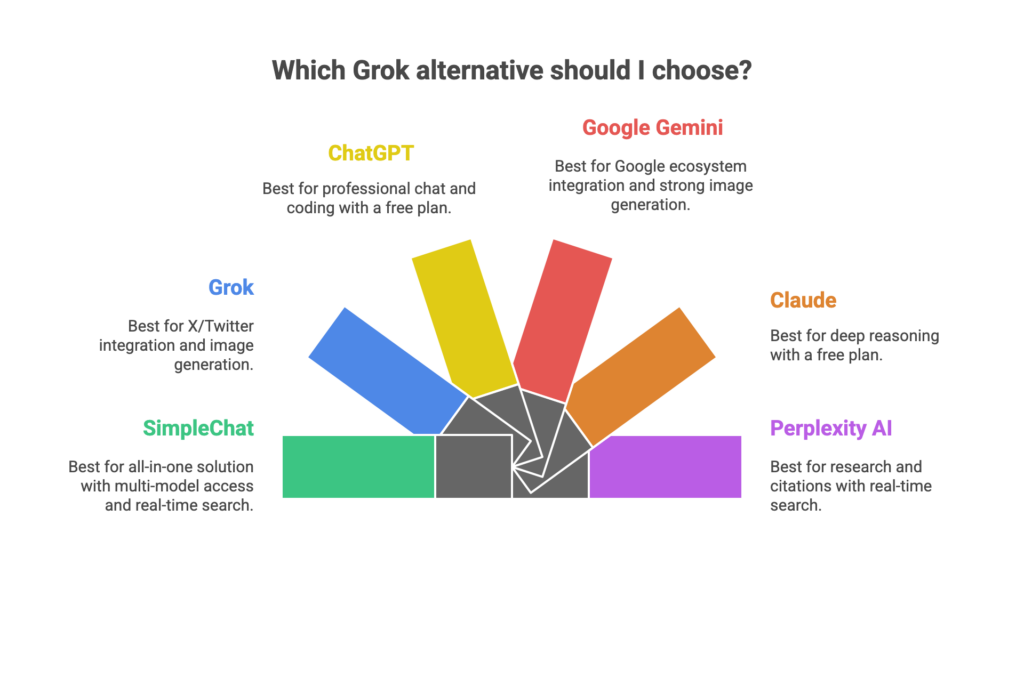
    SimpleChat takes a different approach—give you everything built-in, make it simple, and charge one predictable price.

    Why SimpleChat is the Superior Choice

    You Get 10+ Premium Models, Ready to Use

    Log in and you immediately have access to:

    • OpenAI: GPT-5, GPT-5 Mini
    • Anthropic: Claude 4.1 Opus
    • Google: Gemini 2.5 Pro, Gemini 2.5 Flash
    • xAI: Grok 4, Grok 3
    • Perplexity: Sonar, Sonar Pro

    No API keys to generate. No provider accounts to create. No billing confusion. Just instant access to the world’s best AI models.

    Switch Models in Seconds

    Click a dropdown, select a different model, and continue your conversation. Want to see how GPT-5 and Claude 4.1 Opus handle the same question? Switch and compare instantly. Need Gemini’s capabilities for one task and Grok’s for another? It’s all there, ready when you need it.

    One Price, Everything Included

    $11/month gets you full access to all models. No surprise API bills. No usage calculations. No wondering if you’ll get charged extra this month. What you see is what you pay.

    What You Can Actually Do with SimpleChat

    For Content Creators: Draft with GPT-5, refine with Claude 4.1, and fact-check with Perplexity—all without leaving your workspace or switching between ChatGPT Plus, Claude Pro, and other subscriptions.

    For Developers: Test code across multiple models to find the best solution. Compare GPT-5’s suggestions against Claude’s logic or Gemini’s approach, then choose what works best for your project.

    For Research & Analysis: Access Perplexity’s research-focused models alongside general-purpose models like GPT-5 and Claude. Upload documents and analyze them with any model you choose.

    For Teams: Add a team member and they’re ready to work in minutes. No IT setup. No API training. No explaining provider billing. Everyone gets immediate access to every model through one unified platform.

    Over 12,500 professionals already use SimpleChat daily because it eliminates the friction that makes tools like TypingMind exhausting to maintain.

    The Cost Difference is Dramatic

    SimpleChat: $11/month, all-inclusive

    vs. Buying Access Separately:

    • ChatGPT Plus: $20/month
    • Claude Pro: $20/month
    • Gemini Advanced: $20/month
    • Other premium access: $50+/month
    • Total: $110+/month

    You save $99/month—that’s $1,188 per year

    vs. TypingMind’s Real Cost:

    • TypingMind interface: ~$40-200 one-time
    • OpenAI API bills: $20-50/month
    • Anthropic API bills: $20-40/month
    • Google API bills: $15-30/month
    • Realistic total: $100-150+/month

    With SimpleChat, you get more models, zero complexity, and save over $1,000 annually compared to either approach.

    Ready to simplify your AI workflow?

    See all available models

    TypingMind vs SimpleChat: Detailed Comparison

    Here’s how the two platforms stack up across the factors that actually matter for your daily workflow:

    FeatureTypingMindSimpleChat
    Models AccessMultiple providers via your own API keys10+ premium models built-in (GPT-5, Claude 4.1, Gemini 2.5, Grok 4, Perplexity)
    Setup RequiredCreate provider accounts, generate API keys, configure billingZero—sign up and start using
    Monthly Cost$100-150+ (interface + all API fees)$11/month all-inclusive
    API Keys NeededYes—manage multiple keysNo—everything built-in
    Billing ComplexityMultiple invoices from different providersSingle predictable invoice
    Model SwitchingReconfigure endpoints or keysInstant dropdown selection
    Team OnboardingEach member sets up own API keysAdd user, they’re ready immediately
    Best ForTechnical users wanting maximum customizationProfessionals needing simple multi-model access
    Key AdvantageDeep control over configurationsSimplicity + cost savings + zero setup
    Key LimitationSetup complexity + variable costsNo self-hosting option

    Which Should You Choose?

    Choose TypingMind if you:

    • Are highly technical and enjoy system configuration
    • Need specific custom integrations or workflows
    • Prefer one-time software purchases
    • Want maximum control over every aspect of your AI setup

    Choose SimpleChat if you:

    • Want instant access to 10+ top AI models
    • Prefer predictable monthly costs over variable API billing
    • Value your time more than configuration options
    • Need to switch between models frequently
    • Are managing a team that needs unified access
    • Want to save $1,188/year compared to separate subscriptions

    The reality: Unless you’re a developer building custom AI workflows or an organization with specific compliance requirements, SimpleChat provides better value through simplicity, comprehensive model access, and significant cost savings.

    Real User Feedback

    TypingMind Users Report:

    Power users appreciate the organizational features. One professional noted that TypingMind became their central hub because folders and tags helped manage hundreds of conversations across projects. The flexibility to connect multiple providers appeals to technical users who want control.

    However, the consistent complaint centers on complexity. Non-technical team members struggle with API key setup and understanding provider billing. Several users mentioned spending hours on initial configuration and ongoing troubleshooting when connections break.

    SimpleChat Users Experience:

    Professionals consistently highlight three benefits: replacing multiple subscriptions with one simple tool, easy model comparison within the same interface, and predictable pricing. The 12,500+ professionals using SimpleChat daily emphasize how quickly they can switch between GPT-5, Claude, Gemini, and Grok without managing separate accounts.

    Teams particularly value unified access—add a member and they immediately have access to all models without IT involvement or training on API management.

    Frequently Asked Questions

    Is TypingMind free?

    No. TypingMind requires a one-time license purchase ($39-198 depending on the plan), plus you pay separately for API usage from each provider you connect. Realistic monthly costs total $100-150+ when including all API fees.

    How much does TypingMind actually cost per month?

    While the interface is a one-time payment, you’ll spend $20-50/month on OpenAI API, $20-40/month on Anthropic, $15-30/month on Google, and more for other providers. Total realistic monthly cost: $100-150+ for active users.

    Does TypingMind offer discount codes?

    TypingMind typically runs Black Friday promotions with approximately 50% off lifetime licenses and offers 14-day refund periods. Check their website during major shopping holidays.

    What’s the best TypingMind alternative in 2025?

    SimpleChat is the better alternative, providing built-in access to 10+ premium AI models including GPT-5, Claude 4.1 Opus, Gemini 2.5 Pro, Grok 4, and Perplexity for $11/month—no API keys required.

    Can I use multiple AI models with SimpleChat?

    Yes. SimpleChat gives you instant access to GPT-5, Claude, Gemini, Grok, Perplexity, and more. Switch between models with one click, no configuration needed.

    How much can I save with SimpleChat?

    Compared to buying ChatGPT Plus, Claude Pro, Gemini Advanced, and other subscriptions separately ($110+/month), SimpleChat saves you approximately $1,188 per year. Compared to TypingMind’s total cost with API fees ($100-150+/month), you save an additional $1,068-1,668 annually.

    Does SimpleChat require API key setup?

    No. Unlike TypingMind, SimpleChat includes all models built-in with zero API configuration, key management, or provider account setup required.

    What’s the difference between TypingMind and “typing with your mind”?

    TypingMind is an AI chat interface software tool, not brain-computer interface technology. The name refers to a typing-focused UI for AI conversations, not literal mind-controlled typing.

    Conclusion

    TypingMind serves a specific niche: technical power users who want maximum customization and don’t mind managing multiple API accounts. For that audience, the flexibility justifies the complexity.

    But here’s what the pricing breakdown reveals—TypingMind costs $100-150+ monthly once you factor in the API fees you actually need to use it. That’s 10-14x more expensive than SimpleChat, which provides access to more models with zero setup hassle.

    For most professionals, SimpleChat is simply the better choice:

    • 10+ premium models including GPT-5, Claude 4.1 Opus, Gemini 2.5 Pro, Grok 4, and Perplexity
    • $11/month predictable pricing—no surprise API bills
    • 90% cost savings compared to separate subscriptions ($1,188/year saved)
    • Zero API keys, zero provider accounts, zero configuration
    • Instant model switching without context loss
    • Trusted by 12,500+ professionals for daily AI workflows

    Stop paying $110+/month for multiple subscriptions or managing complex API setups. Get instant access to all the world’s best AI models in one simple platform.

    Start with SimpleChat today

  • 7 Best ChatGPT Alternatives in 2025: AI Tools Better than ChatGPT (Free, Paid & Multi-Model)

    7 Best ChatGPT Alternatives in 2025: AI Tools Better than ChatGPT (Free, Paid & Multi-Model)

    Introduction

    You’re probably paying too much for AI. Most professionals juggle multiple subscriptions—ChatGPT Plus here, Claude Pro there, maybe Gemini Advanced for Google Workspace—and suddenly you’re spending over $110 every month just to access different AI models.

    Here’s the thing: you don’t need separate subscriptions anymore.

    The AI landscape has evolved dramatically in 2025. Multi-model platforms now give you access to GPT-5, Claude, Gemini, Grok, Perplexity, and other leading models through a single interface. SimpleChat, for example, provides 10+ premium AI models for $11/month—that’s a 90% cost reduction compared to managing separate subscriptions, saving you roughly $1,188 annually.

    But cost isn’t the only consideration. Different AI models excel at different tasks:

    • GPT-5 handles general-purpose conversations brilliantly
    • Claude 4.1 Opus excels at nuanced reasoning and long-form analysis
    • Gemini 2.5 Pro integrates seamlessly with Google Workspace
    • Perplexity Sonar delivers real-time, source-backed research
    • Grok 4 provides social media context and trending insights

    The right alternative depends on your specific needs—whether that’s cost savings, specialized capabilities, ecosystem integration, or open-source flexibility.

    In this comprehensive guide, we’ll compare 15+ ChatGPT alternatives across pricing, features, and use cases. We’ll cover everything from unified multi-model platforms trusted by 12,500+ professionals to free tools and open-source solutions for developers.

    What you’ll find in this article:

    • Why 2025 is the year to reconsider your AI subscription strategy
    • Detailed breakdowns of each ChatGPT alternative with pros, cons, and pricing
    • A comprehensive comparison table to help you decide quickly
    • Specific recommendations based on your workflow and budget
    • FAQ section answering the most common questions about ChatGPT alternatives

    Let’s dive in.

    Why Look for Alternatives to ChatGPT in 2025?

    ChatGPT revolutionized how we interact with AI, but it’s no longer the only game in town. The AI market has matured significantly, and sticking with a single tool—or worse, paying for multiple separate subscriptions—makes less sense than ever.

    The Multi-Subscription Problem

    Here’s what the typical AI power user’s monthly bill looks like in 2025:

    • ChatGPT Plus: $20/month
    • Claude Pro: $20/month
    • Gemini Advanced: $20/month
    • Perplexity Pro: $20/month
    • Microsoft Copilot: $20/month

    Total: $110+ per month, or $1,320 annually.

    Each subscription comes with its own login, billing cycle, usage limits, and interface. You’re constantly switching between tabs, copying prompts from one tool to another, and managing multiple accounts just to access different AI capabilities.

    The Rise of Multi-Model Platforms

    This is exactly why unified platforms emerged. SimpleChat pioneered this approach by aggregating 10+ premium models—including GPT-5, Claude 4.1 Opus, Gemini 2.5 Pro, Grok 4, and Perplexity Sonar—into a single workspace at $11/month. That’s the same models you’d pay $110+/month for separately, accessible through one interface without context-switching.

    The value proposition is clear: 90% cost savings, zero fragmentation, and access to every major AI model.

    Different Models, Different Strengths

    Another compelling reason to explore alternatives is specialization. No single AI model dominates every use case:

    • Coding projects benefit from Claude’s superior reasoning
    • Research tasks shine with Perplexity’s live web search and citations
    • Google Workspace users get seamless integration with Gemini
    • Microsoft 365 teams leverage Copilot’s native Office integration
    • Social media analysis taps into Grok’s real-time X data

    Having access to multiple models means choosing the right tool for each specific task—something impossible with a single ChatGPT subscription.

    The Open-Source Revolution

    The release of Meta’s Llama 3.x models (trained on over 15 trillion tokens with parameters up to 405B) democratized access to frontier-level AI. Developers can now self-host powerful models, maintaining complete control over their data and deployment while avoiding recurring subscription costs entirely.

    Privacy and Data Control

    Not everyone wants their conversations used for model training. Several alternatives, including SimpleChat, explicitly commit to privacy-first approaches where your data isn’t used to train AI models—a critical consideration for professionals handling sensitive information.

    The bottom line: 2025 offers better AI tools, more choice, and smarter economics than ever before. Whether you’re motivated by cost savings, specialized capabilities, or simply want the flexibility to use the best model for each task, there’s never been a better time to explore ChatGPT alternatives.

    Quick Glance: Best Alternatives to ChatGPT for Different Use Cases (2025)

    Not sure which alternative fits your needs? Here’s a quick reference guide:

    For Multi-Model Power Users:

    • SimpleChat – Access GPT-5, Claude, Gemini, Grok, Perplexity, and 10+ models in one workspace at $11/month

    For Ecosystem Integration:

    • Google Gemini – Best for Google Workspace users (Docs, Sheets, Gmail)
    • Microsoft Copilot – Best for Microsoft 365 teams (Word, Excel, PowerPoint, Outlook)

    For Specific AI Capabilities:

    • Claude (Anthropic) – Best for nuanced reasoning, long-form analysis, and safety-focused conversations
    • Perplexity AI – Best for real-time research with source citations
    • Grok by X – Best for social media context and trending topic analysis

    For Budget-Conscious Users:

    • SimpleChat – Best value for accessing premium models ($1,188 annual savings vs separate subscriptions)
    • Meta AI – Free assistant across Facebook, Instagram, WhatsApp
    • Free tiers – Gemini, Claude, and Perplexity offer limited free access

    For Developers & Technical Users:

    • Meta AI (Llama) – Best open-source alternative with models up to 405B parameters
    • SimpleChat – Best for testing and comparing multiple models without API complexity

    For Teams Needing Flexibility:

    • SimpleChat – Trusted by 12,500+ professionals who need to switch between different AI models based on task requirements

    Now let’s dive deep into each alternative with detailed breakdowns of features, pricing, pros, cons, and best use cases.

    1. SimpleChat – Best AI tool to Access 10+ AI Models in One Unified Platform

    SimpleChat takes a fundamentally different approach to AI chat: instead of locking you into a single model, it gives you access to 10+ premium AI models through one unified interface. This means you can use GPT-5 for general tasks, switch to Claude 4.1 Opus for complex reasoning, try Gemini 2.5 Pro for Google-related work, and test Perplexity Sonar for research—all without leaving your workspace or managing multiple subscriptions.

    The platform is already trusted by 12,500+ professionals who’ve eliminated the hassle of juggling separate AI tools.

    What Makes SimpleChat Different

    All-in-One Platform for AI Chat + Image Generation

    SimpleChat positions itself as a comprehensive AI workspace, not just a chat interface. Beyond text conversations with leading language models, the platform includes state-of-the-art image generation capabilities and a prompt library with pre-built templates for common tasks.

    The core value proposition is simple: one tool, 10+ LLM models, no subscription stacking required.

    Available AI Models

    SimpleChat provides access to models from five major AI providers:

    • OpenAI: GPT-5, GPT-5 Mini
    • Anthropic: Claude 4.1 Opus
    • Google: Gemini 2.5 Pro, Gemini 2.5 Flash
    • xAI: Grok 4, Grok 3
    • Perplexity: Sonar, Sonar Pro

    This lineup represents the cutting edge of AI capabilities across different specializations—general intelligence, reasoning, multimodal understanding, social context, and research.

    Key Features

    Seamless Model Switching

    The standout feature is context preservation when switching models. You can start a conversation with GPT-5, continue it with Claude for deeper analysis, and finish with Perplexity for sourced research—all in the same chat thread. No copy-pasting prompts between different apps.

    Chat with Documents

    Upload PDFs, text files, or other documents and have conversations about their content across any of the supported models. This is particularly useful when you want to compare how different AI models interpret the same material.

    Privacy-First Approach

    Unlike some AI platforms, SimpleChat explicitly commits that your data is not used for model training. This makes it suitable for professionals handling confidential business information, legal documents, or sensitive research.

    No API Keys Required

    SimpleChat handles all backend integrations directly. You don’t need to create accounts with OpenAI, Anthropic, Google, xAI, and Perplexity separately, nor do you need to manage API keys or billing with each provider—a significant advantage over tools like TypingMind that require you to bring your own API access.

    Prompt Library

    Pre-built prompts for text generation and image creation help you get started quickly without writing complex instructions from scratch.

    Pricing & Cost Comparison

    SimpleChat’s pricing is designed around one principle: give you access to all premium models for less than the cost of any single competitor’s subscription.

    Individual Tool Pricing (2025):

    • ChatGPT Plus: $20/month
    • Claude Pro: $20/month
    • Gemini Advanced: $20/month
    • Perplexity Pro: $20/month
    • Copilot: $20/month

    Combined cost: $110+/month or $1,320/year

    SimpleChat pricing: $11/month or $132/year

    Annual savings: $1,188 (90% cost reduction)

    This isn’t about choosing between models—it’s about getting all of them for a fraction of what you’d pay separately.

    Pros

    Comprehensive model access – GPT-5, Claude, Gemini, Grok, Perplexity, and more in one place

    Massive cost savings – 90% cheaper than maintaining separate subscriptions ($1,188 annual savings)

    Unified workflow – No app-switching, one login, single billing

    Context preservation – Switch models mid-conversation without losing your chat history

    Privacy-focused – Data not used for training models

    No technical setup – No API keys, no vendor account management

    Trusted scale – 12,500+ professionals already use the platform daily

    Future-proof – Automatic access to new models as they’re added to the platform

    Cons

    Platform dependency – You’re trusting SimpleChat to maintain integrations with multiple AI providers

    Usage limits – Advanced features and higher usage may require paid tiers (check current plan details)

    Model availability – Specific model versions depend on what providers make available to third-party platforms

    Best For

    Power users who regularly need different AI models for different tasks

    Professionals comparing AI responses to ensure accuracy and quality

    Teams requiring versatile AI capabilities without budget bloat

    Content creators leveraging GPT-5 for drafts, Claude for editing, and image generation in one workspace

    Developers testing prompts across multiple models to find optimal performance

    Cost-conscious users who want premium AI access without paying $110+/month

    Anyone currently juggling multiple AI subscriptions and tired of the fragmentation

    Getting Started

    Start your SimpleChat free trial to test all 10+ models in one unified workspace. The platform lets you experience the difference between managing separate AI tools versus having everything accessible through a single interface.

    For professionals spending $110+/month on multiple AI subscriptions, SimpleChat eliminates that cost while actually expanding your capabilities—you get more models, better workflow integration, and significant annual savings.

    2. Google Gemini – Best AI Assistant for Google Workspace Integration

    Google Gemini brings Google’s multimodal AI directly into Docs, Sheets, Gmail, and other Workspace apps. If your work lives in the Google ecosystem, Gemini’s native integration eliminates constant copy-pasting between tools.

    Key Features

    Native Workspace Integration – Draft documents in Docs, generate formulas in Sheets, and compose emails in Gmail without leaving those apps.

    Multimodal Capabilities – Process text, images, and code simultaneously. Upload screenshots or diagrams for visual analysis.

    Search-Connected Responses – Taps into Google’s search infrastructure for current, real-time information.

    Pricing

    • Free tier – Core features with reasonable usage limits
    • Gemini Advanced – ~$19.99/month for more powerful models

    Pros & Cons

    Pros: Perfect for Workspace users, strong multimodal understanding, generous free tier, real-time information

    Cons: Best value only within Google’s ecosystem, advanced features require paid tier

    Best For

    Google Workspace users, students, marketers managing Google Ads campaigns, anyone whose workflow centers on Google apps.

    Comparison note: While Gemini excels in Google’s environment, SimpleChat gives you Gemini 2.5 Pro/Flash plus GPT-5, Claude, Grok, Perplexity, and 5+ other models for $11/month—less than Gemini Advanced alone.

    3. Claude (Anthropic) – Best for Nuanced Reasoning and Analysis

    Claude from Anthropic focuses on safety-conscious AI with exceptional reasoning capabilities. It’s particularly strong at long-form analysis, complex problem-solving, and maintaining nuanced, thoughtful conversations—making it ideal for sensitive business decisions and strategic planning.

    Key Features

    Superior Reasoning – Claude Opus and advanced models excel at multi-step logic, detailed explanations, and careful instruction-following.

    Long-Context Understanding – Handles extended conversations and lengthy documents better than most alternatives.

    Safety-Aligned Responses – Designed with ethical AI principles, making it suitable for professional and business use.

    Pricing

    • Free tier – Available with usage caps
    • Claude Pro – ~$20/month for higher limits and priority access

    Pros & Cons

    Pros: Best-in-class reasoning, excellent for detailed analysis, strong safety features, professional-grade responses

    Cons: Regional availability varies, usage limits on free tier

    Best For

    Strategy planning, sensitive business decisions, detailed document analysis, professionals needing thoughtful, balanced AI responses.

    Comparison note: SimpleChat provides Claude 4.1 Opus alongside GPT-5, Gemini, and 7+ other models at $11/month—half the cost of Claude Pro alone.

    4. Perplexity AI – Best for Real-Time Research

    Perplexity AI combines language models with live web search to deliver sourced, up-to-date answers with inline citations. It’s the go-to tool when you need current information rather than static training data.

    Key Features

    Live Web Search – Returns answers with citations and links to verify information sources.

    Sonar Model Family – Pro modes access advanced reasoning models for complex research tasks.

    Focus Modes – Specialized search for academic papers, videos, or specific domains.

    Pricing

    • Free plan – Daily limits on searches
    • Perplexity Pro – ~$20/month for unlimited searches and advanced models

    Pros & Cons

    Pros: Current, source-backed information; great for research; easy verification with citations

    Cons: Focused on Q&A rather than creative writing; advanced features need Pro

    Best For

    Research projects, fact-checking, journalists, students, anyone needing verifiable current information.

    Comparison note: Access Perplexity Sonar and Sonar Pro within SimpleChat along with other research-focused models.

    5. Microsoft Copilot – Best for Microsoft 365 Integration

    Microsoft Copilot embeds AI deeply into Word, Excel, PowerPoint, Outlook, and Teams. For organizations already invested in Microsoft 365, Copilot transforms how you create documents, analyze data, and manage communications.

    Key Features

    Native Office Integration – Draft in Word, generate formulas in Excel, create presentations in PowerPoint—all with AI assistance.

    Email and Meeting Intelligence – Summarize Teams meetings, triage Outlook inbox, draft professional emails.

    Enterprise Security – Built with business-grade compliance and data protection.

    Pricing

    • Basic tier – Free features in Bing and web
    • Copilot Pro – ~$20/month for individuals
    • Enterprise licenses – Available with Microsoft 365 business plans

    Pros & Cons

    Pros: Deep Microsoft integration, strong productivity features, enterprise-ready security

    Cons: Best for existing M365 users, complex enterprise licensing

    Best For

    Microsoft 365 organizations, enterprise teams, professionals working primarily in Office apps.

    6. Grok by X – Best for Social Media Context

    Grok from xAI provides AI assistance with real-time access to X (Twitter) data, mixing serious reasoning with a conversational, sometimes humorous tone. It’s designed for understanding social trends and current discussions.

    Key Features

    Real-Time X Integration – Access to live social media conversations and trending topics.

    Grok 3/4 Models – Reasoning-focused models that balance problem-solving with personality.

    Social Context – Unique insights from social media dynamics unavailable in other AI tools.

    Pricing

    • Bundled with X Premium/Premium+ subscriptions
    • Standalone SuperGrok options available

    Pros & Cons

    Pros: Unique social media insights, trending topic access, personality-driven responses

    Cons: Requires X platform, informal tone may not suit all professional contexts

    Best For

    Social media managers, trend analysts, marketers tracking public sentiment, casual exploratory queries.

    7. Meta AI (Llama) – Best Open-Source Alternative

    Meta AI provides both a consumer assistant embedded in Facebook, Instagram, and WhatsApp, plus the open-source Llama model family that developers can deploy independently.

    Key Features

    Llama 3.x/4 Models – Open-source models trained on 15+ trillion tokens with parameters up to 405B, offering frontier-level performance.

    Multimodal Variants – Text and image understanding in newer Llama versions.

    Permissive Licensing – Free for research and many commercial uses, allowing self-hosting and customization.

    Pricing

    • Meta AI assistant – Free across Meta apps
    • Llama models – Open-source with permissive licenses

    Pros & Cons

    Pros: Strong open-source ecosystem, self-hosting options, free across Meta apps, developer-friendly

    Cons: Self-hosting requires infrastructure, consumer assistant has regional limitations

    Best For

    Developers wanting control and customization, researchers needing data privacy, open-source enthusiasts, anyone seeking free AI across social apps.

    Multi-Model Comparison Table

    Here’s how the leading ChatGPT alternatives stack up across key factors:

    PlatformStarting PriceModels IncludedFree TierBest ForAnnual Cost
    SimpleChat$11/monthGPT-5, Claude 4.1, Gemini 2.5, Grok 4, Perplexity Sonar, 5+ moreAvailableMulti-model users, teams, cost savings$132
    ChatGPT Plus$20/monthGPT-4, GPT-4o, GPT-4.5LimitedOpenAI ecosystem$240
    Claude Pro$20/monthClaude Opus, SonnetLimitedReasoning, analysis$240
    Gemini Advanced$20/monthGemini Pro, UltraYesGoogle Workspace$240
    Perplexity Pro$20/monthSonar, ProYesResearch$240
    Microsoft Copilot$20/monthGPT-4 basedBasicM365 users$240
    Grok (X Premium)$16/monthGrok 3, Grok 4NoSocial context$192
    Meta AIFreeLlama 3.x/4YesOpen-source, casual$0
    Multiple Subscriptions$110+/monthAll of aboveVariesFragmented workflow$1,320+

    Key insight: SimpleChat delivers $1,188 in annual savings compared to managing separate subscriptions, while providing the same premium models through one unified workspace.

    FAQ: Best ChatGPT Alternatives 2025

    What is the best ChatGPT alternative in 2025?

    SimpleChat is the best overall ChatGPT alternative because it provides access to 10+ leading AI models including GPT-5, Claude 4.1 Opus, Gemini 2.5 Pro, Grok 4, and Perplexity Sonar in one unified platform at $11/month—delivering 90% cost savings compared to separate subscriptions.

    What are the best free ChatGPT alternatives?

    The best free alternatives include Google Gemini (generous free tier), Claude (free with limits), Perplexity AI (free basic version), and Meta AI (free in Facebook/Instagram/WhatsApp). However, these free tiers have usage caps. For unlimited multi-model access, SimpleChat offers better value at $11/month than paying $20+/month for a single premium tool.

    Which ChatGPT alternative is best for coding?

    For coding, SimpleChat gives you access to GPT-5, Claude 4.1 (excellent for code reasoning), and Gemini 2.5 in one platform, letting you compare code solutions across models. Alternatively, Claude Pro offers strong standalone coding capabilities with superior logic and debugging skills.

    Are there open-source ChatGPT alternatives?

    Yes, Meta’s Llama 3.x/4 models (up to 405B parameters) are the leading open-source alternatives. You can deploy them locally using tools like Ollama or use cloud services. These offer maximum control and privacy but require technical expertise to set up and maintain.

    How much can I save with multi-model platforms?

    Significant savings. Separate subscriptions to ChatGPT Plus, Claude Pro, Gemini Advanced, Perplexity Pro, and Copilot cost $110+/month ($1,320/year). SimpleChat provides access to all these models for $11/month ($132/year)—an annual saving of $1,188 or 90% cost reduction.

    Can I use multiple AI models without multiple subscriptions?

    Yes, platforms like SimpleChat are specifically designed for this. You get 10+ AI models (GPT-5, Claude, Gemini, Grok, Perplexity, etc.) in one interface with a single subscription, eliminating the need to manage multiple accounts, logins, and payments.

    Which ChatGPT alternative is best for Google Workspace?

    Google Gemini is ideal if you work primarily in Google Workspace (Docs, Sheets, Gmail), as it integrates natively into those apps. However, SimpleChat includes Gemini 2.5 Pro/Flash alongside other models, giving you broader AI capabilities beyond just Google’s ecosystem.

    What’s the best ChatGPT alternative for research?

    Perplexity AI excels at research with its live web search and inline citations, making it easy to verify sources. For comprehensive research across different AI reasoning approaches, SimpleChat lets you query multiple models—GPT-5, Claude, Gemini, and Perplexity—to compare answers and get diverse perspectives.

    Conclusion: Stop Paying $110/Month for Multiple AI Subscriptions

    Managing multiple AI subscriptions is expensive and inefficient. Paying $20/month each for ChatGPT Plus, Claude Pro, Gemini Advanced, and Perplexity Pro adds up to $110+/month—that’s $1,320 annually just to access different AI models.

    SimpleChat changes this equation entirely. For $11/month, you get 10+ premium models—GPT-5, Claude 4.1 Opus, Gemini 2.5 Pro, Grok 4, Perplexity Sonar, and more—in one unified workspace. That’s a $1,188 annual saving with zero compromises on capability.

    The advantage is simple: No app-switching, no multiple logins, no fragmented workflow. Just one platform trusted by 12,500+ professionals who need the flexibility to choose the right AI model for each specific task.

    While individual alternatives like Gemini, Claude, and Perplexity excel in specific areas, only SimpleChat eliminates the need to choose between cost and capability.

    Ready to simplify your AI workflow?

    Start your SimpleChat free trial and access GPT-5, Claude, Gemini, Grok, Perplexity, and 5+ more models in one platform. Compare pricing and see how much you’ll save versus separate subscriptions.

  • Best Grok Alternatives for 2025: Compare AI tools (SimpleChat, ChatGPT, Gemini, Claude & Perplexity)

    Best Grok Alternatives for 2025: Compare AI tools (SimpleChat, ChatGPT, Gemini, Claude & Perplexity)

    Introduction

    You’re juggling multiple AI chat windows—Grok on X for quick takes, ChatGPT for coding help, Claude for research, and Gemini for your Google Docs. Each one costs $20/month. Your wallet is feeling it, and frankly, so is your sanity.

    Here’s the reality: paying for ChatGPT Plus, Claude Pro, Gemini Advanced, and Perplexity Pro separately adds up to roughly $110 per month—that’s $1,320 annually just to access different AI models. Meanwhile, SimpleChat gives you access to 10+ premium AI models including GPT-5, Claude 4.1 Opus, Gemini 2.5 Pro, Grok 3-4, and Perplexity Sonar for just $11/month. That’s a 90% cost reduction and $1,188 in annual savings.

    Why are people looking for Grok alternatives?

    • X-only access: Grok is locked to the X platform, meaning you can’t use it independently
    • Cost stacking: If you want Grok plus other AI models, you’re paying for multiple subscriptions
    • Limited versatility: Grok excels at real-time information and edgy responses, but lacks the professional polish or deep reasoning capabilities of other models
    • Better specialized tools: Some tasks need ChatGPT’s coding strength, Claude’s document analysis, or Gemini’s workspace integration

    The good news? You don’t have to choose. SimpleChat is trusted by 12,500+ professionals who’ve ditched the subscription juggling act. Instead of switching between apps, they access Grok, GPT-5, Claude, Gemini, and Perplexity in one unified interface.

    In this guide, we’ll compare the five best Grok alternatives available in 2025: SimpleChat (the all-in-one solution), ChatGPT (best for professional chat and coding), Google Gemini (best for workspace users), Claude (best for deep reasoning), and Perplexity AI (best for research). Each has its strengths, but only one eliminates the need for multiple subscriptions entirely.

    What Makes a Great Grok Alternative in 2025?

    Before diving into specific tools, let’s establish what actually matters when choosing a Grok alternative. Not every AI chatbot can replace what Grok offers, and the best choice depends on your specific workflow.

    Multi-Model Access

    The strongest Grok alternatives give you access to multiple AI models, not just one provider’s ecosystem. This means you can use GPT-5 for coding, Claude 4.x for document analysis, Gemini 2.5 for Google Workspace tasks, and Perplexity for research—all without maintaining separate accounts. SimpleChat pioneered this approach by aggregating 10+ premium models in one platform, eliminating the need to switch between apps.

    Real-Time Web Search

    Grok’s killer feature is its connection to X and real-time information. A true alternative needs strong web search capabilities—whether that’s Perplexity’s citation-based answers, ChatGPT’s browsing mode, or Gemini’s Google Search integration.

    Image and Video Generation

    Grok Imagine has made image generation accessible directly in chat. If you’re searching for a “grok imagine alternative,” look for platforms with robust visual AI capabilities. The best tools integrate multiple image models (DALL-E, Midjourney-style generators, Stable Diffusion variants) so you’re not limited to one provider’s aesthetic.

    Personality and Tone Flexibility

    Grok is known for its edgy, conversational personality—what some users call “spicy mode.” While most AI providers enforce content policies that prevent explicit NSFW content, the best alternatives offer tone flexibility. You should be able to switch between playful, professional, technical, and creative modes depending on your task.

    Transparent Pricing and Value

    Here’s where most Grok alternatives fall short. Individual subscriptions typically cost $20/month each:

    • ChatGPT Plus: ~$20/month
    • Claude Pro: ~$20/month
    • Gemini Advanced: ~$19.99/month
    • Perplexity Pro: ~$20/month

    If you want all four, you’re paying $79.99/month or $960/year. SimpleChat solves this by offering access to all these models plus Grok for $11/month—a single subscription that replaces multiple bills.

    Team Collaboration Features

    For professionals and businesses, team access matters. The best Grok alternatives offer shared workspaces, consistent billing, and the ability to standardize on one platform rather than managing multiple AI tool subscriptions across your organization.

    The 5 Best Grok Alternatives in 2025

    1. SimpleChat – Best All-in-One Grok Alternative

    If you’re tired of managing multiple AI subscriptions, SimpleChat is the solution you’ve been looking for. It’s a unified AI chat platform that gives you access to 10+ premium large language models from leading providers—all through a single interface and one monthly subscription.

    Why SimpleChat is the Best Grok Alternative

    Unlike standalone tools that lock you into one provider’s ecosystem, SimpleChat aggregates GPT-5, GPT-5 Mini, Claude 4.1 Opus, Gemini 2.5 Pro, Gemini 2.5 Flash, Grok 3, Grok 4, Perplexity Sonar, and Perplexity Sonar Pro in one place. This means you can use Grok for real-time X insights, switch to GPT-5 for coding tasks, move to Claude for document analysis, and try Gemini for Google Workspace integration—without ever leaving the platform.

    The platform is trusted by 12,500+ professionals who’ve eliminated the chaos of multiple AI accounts. Instead of remembering different login credentials, managing separate billing cycles, and switching between browser tabs, they access everything through SimpleChat’s unified dashboard.

    Key Features

    • Access to 10+ premium AI models including all major providers (OpenAI, Anthropic, Google, xAI, Perplexity)
    • Simple model switcher that lets you compare responses from different AIs on the same prompt
    • Unified chat history so your conversations are organized in one place, not scattered across platforms
    • Single billing system that replaces multiple monthly subscriptions
    • Image and video generation capabilities across various state-of-the-art models, making it a comprehensive grok imagine alternative
    • Prompt library with pre-built templates for common tasks
    • Privacy-first approach where your data isn’t used for model training

    Pricing That Actually Makes Sense

    Here’s where SimpleChat becomes a no-brainer: $11 per month gives you access to all 10+ models.

    Compare that to buying individual subscriptions:

    • ChatGPT Plus: $20/month
    • Claude Pro: $20/month
    • Gemini Advanced: $19.99/month
    • Perplexity Pro: $20/month
    • Total: $79.99/month or $960/year

    SimpleChat saves you $68.99 monthly or approximately $828 annually—and that’s before adding Grok access through X Premium, which would push separate subscriptions even higher.

    Pros and Cons

    Pros:

    • 90% cost savings compared to maintaining multiple AI subscriptions
    • No context switching between different AI platforms
    • Freedom to test which model works best for each specific task
    • One login, one interface, one bill
    • Ideal for professionals who need versatility without complexity

    Cons:

    • Requires a separate login instead of staying within X/Twitter
    • Learning curve if you’ve only used one AI assistant before

    Best For

    Power users who already know ChatGPT, Gemini, Claude, and Grok but are tired of paying for and switching between multiple platforms. Also perfect for professionals, content creators, developers, and teams who need access to diverse AI capabilities without budget constraints.

    Real User Perspective

    “SimpleChat turned my AI stack from four separate bills into one. I can use Grok for quick takes on X trends, GPT-5 for debugging code, Claude for analyzing 50-page reports, and Gemini for my Google Docs workflow—all without leaving a single interface. The $1,188 I’m saving annually is just a bonus.”

    Try SimpleChat as your all-in-one Grok alternative →

    2. ChatGPT – Polished Chat & Coding Alternative to Grok

    ChatGPT from OpenAI remains the most recognizable AI assistant globally, and for good reason. It’s polished, reliable, and particularly strong at coding and professional writing tasks—areas where Grok’s edgy personality sometimes gets in the way.

    Why ChatGPT Works as a Grok Alternative

    If Grok feels too casual or unpredictable for your work projects, ChatGPT offers a more structured, professional tone. It excels at writing emails, documentation, reports, and technical content where you need consistency and reliability. The GPT-5-class models deliver strong reasoning capabilities, and the plugin ecosystem extends functionality far beyond basic chat.

    Key Features

    • Access to GPT-5 and specialized AI modes with multimodal capabilities
    • Large plugin and tool ecosystem for extended functionality
    • Code interpreter for running and debugging Python code
    • Web browsing mode for accessing current information
    • Mobile apps (iOS and Android) for on-the-go access

    Pricing

    • Free tier with limited model access and rate limits
    • ChatGPT Plus: ~$20/month for enhanced features and priority access
    • Team and Enterprise plans available with per-seat pricing

    Pros and Cons

    Pros: Industry-leading coding assistance, mature documentation, extensive third-party integrations, reliable for business use

    Cons: Single-provider limitation (no access to Claude, Gemini, Grok, or Perplexity without separate subscriptions), more formal tone may feel restrictive compared to Grok’s personality

    Best For

    Professional writing, software development, business documentation, users who prioritize polish over personality.

    The Multi-Model Reality

    While ChatGPT excels at many tasks, it can’t replace the versatility of having multiple AI models at your fingertips. If you need Claude’s long-context analysis or Gemini’s Google integration, you’re back to managing separate subscriptions—unless you use SimpleChat to access GPT-5, Claude, Gemini, and more in one platform.

    3. Google Gemini – Best Grok Alternative for Google Users

    Google Gemini brings AI directly into your existing Google ecosystem, making it the natural choice if you live in Gmail, Google Docs, Sheets, and Drive. Rather than being a standalone chat tool, Gemini weaves AI assistance throughout your productivity workflow.

    Why Gemini Works as a Grok Alternative

    If you’re frustrated with Grok being locked to X, Gemini offers the opposite: deep integration with tools you already use daily. Need AI to summarize email threads, draft documents, or analyze spreadsheet data? Gemini handles these tasks without requiring you to copy-paste between apps.

    Key Features

    • Native integration across Gmail, Docs, Sheets, Slides, and Drive
    • Gemini 2.5 Pro models with strong multimodal understanding
    • Large context windows (up to 1M tokens for certain workloads)
    • Direct access through Google Search for research tasks
    • Mobile apps for Android and iOS

    Pricing

    • Free Gemini tier with base models
    • Gemini Advanced (Google One AI Premium): ~$19.99/month, includes 2TB cloud storage

    Pros and Cons

    Pros: Seamless Google Workspace integration, excellent for document-heavy workflows, strong multimodal capabilities, cloud storage included with paid tier

    Cons: Limited to Google’s models only (no GPT, Claude, Grok, or Perplexity access), less emphasis on conversational personality compared to Grok, requires Google ecosystem commitment

    Best For

    Google Workspace power users, teams already invested in Google’s ecosystem, users who prioritize productivity integration over AI variety.

    The Single-Provider Trade-off

    Gemini Advanced is excellent within Google’s walls, but what happens when you need GPT-5’s coding strength or Claude’s research depth? You’re either switching platforms or paying for additional subscriptions. SimpleChat eliminates this trade-off by giving you Gemini alongside all other major models.

    4. Claude – Deep-Reasoning, Ethical Grok Alternative

    Anthropic’s Claude family takes a different approach to AI: prioritizing safety, nuanced thinking, and exceptional long-context processing. If Grok sometimes feels too wild and ChatGPT too rigid, Claude occupies a thoughtful middle ground.

    Why Claude Works as a Grok Alternative

    Claude shines when you need careful analysis rather than quick takes. Its ability to process hundreds of pages in a single conversation makes it invaluable for research, strategy work, and complex document review—tasks where Grok’s brevity becomes a limitation.

    Key Features

    • Extremely large context windows (handling hundreds of pages)
    • Claude Opus, Sonnet, and Haiku models for different use cases
    • Strong at structured reasoning and long-form content
    • Emphasis on safety and ethical AI behavior
    • API access for developers

    Pricing

    • Claude Free: Limited but functional for casual use
    • Claude Pro: ~$20/month with significantly higher usage limits
    • Team and Enterprise tiers with per-seat pricing

    Pros and Cons

    Pros: Best-in-class long-context analysis, excellent for professional research and writing, strong safety guardrails, nuanced reasoning capabilities

    Cons: Lacks Grok’s playful personality, limited image/video generation compared to visual-first tools, single-provider constraint

    Best For

    Research professionals, legal/consulting work, academic analysis, users who need to process large documents regularly.

    When You Need More Than One Model

    Claude Pro is worth every penny for deep analytical work, but it doesn’t code as well as GPT-5 or integrate with Google Workspace like Gemini. Rather than paying $60-80/month for multiple specialized tools, SimpleChat gives you Claude plus all complementary models for $11/month.

    5. Perplexity AI – Real-Time Research Alternative to Grok

    Perplexity AI reimagines search by combining web crawling with AI reasoning, delivering concise answers with inline citations. If you love Grok’s real-time connection to X but need more rigorous sourcing, Perplexity is your answer.

    Why Perplexity Works as a Grok Alternative

    Perplexity excels at research tasks where you need current information with verifiable sources. Unlike Grok’s conversational style, Perplexity focuses on delivering accurate, cited answers—perfect for fact-checking, market research, and professional inquiries.

    Key Features

    • Real-time web search with inline source citations
    • Pro mode with access to advanced AI models
    • Follow-up question suggestions for deeper research
    • File upload capabilities (Pro users)
    • Focus modes for academic, writing, and research tasks

    Pricing

    • Free tier with limited Pro queries daily
    • Perplexity Pro: ~$20/month or $200/year

    Pros and Cons

    Pros: Superior citation and source quality, excellent for current events and research, clean interface focused on answers over chat, regularly updated with latest information

    Cons: Less personality than Grok, not designed for creative or casual conversation, single-provider environment with limited model variety

    Best For

    Researchers, journalists, students, professionals who need verifiable information with sources, market analysis and competitive research.

    The Research Specialist Limitation

    Perplexity is phenomenal at what it does, but it’s built for one purpose: research. When you need to switch from research mode to coding, document editing, or creative work, you’re opening another AI tool. SimpleChat includes Perplexity-style capabilities alongside GPT-5, Claude, Gemini, and Grok for complete workflow coverage.

    Grok Alternative Comparison: Which Tool is Right for You?

    Choosing the right Grok alternative depends on your specific needs, budget, and workflow. Here’s a side-by-side comparison to help you decide:

    ToolBest ForMulti-Model AccessImage/Video GenerationReal-Time SearchStarting Price (Monthly)Free PlanAnnual Cost
    SimpleChatAll-in-one solution✅ 10+ models✅ Yes✅ Yes$11✅ Yes$132
    GrokX/Twitter integration❌ xAI only✅ Yes (Imagine)✅ Yes~$16 (X Premium+)❌ No$192
    ChatGPTProfessional chat/coding❌ OpenAI only⚠️ Limited⚠️ Limited$20✅ Yes$240
    Google GeminiGoogle ecosystem❌ Google only✅ Strong⚠️ Limited$19.99✅ Yes$240
    ClaudeDeep reasoning❌ Anthropic only❌ Limited❌ No$20✅ Yes$240
    Perplexity AIResearch/citations❌ Limited models❌ No✅ Yes$20✅ Yes$240

    The Cost Reality: If you want to keep Grok plus add capabilities from the four single-provider tools, you’re paying $95.99/month ($1,152/year). SimpleChat delivers access to all these models including Grok for $11/month ($132/year)—that’s $1,020 in annual savings, or roughly 89% cost reduction.

    Which Alternative Should You Choose?

    • Choose SimpleChat if you want comprehensive AI access without managing multiple subscriptions, need to compare models side-by-side, or are paying for 2+ AI tools currently
    • Keep Grok if you exclusively use X/Twitter and never need AI capabilities outside that platform
    • Choose ChatGPT if you exclusively need coding assistance and professional writing with no interest in other AI models
    • Choose Gemini if you never leave Google Workspace and don’t need AI capabilities outside Gmail, Docs, and Sheets
    • Choose Claude if your only AI use case is analyzing long documents and research papers
    • Choose Perplexity if you exclusively need research with citations and have no other AI requirements

    For most professionals, the answer is clear: SimpleChat eliminates the trade-offs by giving you everything in one place.

    Frequently Asked Questions About Grok Alternatives

    What is the best free alternative to Grok?

    Most AI platforms offer free tiers with limited access—ChatGPT, Gemini, Claude, and Perplexity all have free versions. However, these come with significant rate limits and restricted features. SimpleChat offers trial access to all 10+ models, letting you test multiple AI assistants before committing to any subscription.

    Is there a Grok 2, Grok 3, or Grok 4 alternative?

    Yes. SimpleChat actually includes Grok 3 and Grok 4 access alongside GPT-5, Claude 4.1 Opus, and Gemini 2.5 Pro. This means you’re not choosing between Grok and other models—you get all of them in one platform. For users specifically looking for the latest Grok versions with additional AI capabilities, SimpleChat is the most comprehensive option.

    What’s the best Grok Imagine alternative for image generation?

    SimpleChat provides access to multiple state-of-the-art image generation models across different providers, making it a versatile grok imagine alternative. Unlike Grok Imagine which is limited to one image generation approach, SimpleChat lets you experiment with various AI image generators to find the style and quality that matches your needs.

    Can I get a Grok alternative without using X/Twitter?

    Absolutely. All the alternatives listed—ChatGPT, Gemini, Claude, Perplexity, and SimpleChat—work independently of X/Twitter. If you’re looking for Grok’s capabilities without being tied to the X platform, SimpleChat provides the most comprehensive solution by giving you access to Grok plus nine other premium models in a standalone interface.

    How much can I save with a Grok alternative?

    If you’re currently paying for multiple AI subscriptions (ChatGPT Plus, Claude Pro, Gemini Advanced, Perplexity Pro), you’re spending approximately $79.99/month or $960 annually. SimpleChat consolidates all these models for $11/month ($132/year), saving you roughly $828 annually—an 86% cost reduction. Add in X Premium for Grok access ($16/month), and the savings increase to over $1,020 per year.

    Which Grok alternative is best for coding?

    For coding specifically, ChatGPT’s GPT-5 models excel at code generation, debugging, and technical problem-solving. However, SimpleChat gives you an advantage: you can compare coding solutions from GPT-5, Claude, and Gemini side-by-side. Different models handle different programming languages and frameworks better, so having access to multiple AI coding assistants helps you get the best solution faster.

    Choose the Best Grok Alternative for Your Needs

    The AI landscape has evolved beyond choosing a single assistant. While Grok excels at real-time X integration and conversational personality, the five alternatives we’ve covered—SimpleChat, ChatGPT, Gemini, Claude, and Perplexity—each bring unique strengths to different workflows.

    Here’s the bottom line: single-provider AI tools cost $20/month each. If you need ChatGPT for coding, Claude for research, Gemini for Google Workspace, and Perplexity for fact-checking, you’re paying $79.99/month or $960 annually. Add Grok access through X Premium, and that jumps to nearly $1,152 per year.

    SimpleChat changes this equation entirely. For $11/month, you get access to 10+ premium AI models including GPT-5, Claude 4.1 Opus, Gemini 2.5 Pro, Grok 3-4, and Perplexity Sonar—all in one unified platform. That’s $1,020 in annual savings, or 89% cost reduction compared to maintaining separate subscriptions.

    Over 12,500 professionals have already made the switch. They’re no longer juggling multiple AI accounts, managing separate billing cycles, or deciding which model to pay for next. They’ve simplified their AI workflow while expanding their capabilities.

    Stop paying for multiple AI subscriptions. Try SimpleChat as your all-in-one Grok alternative and save $1,020 this year →